> ## Documentation Index
> Fetch the complete documentation index at: https://help.dingtalk.io/llms.txt
> Use this file to discover all available pages before exploring further.
# Delegate settings
> Configure delegate settings for DingTalk OA Approval: enter delegate settings in the Admin Console, assign a delegate to an approver, and review delegation records to keep approvals moving while the approver is on leave or traveling.
## 1. Overview
The Admin can configure delegate settings in the Admin Console.
This includes the delegated approver, the delegate, and the delegation period.
## 2. Prerequisites
* Only an Approval Admin can perform process design, so you must first become an Approval Admin.
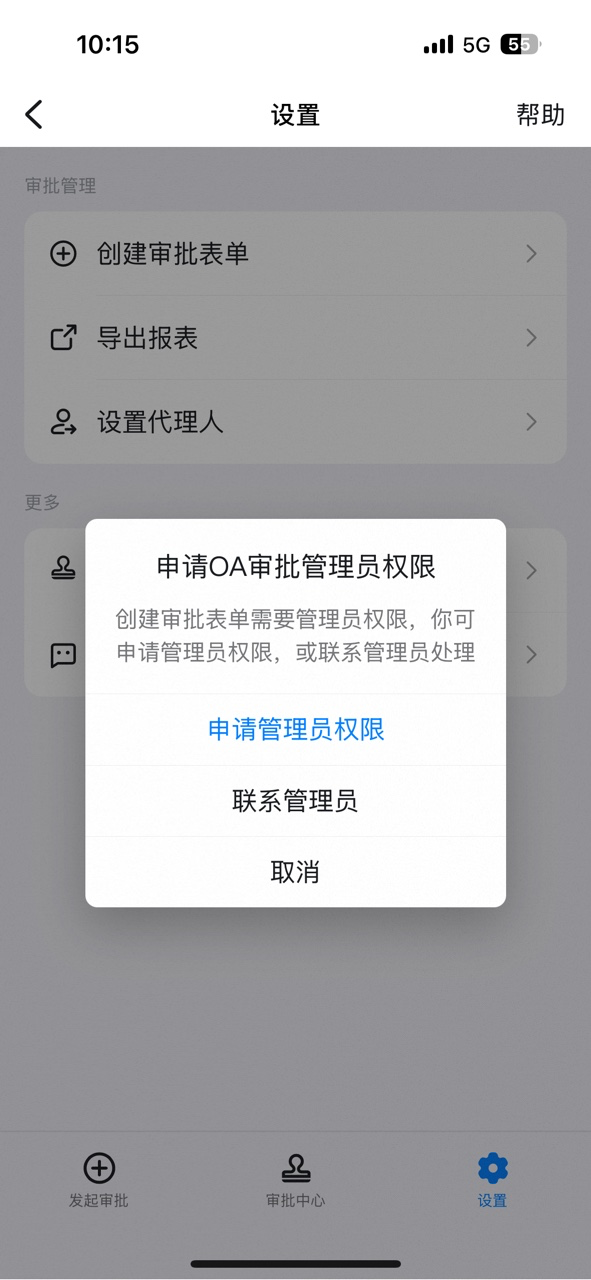
If you are not an Approval Admin, open DingTalk OA Approval, tap **Settings**, tap **Create Approval form**, tap **Request Admin Permissions**, then tap **Submit**.


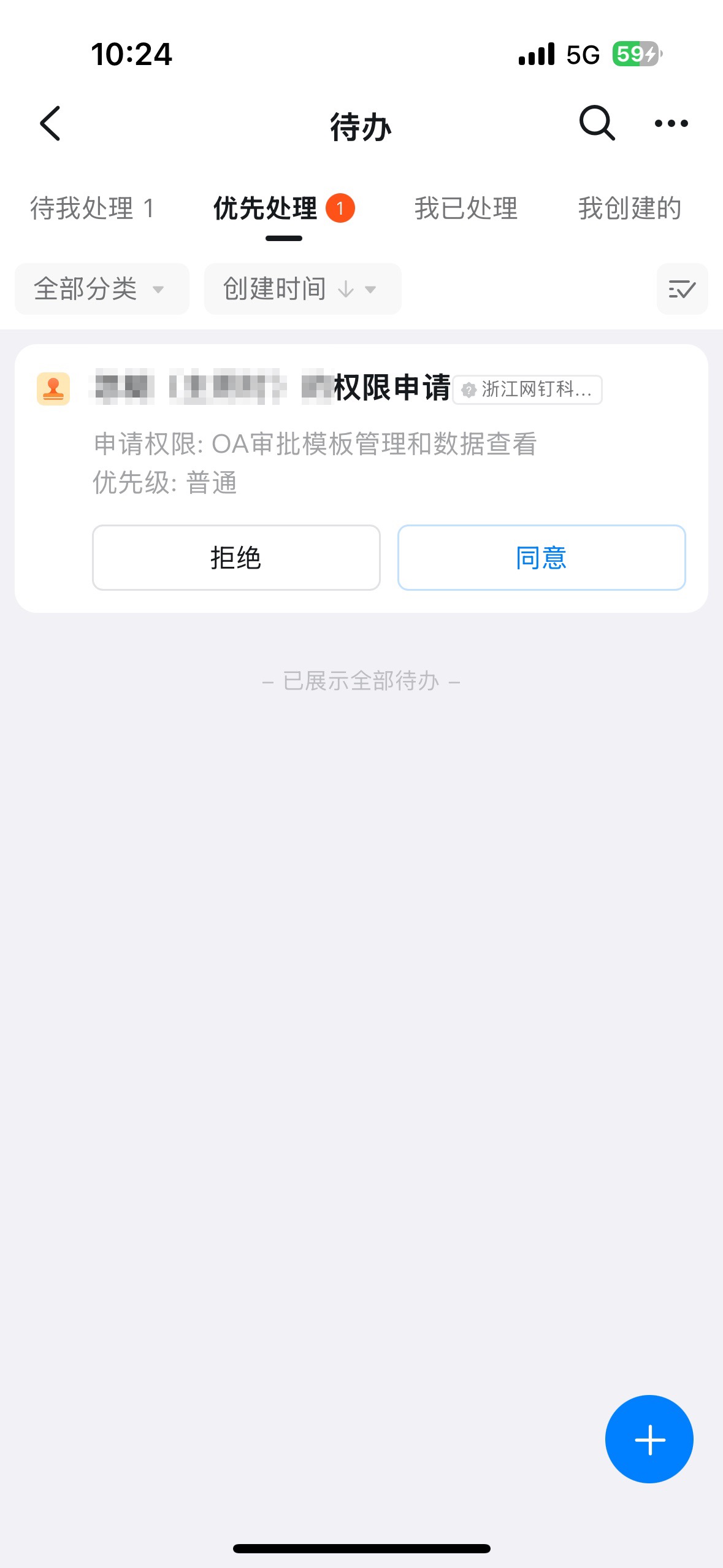
Once the Admin receives the pending-approval notification and approves it, the corresponding Employee automatically gains Approval Admin Permissions.
## 3. Steps
### 1. Enter delegate settings
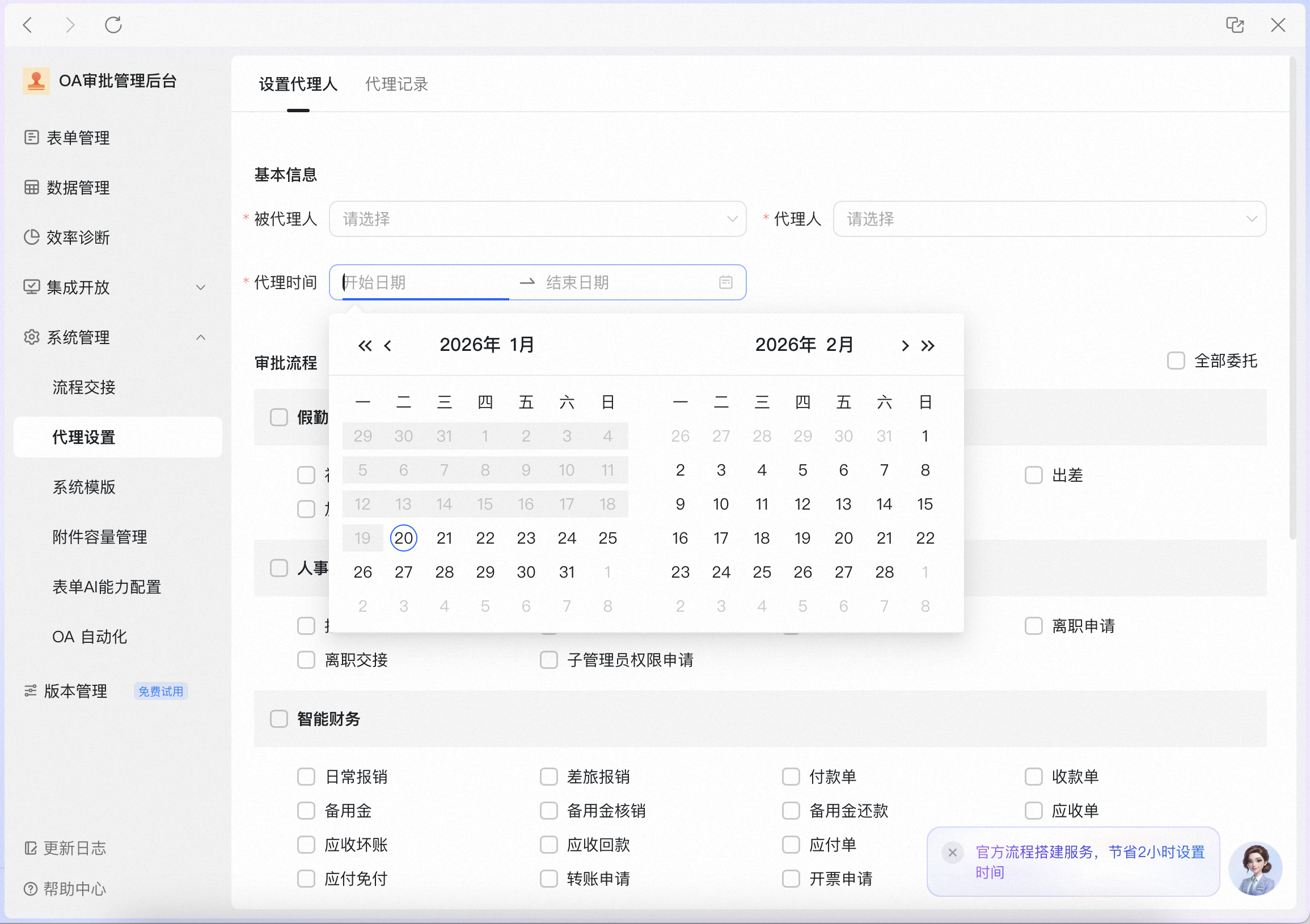
Go to **Approval Admin Console** > **System Management** > **Delegate Settings**.

### 2. Assign a delegate
Select the **delegated approver** and the **delegate**, then choose the **delegation period**.
### 3. View delegation records
Click **Delegation Records** to query records by **delegated approver** or **delegate**, or to Undo an active delegation Record.
