> ## Documentation Index
> Fetch the complete documentation index at: https://help.dingtalk.io/llms.txt
> Use this file to discover all available pages before exploring further.
# AI controls
> Introduces DingTalk Approval's AI control capabilities — text summarization, information extraction, text translation, and image interpretation — to help approvers quickly grasp key form information and improve decision efficiency.
## 1. Capability overview
Value in one sentence: helps approvers quickly grasp key form information and improve decision efficiency.
Applicable role: approver.
Supported fields: Text, Number, Image, and most other approval form controls. Attachments and business control groups are not supported yet.
Core capability: the admin selects a skill for the control → the AI runs automatically when the approver opens the form.
| Before | After |
| ------------------------------------------------------------------------------------ | ---------------------------------------------------------------------------------------------------------------- |
| The form has too much content, making key points hard to find | Text summarization: like a secretary, summarizes the core content of the application in one sentence |
| Key information such as dates, amounts, and quantities is scattered and easy to miss | Information extraction: like a secretary, surfaces the key information and presents it in a structured way |
| Cross-border approvals where you cannot read the form content | Text translation: like an on-site translator, provides translation support when you need to process the approval |
| Images have to be reviewed one by one, which is inefficient | Image interpretation: like a seasoned expert, interprets images and delivers professional judgments |
## 2. Applicable scenarios
Input: fields on the form (custom selection, up to 10).
Judgment basis: the 4 default skills plus a custom prompt.
Output: conclusions delivered to the approver.
### 1. Text summarization
Taking a project change approval as an example, configure the AI control in the form designer and select the text summarization scenario:
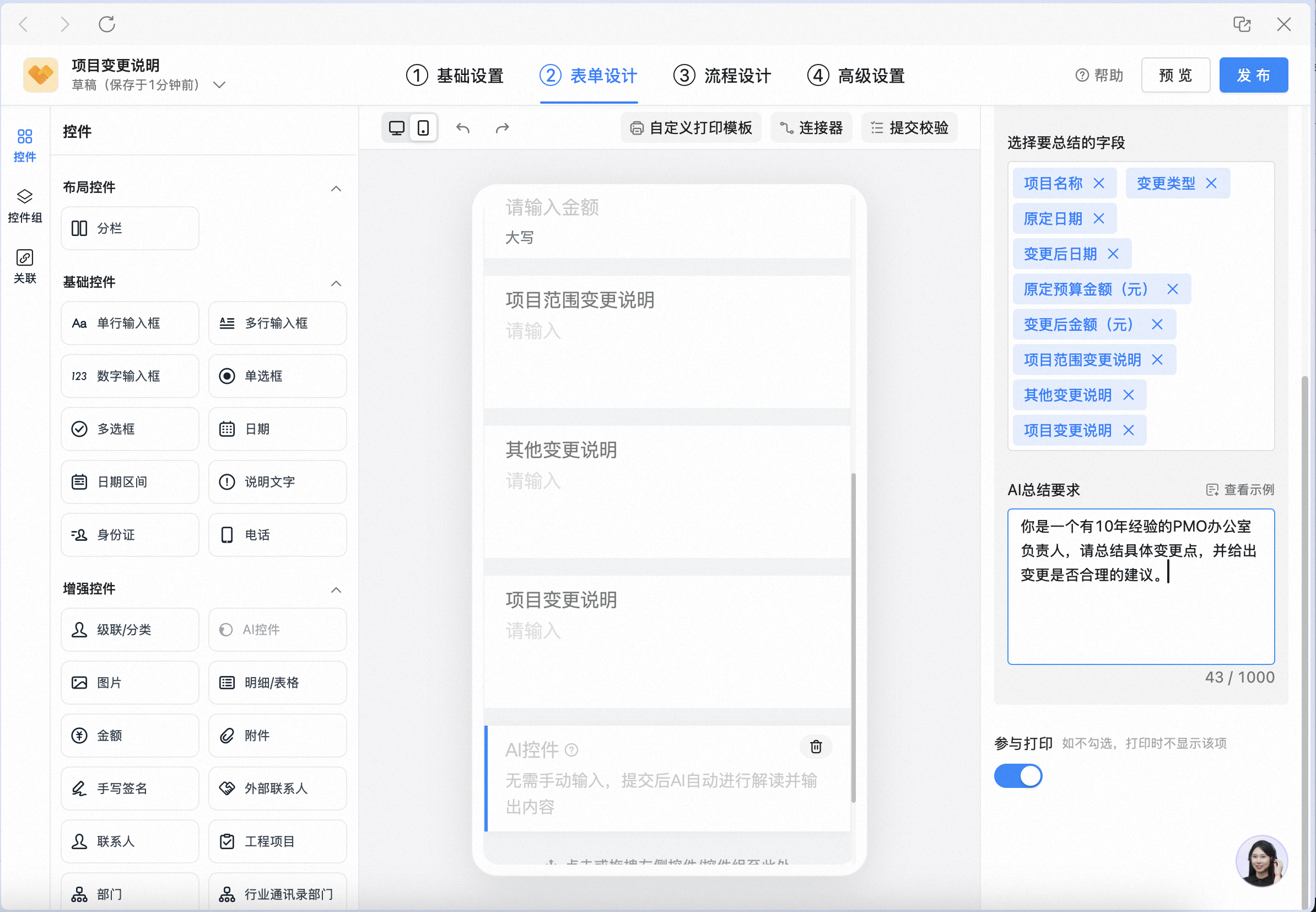
When the approval form is opened on desktop, the AI automatically summarizes the change content and provides a suggestion on whether the change is reasonable:

On mobile, the summary card also appears automatically, so the key points of a long application are visible at a glance:

### 2. Information extraction
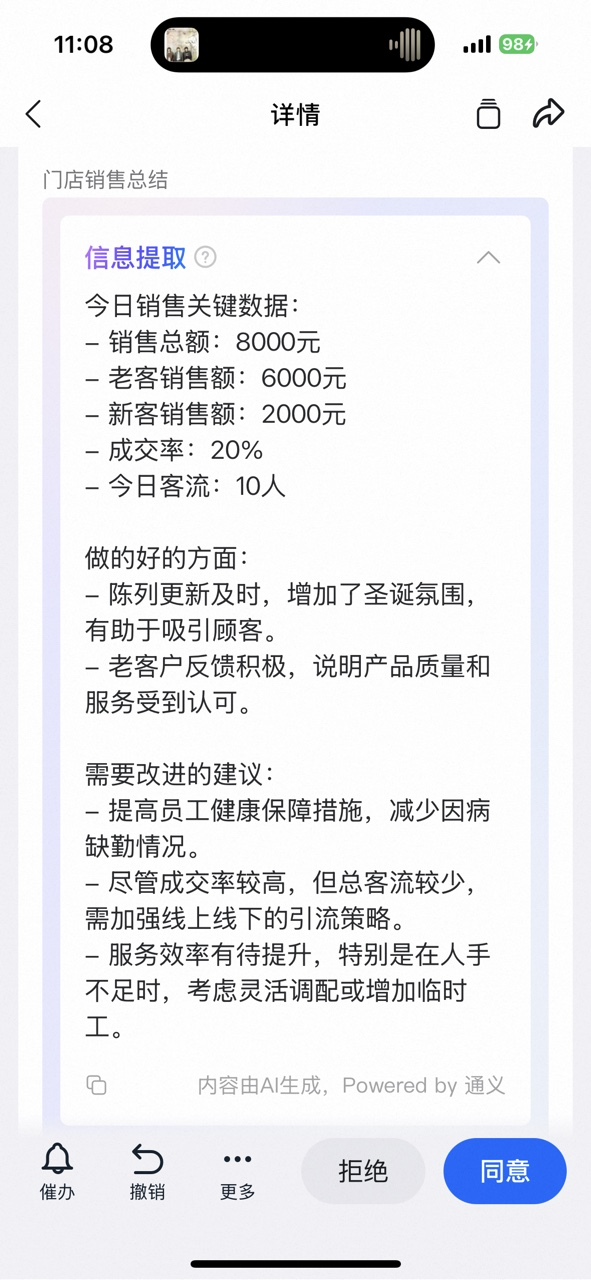
Taking a sales daily report as an example, configure the AI control to extract the day's key sales data and actions:

During desktop approval, key data such as total sales and conversion rate is extracted in a structured way:

On mobile, the store's sales summary appears — including key data, highlights, and improvement suggestions:
### 3. Text translation
Taking an IT trouble ticket as an example, configure the AI control to translate the issue description into multiple languages:

During desktop approval, the ticket content is translated automatically, so cross-border approvals are no longer unintelligible:

On mobile, translations appear in English, Japanese, and Thai:

### 4. Image interpretation
Taking store inspection as an example, configure the AI control to interpret inspection images against the rules for stack displays, window displays, and advertising signage:
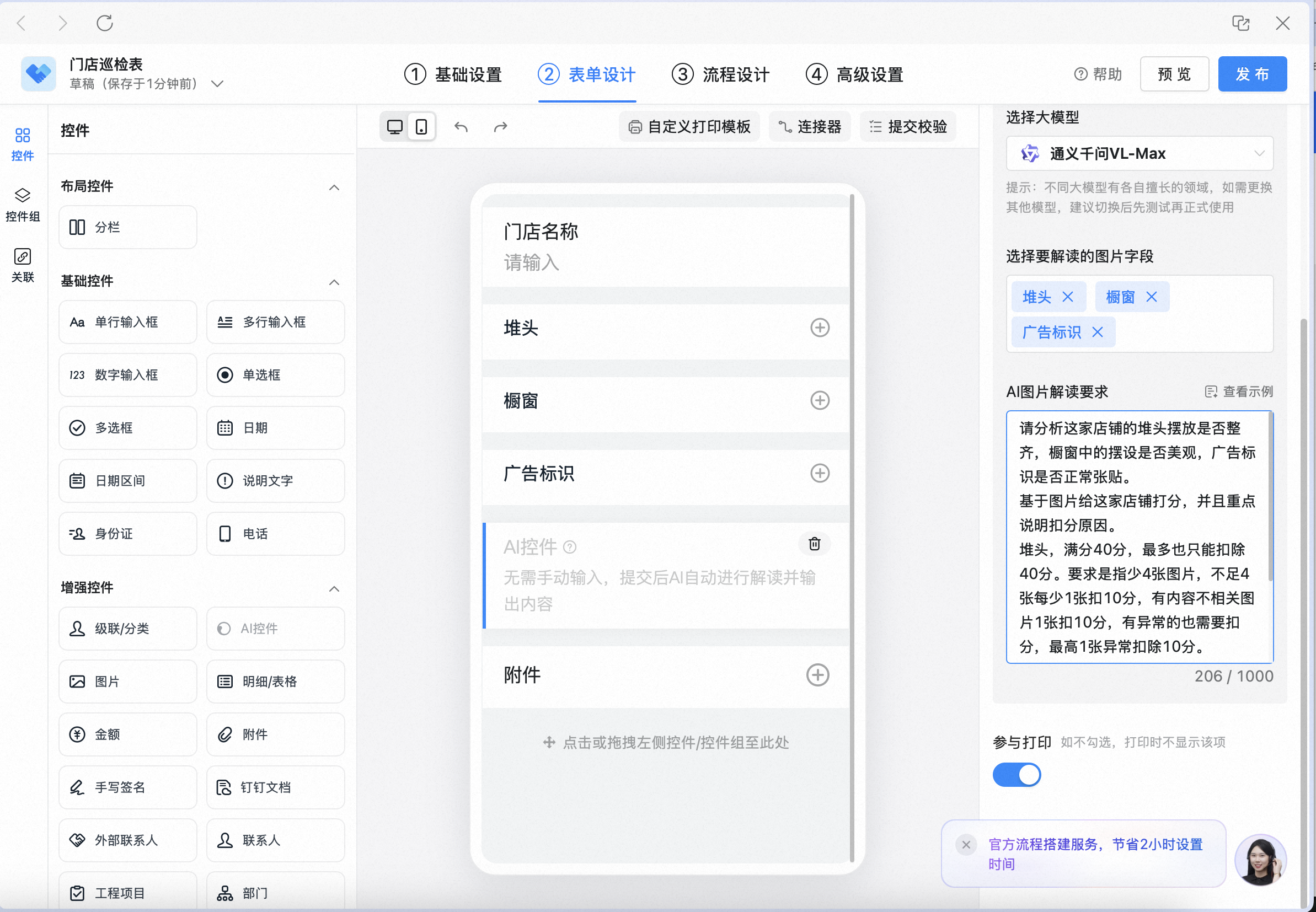
During desktop approval, the AI interprets the images against the custom rating rules and gives a score:

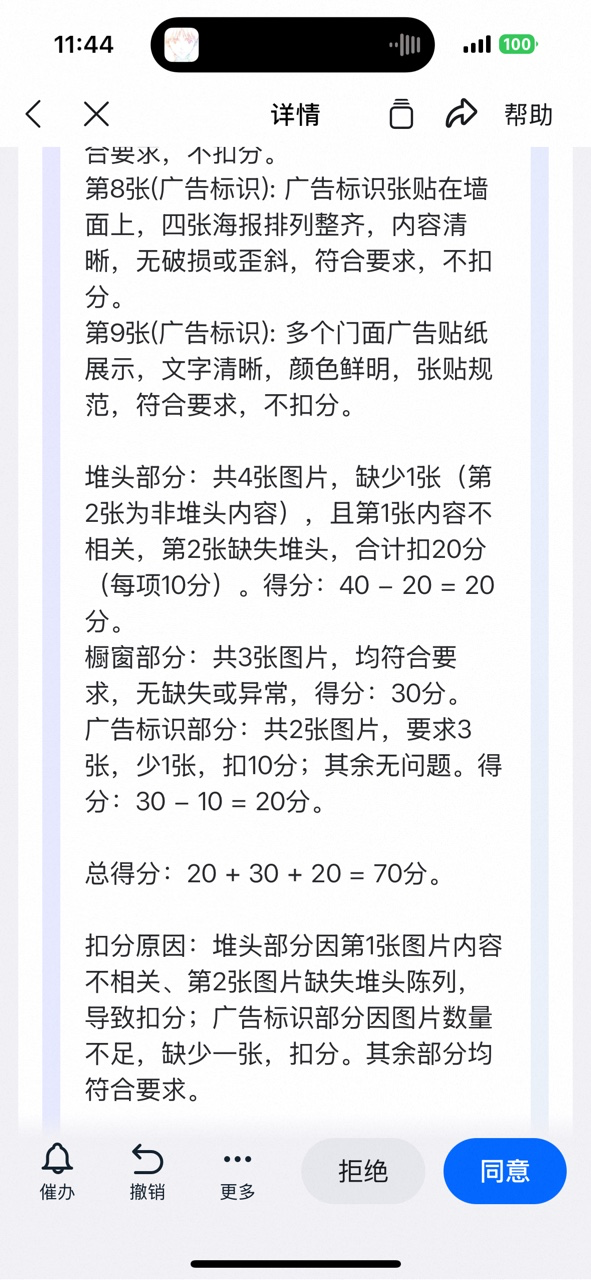
On mobile, each item's score and the reasons for deductions are shown, so the approver does not have to review images one by one:
## 3. Steps
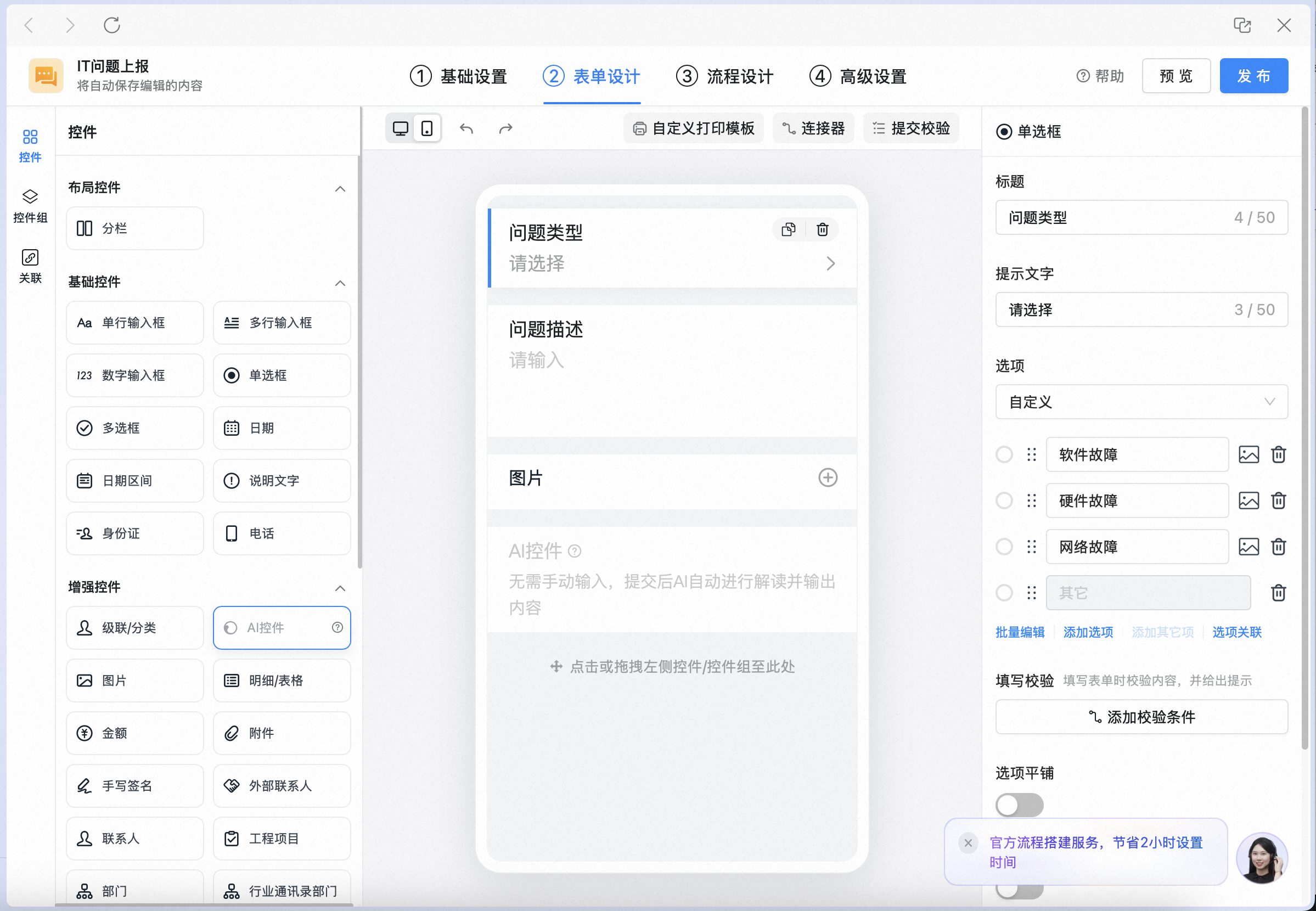
In the upper right corner, click **Manage approval forms** to open the Admin Console. Search for the form you want to update, click **Edit** to open the form designer, click **Form design**, and add the AI control to the form:
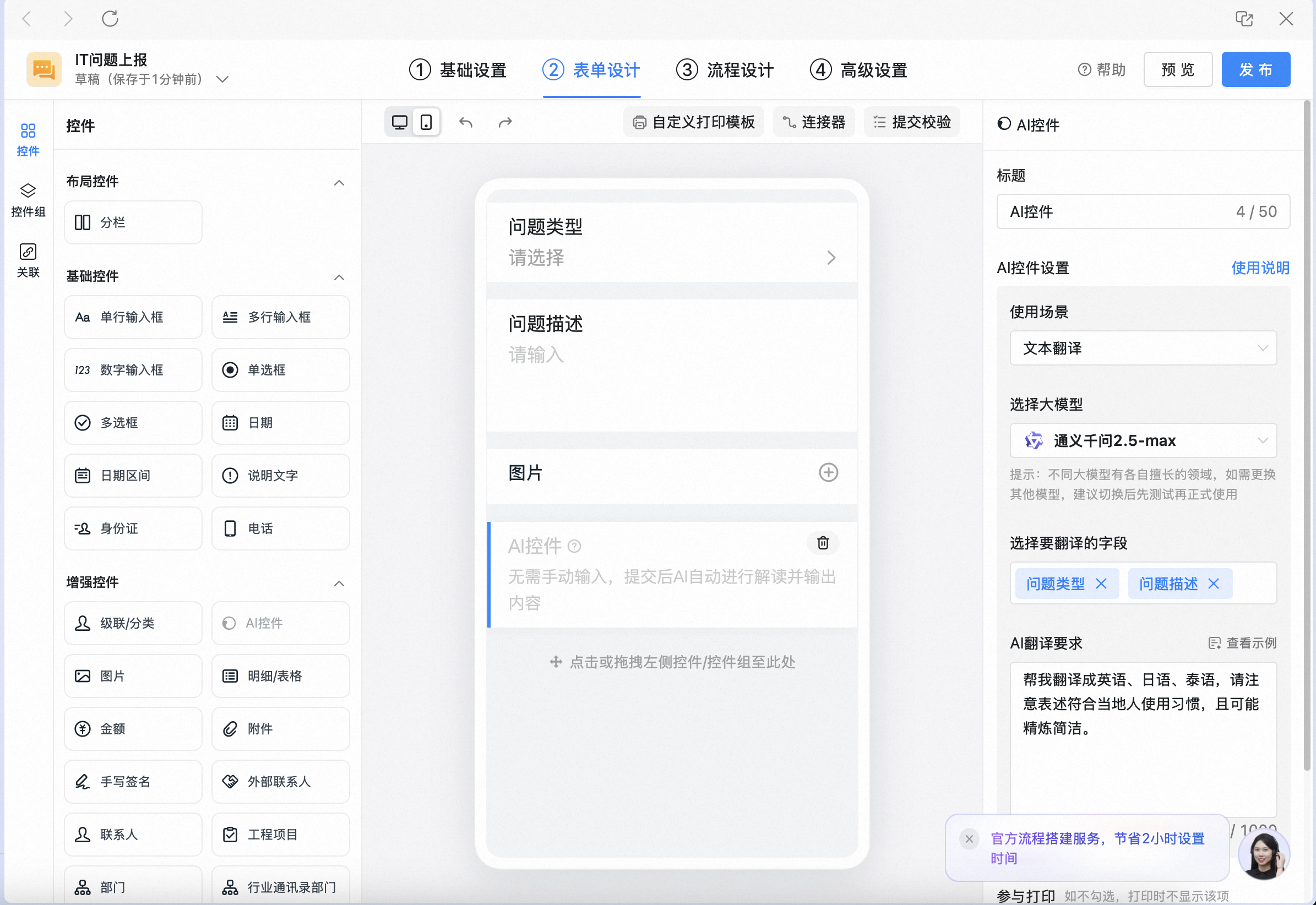
Set the AI control's title, choose the **scenario** (a model is matched automatically), select the fields to support, and enter your requirements in the AI prompt box:
Once the form is published, opening the approval form on desktop invokes the AI control automatically:

It also runs automatically on mobile:

## 4. Walkthrough videos
### 1. Text summarization
Prompt example:
```text theme={"theme":{"light":"github-light","dark":"github-dark"}}
You are a project lead with 10 years of experience.
Please summarize the change content and give a suggestion on whether the change is reasonable.
Keep it within 100 words, with the summary and suggestion on separate lines.
```
Full walkthrough from configuration to invocation:
### 2. Information extraction
Prompt example:
```text theme={"theme":{"light":"github-light","dark":"github-dark"}}
You are a store manager with 10 years of retail sales experience.
Extract the key data and actions from today's sales, and give suggestions on what was done well and what needs improvement.
Keep it within 200 words, with items on separate lines.
```
Full walkthrough from configuration to invocation:
### 3. Text translation
Prompt example:
```text theme={"theme":{"light":"github-light","dark":"github-dark"}}
You are a translator fluent in English, Japanese, and Thai, with over 10 years of business translation experience.
Please translate into English, Japanese, and Thai.
Make sure the wording matches local usage habits and is as concise as possible.
```
Full walkthrough from configuration to invocation:
### 4. Image interpretation
Prompt example:
```text theme={"theme":{"light":"github-light","dark":"github-dark"}}
Please analyze whether this store's stack display is neatly arranged, whether the window display is visually appealing, and whether the advertising signage is properly posted.
Based on the images, score this store and clearly explain the reasons for any deductions.
Stack display: max 40 points, at most 40 points can be deducted. Requires at least 4 images, with each image worth up to 10 points; images that are not relevant score 0. Deduct points based on the severity of any errors, with a minimum of 0. If there are more than 4 images, take the 4 highest-scoring ones.
Window display: max 30 points, requires at least 3 images; other rules are the same as above.
Advertising signage: max 30 points, requires at least 3 images; other rules are the same as above.
```
Full walkthrough from configuration to invocation:
## 5. FAQs
Like other controls, the AI control's visibility can be set per step:
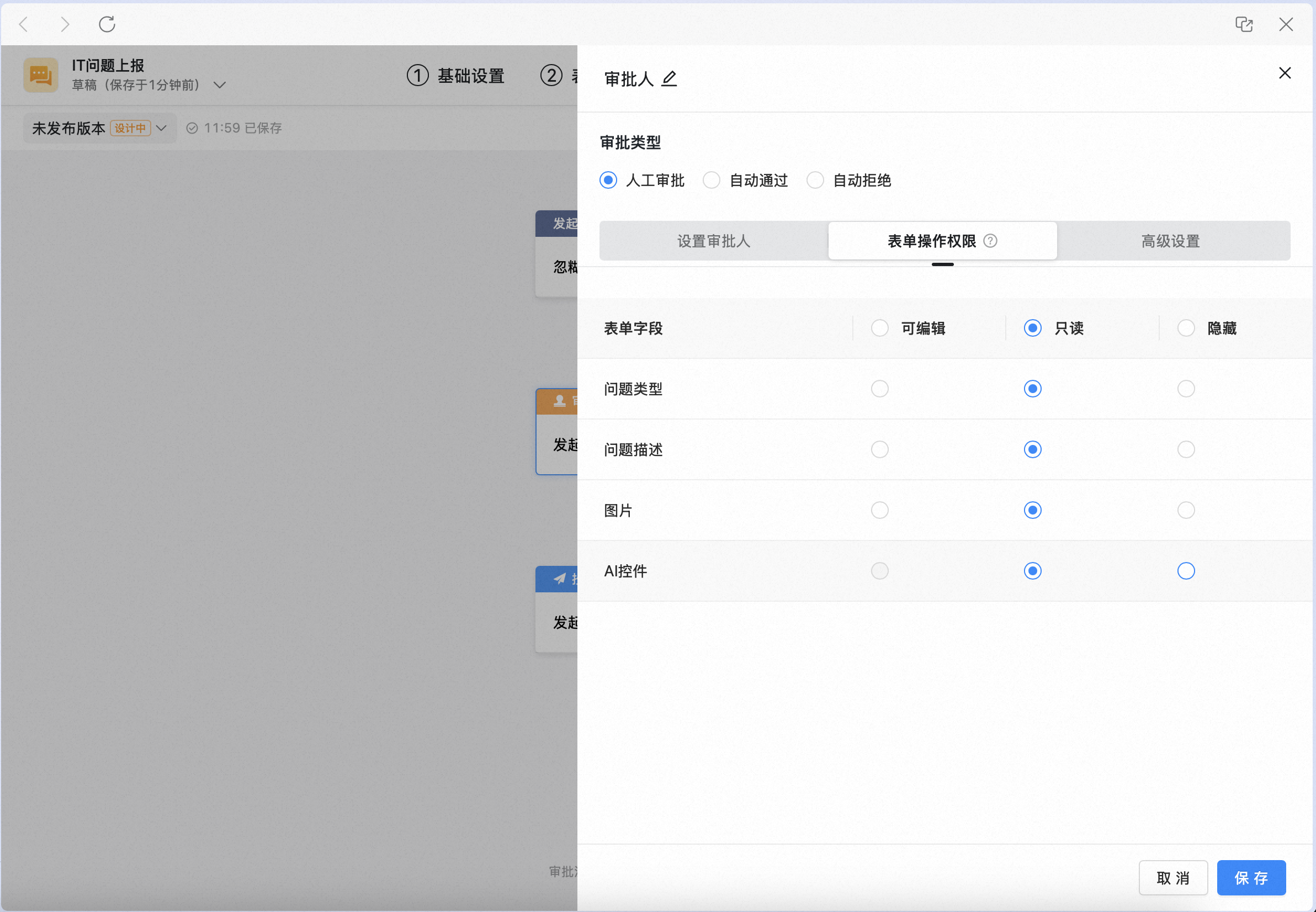
Text summarization, information extraction, and text translation: do not support description text, Image, detail/Spreadsheet, Attachment, Signature, industry contacts department, associated approval form, engineering project, all business controls, ID card recognition, or all business control groups.
Image interpretation: only supports the Image control.
The configuration side currently supports only desktop and web, while the usage side supports both mobile and desktop.
Only while the AI capability is running, the current content is sent temporarily for generation; it is not stored or logged afterward, meeting organization data security requirements.
## 6. Related documents
Learn the product value and applicable roles of every Approval AI capability
Let AI fill the form for you — start an approval in 3 seconds