> ## Documentation Index
> Fetch the complete documentation index at: https://help.dingtalk.io/llms.txt
> Use this file to discover all available pages before exploring further.
# Set up approval for division leaders
> Using division leader approval as an example, learn how to configure roles, approval processes, and conditional approval so that approval forms are automatically routed to the correct division leader based on the initiator's department.
## 1. Overview
Admins can configure approvers.
When an organization sets up its Contacts, a common situation arises: the division leader does not sit in the parent department but in the General Manager's Office. When an approval must be escalated step by step to the division leader, configuring multiple levels of managers alone cannot reach the division leader directly.
At the same time, when a division leader initiates an approval, only the general manager needs to approve—no other approvers are required.
You can solve this by configuring conditional approval.
## 2. Prerequisites
* Only an Approval Admin can perform process design, so you must first become an Approval Admin.
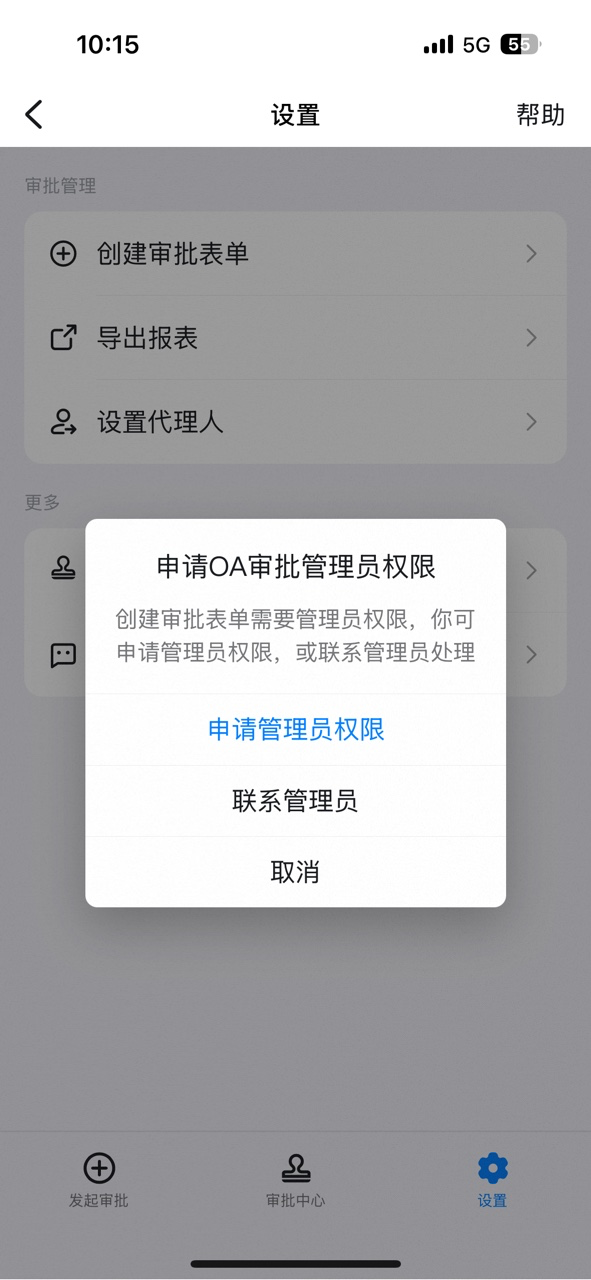
If you are not an Approval Admin, open DingTalk OA Approval, click **Settings**, click **Create Approval Form**, click **Request Admin Permissions**, and then click **Submit**.


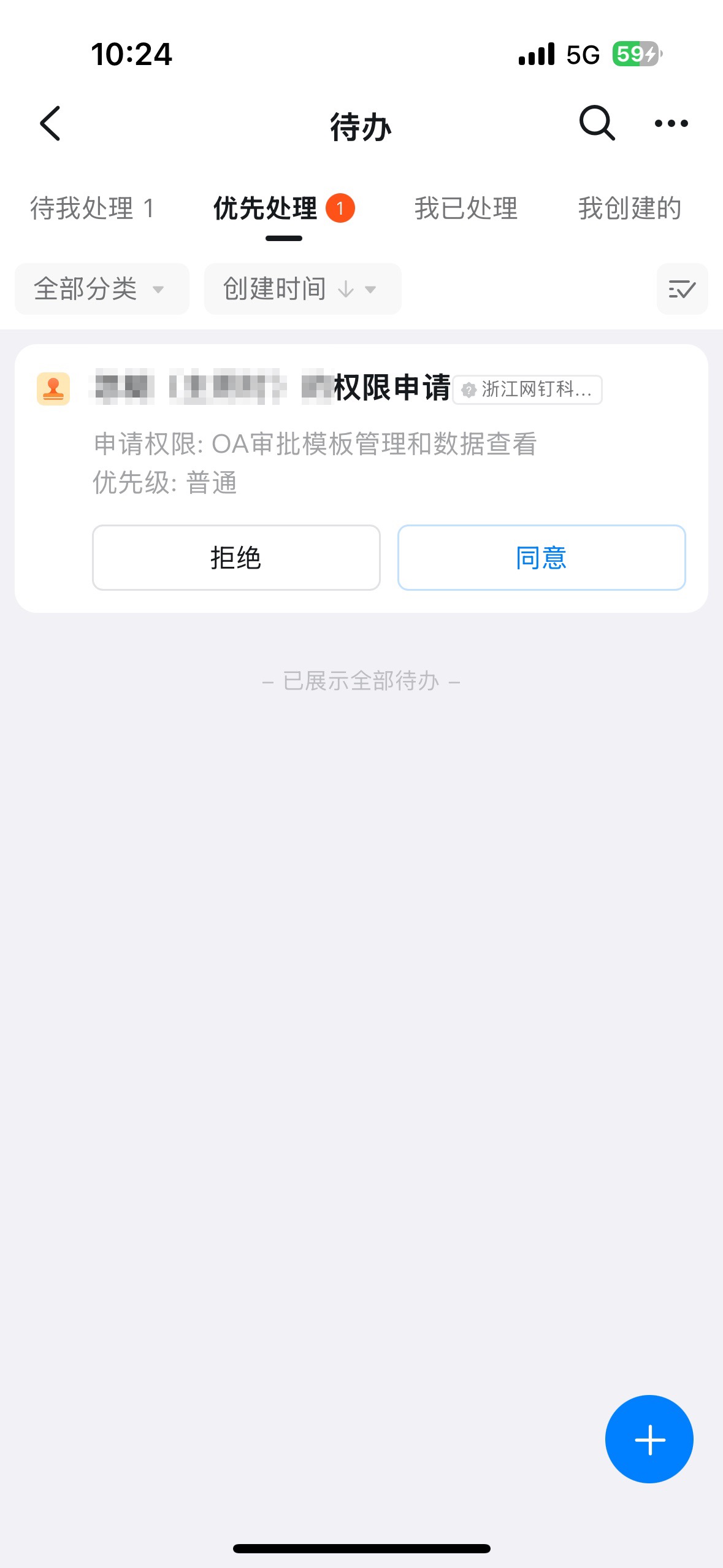
Once an Admin receives the approval reminder and approves the request, the employee is automatically granted Approval Admin permissions.
## 3. Steps
### 3.1 Set up roles
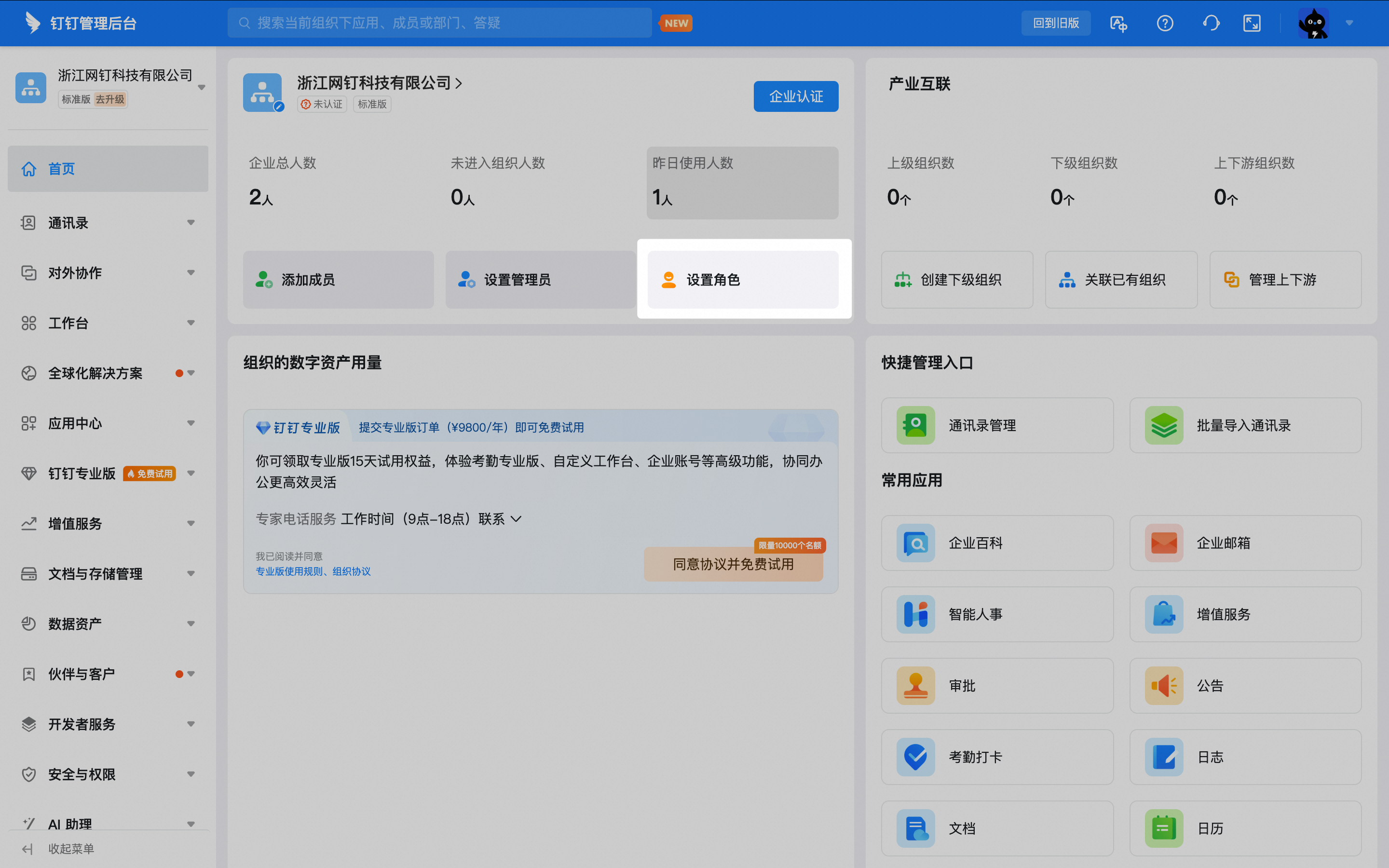
In a browser, open the [DingTalk Admin Console](https://oa.dingtalk.io) and click **Set up Roles**.
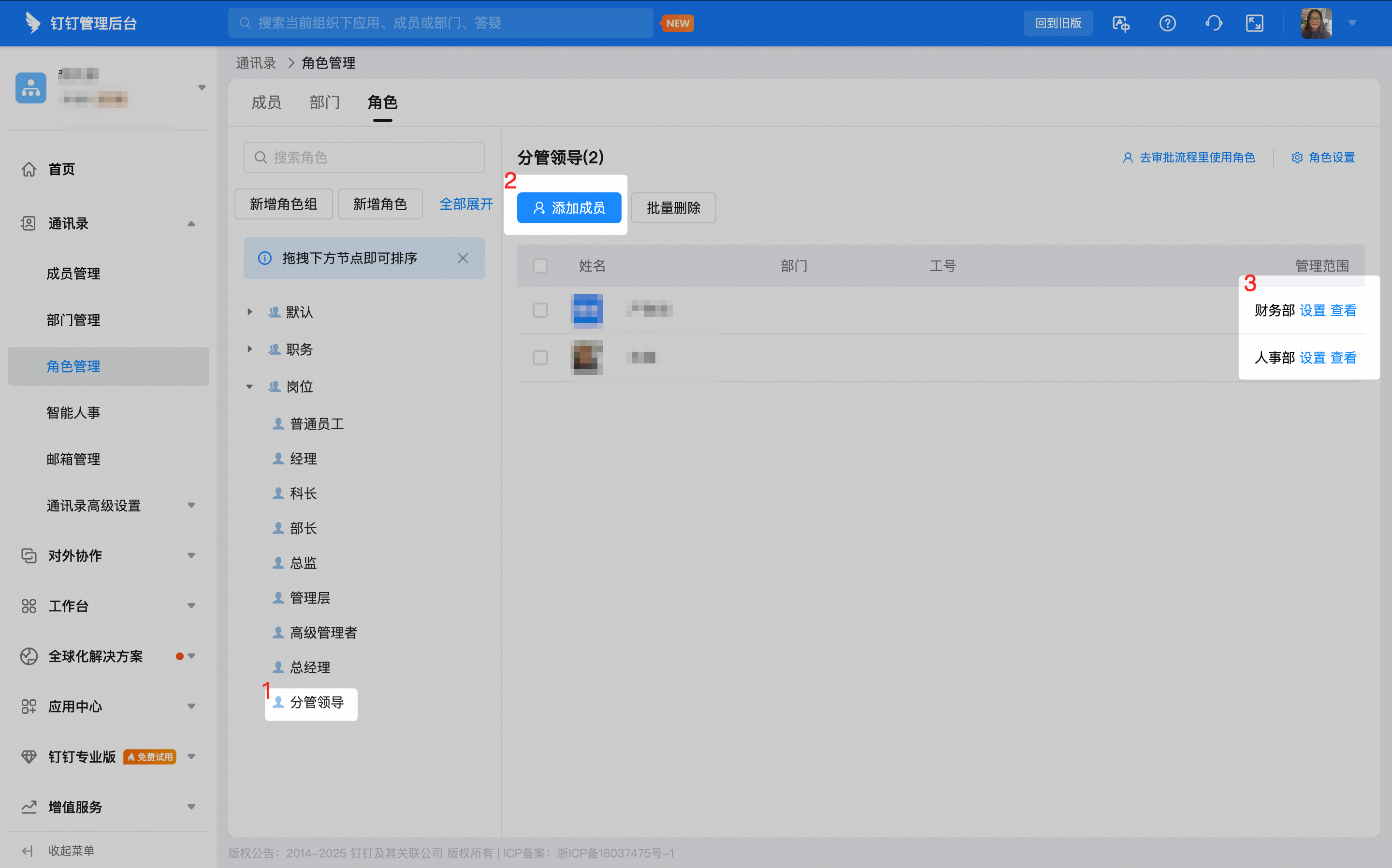
Create a new role named **Division Leader** and place it in the **Position** group.

Add each division leader in your organization to the **Division Leader** role, and specify the departments each leader oversees.
### 3.2 Set up the approval process
On the **Approval Admin Console** > **Form Management** page, click **Edit** in the Action column of the form.
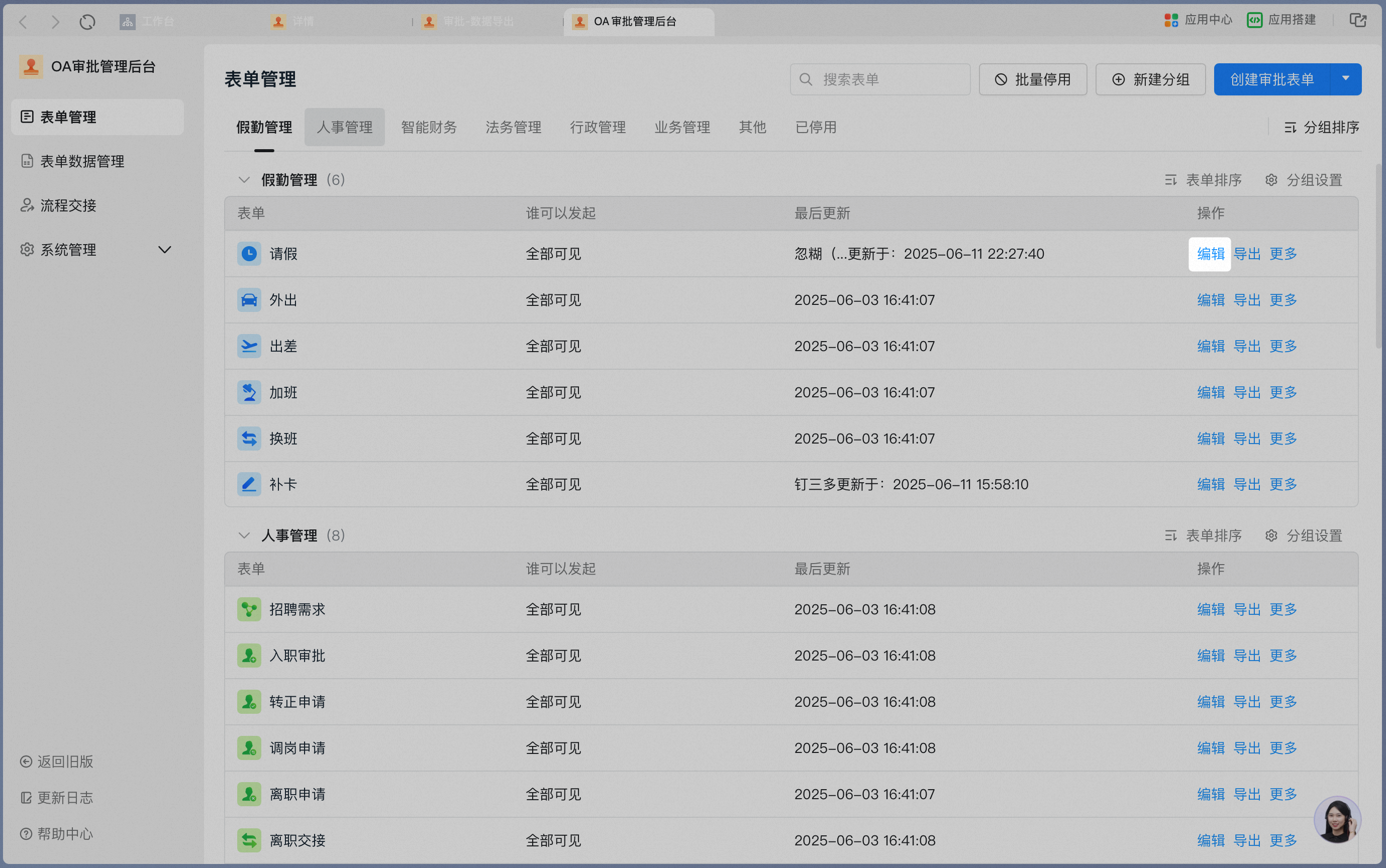
Click **Process Design** to open the main process design page.
### 3.3 Set up conditional approval

| Execution order | Condition | Approver | Explanation |
| --------------- | ------------------------------------------------------------------------- | -------------------------------------------------------------- | ------------------------------------------------------------------------------------------------------------------------------------------------------------------------------------------------------------------------------------------------------------------------------------------------------------------------------------------------------------------------------------------------------------------------------------------------------------------------------------------------------------------------- |
| 1 | Initiator role is Division Leader | Direct manager approval | Division leader approval has the most distinctive logic, so it must be handled first.
The division leader sits in the General Manager's Office, and the manager of the General Manager's Office is typically the general manager, so direct manager approval is used. |
| 3 | Leave request longer than 3 days, or initiator role is department manager | Direct manager approval +
role (Division Leader) approval | Because department manager approval also involves special logic, it is handled as the second priority.
When the leave request is longer than 3 days, both the department manager and the division leader must approve.
When the initiator is the department manager, no manager role can be found, which causes the process to fail. To keep this node running normally, set the "When the approver is empty" option for department manager approval to automatic approval.
|
| 2 | Leave request within 3 days | Direct manager approval | With the special role logic already handled, only regular employees reach this node.
When the leave request is within 3 days, department manager approval is required. |
| 4 | Any other unhandled cases | Role (Super Admin) approval | This is a fallback branch. Under normal circumstances, requests do not fall into it. If they do, the Admin should investigate. |
The conditional approval process configured according to the table above is shown in the image below. For the **Direct Manager** node, select department manager, enable **If no manager is found, the higher-level manager approves on their behalf**, and set **When the approver is empty** to automatic approval so that the process does not fail when the department manager initiates the request:
