> ## Documentation Index
> Fetch the complete documentation index at: https://help.dingtalk.io/llms.txt
> Use this file to discover all available pages before exploring further.
# Process Center Open Solution
> Overview of the DingTalk OA Approval process center open solution: four ways for business systems to integrate with DingTalk Approval, enabling business systems to initiate approvals that are processed within DingTalk and seamlessly connect Chat, To-Do, and Notifications.
## 1. Solution overview
The DingTalk OA Approval open capabilities provide **four** solutions for Organization business systems to integrate with DingTalk OA Approval. Business systems can initiate approvals that are processed within DingTalk and seamlessly connect to DingTalk Chat, To-Do, and Notifications, enabling centralized Approval and efficient Collaboration across a wide range of Organization business processes.
The DingTalk OA Approval process center open capabilities deliver three core values: centralized management, unified experience, and efficient Collaboration.

## 2. Four integration methods
DingTalk OA Approval offers four Organization process integration solutions to meet a wide range of Organization business management needs:
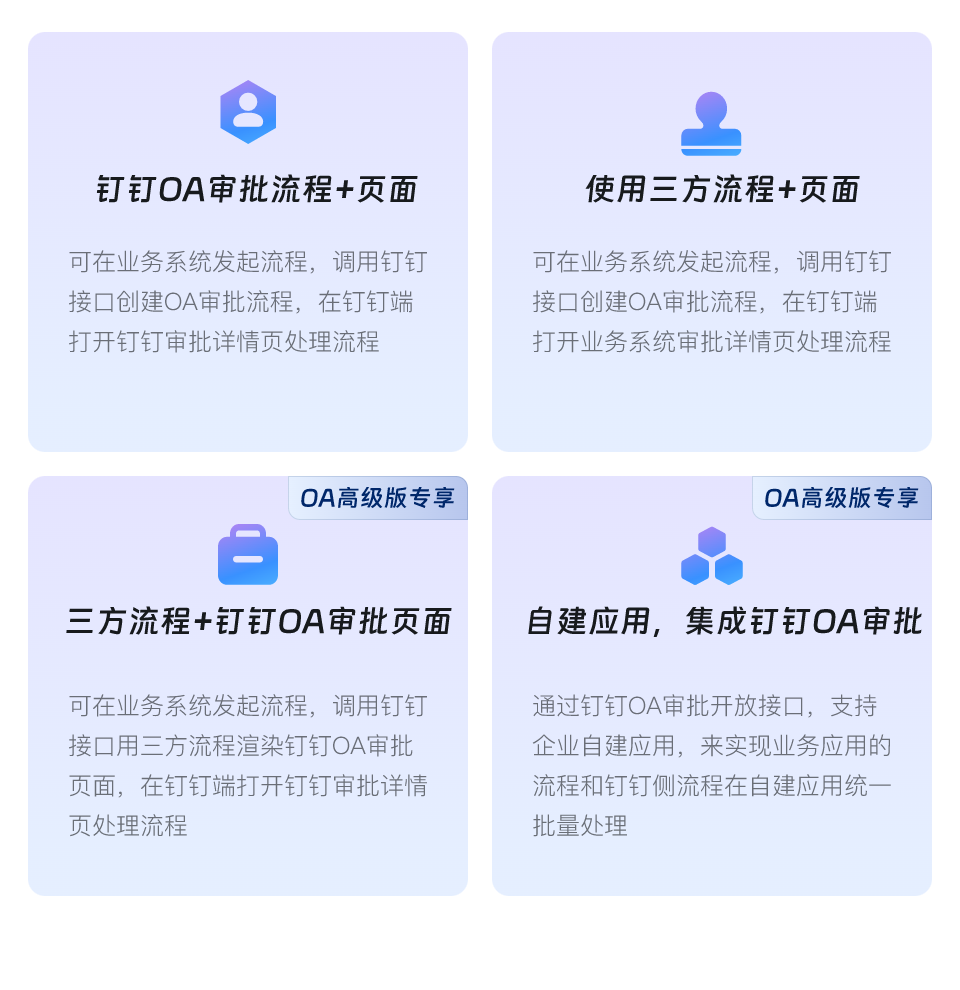
| Integration method | Solution description | Features and value | Integration guide |
| ------------------------------------------------------------------------------------------------ | --------------------------------------------------------------------------------------------------------------------------------------------------------------------------------------------------------------------------- | ------------------------------------------------------------------------------------------------------------------------------------------------------------------------------------------------------------------------------------------------------------------------------------------------------------------------------------------------ | -------------------------------------------------------------------------------------------- |
| 1. Third-party process + Page
(Opened within DingTalk) | Initiate the process in the business system, call the DingTalk API to Create a DingTalk OA Approval process, and Open the business system's Approval detail Page within DingTalk to process the flow. | **Lighter**
1. Simple integration — Open the business system Page directly within DingTalk for Approval.
2. Only Basic Actions such as Accept and Decline; DingTalk-Connected Actions such as creating a group Chat are not supported.
3. Preserves Users' existing process and Page habits, enabling quick adoption at low cost. | [Integrate using a third-party process and Page](/approval/open-third-party-process) |
| 2. DingTalk OA Approval process + Page | Initiate the process in the business system, call the DingTalk API to Create a DingTalk OA Approval process, and Open the DingTalk Approval detail Page within DingTalk to process the flow. | **More Standard**
1. Standardized integration built on DingTalk OA process and Page capabilities, seamlessly Connecting to DingTalk Chat, To-Do, and Notifications for efficient Approval. | [Integrate using the DingTalk OA Approval process and Page](/approval/open-dingtalk-process) |
| 3. Third-party process + DingTalk OA Approval Page (Exclusive to DingTalk Smart OA) | Initiate the process in the business system, call the DingTalk API to render the DingTalk OA Approval Page with the third-party process, and Open the DingTalk OA Approval detail Page within DingTalk to process the flow. | **More Flexible**
1. Flexible integration that unifies the Approval form structure and style across different business systems, delivering a consistent User experience across mobile, PC, and tablet.
2. The Action area Buttons can be Customized to include Accept, Decline, transfer, Print, and more. | Coming soon |
| 4. Organization self-built App integrating DingTalk OA Approval (Exclusive to DingTalk Smart OA) | Through the DingTalk OA Approval Open APIs, supports Organization self-built Apps in unifying and batch-processing business App flows alongside DingTalk-side flows within the self-built App. | **More Customized**
1. Customized integration — Organizations can Customize the Page and functional logic to fit their business needs. | Coming soon |
## 3. Related documents
Initiated by the business system; Open the business system detail Page for Approval within DingTalk.
Initiated by the business system; Open the official OA Approval detail Page for Approval within DingTalk.
Capabilities and usage rules of the OpenAPI exclusive to Smart OA customers.