> ## Documentation Index
> Fetch the complete documentation index at: https://help.dingtalk.io/llms.txt
> Use this file to discover all available pages before exploring further.

# In-form Contact approval

> Learn how to set an in-form Contact as an approver: add a Contact control in form design and configure the approval node so that the Contact selected by the initiator or handler participates in the approval process.

## 1. Overview

<Note>
  Admins can set an in-form Contact as an approver.

  An in-form Contact is a Contact that becomes available after a Contact control is added to the Form. The initiator or approver can change the User assigned to this control, which affects process routing.

  In-form Contacts are typically used when the approver must be determined dynamically. For example, after an initiator submits a vehicle request, the administrative staff who receives it decides which driver will provide the service. In this case, add a Contact control named "Driver" to the Form and let the reviewing administrative staff select the driver.
</Note>

## 2. Prerequisites

* Only an Approval Admin can perform process design, so you must first become an Approval Admin.

If you are not an Approval Admin, open DingTalk OA Approval, tap \[Settings], tap \[Create Approval form], tap \[Request Admin Permissions], and then tap "Submit".

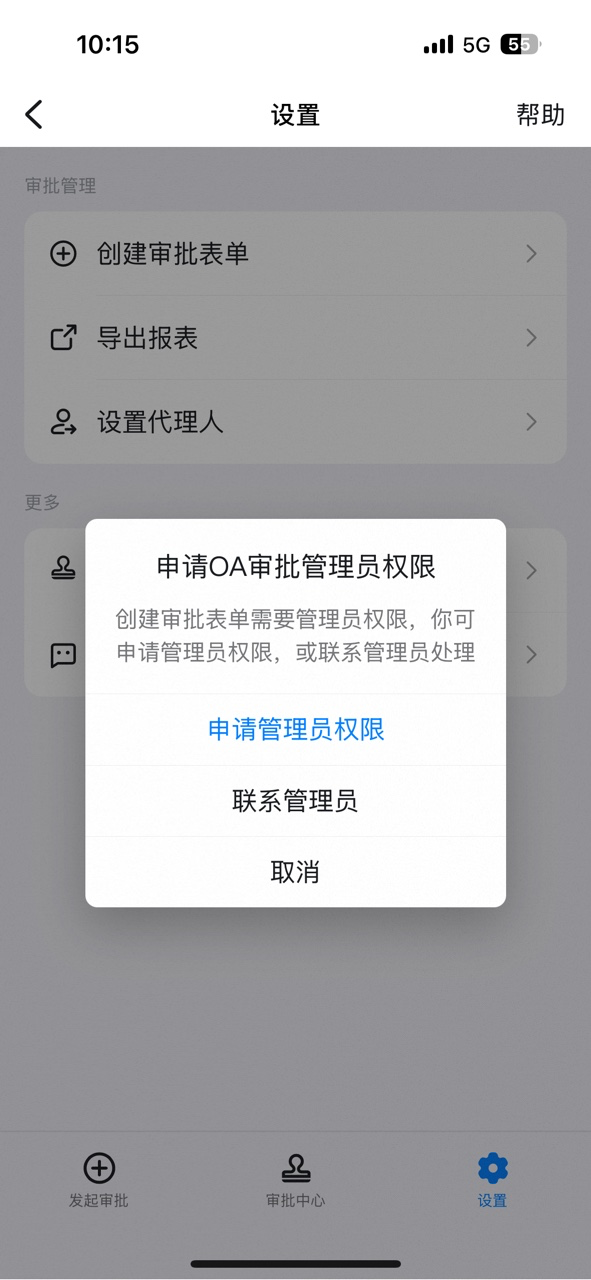
<div className="grid grid-cols-3 gap-4 my-4">
  <Frame>
    ![Open DingTalk OA Approval and tap Settings](https://alidocs.oss-cn-zhangjiakou.aliyuncs.com/res/jP2lRYjZmyDkLO8g/img/3bc72db6-0758-4388-85fa-5b516370ef92.png)
  </Frame>

  <Frame>
    ![Tap Create Approval form](https://alidocs.oss-cn-zhangjiakou.aliyuncs.com/res/jP2lRYjZmyDkLO8g/img/d76c8667-79ad-4856-bbd1-db2bfb11d9ca.png)
  </Frame>

  <Frame>
    ![Tap Request Admin Permissions and submit](https://alidocs.oss-cn-zhangjiakou.aliyuncs.com/res/jP2lRYjZmyDkLO8g/img/f0f909f7-8058-44ef-8388-ed6868c815a2.png)
  </Frame>
</div>

Once the Admin receives the pending Approval reminder and approves it, the corresponding Employee is automatically granted Approval Admin permissions.
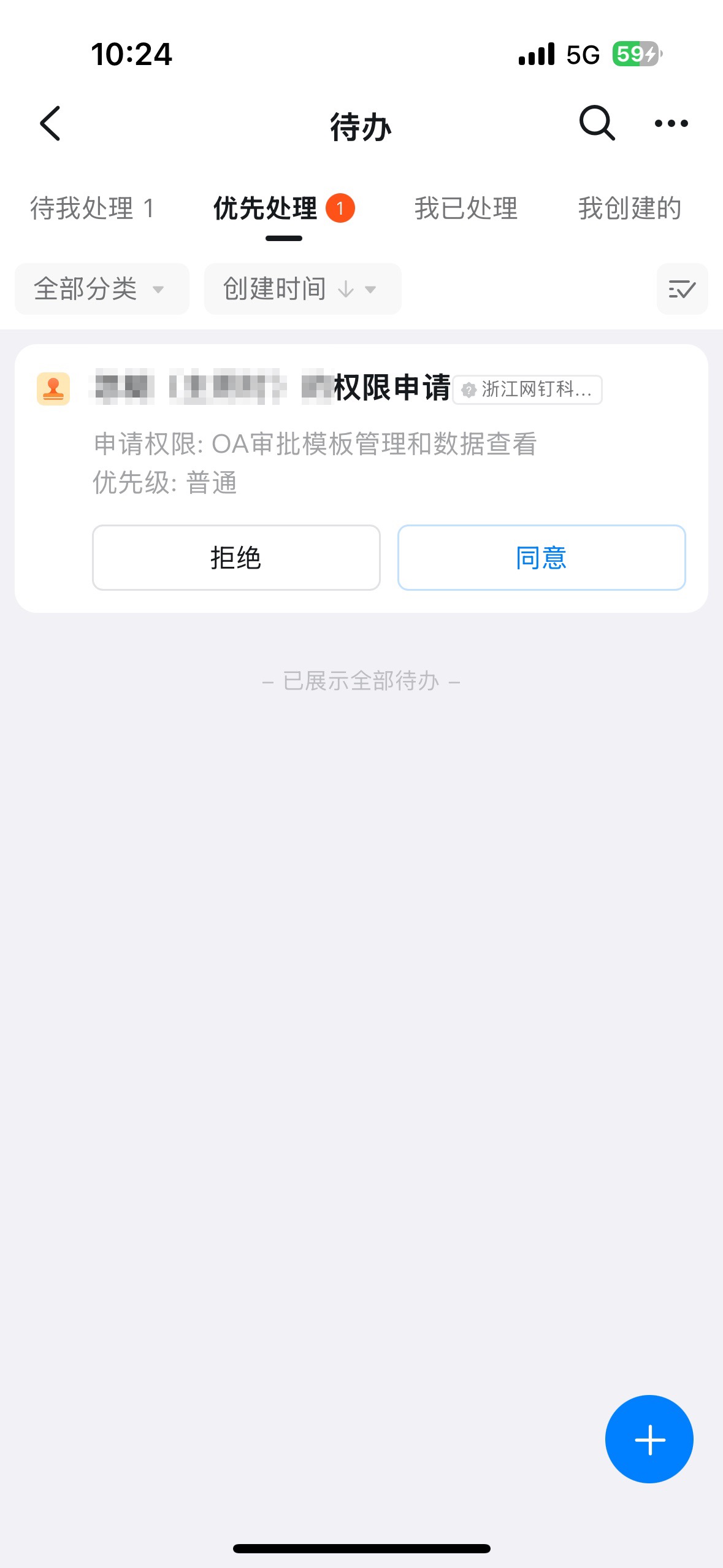
<div style={{maxWidth:'400px',margin:'16px auto'}}>
  <Frame>
    ![Admin approval notification granting Approval Admin permissions](https://alidocs.oss-cn-zhangjiakou.aliyuncs.com/res/jP2lRYjZmyDkLO8g/img/f0a67e04-bf73-4e3d-ab03-2676c919a89f.jpeg)
  </Frame>
</div>

## 3. Steps

### 1. Add a Contact control to the Form

On the **Approval Admin Console** > **Form Management** page, click \[**Edit**] under the Form's Actions.
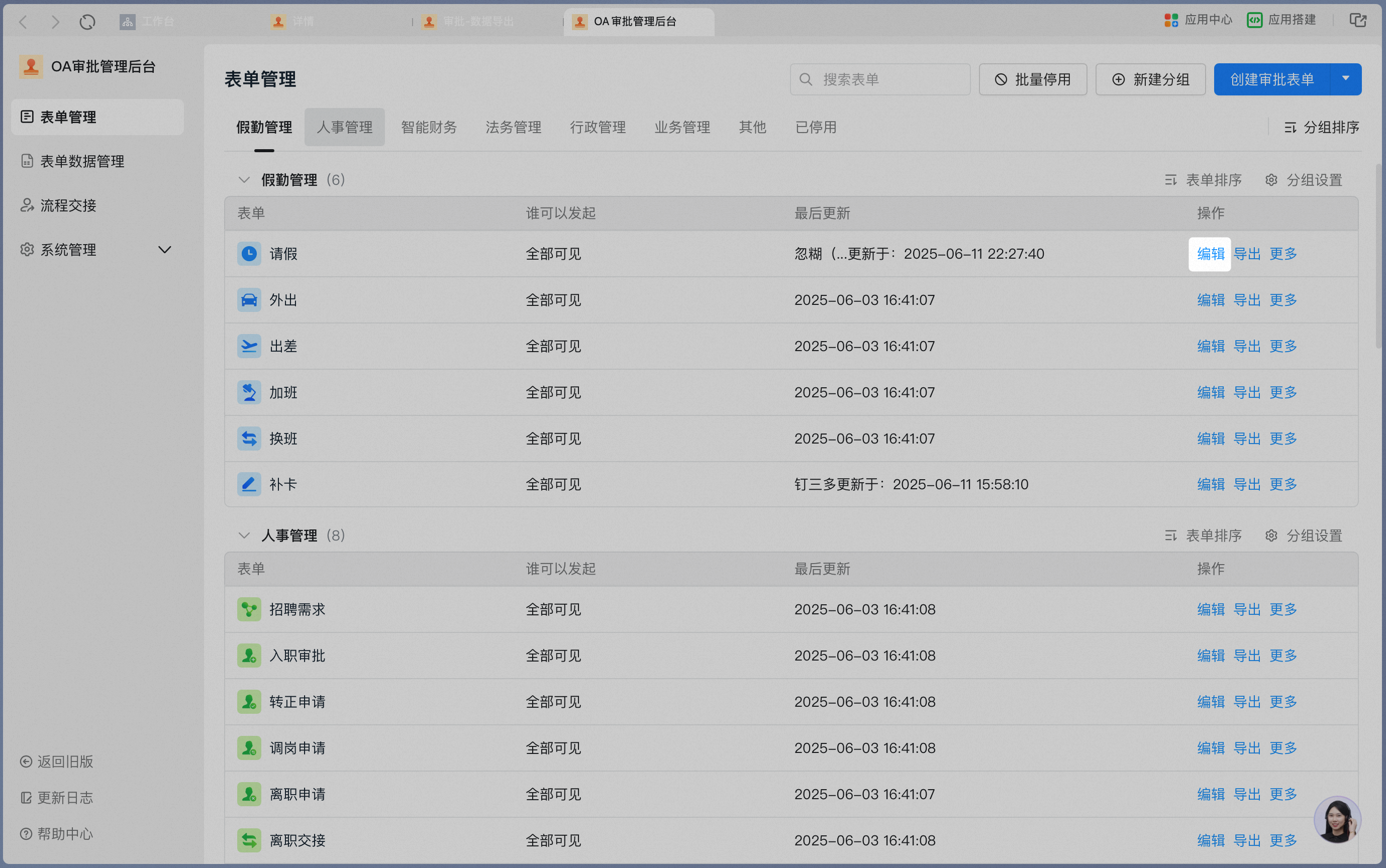
<Frame>
  ![Edit option under the Form's Actions on the Form Management page](https://alidocs.oss-cn-zhangjiakou.aliyuncs.com/res/jP2lRYjZmyDkLO8g/img/0aa4e5e9-e662-4552-866b-60163ba741b8.png)
</Frame>

Click \[**form design**] to open the main form design interface.
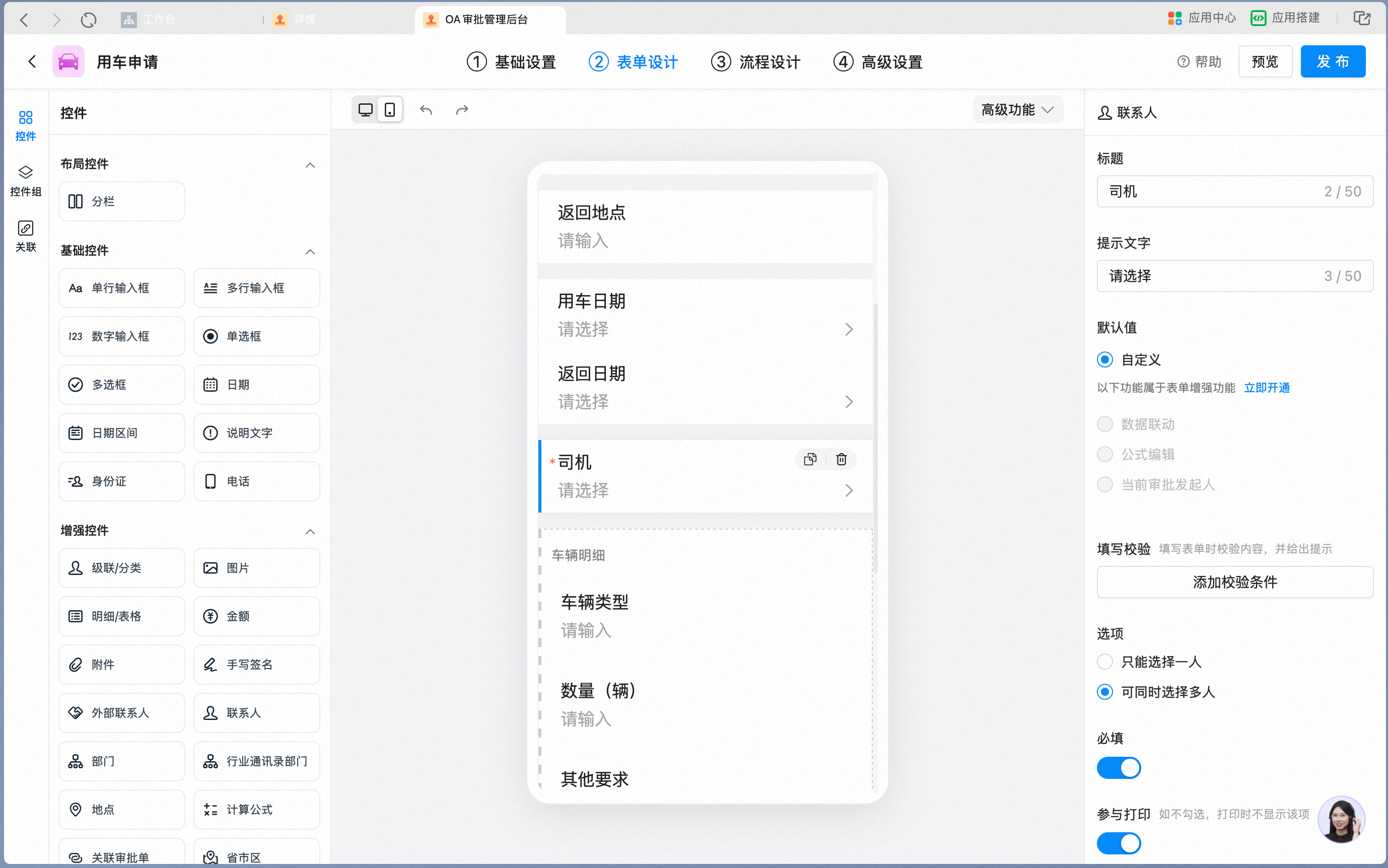
<Steps>
  <Step>
    <Frame>
      ![Main form design interface](https://alidocs.oss-cn-zhangjiakou.aliyuncs.com/res/1GXn45KJB5e3MqDQ/img/6e1d166a-758b-4408-88e8-e0cf79cfb914.png)
    </Frame>

    Add a \[**Contact control**] and rename it to "Driver". Turn on "Allow selecting multiple Users" as needed.

    <Frame>
      ![Contact control renamed to Driver with multi-select option](https://alidocs.oss-cn-zhangjiakou.aliyuncs.com/res/1GXn45KJB5e3MqDQ/img/b07838e9-875b-46fa-95d8-6d48a92592e8.png)
    </Frame>
  </Step>

  <Step>
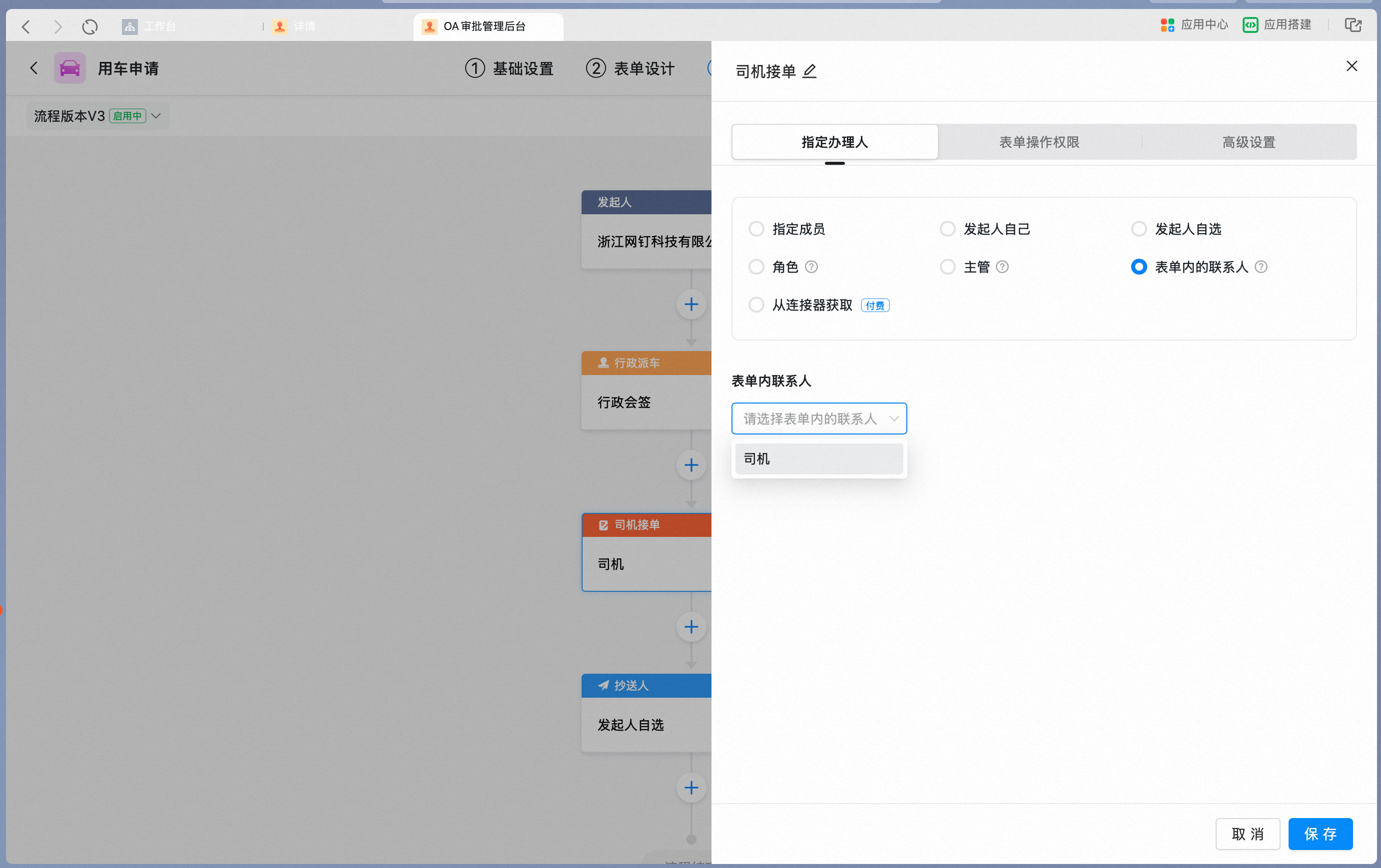
    Set the in-form Contact as an approver in the Approval process.

    Click the Card you want to configure and set the node handler to "In-form Contact".
    <Frame>
      ![Set the node handler to In-form Contact](https://alidocs.oss-cn-zhangjiakou.aliyuncs.com/res/1GXn45KJB5e3MqDQ/img/eb3d5bd6-e27c-4efd-ae53-409c10434bf3.png)
    </Frame>

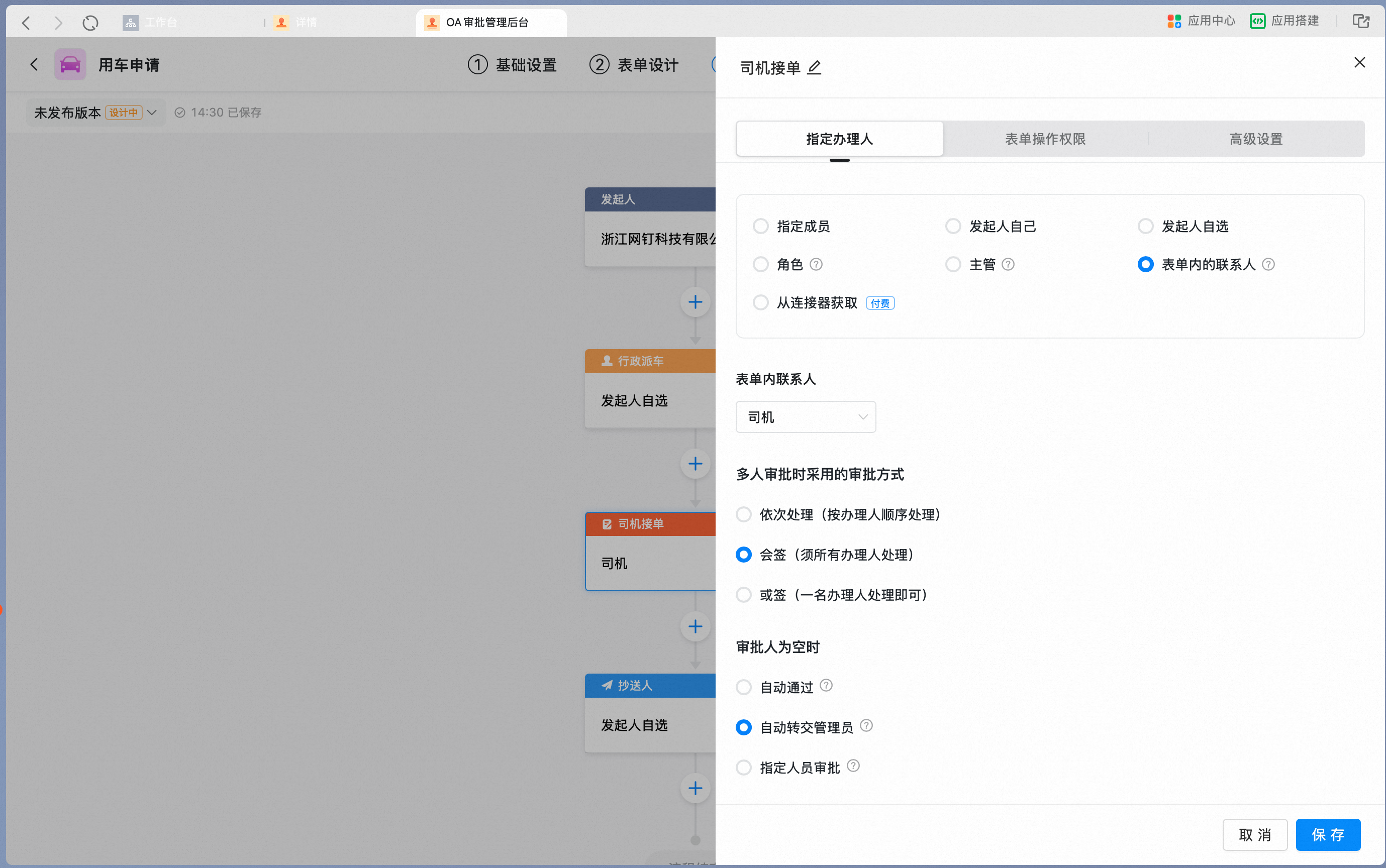
    In the in-form Contact dropdown, select "Driver".
    <Frame>
      ![Select Driver from the in-form Contact dropdown](https://alidocs.oss-cn-zhangjiakou.aliyuncs.com/res/1GXn45KJB5e3MqDQ/img/91e1f5cf-b22d-4ec4-bb23-c2393906440c.png)
    </Frame>
  </Step>

  <Step>
    When a later node needs to select the Contact, update the node-level Permissions of the Contact control.

    At the initiator node, set the Form Action Permissions of the "Driver" Contact control to hidden.

    <Frame>
      ![Set Driver Contact control to hidden at the initiator node](https://alidocs.oss-cn-zhangjiakou.aliyuncs.com/res/1GXn45KJB5e3MqDQ/img/2b1a9124-0e73-41f3-973e-989009abb5f3.png)
    </Frame>

    At the administrative vehicle dispatch node, set the Form Action Permissions of the "Driver" Contact control to editable.

    <Frame>
      ![Set Driver Contact control to editable at the vehicle dispatch node](https://alidocs.oss-cn-zhangjiakou.aliyuncs.com/res/1GXn45KJB5e3MqDQ/img/ad9fc2e1-ae03-4994-9055-940c7dc88ae6.png)
    </Frame>
  </Step>
</Steps>
