> ## Documentation Index
> Fetch the complete documentation index at: https://help.dingtalk.io/llms.txt
> Use this file to discover all available pages before exploring further.
# Real-time alerts for employee clock-in cheating
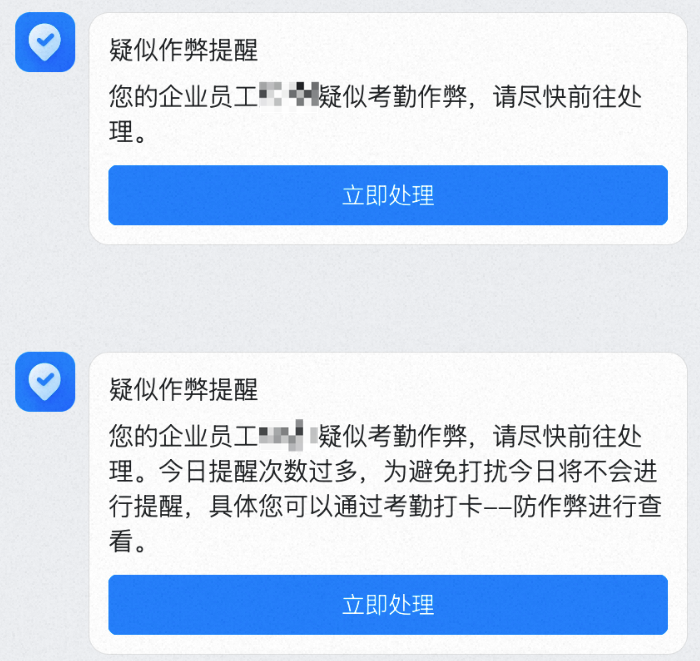
> DingTalk Attendance Security Enhanced capability: once enabled, admins receive real-time DingTalk message notifications (up to three times per day) when employees engage in cheating during clock-in. Complete cheating records are available in the anti-cheating violation clock-in list.
"Real-time alerts for employee clock-in cheating" is a capability of the Attendance Security Enhanced version. After you purchase the enhanced version and enable this feature, the admin receives a real-time message notification on DingTalk whenever an employee cheats during clock-in, **up to three times per day**. View the full cheating records under **Attendance → Statistics → Anti-cheating → Violation clock-in list**.
## Enable settings
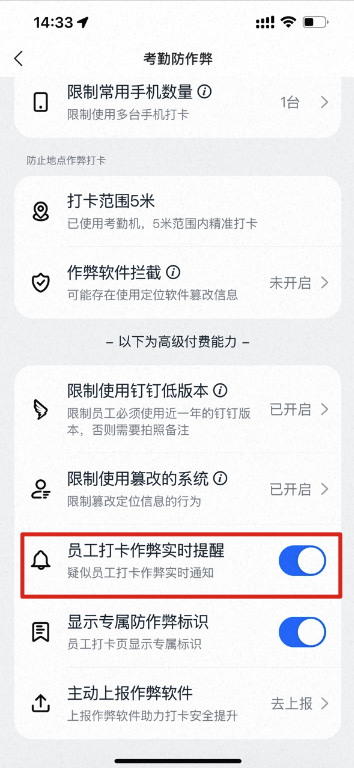
Path to enable: **Attendance → Statistics → Anti-cheating → Real-time alerts for employee clock-in cheating**
 ## Receiving alerts
Notification channel: **Work Notifications**
## Receiving alerts
Notification channel: **Work Notifications**