> ## Documentation Index
> Fetch the complete documentation index at: https://help.dingtalk.io/llms.txt
> Use this file to discover all available pages before exploring further.
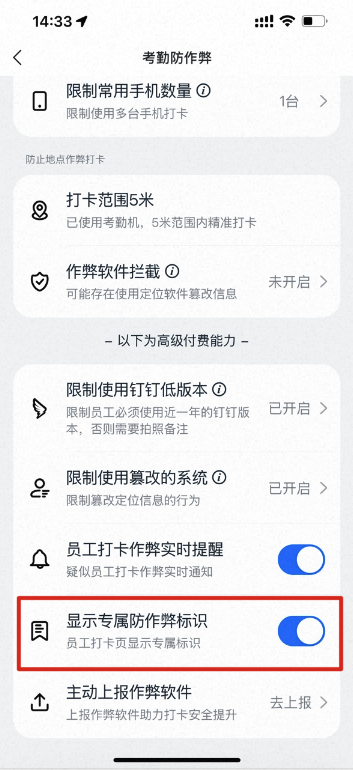
# Show the dedicated anti-cheating label
> A DingTalk Attendance Security Enhanced capability: once enabled, employees see the exclusive anti-cheating badge Attendance Security Enhanced Protection Enabled on the clock-in Home.
"Show the dedicated anti-cheating label" is a capability of the Attendance Security Enhanced edition. After you purchase the Enhanced edition and turn on this feature, employees see the **Enhanced attendance security protection is on** prompt on the clock-in Home.
## Turn on the setting
Path: **Attendance → Statistics → Anti-cheating → Show the dedicated anti-cheating label**
 ## Effect preview
