> ## Documentation Index
> Fetch the complete documentation index at: https://help.dingtalk.io/llms.txt
> Use this file to discover all available pages before exploring further.
# Optional Attendance in Event Reminders
> Organizers can flag participants as Optional when creating an event; invitees see the Optional tag in the reminder card and can decide whether to attend without schedule conflicts.
## Feature value
When you receive a meeting invitation, the event reminder card can show **Optional attendance**. This helps you judge meeting priority and decide whether to attend.
## Use case
Ding Sanduo is an HR employee who often uses DingTalk Calendar to create interviews, meetings, trainings, and other work events. With this feature, the event reminder card shows **Optional attendance**. When multiple events overlap, she can decide whether to attend and avoid schedule conflicts.
## How to use it
### Organizer: add optional participants
#### Mobile
When creating a new event in DingTalk Calendar, tap **Add participants**, then choose **Optional** to add optional participants.
#### Desktop
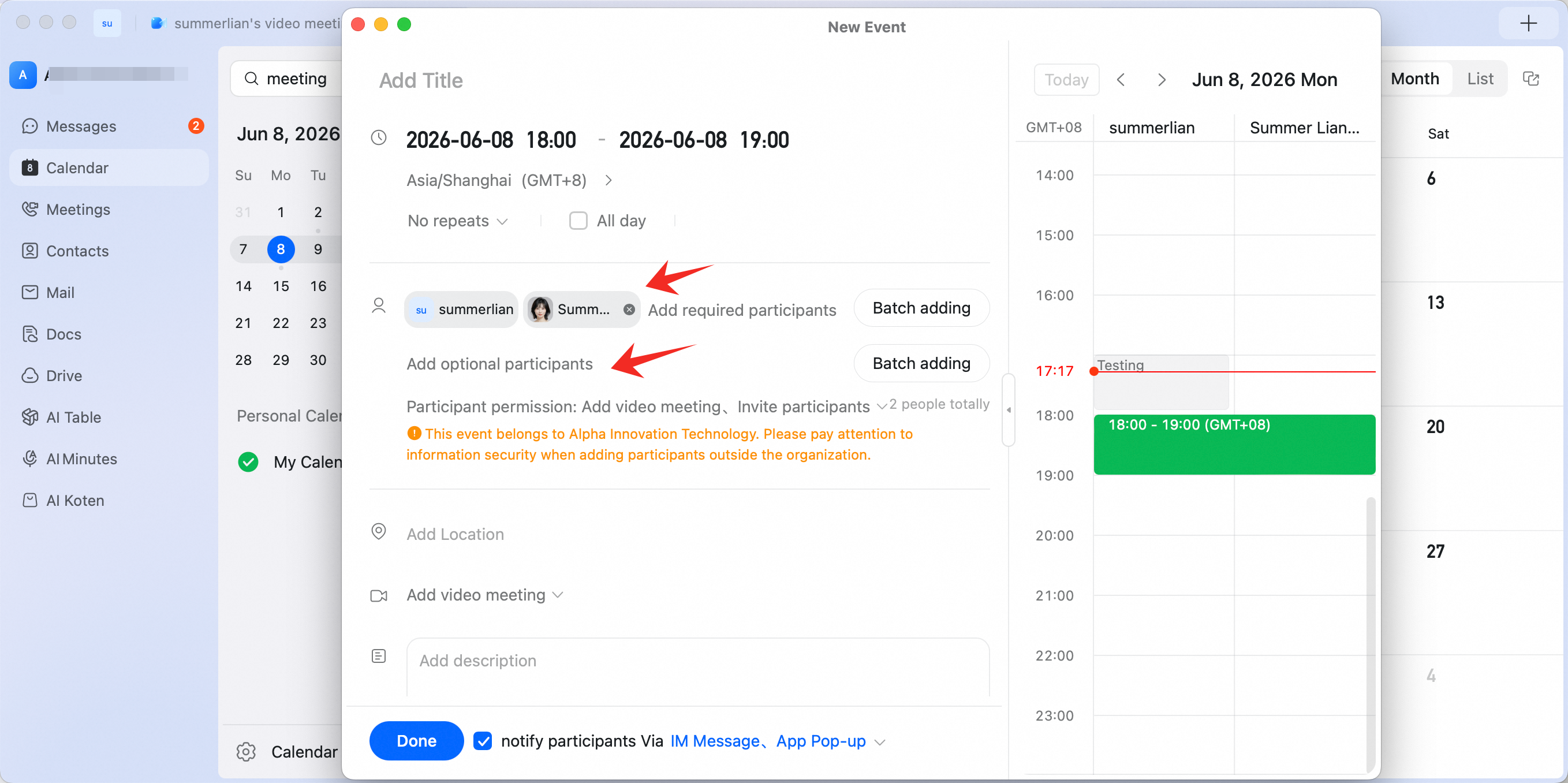
When creating a new event in DingTalk Calendar, select **Add optional participants**.
### Participant: view optional attendance
When receiving a meeting invitation, participants can choose whether to attend the meeting in the pop-up.
#### Mobile

