> ## Documentation Index
> Fetch the complete documentation index at: https://help.dingtalk.io/llms.txt
> Use this file to discover all available pages before exploring further.

# How to Upload Files or Folders

> Upload files and folders to DingTalk Drive from desktop or mobile so important personal and team files are stored, organized, and easy to manage and share across devices.

The DingTalk Drive home page supports uploading files and folders, so important personal and team files can be stored and managed.

## Desktop

On the DingTalk Drive home page, open **Recent** or **My Files**. You can also open **My Docs** on the Docs home page and go to **My Files (from DingTalk Drive)**. Click **Upload** in the upper-right corner to upload files or folders. You can also drag files directly from your desktop to upload them.

![](https://alidocs.oss-cn-zhangjiakou.aliyuncs.com/res/Pd6l2Z795eaXMl7M/img/f3fbc287-83d3-4ea0-afe0-ce488a0e1cbe.png?x-oss-process=image/crop,x_0,y_69,w_3456,h_2165/ignore-error,1)

![](https://alidocs.oss-cn-zhangjiakou.aliyuncs.com/res/Pd6l2Z795eaXMl7M/img/31faad62-c520-49f2-8579-da4f18b0e0bb.png?x-oss-process=image/crop,x_0,y_69,w_3456,h_2165/ignore-error,1)

![](https://alidocs.oss-cn-zhangjiakou.aliyuncs.com/res/Pd6l2Z795eaXMl7M/img/88499999-fb85-47cb-82b3-cd14107a40f2.png?x-oss-process=image/crop,x_0,y_69,w_3456,h_2165/ignore-error,1)

On the DingTalk Drive home page or the Docs home page, open **Team Files**, select the target folder, and click **Upload** in the upper-right corner of the folder to upload files or folders. Drag-and-drop upload from the desktop is also supported.

![](https://alidocs.oss-cn-zhangjiakou.aliyuncs.com/res/Pd6l2Z795eaXMl7M/img/20f2edfc-41df-4a24-983c-1e7cb18f1b59.png?x-oss-process=image/crop,x_0,y_69,w_3456,h_2165/ignore-error,1)

![](https://alidocs.oss-cn-zhangjiakou.aliyuncs.com/res/Pd6l2Z795eaXMl7M/img/fd0878df-3d94-4c74-9e4a-bc2902aa910e.png?x-oss-process=image/crop,x_0,y_69,w_3456,h_2165/ignore-error,1)

## Mobile

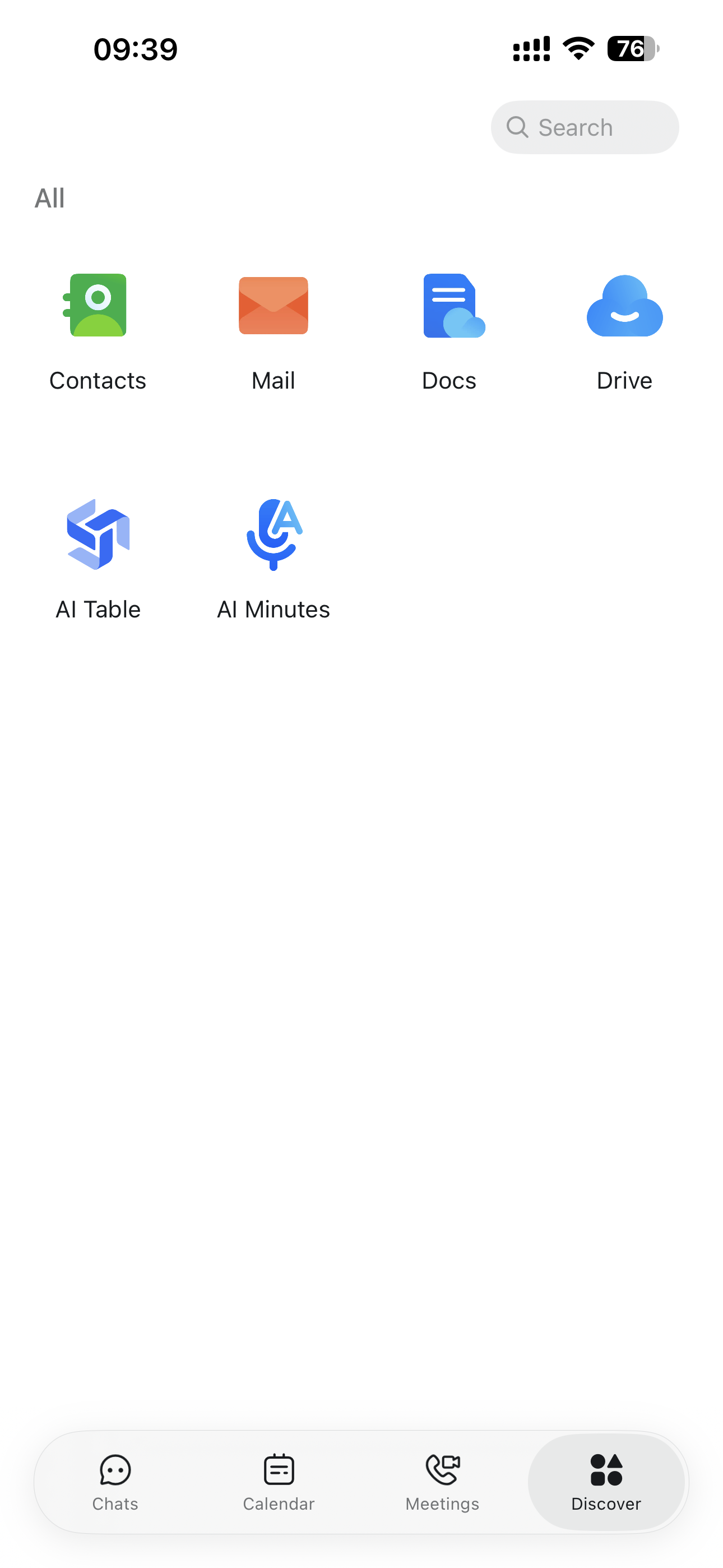
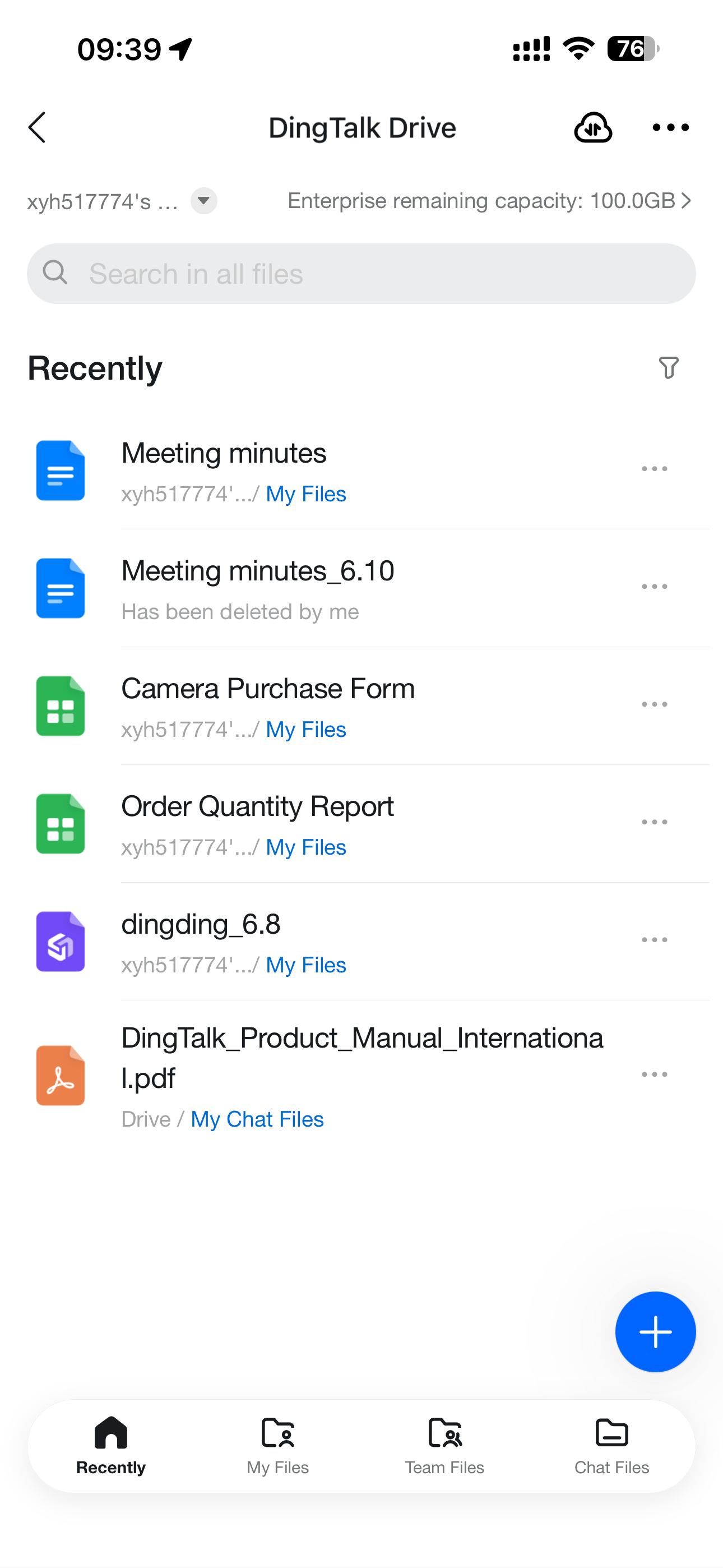
Open DingTalk, tap **Discover**, and select **Drive**. You can also search for the **Drive** app in the DingTalk search box.

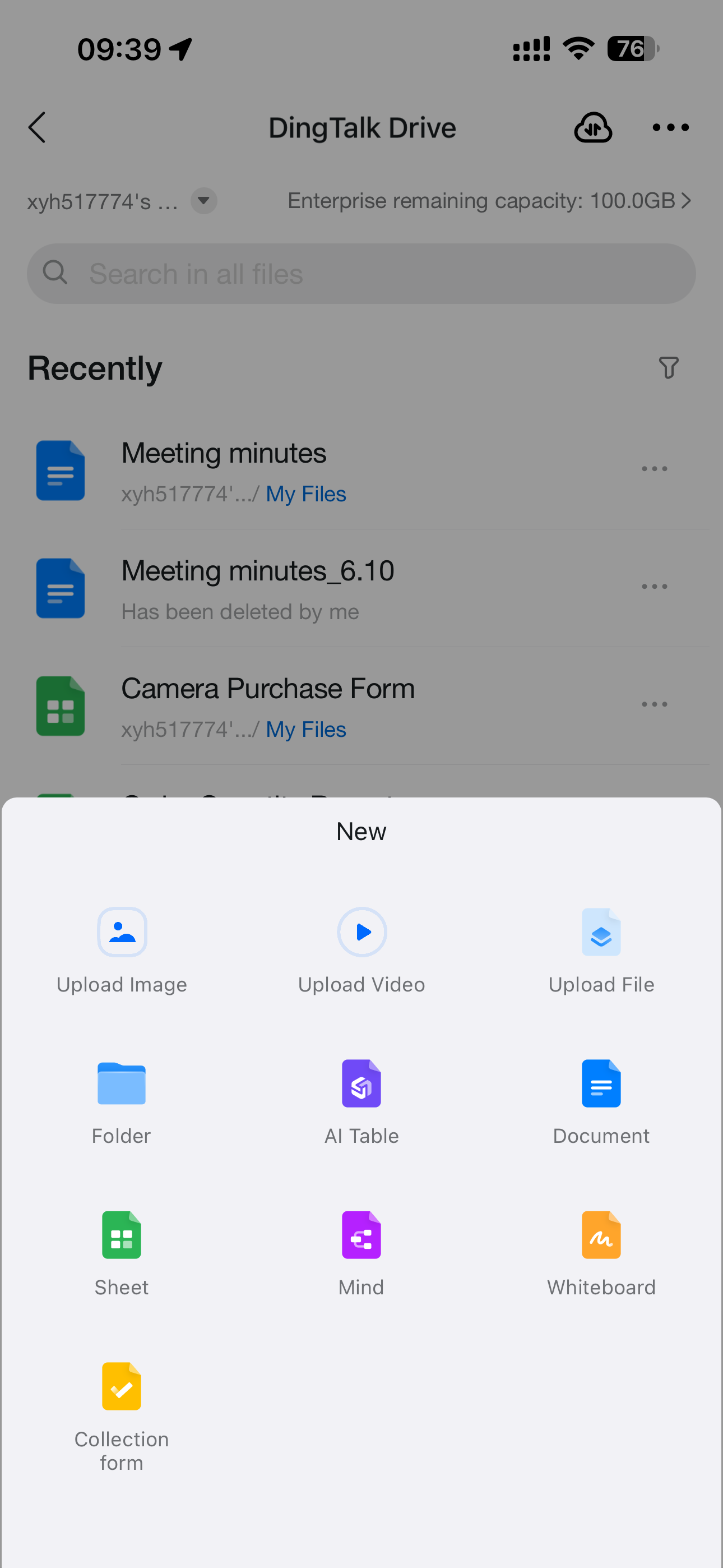
As on desktop, you can open **Recent** or **My Files** and tap the **+** button in the lower-right corner to upload images, files, videos, and more.

<div style={{display: 'flex', gap: '12px', justifyContent: 'center', flexWrap: 'wrap', margin: '16px 0'}}>
  <img src="https://alidocs.oss-cn-zhangjiakou.aliyuncs.com/res/Pd6l2Z795eaXMl7M/img/05b8f819-06bf-4a4c-82ba-5b231af4b662.png" alt="IMG_4997.png" style={{width: '32%', minWidth: '180px', borderRadius: '8px', boxShadow: '0 2px 12px rgba(0,0,0,0.08)', margin: 0}} />

  <img src="https://alidocs.oss-cn-zhangjiakou.aliyuncs.com/res/Pd6l2Z795eaXMl7M/img/f3cb9497-2f7e-40a8-a25d-837c2393d400.png" alt="IMG_4998.png" style={{width: '32%', minWidth: '180px', borderRadius: '8px', boxShadow: '0 2px 12px rgba(0,0,0,0.08)', margin: 0}} />

  <img src="https://alidocs.oss-cn-zhangjiakou.aliyuncs.com/res/Pd6l2Z795eaXMl7M/img/cf32220a-66d5-4355-ae54-3877c697f6bd.png" alt="IMG_4999.png" style={{width: '32%', minWidth: '180px', borderRadius: '8px', boxShadow: '0 2px 12px rgba(0,0,0,0.08)', margin: 0}} />
</div>

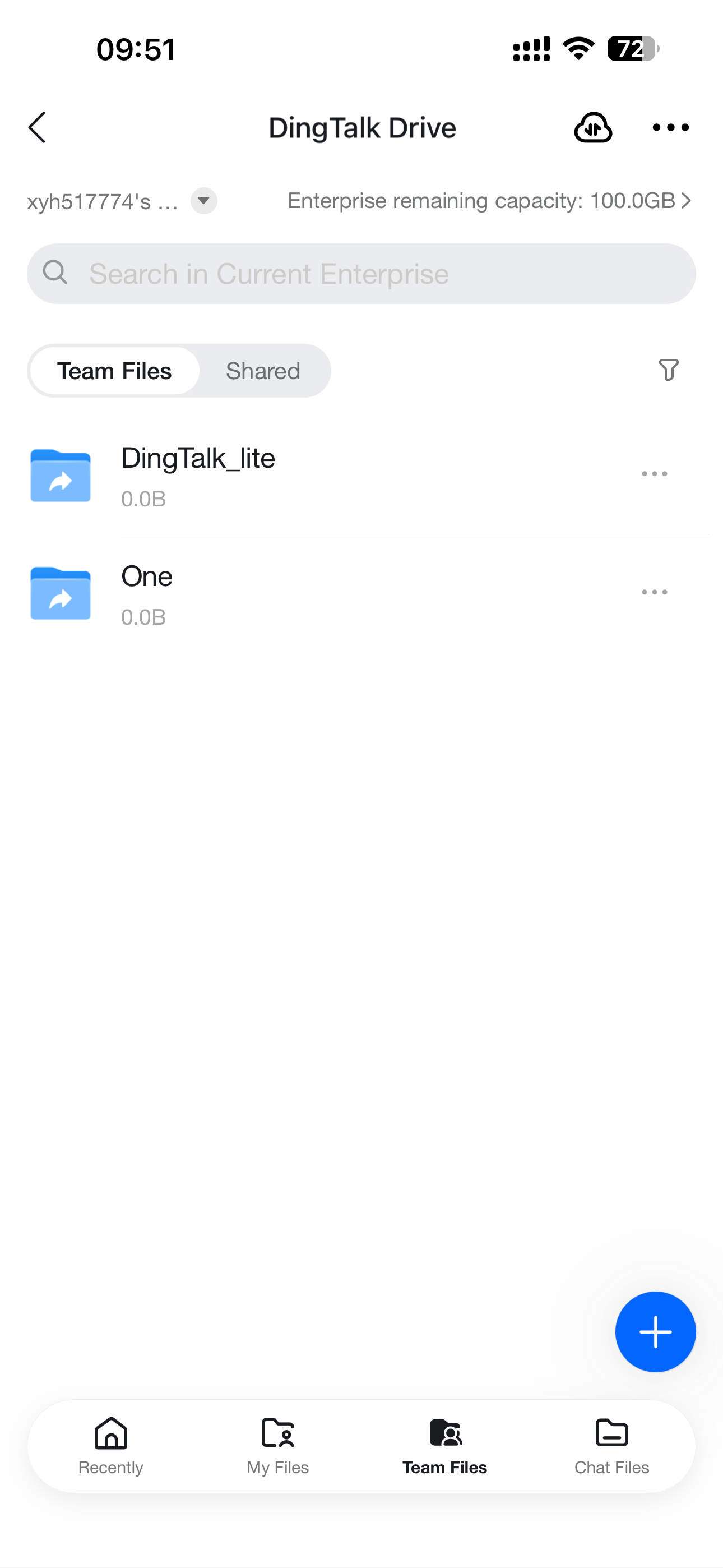
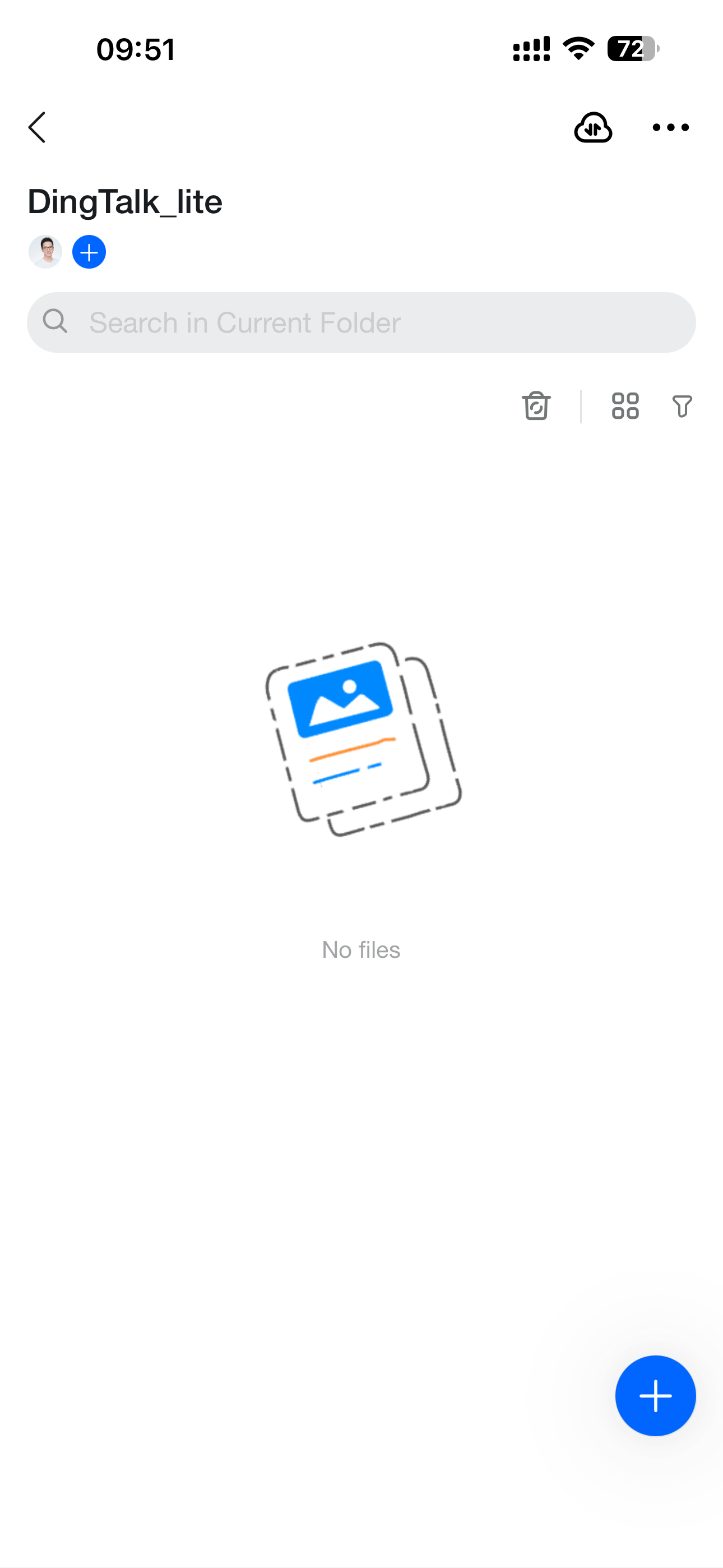
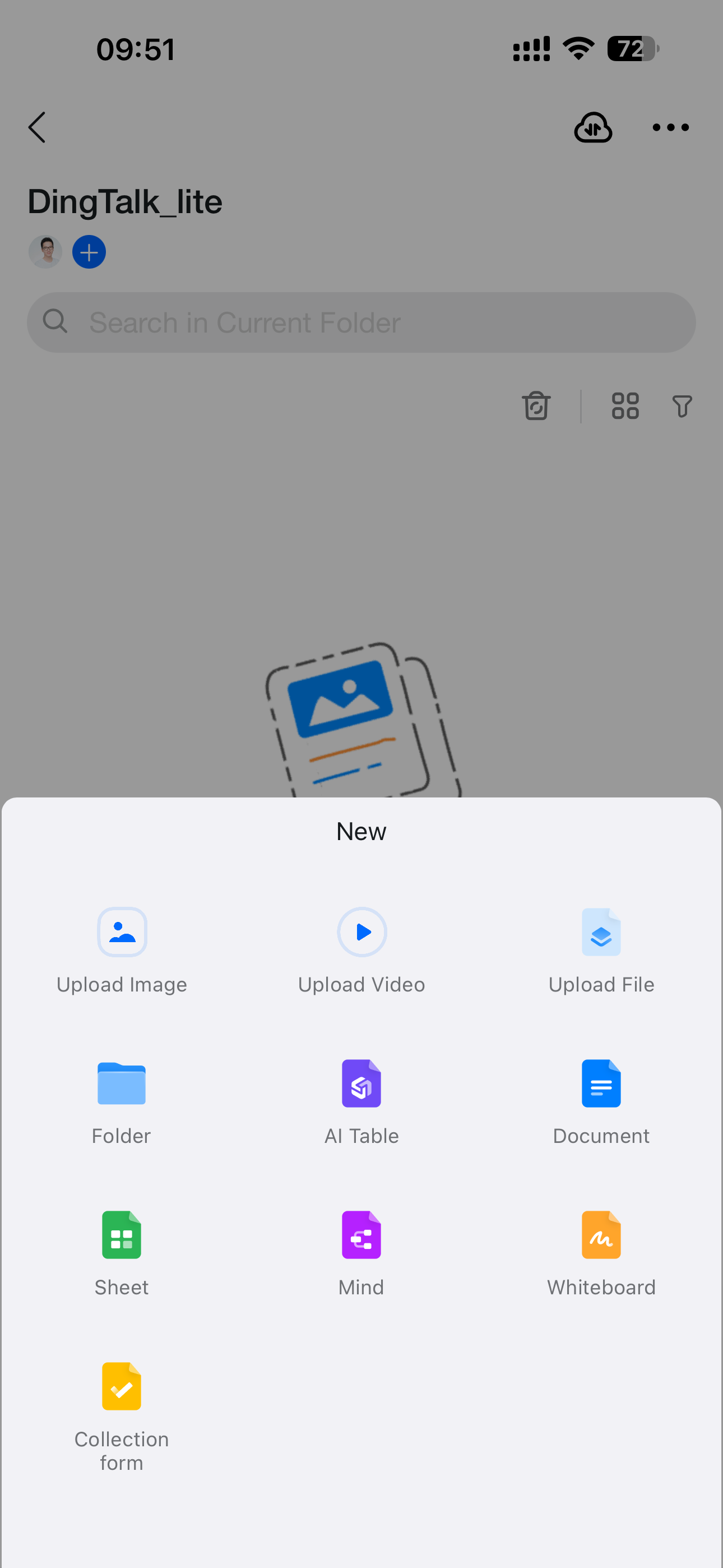
To upload files to **Team Files**, use the same logic as desktop: open **Team Files**, select the target folder, and then tap the **+** button in the lower-right corner to upload images, files, videos, and more.
<div style={{display: 'flex', gap: '12px', justifyContent: 'center', flexWrap: 'wrap', margin: '16px 0'}}>
  <img src="https://alidocs.oss-cn-zhangjiakou.aliyuncs.com/res/Pd6l2Z795eaXMl7M/img/9ba3437b-44e1-41b0-9fb7-185a4f5dc0c0.png" alt="IMG_5005.png" style={{width: '32%', minWidth: '180px', borderRadius: '8px', boxShadow: '0 2px 12px rgba(0,0,0,0.08)', margin: 0}} />

  <img src="https://alidocs.oss-cn-zhangjiakou.aliyuncs.com/res/Pd6l2Z795eaXMl7M/img/cced8111-df39-419a-80ac-e57abe4849be.png" alt="IMG_5006.png" style={{width: '32%', minWidth: '180px', borderRadius: '8px', boxShadow: '0 2px 12px rgba(0,0,0,0.08)', margin: 0}} />

  <img src="https://alidocs.oss-cn-zhangjiakou.aliyuncs.com/res/Pd6l2Z795eaXMl7M/img/116231ba-80c5-4908-ab3c-b52f99fe97fe.png" alt="IMG_5007.png" style={{width: '32%', minWidth: '180px', borderRadius: '8px', boxShadow: '0 2px 12px rgba(0,0,0,0.08)', margin: 0}} />
</div>