> ## Documentation Index
> Fetch the complete documentation index at: https://help.dingtalk.io/llms.txt
> Use this file to discover all available pages before exploring further.
# Purchase or Upgrade
> Compare DingTalk editions in the Admin Console Billing section and buy or upgrade to the plan that best fits your organization.
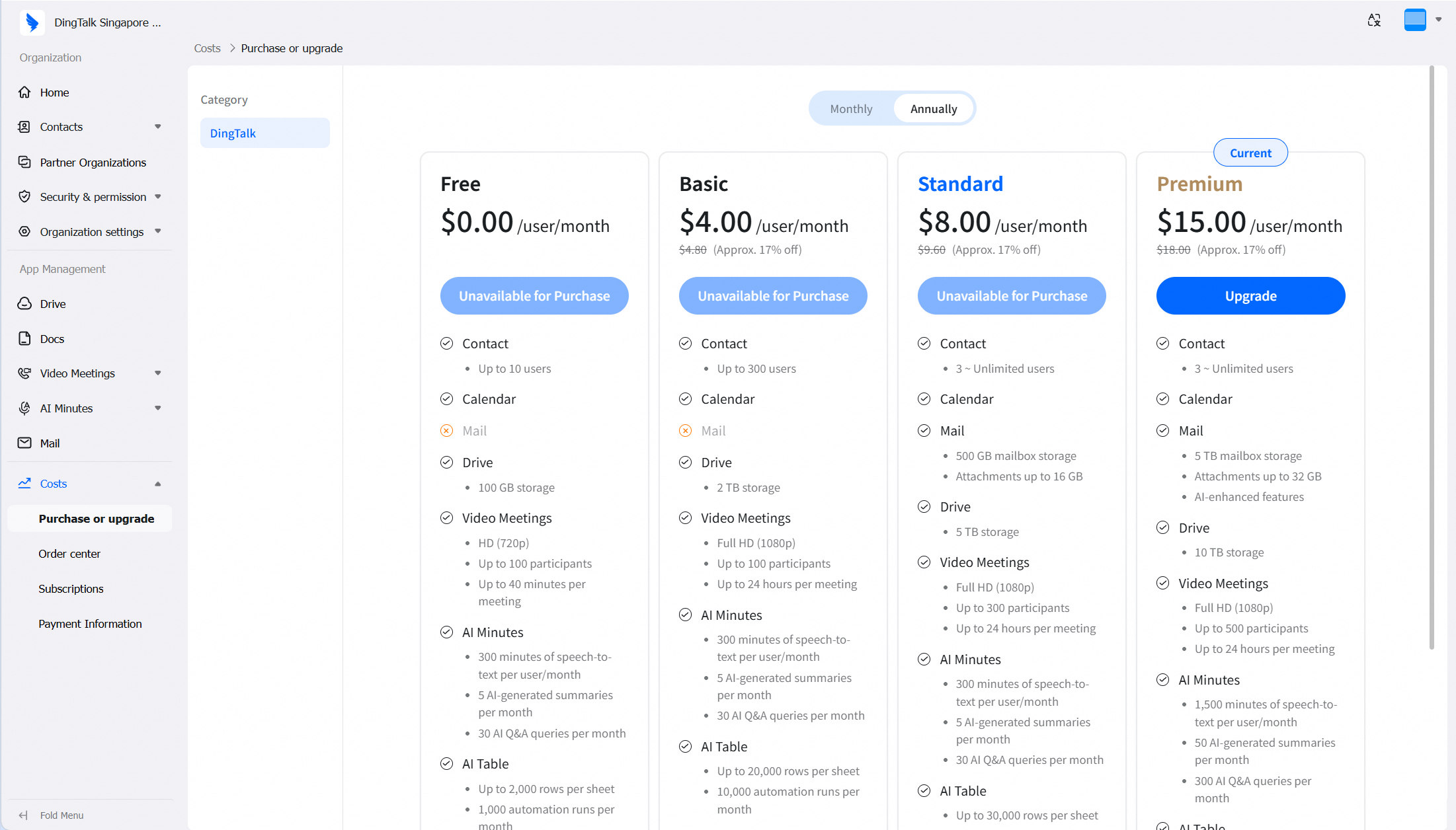
In the left navigation pane of the Admin Console, go to **Billing > Purchase or upgrade** to view the feature comparison across editions and select the plan that best fits your organization for purchase or upgrade.
***
## Plan Comparison
DingTalk offers 4 plans, with capabilities increasing from left to right.
 ## How to Purchase / Upgrade
On the **Purchase or upgrade** page, find the plan you need.
Click the **Upgrade** button.
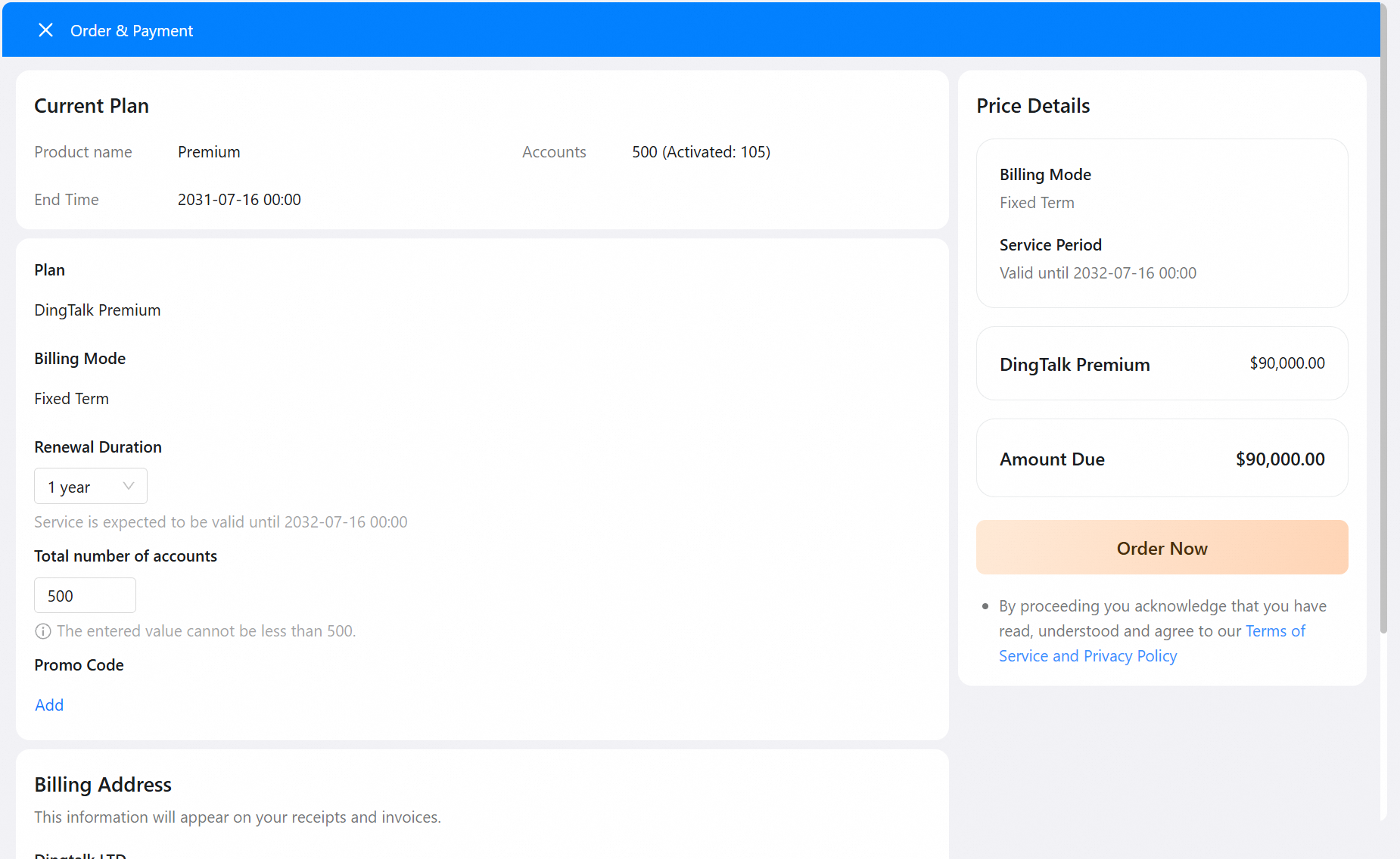
Follow the instructions to complete the payment.
## How to Purchase / Upgrade
On the **Purchase or upgrade** page, find the plan you need.
Click the **Upgrade** button.
Follow the instructions to complete the payment.