> ## Documentation Index
> Fetch the complete documentation index at: https://help.dingtalk.io/llms.txt
> Use this file to discover all available pages before exploring further.
# Configure HTTP Push
> Configure HTTP mode event push for an internal app in the DingTalk Developer Console, including the encryption aes_key, signature token, and callback request URL, and troubleshoot verification failures.
To configure HTTP mode event push, follow the steps in this document to complete the integration.
## Prerequisites
* You have a publicly accessible request URL.
* You have developer permissions in the DingTalk Developer Console of your organization.
* You have an [internal app](/open/dingstart/create-application) in your DingTalk organization.
## Procedure
Log in to the Developer Console, click the target app, and go to the app details page.
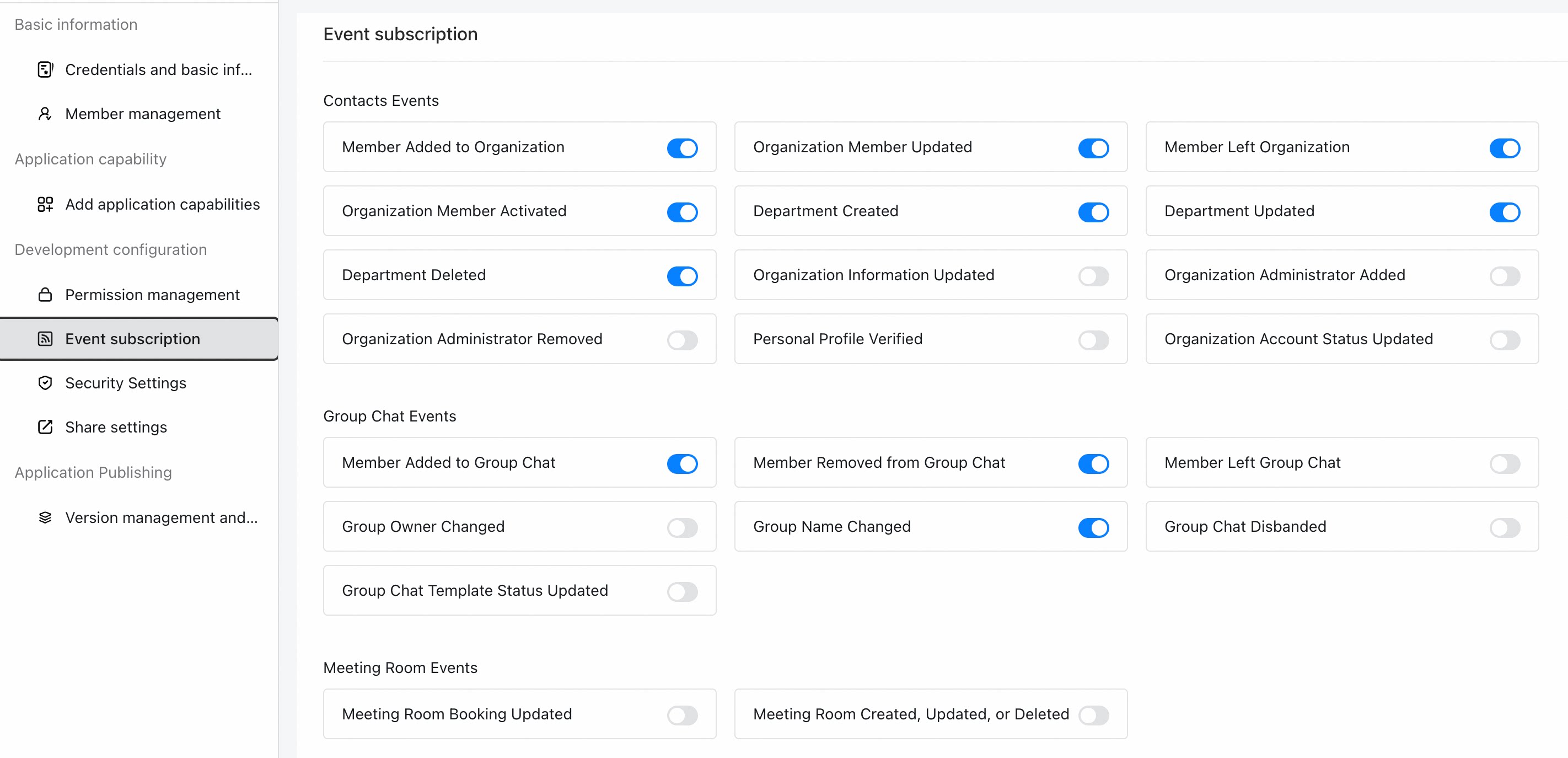
Click **Development Configuration > Event Subscription**, and select **HTTP push**.
| Item | Description |
| ------------------- | ---------------------------------------------------------------------------------------------------------------------------------------------------------------------------------------------------------------------------------- |
| Encryption aes\_key | The encryption and decryption parameter for callback message content. It is the Base64 encoding of the AES key. |
| Signature token | DingTalk includes the `token` in every event push sent to your URL. It is used to generate the signature and verify the legitimacy of the callback request. It must contain only letters or digits and be 3 to 32 characters long. |
| Request URL | The URL used to receive event subscription requests. When an event that the app subscribes to is triggered, DingTalk sends the corresponding HTTP POST request to this URL. |
After the configuration is complete, you need to develop the event subscription server. For more information, see Develop an HTTP push server.
After server-side development is complete and the HTTP push server is started, click **Save**. The event subscription list appears only after you save.
 ## FAQ
**Causes:**
* One of the field values in the JSON returned to the DingTalk server is incorrect.
* The information returned to the DingTalk server is not in JSON format.
**Solution:**
Verify that the content in Develop an HTTP push server is correct.
Construct a main method, use the four field values returned by the callback URL, call the encryption API, and verify whether the returned value is the `success` string. For example:
```java theme={"theme":{"light":"github-light","dark":"github-dark"}}
//Construct the encryption/decryption class. The parameters remain unchanged.
DingTalkEncryptor dingTalkEncryptor = new DingTalkEncryptor("123456", "1234567890123456789012345678901234567890123", "dingsnotzck6pm5veliw");
//Pass the four parameters that your callback URL returns to the DingTalk server into the encryption method.
String result = dingTalkEncryptor.getDecryptMsg("9a95a004dd16f5c307e849b994173f76aa26e5eb", "1614767836", "A7Co0cJLMzIDtMMI", "YvkvaGe4hQxd3VxRmEty0dVlnCOAqwf56xwTRHDHoOURqhalbmBJQk5FNcRk42Gl5T0YQXZNwpwWSm1xAFJ5ZA==");
System.out.println(result);
```
* If you get the `success` string, the returned value is correct. The problem lies in the incorrect format of the value parameters that the callback API returns to the DingTalk server. Confirm them again.
* If an error occurs at runtime, common errors and causes are as follows:
| Error | Cause | Fix |
| -------------------------------------------- | ------------------------------------------------------------------- | -------------------------------------------------------------------------------------------------------------------------------- |
| The computed decrypted corpid does not match | The `OWNER_KEY` parameter in DingTalkEncryptor is incorrect. | For the event subscription of the current app in the Developer Console, `owner_key` must be the appkey value of the current app. |
| Invalid aes key | The `ENCODING_AES_KEY` parameter in DingTalkEncryptor is incorrect. | `ENCODING_AES_KEY` is a custom fixed 43-character string that supports only uppercase and lowercase letters and digits. |
| Signature calculation failed | The parameters in the decryption method are used incorrectly. | The four parameters in the getEncryptedMap decryption method all come from the values carried in the DingTalk server request. |
## FAQ
**Causes:**
* One of the field values in the JSON returned to the DingTalk server is incorrect.
* The information returned to the DingTalk server is not in JSON format.
**Solution:**
Verify that the content in Develop an HTTP push server is correct.
Construct a main method, use the four field values returned by the callback URL, call the encryption API, and verify whether the returned value is the `success` string. For example:
```java theme={"theme":{"light":"github-light","dark":"github-dark"}}
//Construct the encryption/decryption class. The parameters remain unchanged.
DingTalkEncryptor dingTalkEncryptor = new DingTalkEncryptor("123456", "1234567890123456789012345678901234567890123", "dingsnotzck6pm5veliw");
//Pass the four parameters that your callback URL returns to the DingTalk server into the encryption method.
String result = dingTalkEncryptor.getDecryptMsg("9a95a004dd16f5c307e849b994173f76aa26e5eb", "1614767836", "A7Co0cJLMzIDtMMI", "YvkvaGe4hQxd3VxRmEty0dVlnCOAqwf56xwTRHDHoOURqhalbmBJQk5FNcRk42Gl5T0YQXZNwpwWSm1xAFJ5ZA==");
System.out.println(result);
```
* If you get the `success` string, the returned value is correct. The problem lies in the incorrect format of the value parameters that the callback API returns to the DingTalk server. Confirm them again.
* If an error occurs at runtime, common errors and causes are as follows:
| Error | Cause | Fix |
| -------------------------------------------- | ------------------------------------------------------------------- | -------------------------------------------------------------------------------------------------------------------------------- |
| The computed decrypted corpid does not match | The `OWNER_KEY` parameter in DingTalkEncryptor is incorrect. | For the event subscription of the current app in the Developer Console, `owner_key` must be the appkey value of the current app. |
| Invalid aes key | The `ENCODING_AES_KEY` parameter in DingTalkEncryptor is incorrect. | `ENCODING_AES_KEY` is a custom fixed 43-character string that supports only uppercase and lowercase letters and digits. |
| Signature calculation failed | The parameters in the decryption method are used incorrectly. | The four parameters in the getEncryptedMap decryption method all come from the values carried in the DingTalk server request. |
