> ## Documentation Index
> Fetch the complete documentation index at: https://help.dingtalk.io/llms.txt
> Use this file to discover all available pages before exploring further.

# 倒计时

> 仪表盘倒计时组件实时显示距目标时间的剩余时长，支持指定固定时间或从数据表日期字段取值，可自定义单位、样式和结束动画，适用于任务截止和重要活动倒计时。

在仪表盘中，倒计时组件可根据设定的未来时间点进行动态倒数，无论是单独指定还是基于已有字段生成。该功能能够实时显示当前至目标时刻的剩余时间，方便用户直观掌握任务完成进度或重要事件的临近情况，从而提升看板的信息传达效率。

## 添加倒计时

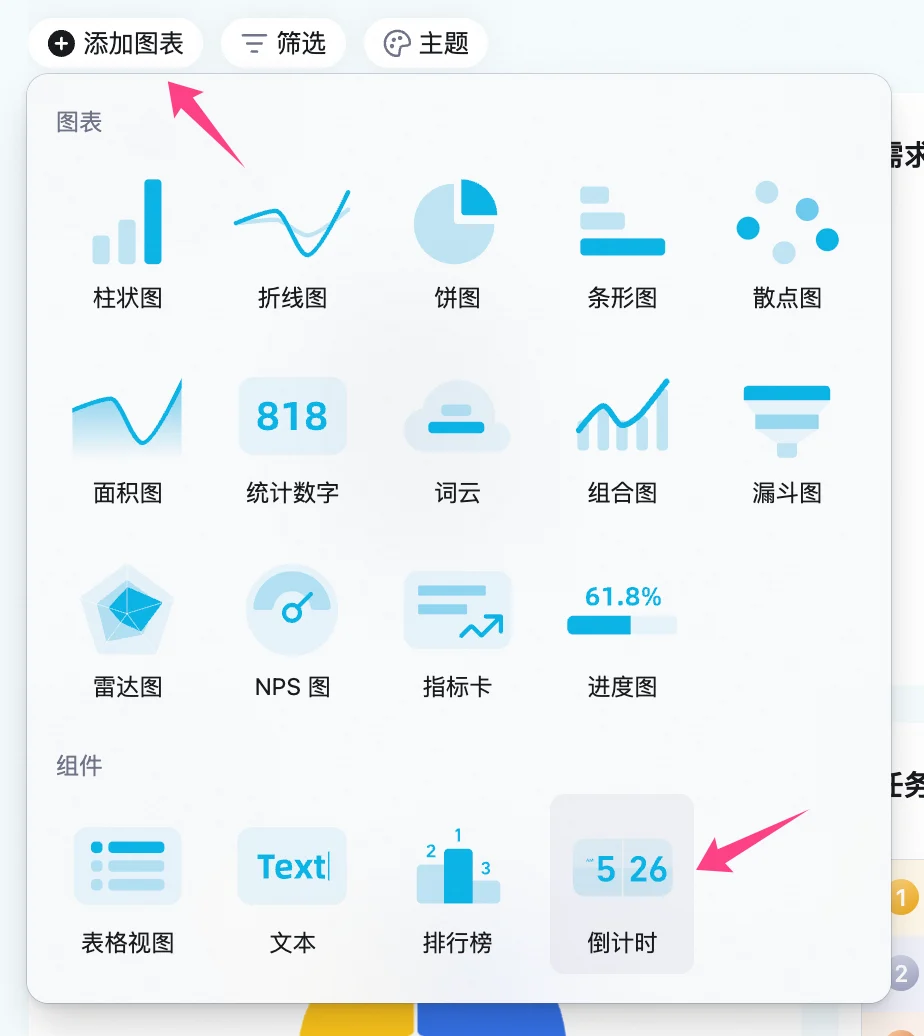
在仪表盘左上角点击  **添加图表** ，在弹窗菜单的图表类型中选择 **倒计时** 。

<img src="https://mintcdn.com/dingtalk-8c0f98e2/YwlxKh9vB2sYUnZ_/zh/aitable/dashboards/dashboard-components/countdown/images/image_yn9qkD81pg.png?fit=max&auto=format&n=YwlxKh9vB2sYUnZ_&q=85&s=c39d14ccb25a1028a8b1f74867058fab" alt="" width="924" height="1036" data-path="zh/aitable/dashboards/dashboard-components/countdown/images/image_yn9qkD81pg.png" />

## 配置倒计时

支持对倒计时组件的图表类型、倒计时设置、单位和样式进行配置。

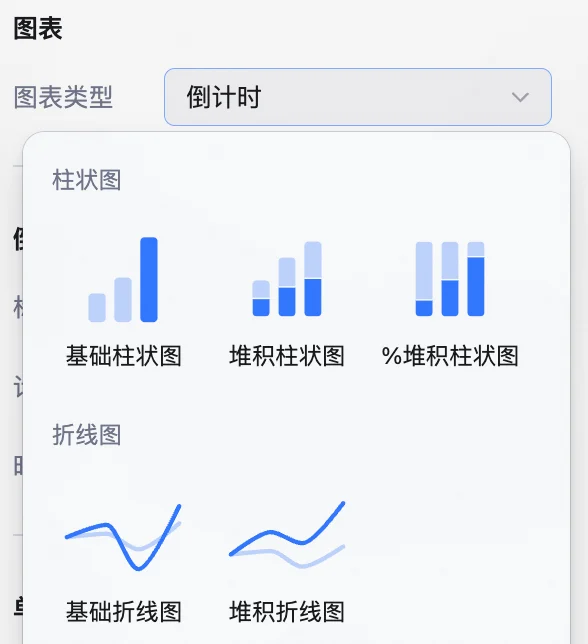
**图表类型：** 默认为倒计时，可以下拉选择其他图表类型。

<img src="https://mintcdn.com/dingtalk-8c0f98e2/YwlxKh9vB2sYUnZ_/zh/aitable/dashboards/dashboard-components/countdown/images/image_gPXQ-St5c6.png?fit=max&auto=format&n=YwlxKh9vB2sYUnZ_&q=85&s=9baa457e28e2c2866195bc6ed7a3f024" alt="" width="588" height="644" data-path="zh/aitable/dashboards/dashboard-components/countdown/images/image_gPXQ-St5c6.png" />

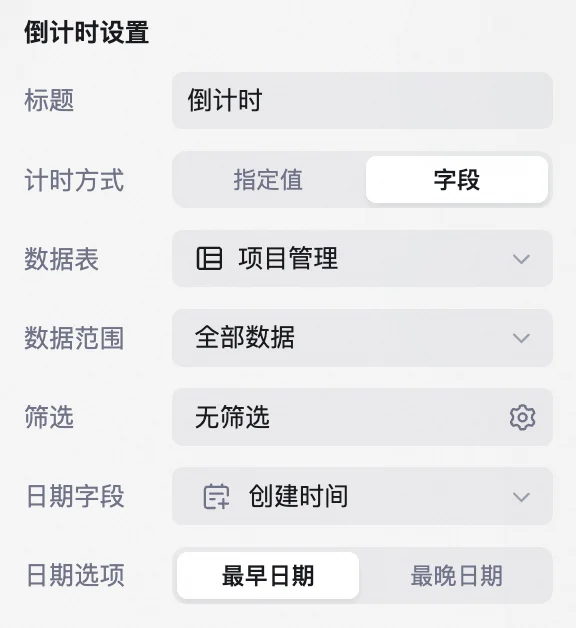
**倒计时设置**：可以设置标题和计时方式。计时方式分为 **指定值** 和 **字段** 两种。

选择 **指定值** 需要设置倒计时结束的时间节点。
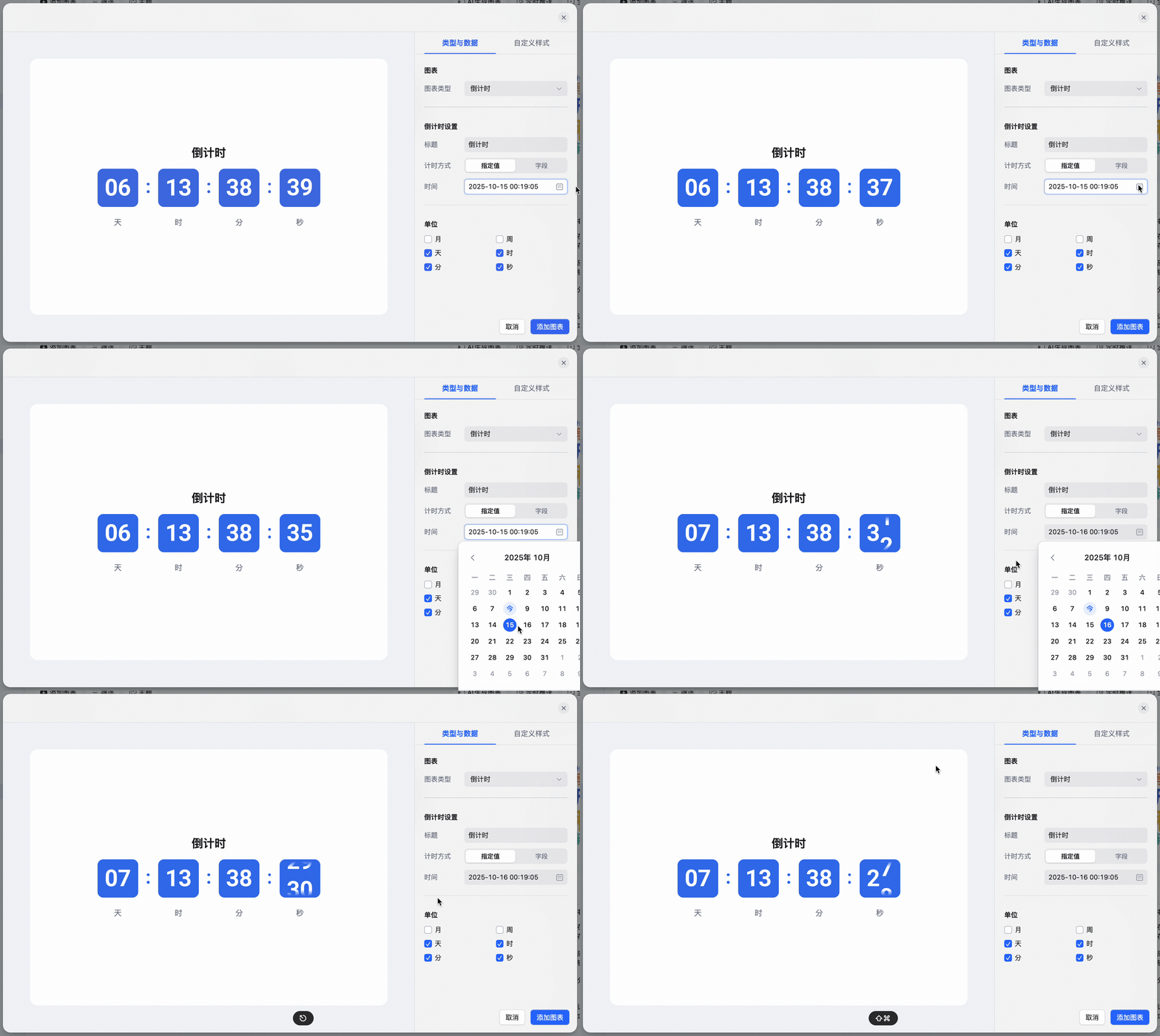
<img src="https://mintcdn.com/dingtalk-8c0f98e2/IYRFxYn1aQ0DPy0Y/zh/aitable/dashboards/dashboard-components/countdown/images/poppy-indigo.gif?s=8e2ad58f32bc1c4e32ef0b55ff6d13cc" alt="" width="2182" height="1300" data-path="zh/aitable/dashboards/dashboard-components/countdown/images/poppy-indigo.gif" />

选择 **字段** 则需要设置数据表、数据范围、筛选和日期字段，并从字段中选择**最早／最晚**的日期。

<img src="https://mintcdn.com/dingtalk-8c0f98e2/YwlxKh9vB2sYUnZ_/zh/aitable/dashboards/dashboard-components/countdown/images/image_19lyKKOGv2.png?fit=max&auto=format&n=YwlxKh9vB2sYUnZ_&q=85&s=9392248519e1e3a6678522734beddaff" alt="" width="576" height="628" data-path="zh/aitable/dashboards/dashboard-components/countdown/images/image_19lyKKOGv2.png" />

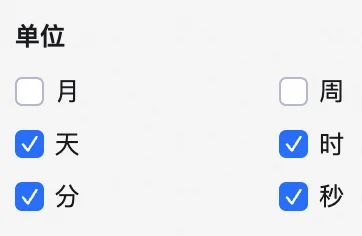
**单位**：设置倒计时的单位，即具体展示形式。

<img src="https://mintcdn.com/dingtalk-8c0f98e2/YwlxKh9vB2sYUnZ_/zh/aitable/dashboards/dashboard-components/countdown/images/image_7q6__-7IZt.png?fit=max&auto=format&n=YwlxKh9vB2sYUnZ_&q=85&s=ff16baa45fca3ee5a6f9c3edf21010cc" alt="" width="362" height="236" data-path="zh/aitable/dashboards/dashboard-components/countdown/images/image_7q6__-7IZt.png" />

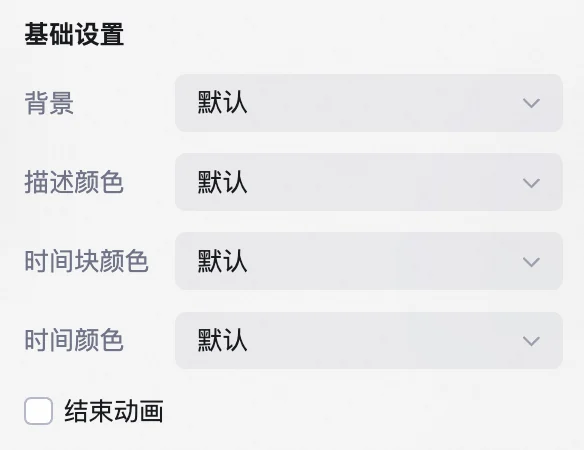
**样式**：对倒计时组件的背景、描述颜色、时间块颜色、时间颜色和结束动画进行设置。

<img src="https://mintcdn.com/dingtalk-8c0f98e2/YwlxKh9vB2sYUnZ_/zh/aitable/dashboards/dashboard-components/countdown/images/image_w8g7gfnsr9.png?fit=max&auto=format&n=YwlxKh9vB2sYUnZ_&q=85&s=5dc9b966490dd47808a85be4ef8500dd" alt="" width="584" height="450" data-path="zh/aitable/dashboards/dashboard-components/countdown/images/image_w8g7gfnsr9.png" />

## 管理倒计时

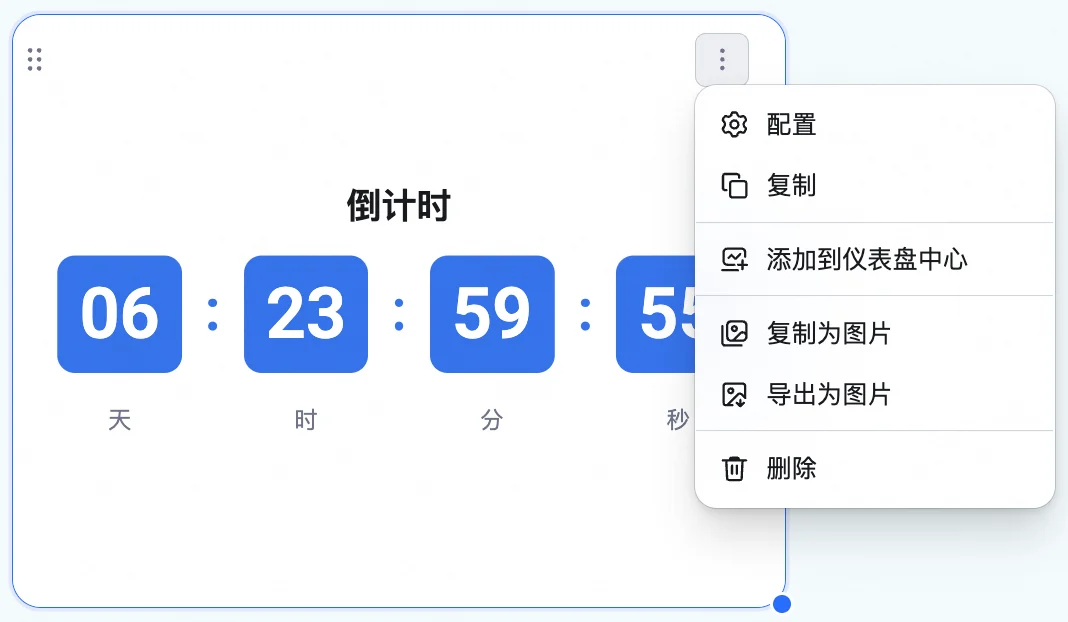
鼠标浮动至已添加的文本组件上，在右上方找到  图标，点击后可以选择执行以下操作：配置、复制、添加到仪表盘中心、复制为图片、导出为图片和删除。

<img src="https://mintcdn.com/dingtalk-8c0f98e2/YwlxKh9vB2sYUnZ_/zh/aitable/dashboards/dashboard-components/countdown/images/image_kfneNjIl5B.png?fit=max&auto=format&n=YwlxKh9vB2sYUnZ_&q=85&s=3091fb129b57800ec05f8feb4067b871" alt="" width="1068" height="622" data-path="zh/aitable/dashboards/dashboard-components/countdown/images/image_kfneNjIl5B.png" />

此外，可以拖拽倒计时组件右下角来调整组件大小，或者拖拽组件上方区域来调整其位置。