> ## Documentation Index
> Fetch the complete documentation index at: https://help.dingtalk.io/llms.txt
> Use this file to discover all available pages before exploring further.

# 使用自动化流程发送仪表盘

> 在AI表格中，您可以通过配置自动化流程，定时将仪表盘以图片消息形式自动发送给指定人员，帮助团队实时获取最新数据动态。

## 功能简介

在AI表格中，您可以通过配置自动化流程，定时将仪表盘以图片消息形式自动发送给指定人员，帮助团队实时获取最新数据动态。

### 常见使用场景

* **项目工作群**

  设置定时将项目进度或质量看板发送至项目群，实现项目数据的自动高效同步。
* **高管数据简报**

  每日/每周自动向管理层推送核心经营仪表盘，实现决策信息的高频同步。
* **客户服务报告**

  定期向重要客户自动发送其专属服务数据看板，提升服务透明度与专业形象。

## 操作流程

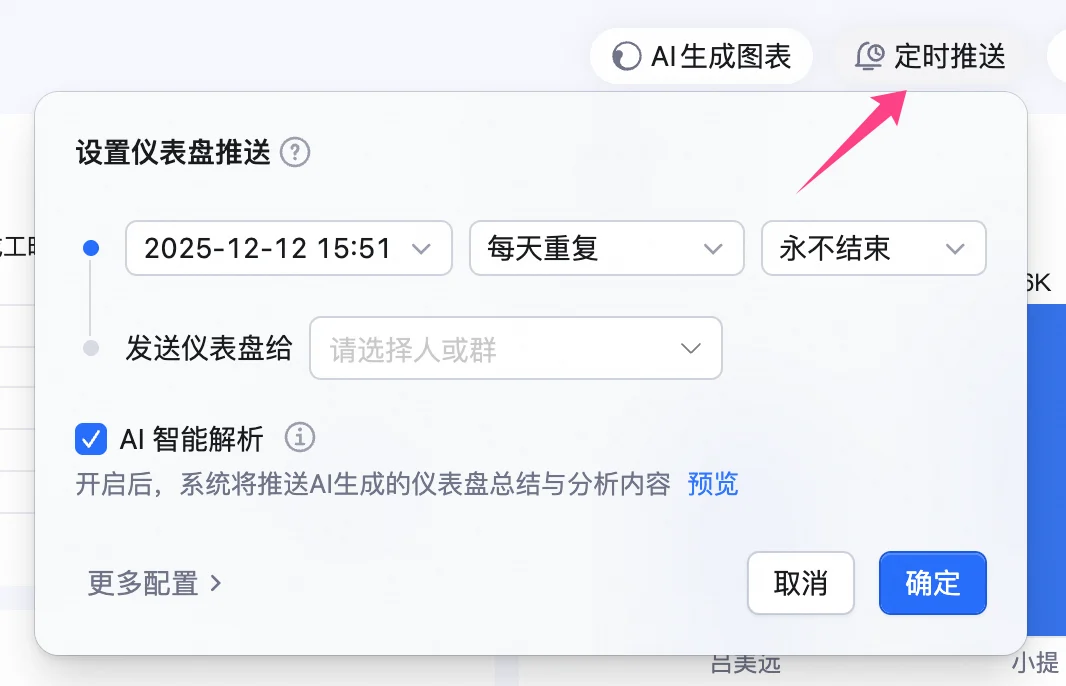
1. 点击仪表盘右上方的 **定时推送**，打开设置窗口，可以直接设定定时推送的时间规则和指定推送人员。

<img src="https://mintcdn.com/dingtalk-8c0f98e2/F7xJnJYUa7xUoH8I/zh/aitable/dashboards/send-dashboard-via-automation/images/image_grmdp7mNQQ.png?fit=max&auto=format&n=F7xJnJYUa7xUoH8I&q=85&s=bd409db94d1e0c3826f035791334ead5" alt="" width="1066" height="686" data-path="zh/aitable/dashboards/send-dashboard-via-automation/images/image_grmdp7mNQQ.png" />

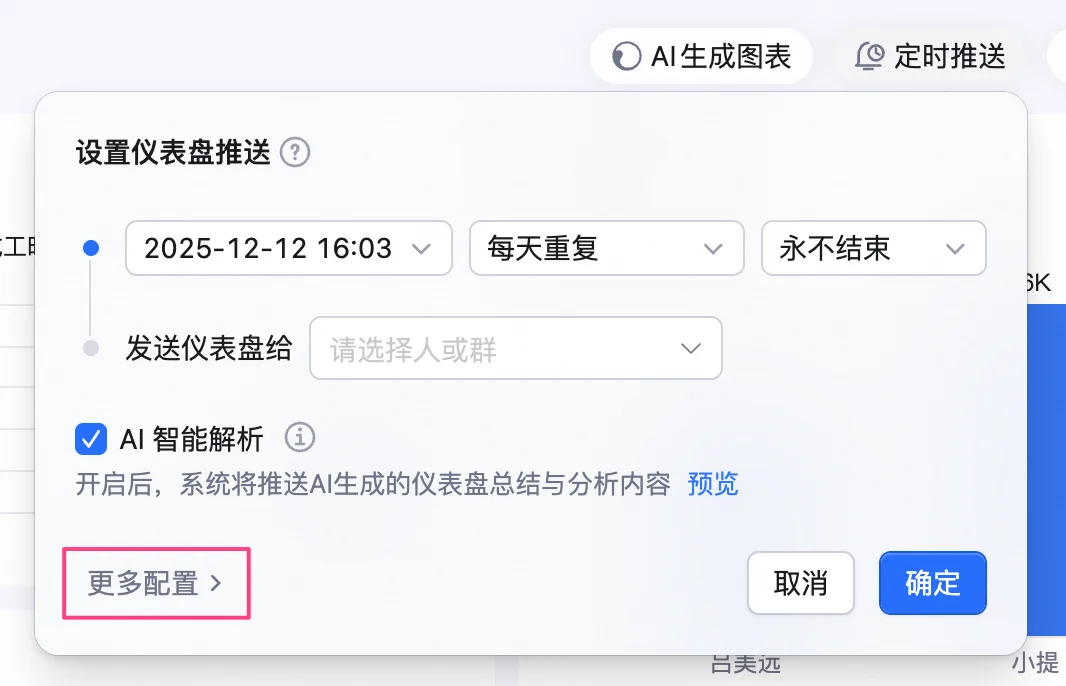
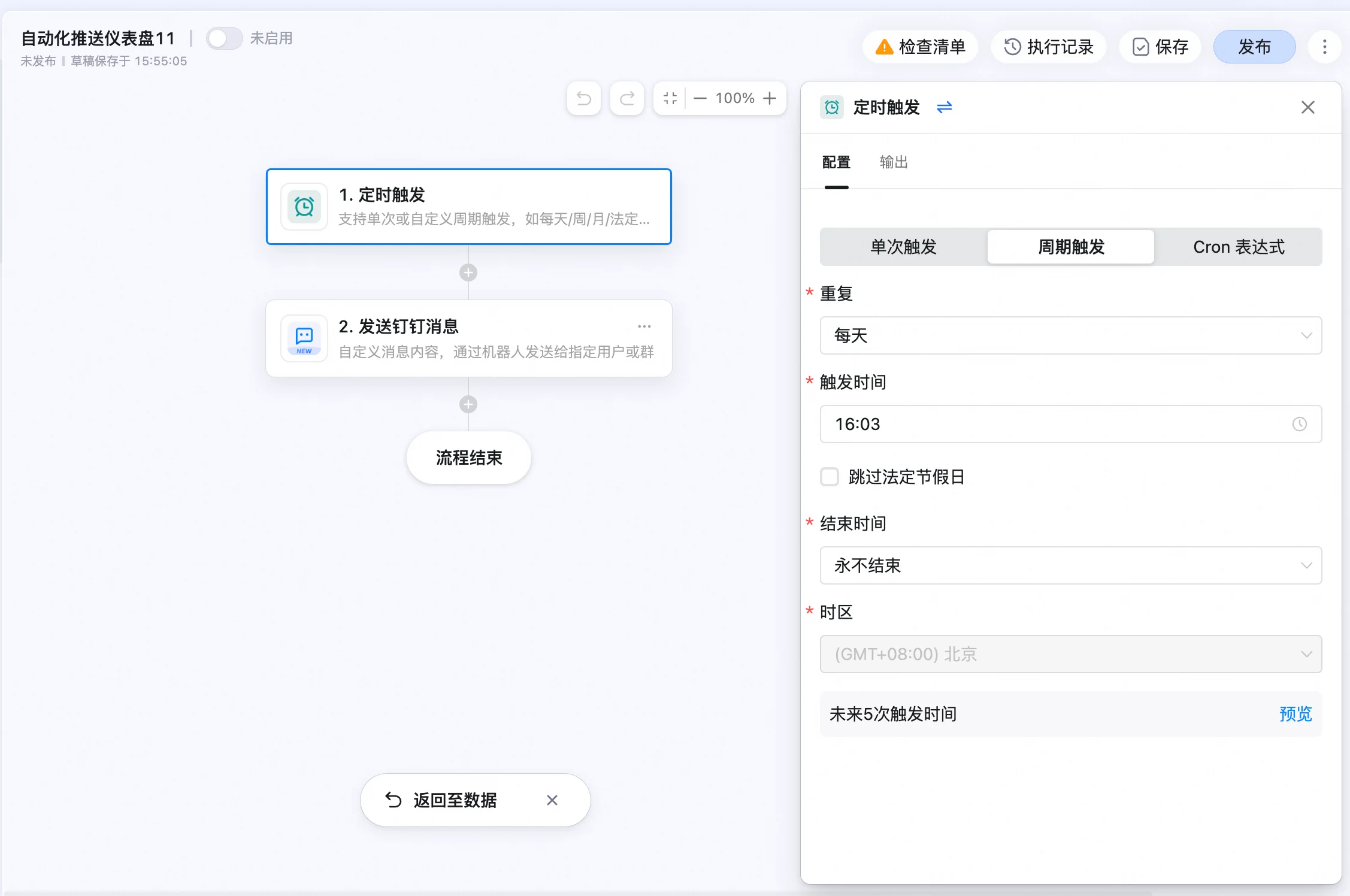
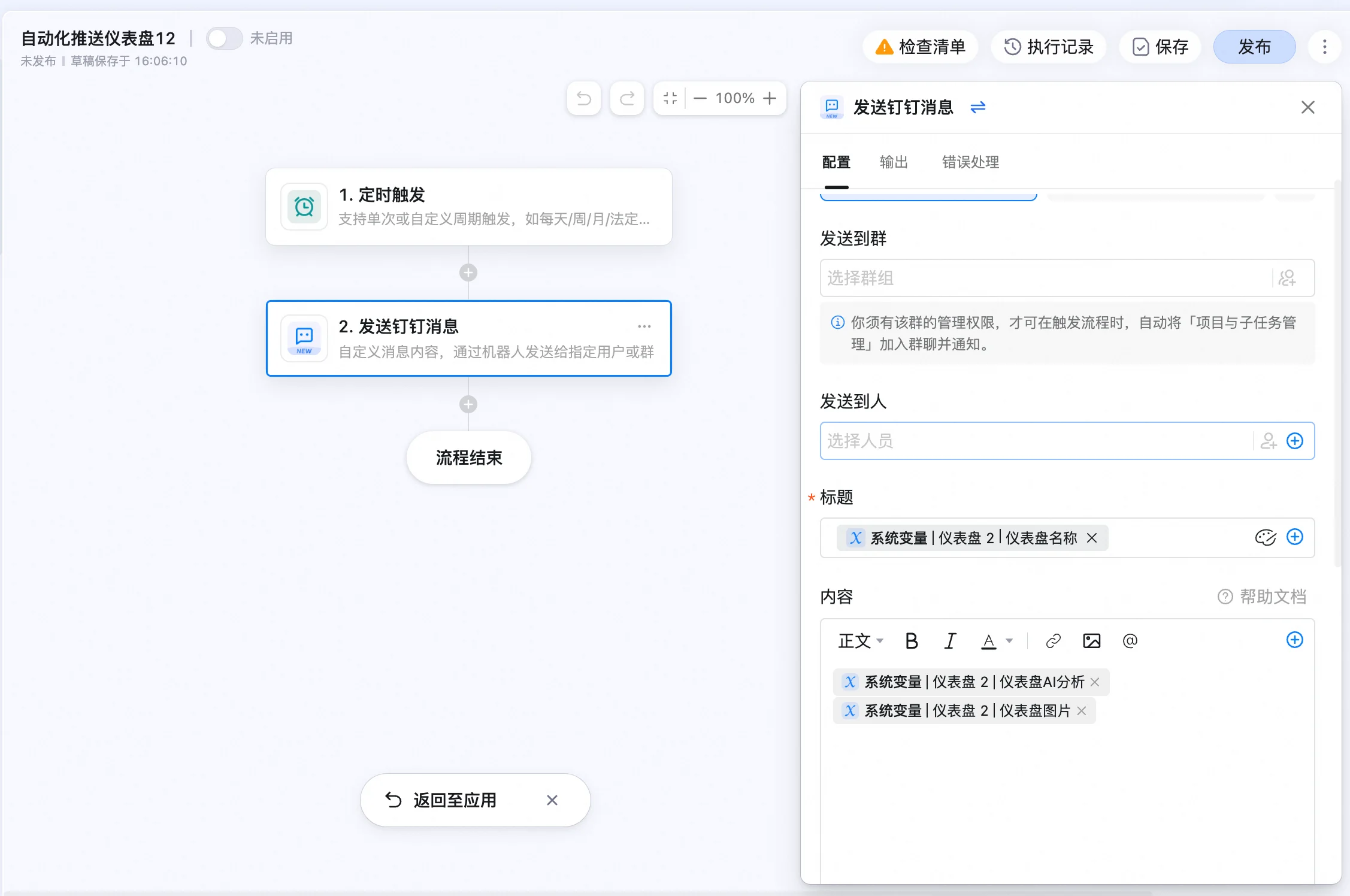
2. 点击 **更多配置**，进入自动化流程编辑界面。配置定时触发条件，如单次触发、周期触发，以及配置消息接收人员及消息内容。

<img src="https://mintcdn.com/dingtalk-8c0f98e2/F7xJnJYUa7xUoH8I/zh/aitable/dashboards/send-dashboard-via-automation/images/image_VNit-jJqcs.png?fit=max&auto=format&n=F7xJnJYUa7xUoH8I&q=85&s=dda8ed243990cf93c89370e39bc035e4" alt="" width="1066" height="686" data-path="zh/aitable/dashboards/send-dashboard-via-automation/images/image_VNit-jJqcs.png" />

<img src="https://mintcdn.com/dingtalk-8c0f98e2/F7xJnJYUa7xUoH8I/zh/aitable/dashboards/send-dashboard-via-automation/images/image_Smghu5R6y1.png?fit=max&auto=format&n=F7xJnJYUa7xUoH8I&q=85&s=1924bfc6f4b93bbf22e3907ea85a8b6e" alt="" width="2254" height="1496" data-path="zh/aitable/dashboards/send-dashboard-via-automation/images/image_Smghu5R6y1.png" />

<img src="https://mintcdn.com/dingtalk-8c0f98e2/F7xJnJYUa7xUoH8I/zh/aitable/dashboards/send-dashboard-via-automation/images/image_540U6kMdeZ.png?fit=max&auto=format&n=F7xJnJYUa7xUoH8I&q=85&s=bc8b90c7affe15b0280518de746b9d48" alt="" width="2254" height="1496" data-path="zh/aitable/dashboards/send-dashboard-via-automation/images/image_540U6kMdeZ.png" />

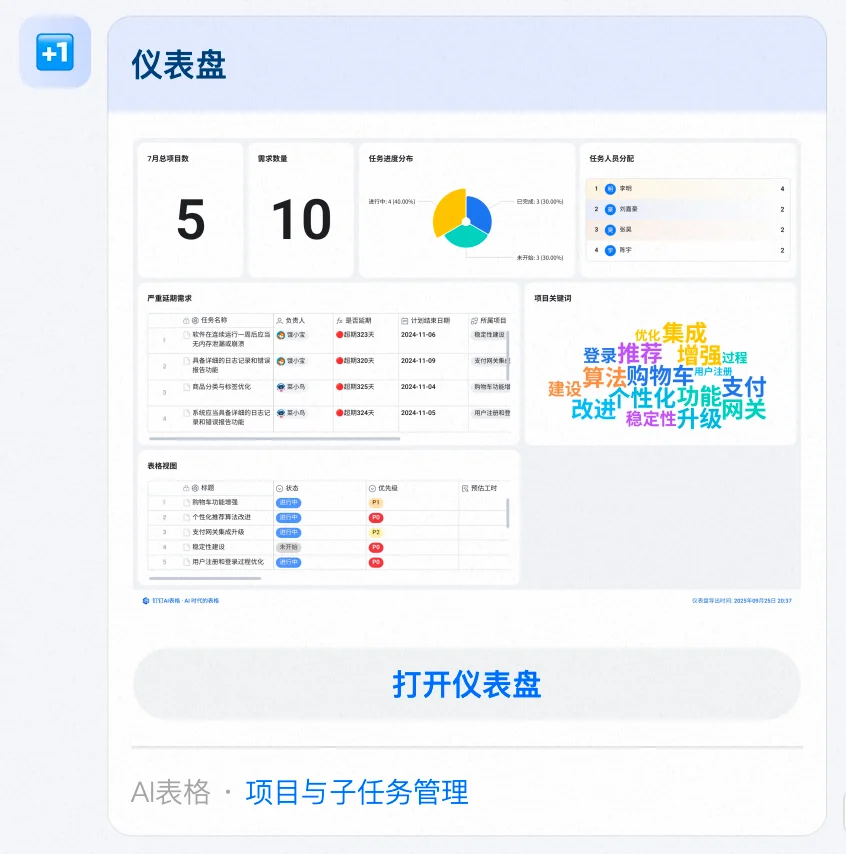
3. 启用配置好的自动化流程，即可在DingTalk聊天中接收到自动发送的仪表盘推送消息。

<img src="https://mintcdn.com/dingtalk-8c0f98e2/F7xJnJYUa7xUoH8I/zh/aitable/dashboards/send-dashboard-via-automation/images/image_D8PKtXNRI4.png?fit=max&auto=format&n=F7xJnJYUa7xUoH8I&q=85&s=404081a1f026ab7bf80b844a268e950d" alt="" width="846" height="854" data-path="zh/aitable/dashboards/send-dashboard-via-automation/images/image_D8PKtXNRI4.png" />

## 常见问题

#### 问：谁能设置自动化流程定时推送仪表盘？

答：仅限AI表格的所有者或拥有管理员权限的用户。

#### 问：仪表盘推送是实时更新的吗？

答：不是，以推送时刻的仪表盘数据为准。