> ## Documentation Index
> Fetch the complete documentation index at: https://help.dingtalk.io/llms.txt
> Use this file to discover all available pages before exploring further.
# 使用AI表格FIND函数
> 📌更多函数可以参考公式函数大全
> 📌更多函数可以参考[公式函数大全](/zh/aitable/formulas/function-reference)
# 1 函数基础介绍
**FIND**是AI表格中常用的函数,用于从指定位置开始查找特定的值,并返回其第一次出现的位置;若该值不存在,返回 -1。
### **基本语法**
```text theme={"theme":{"light":"github-light","dark":"github-dark"}}
FIND(查找的值, 查找范围, [起始位置])
```
* **查找的值**:要查找的值,区分大小写
* **查找范围**:要查找的范围,是一个值、一组数据或数据表中某个字段
* **起始位置**:开始查找的位置,默认从 1 开始
### **示例**
假设\[字段1]第一条记录的内容为 **"Hello World"**。
#### **示例 1:查找子字符串 "World" 的起始位置**
```text theme={"theme":{"light":"github-light","dark":"github-dark"}}
FIND("World", [字段1])
```
该记录结果为:**7**(因为 "World" 从第 7 个字符开始)
#### **示例 2:从第 8 个字符开始查找子字符串 "o"**
```text theme={"theme":{"light":"github-light","dark":"github-dark"}}
FIND("o", [字段1], 8)
```
结果为:**9**(因为从第 8 个字符开始算,第一个 "o" 出现在第 9 个位置)
通过**FIND**函数,您可以快速定位文本中的特定部分,这对于文本处理和数据分析非常有用。需要注意的是,**FIND**函数区分大小写,如果不需要区分大小写,可以使用**SEARCH**函数作为替代。
# 2 常见场景案例
### 2.1 利用字符进行分列
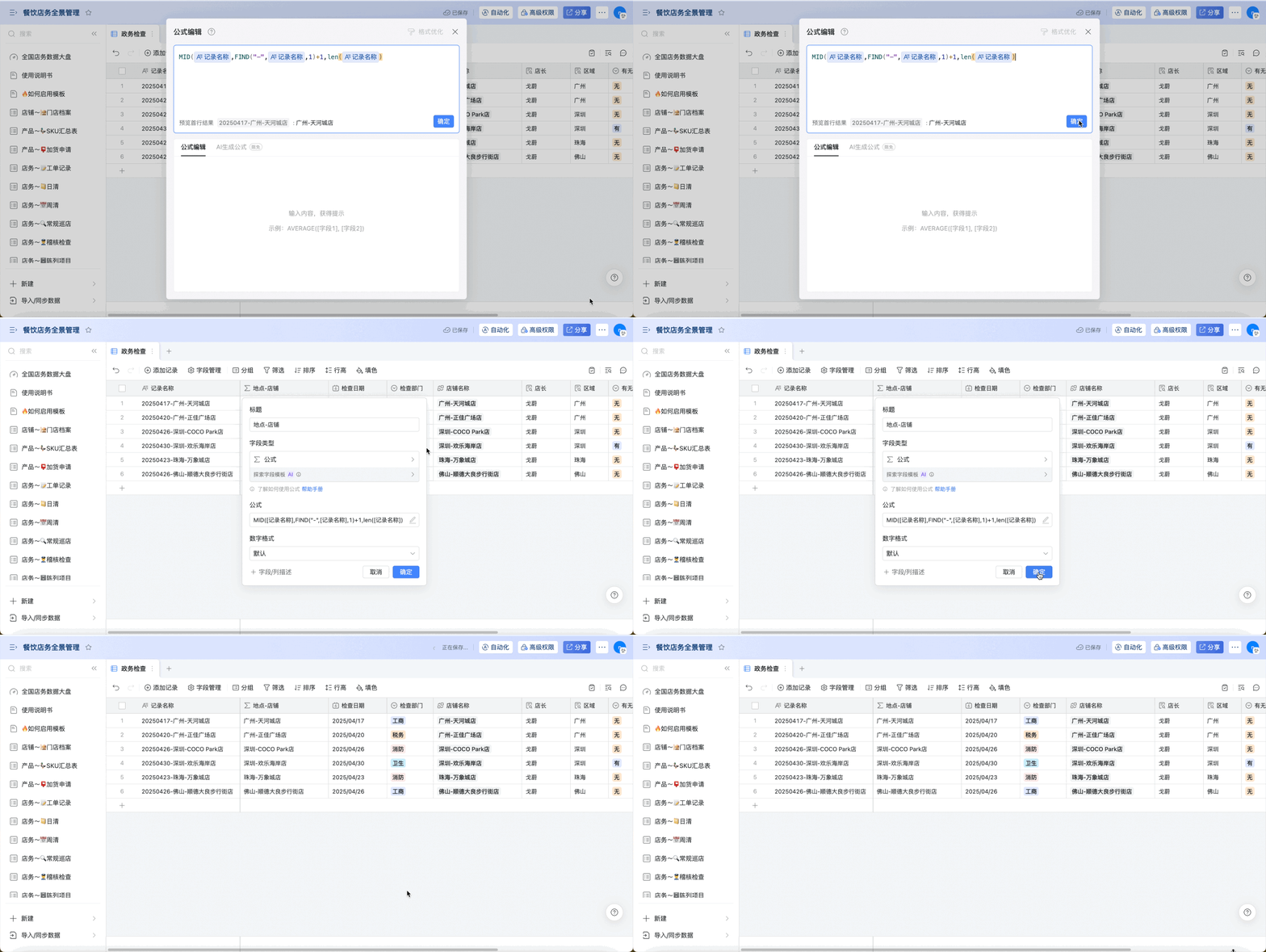
如图字段由三部分组成,为日期-地点-店铺名称,我们希望根据“-”将日期和地点-店铺名称分开,可使用以下公式
```纯文本 title="MID([记录名称],FIND(%22-%22,[记录名称],1)+1,len([记录名称])" theme={"theme":{"light":"github-light","dark":"github-dark"}}
MID([记录名称],FIND("-",[记录名称],1)+1,8)
```
 ### 2.2 利用字符进行判断
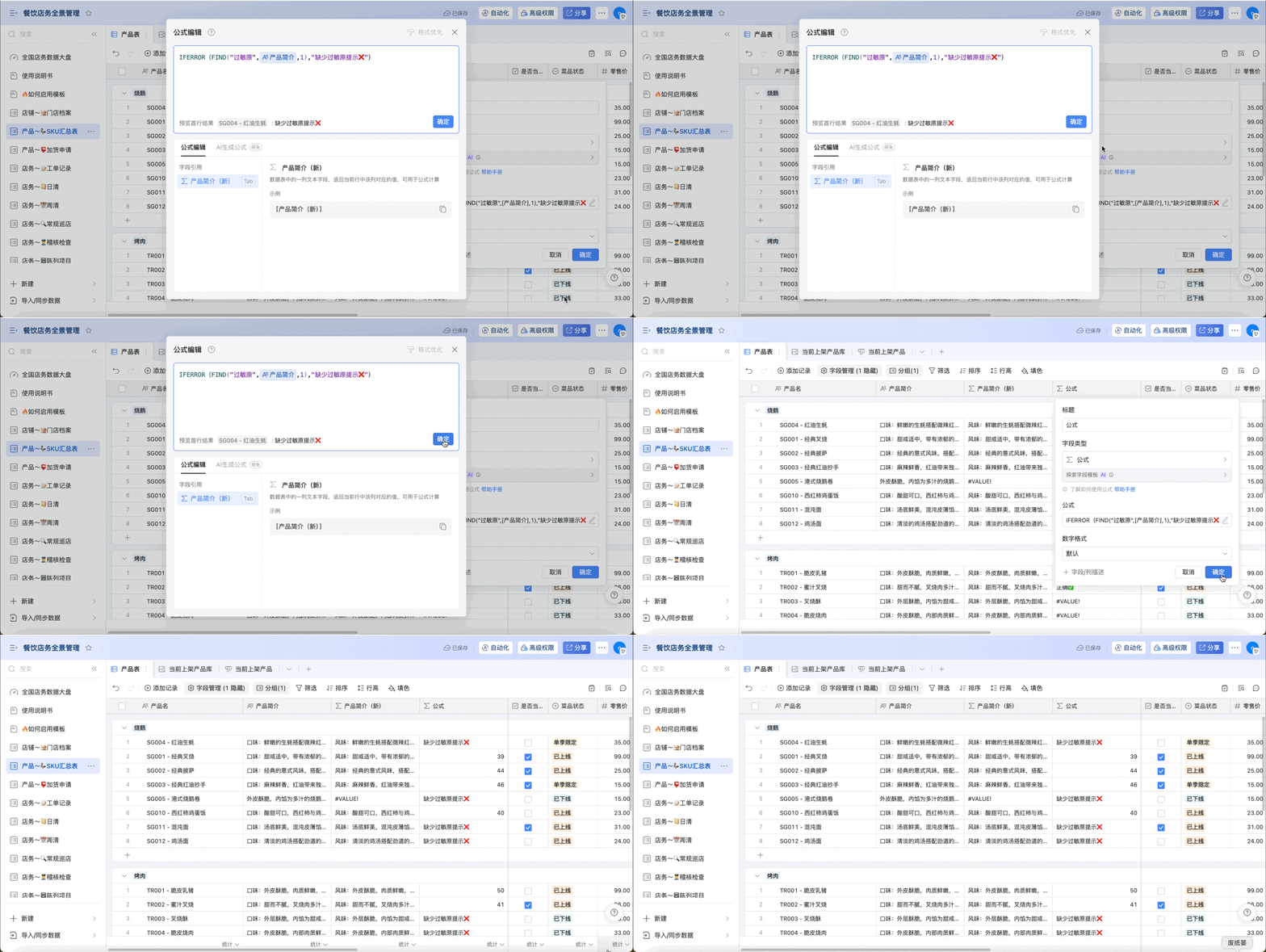
按照要求,产品简介中需要详细注明过敏原,利用find函数可以判断每一个简介是否有标注过敏源
```text theme={"theme":{"light":"github-light","dark":"github-dark"}}
IFERROR(FIND("过敏原",[产品简介],1),"缺少过敏原提示❌")
```
### 2.2 利用字符进行判断
按照要求,产品简介中需要详细注明过敏原,利用find函数可以判断每一个简介是否有标注过敏源
```text theme={"theme":{"light":"github-light","dark":"github-dark"}}
IFERROR(FIND("过敏原",[产品简介],1),"缺少过敏原提示❌")
```
 ### 2.3 替换某一个字符
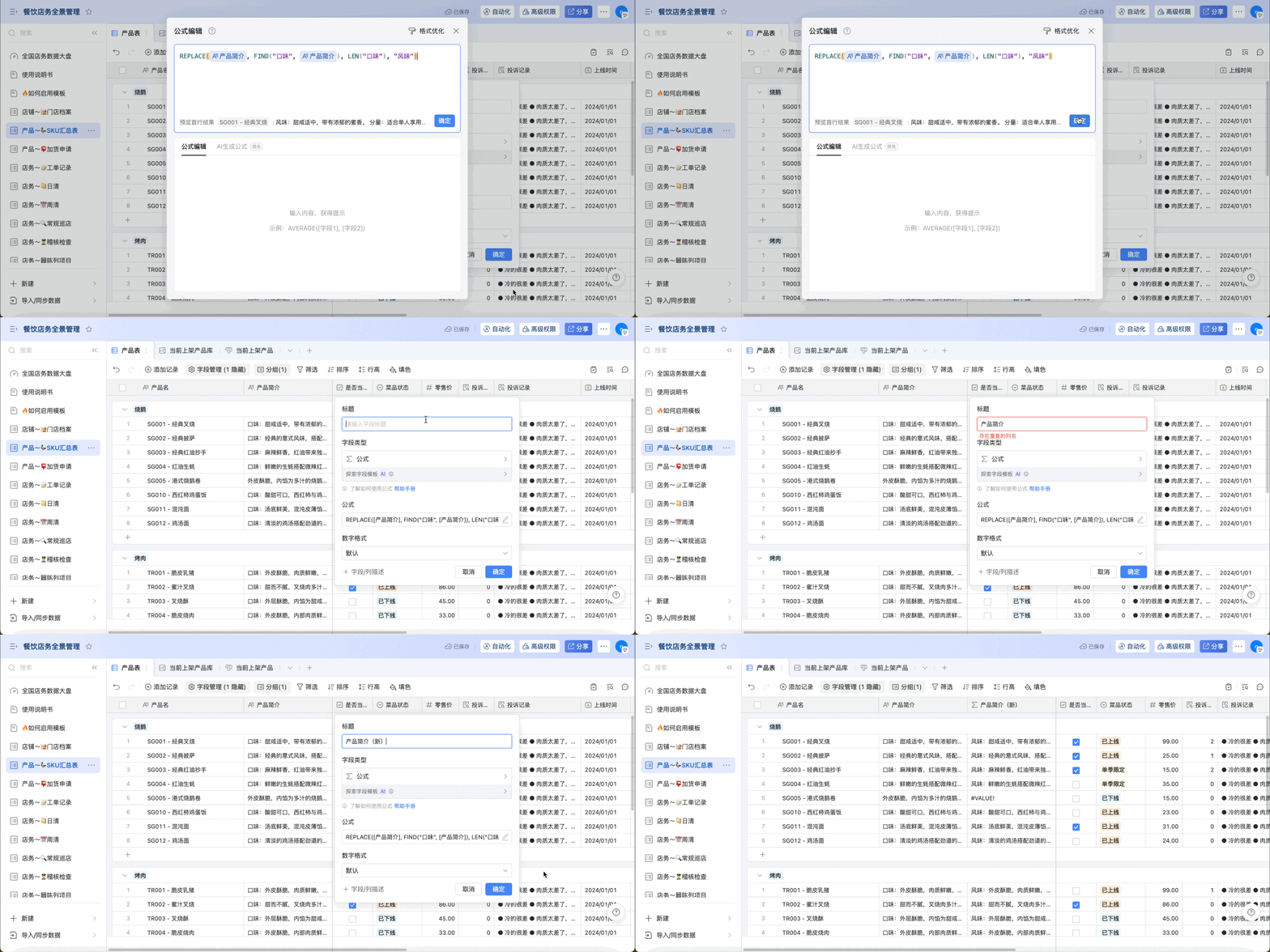
将产品简介中的全部“口味”转变为“风味”
```纯文本 theme={"theme":{"light":"github-light","dark":"github-dark"}}
REPLACE([产品简介], FIND("口味", [产品简介]), LEN("口味"), "风味")
```
### 2.3 替换某一个字符
将产品简介中的全部“口味”转变为“风味”
```纯文本 theme={"theme":{"light":"github-light","dark":"github-dark"}}
REPLACE([产品简介], FIND("口味", [产品简介]), LEN("口味"), "风味")
```