> ## Documentation Index
> Fetch the complete documentation index at: https://help.dingtalk.io/llms.txt
> Use this file to discover all available pages before exploring further.

# 自定义仪表盘中心

> 自定义AI表格仪表盘中心助你全面掌控业务动态，支持插入不同AI表格的仪表盘与表单，灵活调整组件的展示、大小及位置，让业务管理更加轻松高效。

## 功能概述

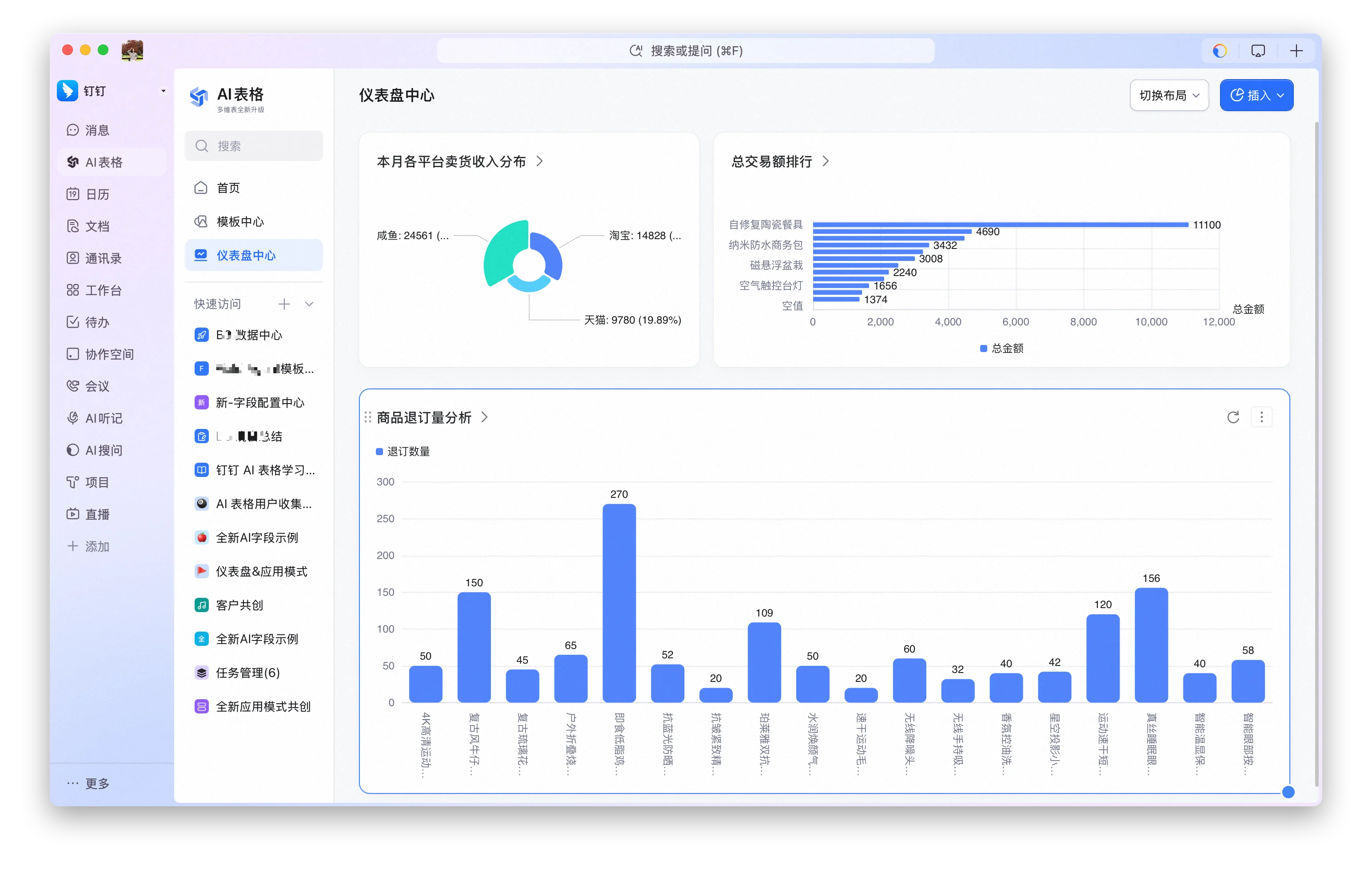
自定义AI表格仪表盘中心助你全面掌控业务动态，支持插入不同AI表格的仪表盘与表单，灵活调整组件的展示、大小及位置，让业务管理更加轻松高效。

<img src="https://mintcdn.com/dingtalk-8c0f98e2/TruNvZgRYJbb0Amj/zh/aitable/more/custom-dashboard-center/images/image_FAjVm7x2L5.png?fit=max&auto=format&n=TruNvZgRYJbb0Amj&q=85&s=0500661d94b5e8604f606e0314cb7535" alt="" width="3088" height="1964" data-path="zh/aitable/more/custom-dashboard-center/images/image_FAjVm7x2L5.png" />

## 如何找到仪表盘中心

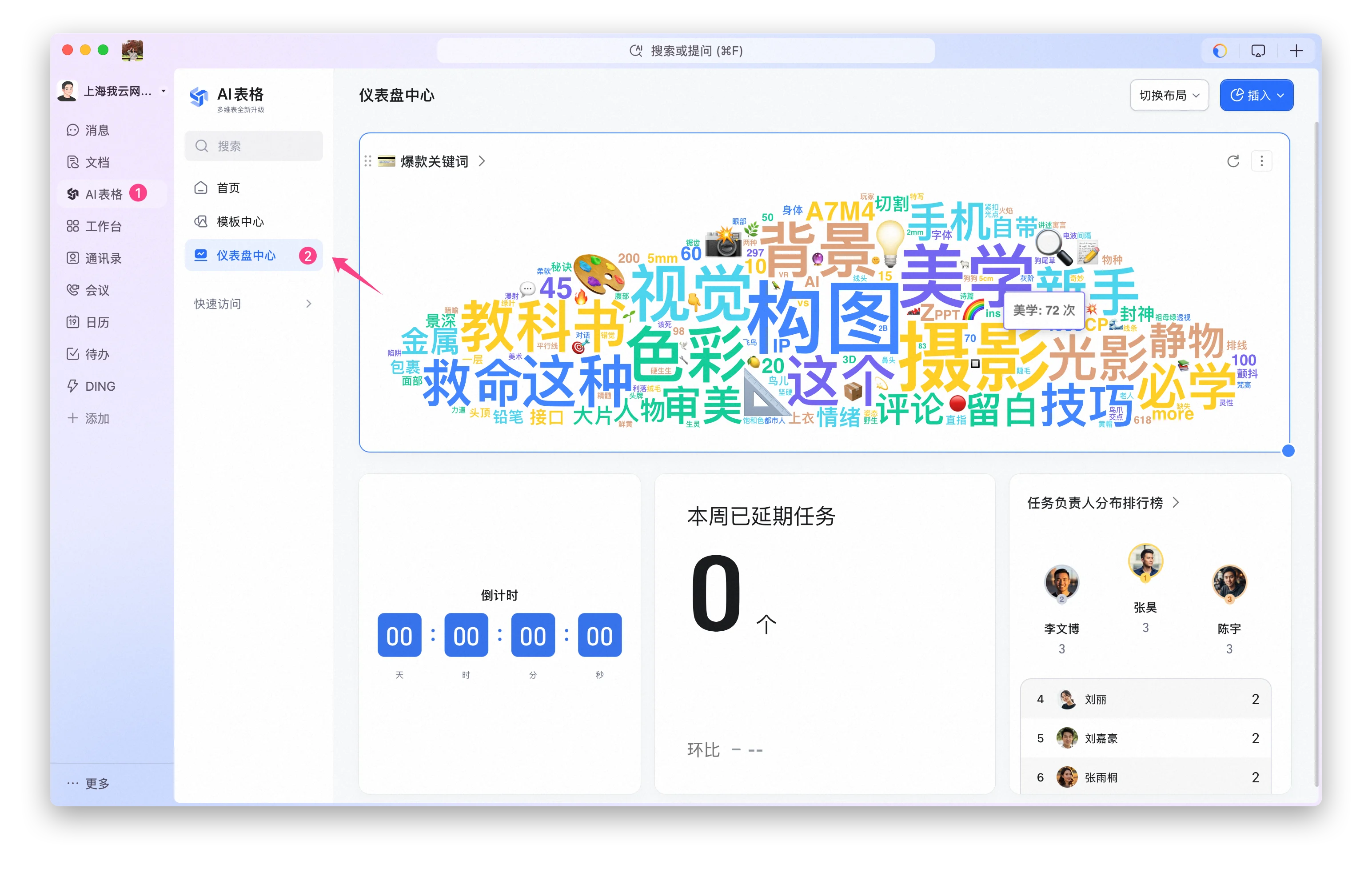
1. 点击DingTalk左侧导航栏**AI表格**；
2. 进入AI表格首页后，点击左侧导航栏 **仪表盘中心**；
3. 进入仪表盘中心后可点击右上角**插入**或者在空白区域右键即可自由配置图表。
<img src="https://mintcdn.com/dingtalk-8c0f98e2/TruNvZgRYJbb0Amj/zh/aitable/more/custom-dashboard-center/images/image_wLrRrKv4IB.png?fit=max&auto=format&n=TruNvZgRYJbb0Amj&q=85&s=2d616dd209f6c2bbf90ad3363a933ea8" alt="" width="3088" height="1964" data-path="zh/aitable/more/custom-dashboard-center/images/image_wLrRrKv4IB.png" />

## 仪表盘配置

仪表盘中心支持的布局类型：

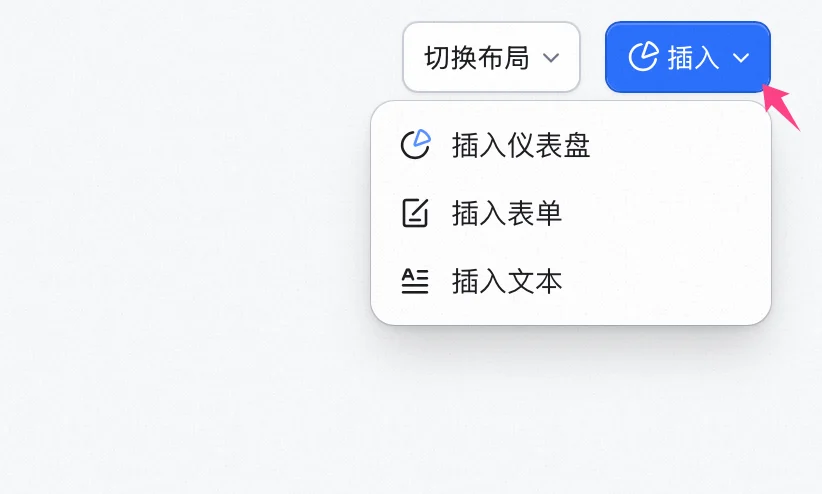
1. 右上角点击**插入**；
2. 在下拉菜单中选择想要插入的组件，支持**仪表盘图表、表单和文本**。

<img src="https://mintcdn.com/dingtalk-8c0f98e2/TruNvZgRYJbb0Amj/zh/aitable/more/custom-dashboard-center/images/image_ixXFQpimS4.png?fit=max&auto=format&n=TruNvZgRYJbb0Amj&q=85&s=9ade9898fb1e15aba0e7ef0c7c6e280f" alt="" width="822" height="494" data-path="zh/aitable/more/custom-dashboard-center/images/image_ixXFQpimS4.png" />

插入仪表盘：

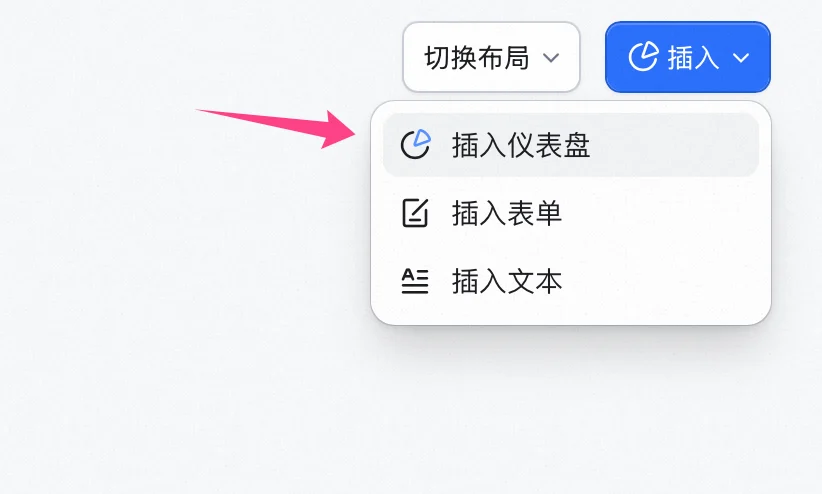
1. 点击**插入仪表盘**；
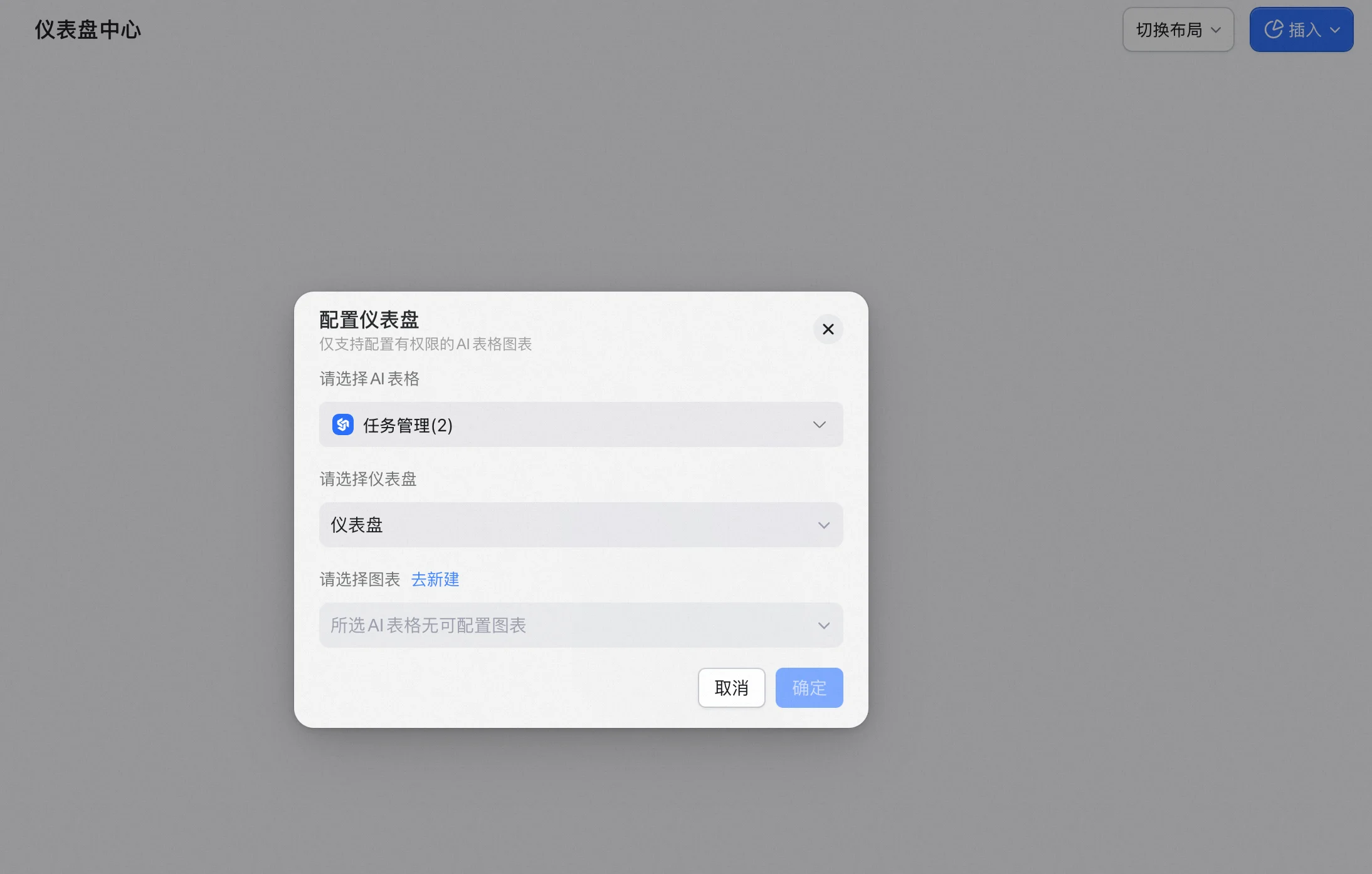
2. 在弹出的配置面板中选择有权限的AI表格图表（如无权限访问则无法搜索添加）；
3. 选择完成后，点击 **确定** 即完成配置。

<img src="https://mintcdn.com/dingtalk-8c0f98e2/TruNvZgRYJbb0Amj/zh/aitable/more/custom-dashboard-center/images/image_1p8wFK0HFr.png?fit=max&auto=format&n=TruNvZgRYJbb0Amj&q=85&s=fdecde9451e1bfca38a88d38915d965a" alt="" width="822" height="494" data-path="zh/aitable/more/custom-dashboard-center/images/image_1p8wFK0HFr.png" />

<img src="https://mintcdn.com/dingtalk-8c0f98e2/TruNvZgRYJbb0Amj/zh/aitable/more/custom-dashboard-center/images/image_TERxbQ5nZn.png?fit=max&auto=format&n=TruNvZgRYJbb0Amj&q=85&s=b75bb8f994d45733ae2044ebf3d9609a" alt="" width="2188" height="1394" data-path="zh/aitable/more/custom-dashboard-center/images/image_TERxbQ5nZn.png" />

更多仪表盘图表配置：

1. 点进图表  右上角更多操作；
2. 在菜单栏中支持图表**配置**，支持重新选择仪表盘及对应的图表；
3. 还支持更多操作，如复制/导出为图片、在下方插入仪表盘/表单/文本以及**移除**该图表；
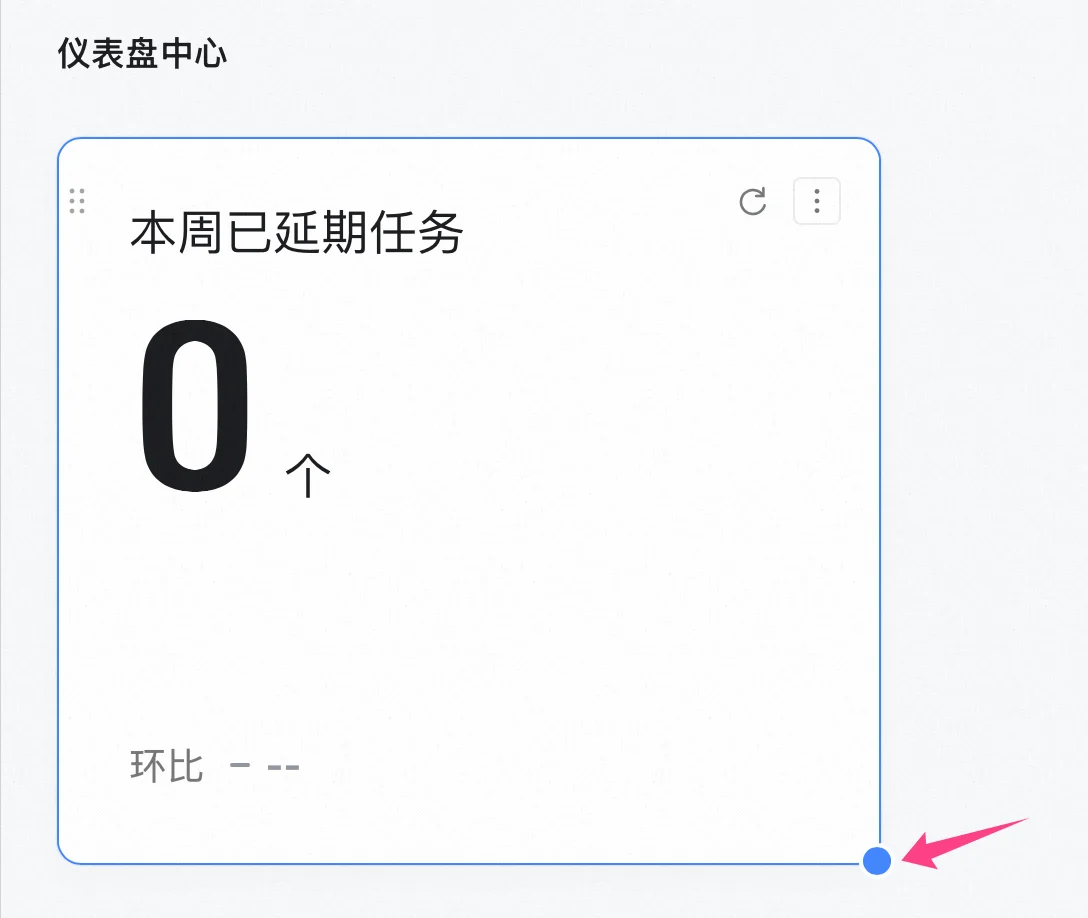
4. 通过点击图表右下角的原点，可拖拽调整图表大小。

<img src="https://mintcdn.com/dingtalk-8c0f98e2/TruNvZgRYJbb0Amj/zh/aitable/more/custom-dashboard-center/images/image_PEdH1_F2Ee.png?fit=max&auto=format&n=TruNvZgRYJbb0Amj&q=85&s=9dda73ce7460006f478c3697a484285f" alt="" width="1088" height="918" data-path="zh/aitable/more/custom-dashboard-center/images/image_PEdH1_F2Ee.png" />

## 表单配置

添加表单入口：

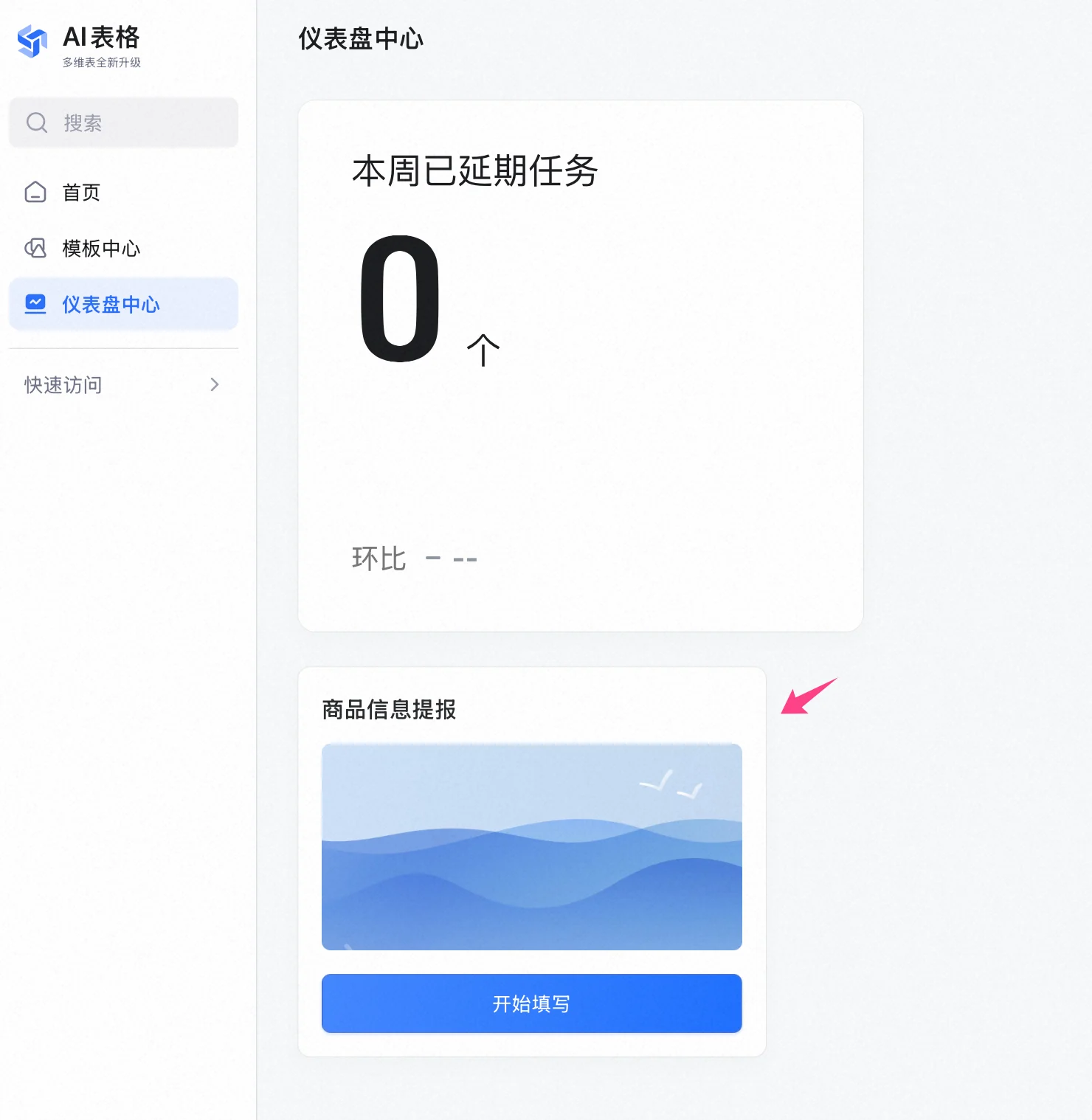
1. 右上角点击**插入**，在菜单栏选择**表单**；
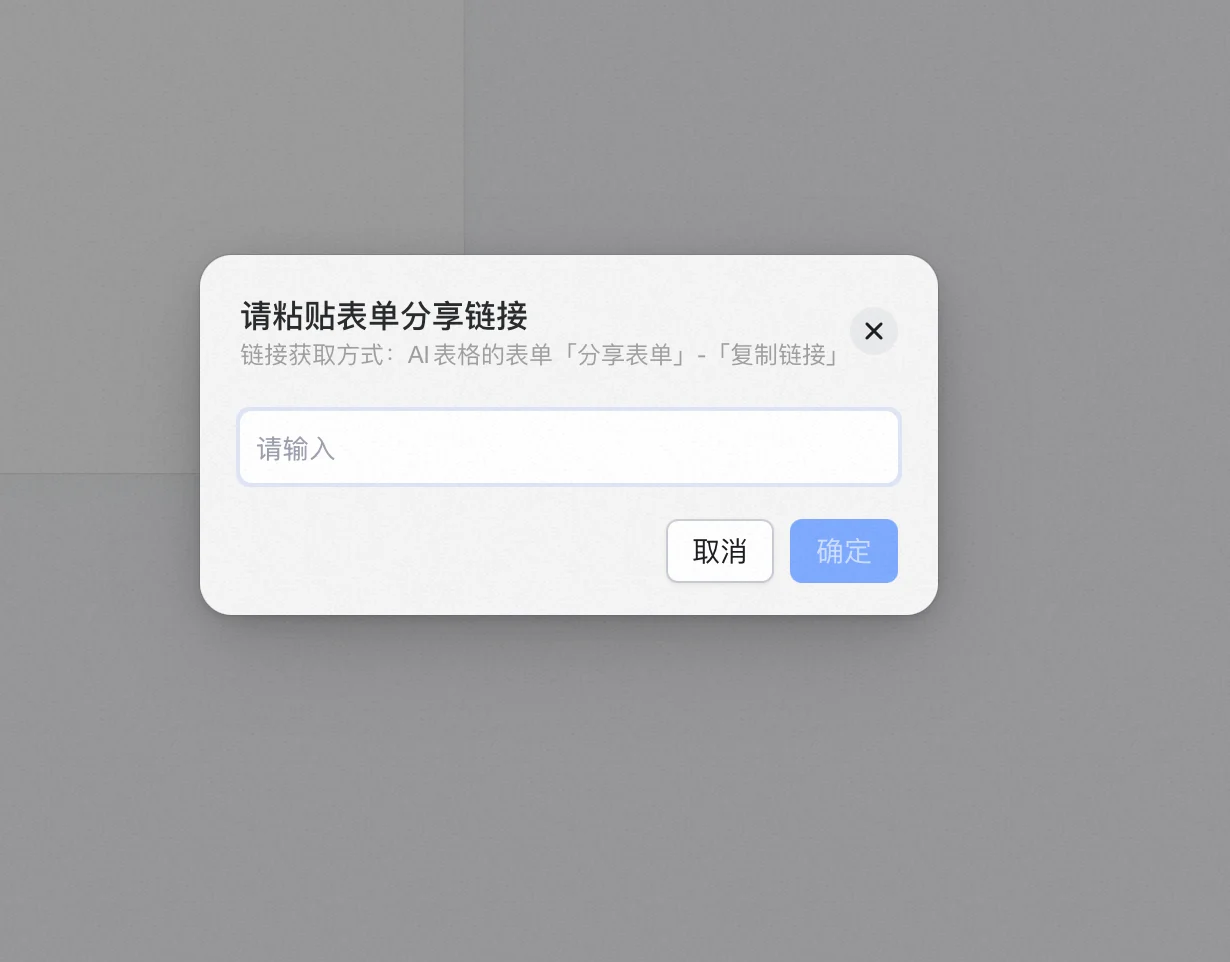
2. 弹出的配置面板中，粘贴表单链接，点击**确定**后完成添加；
3. 可同样通过拖拽表单边框右下角原点来调整表单组件的大小。

<img src="https://mintcdn.com/dingtalk-8c0f98e2/TruNvZgRYJbb0Amj/zh/aitable/more/custom-dashboard-center/images/image_RwFoS--T3e.png?fit=max&auto=format&n=TruNvZgRYJbb0Amj&q=85&s=783c8ded96f55b6fc9df82f42bc56828" alt="" width="1230" height="962" data-path="zh/aitable/more/custom-dashboard-center/images/image_RwFoS--T3e.png" />

<img src="https://mintcdn.com/dingtalk-8c0f98e2/TruNvZgRYJbb0Amj/zh/aitable/more/custom-dashboard-center/images/image_a74GLdJF4D.png?fit=max&auto=format&n=TruNvZgRYJbb0Amj&q=85&s=94fd245beeee67117adaacef479fb299" alt="" width="1480" height="1518" data-path="zh/aitable/more/custom-dashboard-center/images/image_a74GLdJF4D.png" />

表单更多设置：

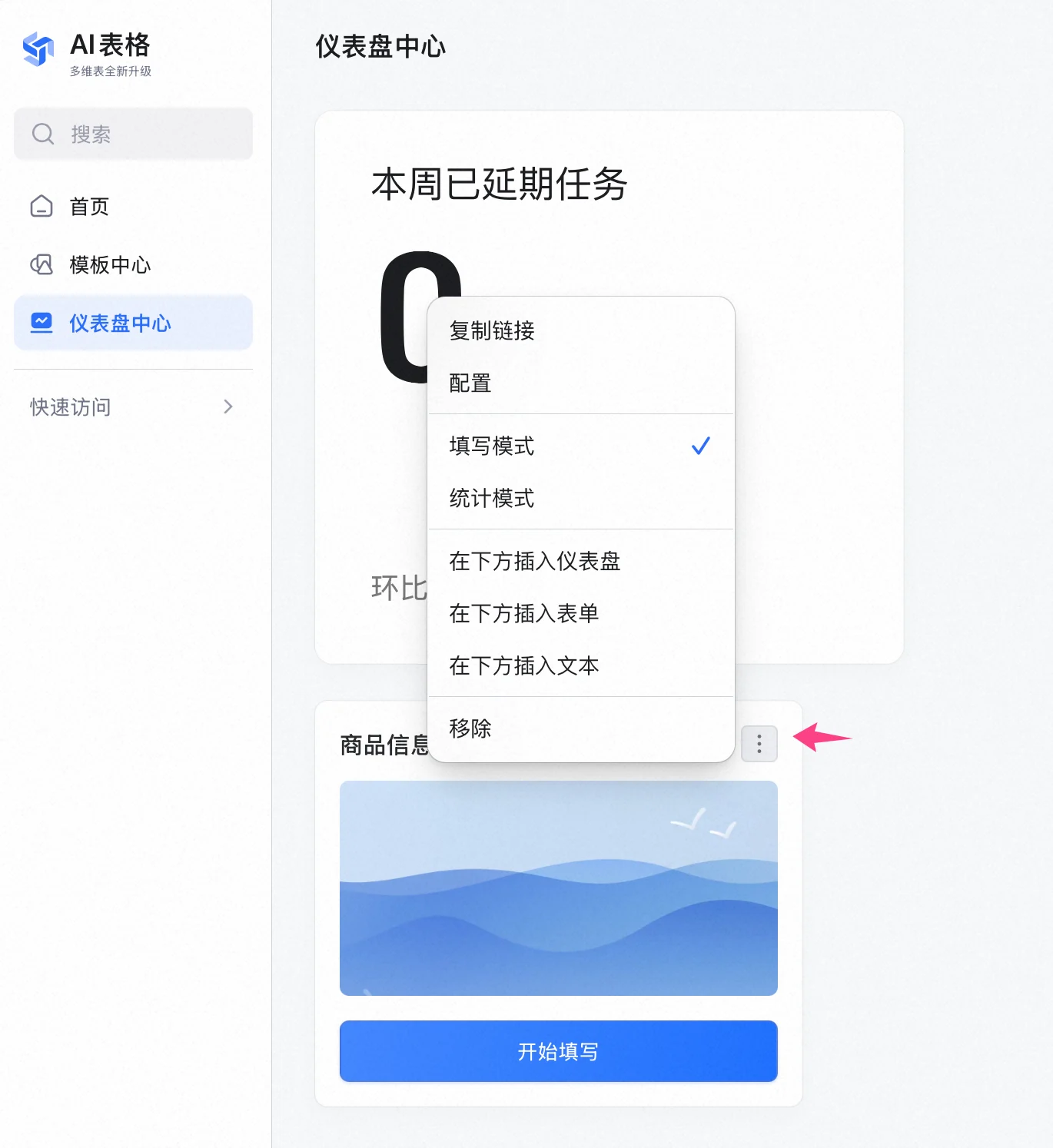
1. 点击表单右上角  打开更多操作；
2. 支持对表单进行再次配置，选择粘贴其他表单；
3. 支持设置表单的展示模式（填写/统计），适合不同场景的表单收集方式。

<img src="https://mintcdn.com/dingtalk-8c0f98e2/TruNvZgRYJbb0Amj/zh/aitable/more/custom-dashboard-center/images/image_913haqRVt6.png?fit=max&auto=format&n=TruNvZgRYJbb0Amj&q=85&s=e0aada9913b45899cffd257318db0fae" alt="" width="1370" height="1494" data-path="zh/aitable/more/custom-dashboard-center/images/image_913haqRVt6.png" />

# 常见问题

#### **问：谁可以看到你配置的仪表盘中心内容？**

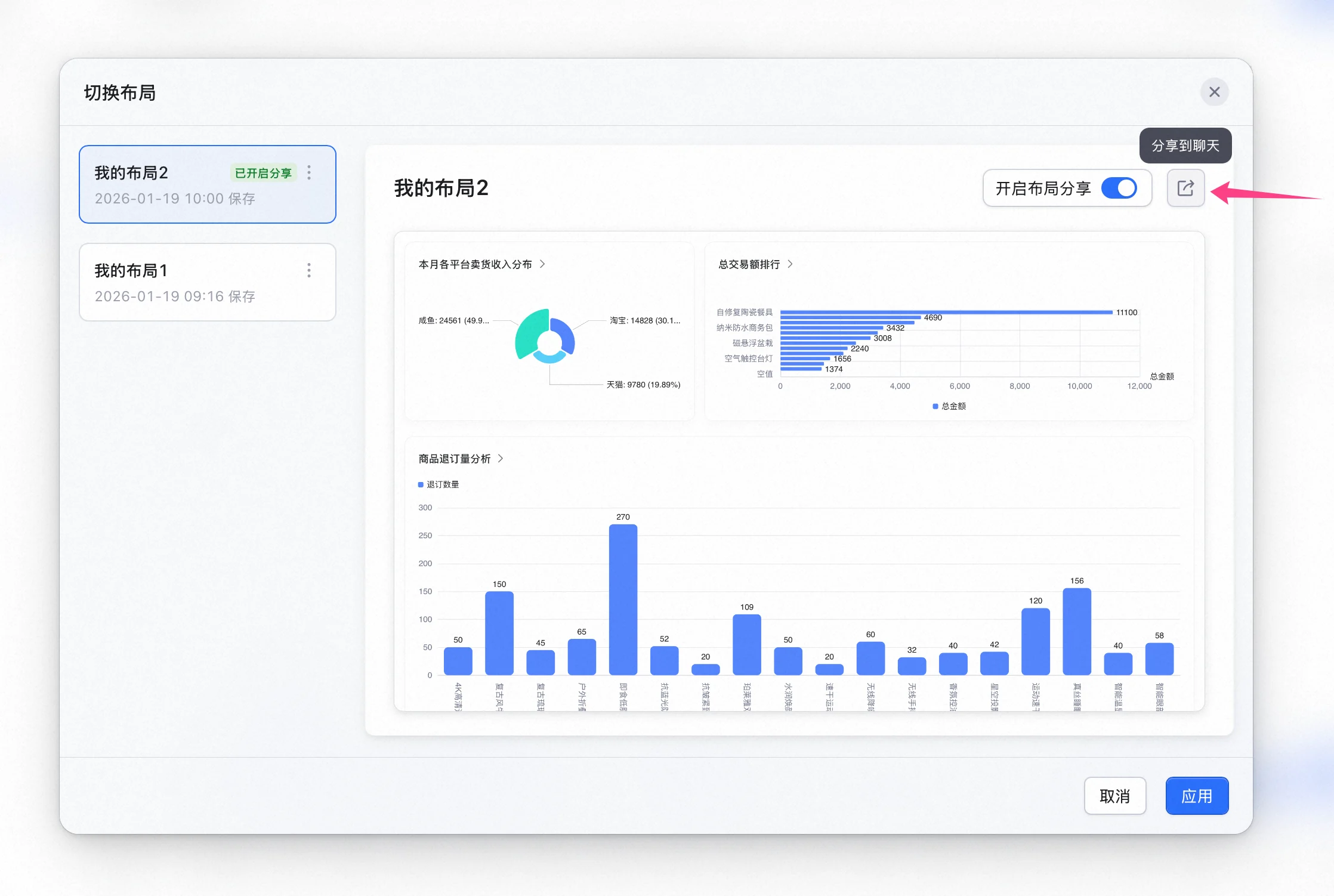
答：默认仅你自己可见。也可以通过分享布局的方式给分享给其他人查看。

<img src="https://mintcdn.com/dingtalk-8c0f98e2/TruNvZgRYJbb0Amj/zh/aitable/more/custom-dashboard-center/images/image_tDxKRZJBT8.png?fit=max&auto=format&n=TruNvZgRYJbb0Amj&q=85&s=8e6629d7ec9255acfa657da7be66ed4b" alt="" width="2236" height="1502" data-path="zh/aitable/more/custom-dashboard-center/images/image_tDxKRZJBT8.png" />

#### **问：为什么找不到想要添加的图表？**

答：仪表盘中心仅支持添加你有权限的图表，请先确认对想要添加的图表是否有访问权限。