> ## Documentation Index
> Fetch the complete documentation index at: https://help.dingtalk.io/llms.txt
> Use this file to discover all available pages before exploring further.

# 选项关联

> 介绍钉钉OA审批选项关联功能：根据单选/多选控件的不同选项动态显示对应控件，如按报销类型展示不同金额限制提示，让审批表单更智能灵活。

## 一、详细操作说明

例如，在报销审批中，需要在选择不同的报销类型时显示带有该类型报销金额限制提示文字的报销金额控件，交通最高可报销200元，餐饮最高可报销400元，办公用品最高可报销100元

### 一）设置方式

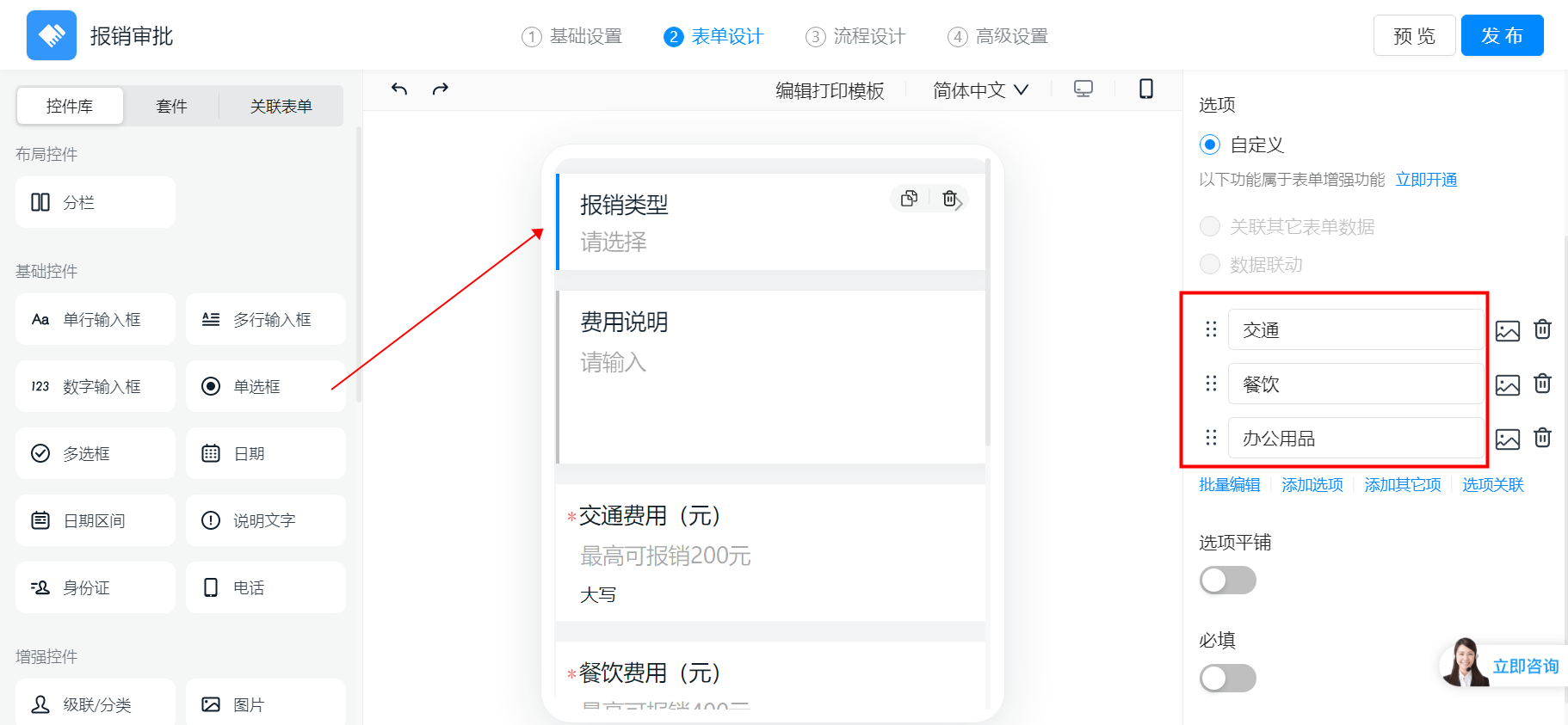
首先设置单选框报销类型，设置好交通、餐饮、办公用品三个选项

<Frame>
  ![image.png](https://alidocs.oss-cn-zhangjiakou.aliyuncs.com/res/E8K4nyWb7ep5OLbj/img/a54d7e15-2ca9-4443-8e16-348d0d7aa7a7.png)
</Frame>

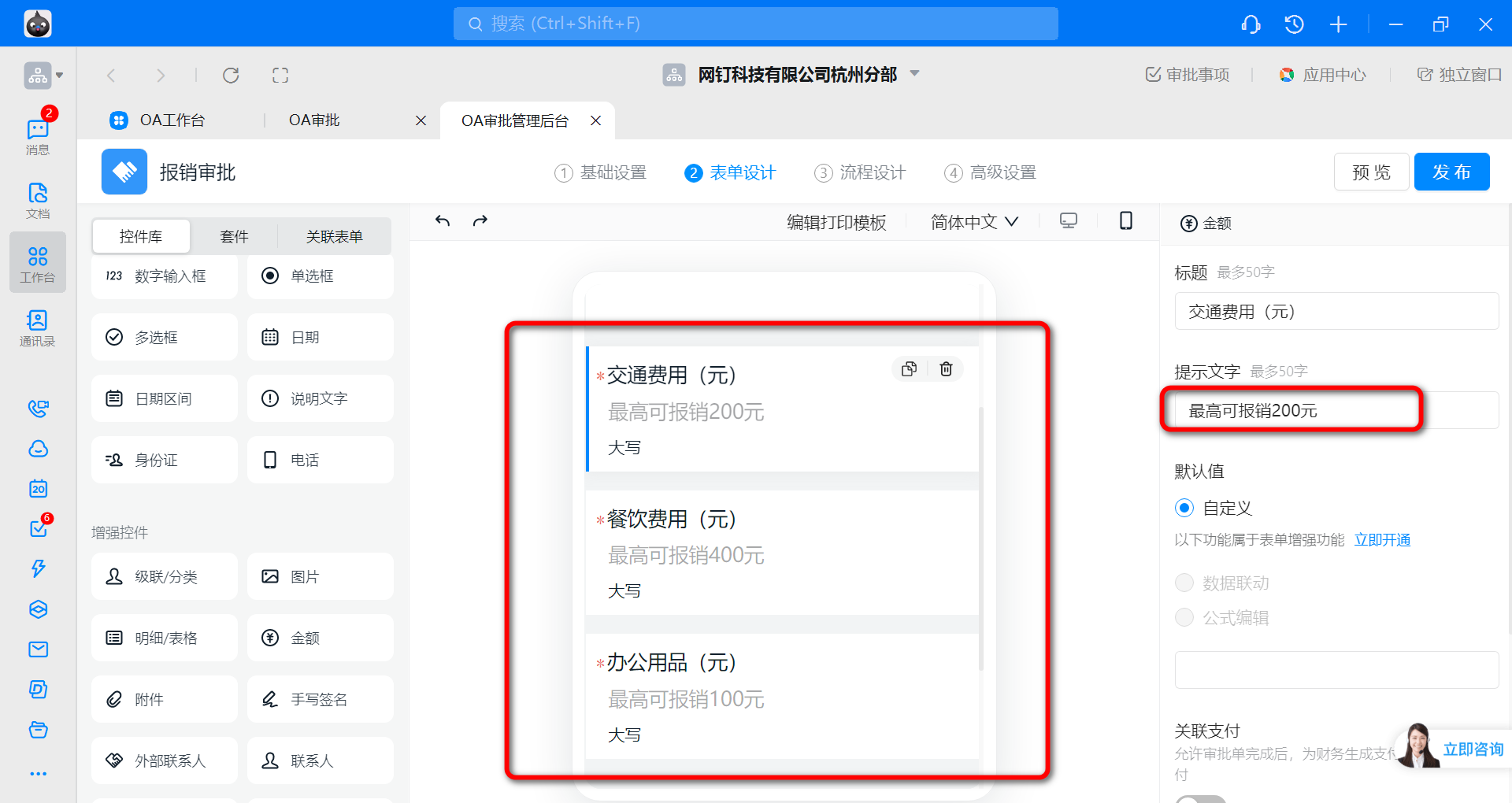
再设置好需要关联的控件，即不同报销类型对应显示的金额控件，并设置好提示文字，可在右侧编辑标题、提示文字等

<Frame>
  ![image.png](https://alidocs.oss-cn-zhangjiakou.aliyuncs.com/res/E8K4nyWb7ep5OLbj/img/dfae00f9-d15c-42a7-8e62-8c16a3f1d207.png)
</Frame>

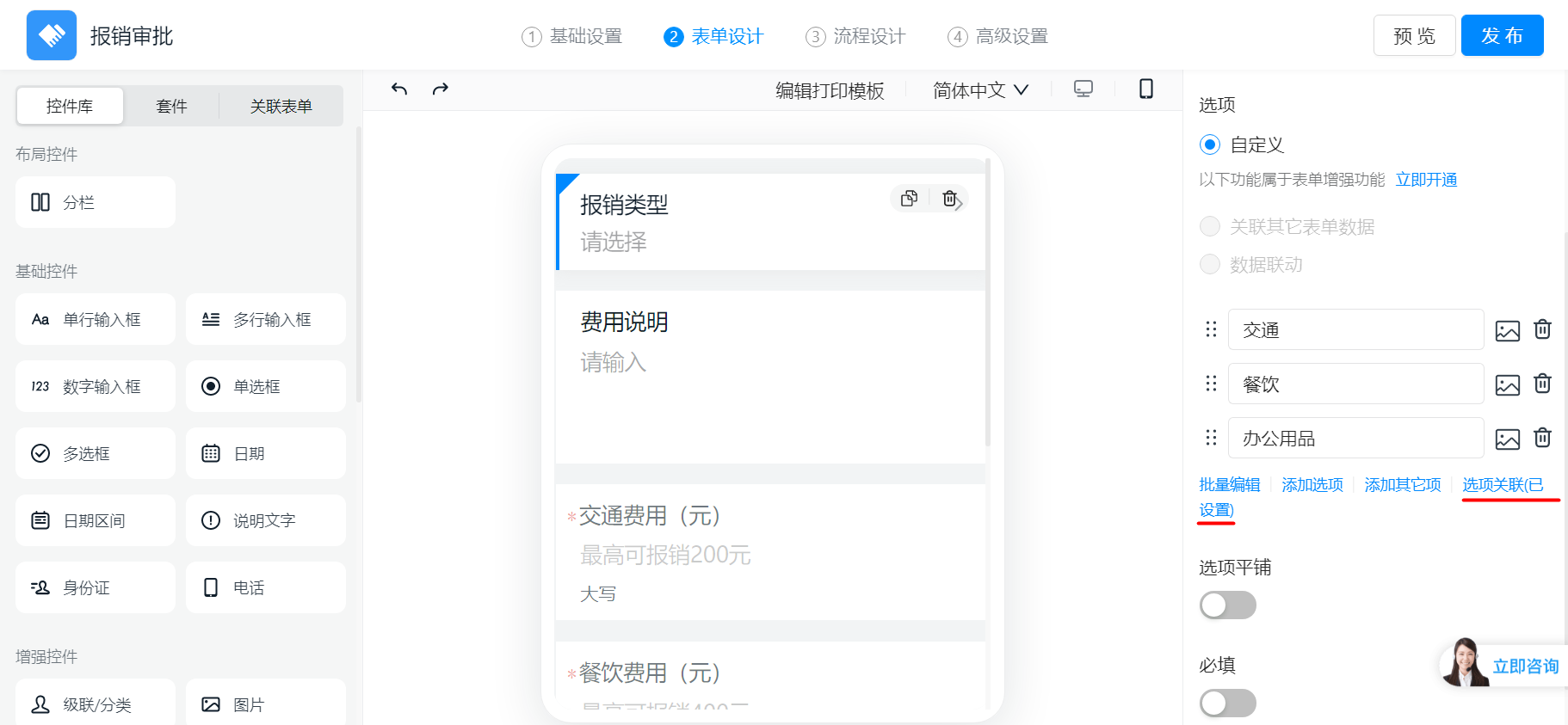
然后点击报销类型单选框，点击“选项关联”

<Frame>
  ![image.png](https://alidocs.oss-cn-zhangjiakou.aliyuncs.com/res/E8K4nyWb7ep5OLbj/img/7c45634f-677b-4446-8fd1-017b403b70d9.png)
</Frame>

选择先前设置好的金额控件，然后点击“确定”，

<div style={{display: 'flex', flexDirection: 'column', gap: '16px', margin: '16px 0'}}>
  <Frame>
    ![image.png](https://alidocs.oss-cn-zhangjiakou.aliyuncs.com/res/E8K4nyWb7ep5OLbj/img/3e751681-2203-48b9-83dc-1c2312c67932.png)
  </Frame>

  <Frame>
    ![image.png](https://alidocs.oss-cn-zhangjiakou.aliyuncs.com/res/E8K4nyWb7ep5OLbj/img/f3fe58c3-581a-4ec3-857f-99bea2fd1471.png)
  </Frame>
</div>

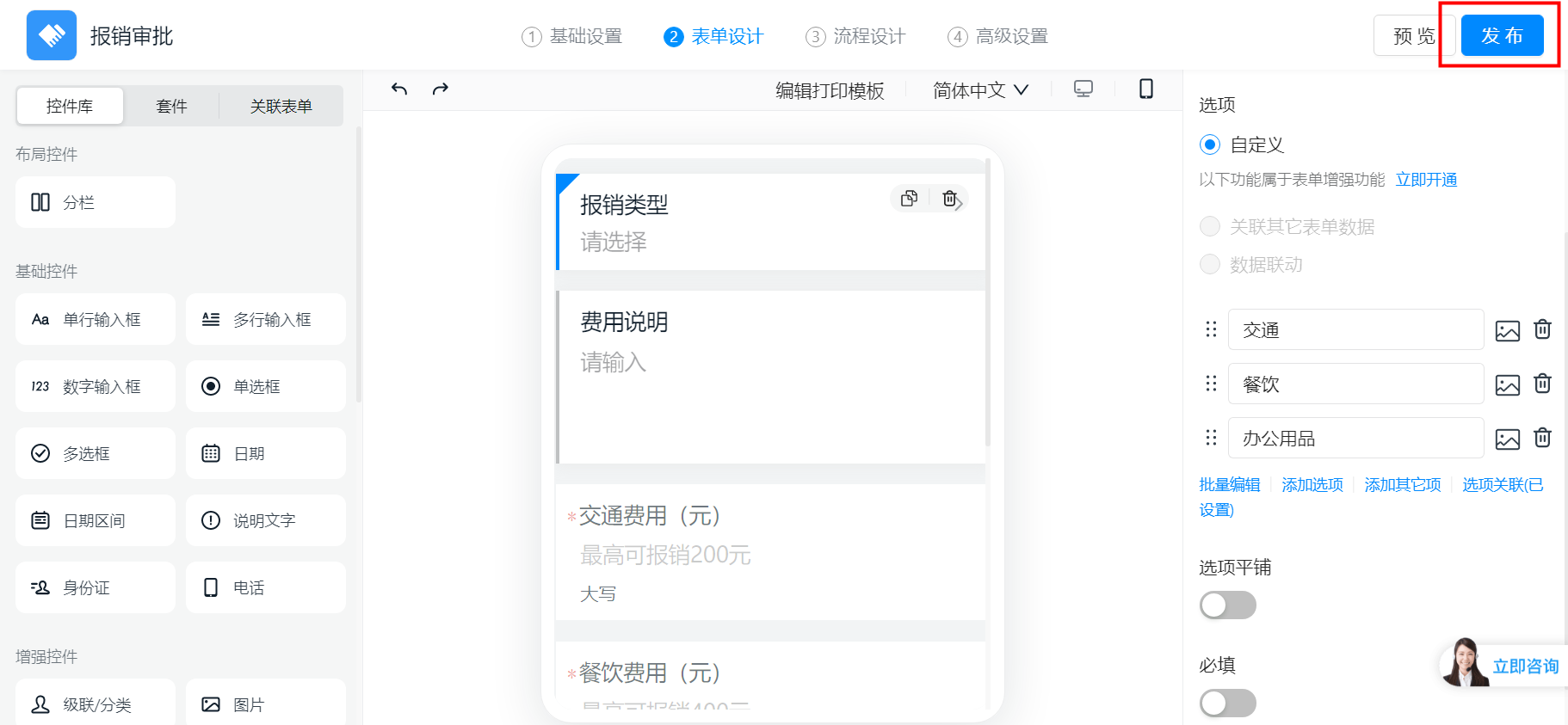
最后点击“发布”即可

<Frame>
  ![image.png](https://alidocs.oss-cn-zhangjiakou.aliyuncs.com/res/E8K4nyWb7ep5OLbj/img/eeb68b21-0c97-4fbf-b79a-c5e508e2498b.png)
</Frame>

### 二）设置效果展示

<Frame>
  ![image.png](https://alidocs.oss-cn-zhangjiakou.aliyuncs.com/res/E8K4nyWb7ep5OLbj/img/75d1f02c-b1c8-4751-9a57-3408c9d66a96.png)
</Frame>