> ## Documentation Index
> Fetch the complete documentation index at: https://help.dingtalk.io/llms.txt
> Use this file to discover all available pages before exploring further.

# 日历首页都有什么

> 日历首页功能巡览——新建日程、显示/隐藏我的日历、打开日历设置、切换列表/日/周/月/3日等视图、查看会议纪要并搜索日程。

## 初识日历首页界面

【更多详尽的操作指引请根据需求查看对应的文章】

来看看都有什么吧！

![](https://alidocs.oss-cn-zhangjiakou.aliyuncs.com/res/8oLl9521zKN4dlap/img/e65eacd5-d66b-4002-9924-a37312a59ab4.png)

## 具体操作

### 请看日历首页支持的操作！

* **快速新建日程：**

1. 你可以点击**输入框右侧**的**蓝色加号**，选择新建日程

* **查看我的日历：**

1. 你可以点击勾选进行显示**我的日历**

* **日历设置**

1. 点击即可进行你的**个性化设置**

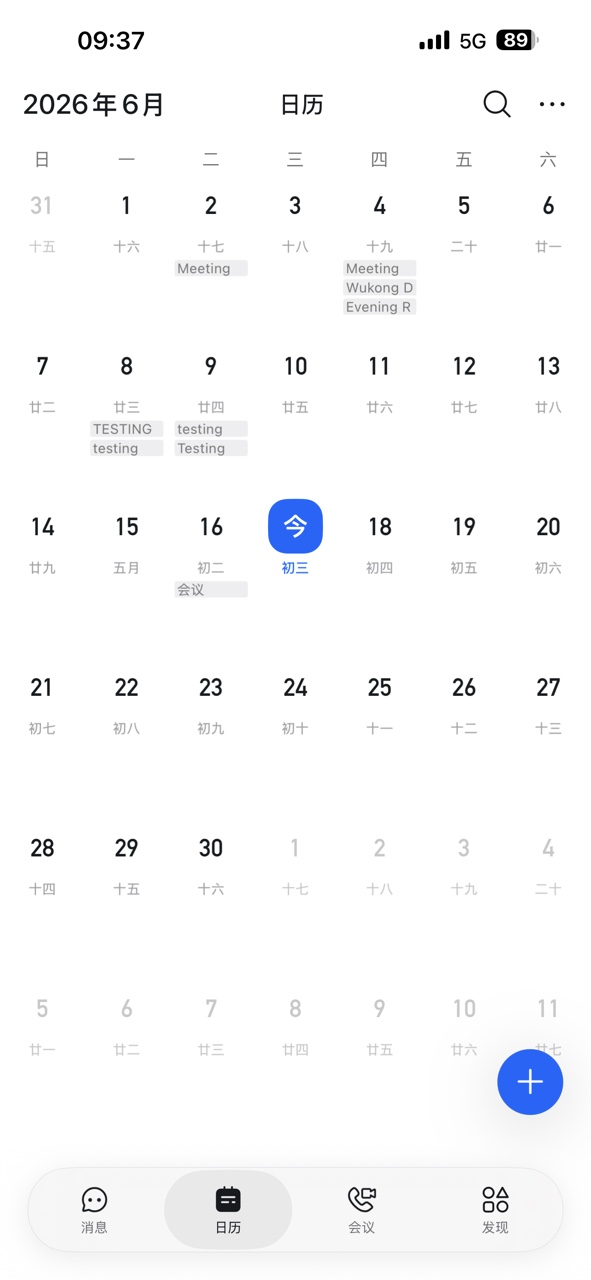
* **日历视图**

1. 钉钉日历支持**列表视图**、**日视图**、**周视图**、**月视图**

2. 以及移动端中的 **3日视图**

* **查看纪要**

1. 点击即可快速查看**会议纪要**

* **搜索日程**

1. 你可以在搜索框中输入日程关键词进行**快速检索**，查找需要的**日程信息**

### 对应查看

![](https://alidocs.oss-cn-zhangjiakou.aliyuncs.com/res/8oLl9521zKN4dlap/img/e5929c82-8e7c-42d5-b4db-3a438f28f335.png)

<div style={{ textAlign: 'center' }}>（电脑端）</div>

<div style={{display: 'flex', gap: '12px', justifyContent: 'center', flexWrap: 'wrap', margin: '16px 0'}}>
  <img src="https://alidocs.oss-cn-zhangjiakou.aliyuncs.com/res/8oLl9521zKN4dlap/img/b7240c29-1ecf-4fa4-a3f7-e64b689bc95b.jpeg" alt="47.jpeg" style={{width: '32%', minWidth: '180px', borderRadius: '8px', boxShadow: '0 2px 12px rgba(0,0,0,0.08)', margin: 0}} />
</div>

<div style={{ textAlign: 'center' }}>（手机端）</div>