> ## Documentation Index
> Fetch the complete documentation index at: https://help.dingtalk.io/llms.txt
> Use this file to discover all available pages before exploring further.
# 钉钉 JS-API
> 介绍在宜搭页面中调用钉钉 JS-API 的方法与注意事项,涵盖原生弹框、设备信息、扫码等能力,打造更贴近钉钉客户端的交互体验。
钉钉提供了丰富的JSAPI能力,例如原生弹框、设备信息、扫描等能力,宜搭开发者可以利用钉钉原生提供的API能力提供更好的用户体验。
* [钉钉JSAPI功能列表](https://open.dingtalk.com/document/orgapp/jsapi-overview-client-org);
* 钉钉开发者必读可参考[基础概念](/zh/open/dingstart/basic-concepts-beta)。
调用钉钉JS-API需要注意以下事项:
* 宜搭应用中,不保证 window\.dd 存在 (目前仅手机端会引入一个旧版资源),建议用户手动引入;
* 宜搭应用中,即使不配置 dd.config 进行 JSAPI 鉴权操作,仍可调用需要鉴权后才能使用的 API。请谨慎调用;
* 调用 JSAPI 时,需要的 corpId 参数可以从 `const { corpId } = window.pageConfig || {};` 获取;
## 使用指南
### 步骤1:异步加载钉钉JSAPI资源
由于宜搭页面中不保证 window\.dd一定存在,所以保险起见,用户需要在页面的didMount生命周期中手动加载钉钉的JSAPI脚本,如下所示:
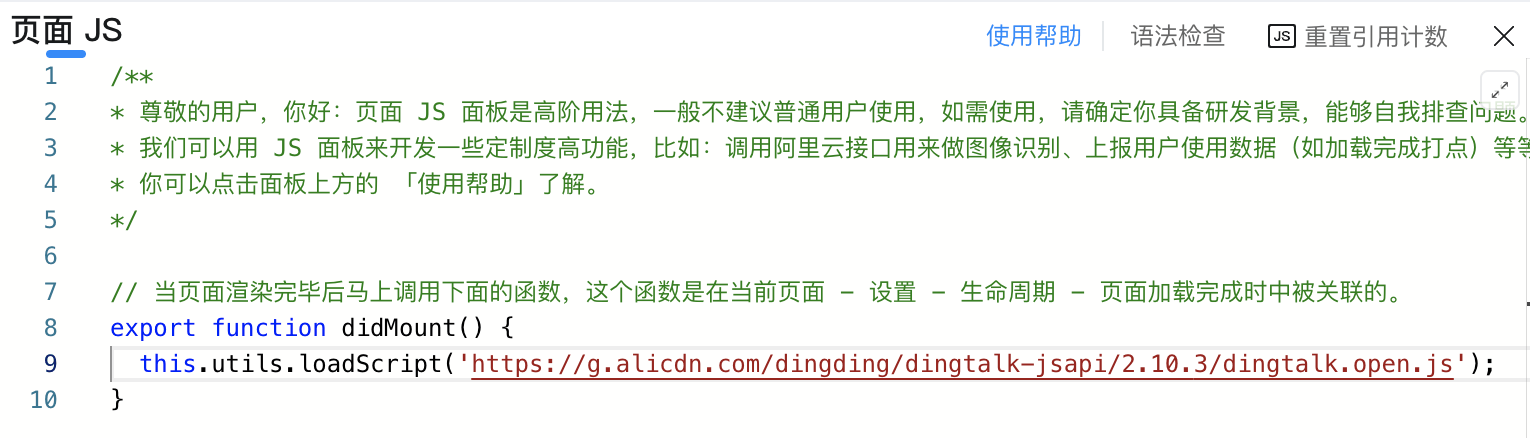
实现代码如下所示:
```js theme={"theme":{"light":"github-light","dark":"github-dark"}}
export function didMount() {
this.utils.loadScript('https://g.alicdn.com/dingding/dingtalk-jsapi/3.0.25/dingtalk.open.js');
}
```
资源引入完成后,即可通过 window\.dd 调用 JSAPI 中的相关功能。
### 步骤2:调用钉钉JSAPI
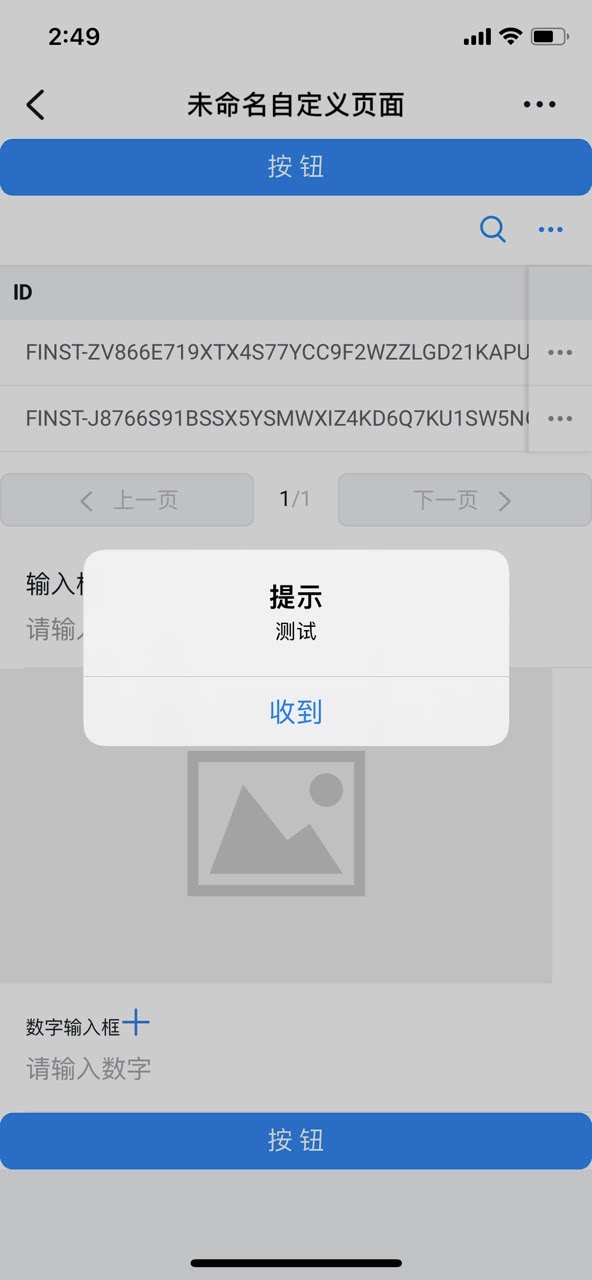
钉钉的JSAPI加载完成后,我们便可以在动作面板中通过window\.dd调用钉钉的API进行相应的操作了,如下所示:
```js theme={"theme":{"light":"github-light","dark":"github-dark"}}
export function isDingTalk() {
return window.navigator && /dingtalk/i.test(window.navigator.userAgent)
}
export function dingAlert() {
if (window.dd && this.isDingTalk()) {
window.dd.device.notification.alert({
message: "测试",
title: "提示",//可传空
buttonName: "收到",
onSuccess: function () {
},
onFail: function (err) { }
});
}
}
```
钉钉端内的展示效果如下所示:
 由于很多钉钉JSAPI要求必须端内调用,因此在调用钉钉JSAPI时,需要提前先判断一下是否在钉钉端内,判断代码如下所示:
```js theme={"theme":{"light":"github-light","dark":"github-dark"}}
export function isDingTalk() {
return window.navigator && /dingtalk/i.test(window.navigator.userAgent)
}
```
## API列表
支持的API列表可参考[钉钉开放平台文档](https://open.dingtalk.com/document/orgapp/jsapi-overview-client-org)。
由于很多钉钉JSAPI要求必须端内调用,因此在调用钉钉JSAPI时,需要提前先判断一下是否在钉钉端内,判断代码如下所示:
```js theme={"theme":{"light":"github-light","dark":"github-dark"}}
export function isDingTalk() {
return window.navigator && /dingtalk/i.test(window.navigator.userAgent)
}
```
## API列表
支持的API列表可参考[钉钉开放平台文档](https://open.dingtalk.com/document/orgapp/jsapi-overview-client-org)。