> ## Documentation Index
> Fetch the complete documentation index at: https://help.dingtalk.io/llms.txt
> Use this file to discover all available pages before exploring further.

# 从数据库创建数据集

> 本文介绍了如何从数据库创建数据集，包括前提条件、详细操作步骤以及如何在报表页中使用这些数据库数据进行分析。

本文介绍如何从数据库创建数据集。

## 前提条件

使用数据库创建数据集之前， 你需要先在应用中添加数据库数据源。操作步骤可参考[新建数据源](https://www.yuque.com/yida/ng4ubn/ap3zy8h89xpzgfbt)。

## 操作步骤

1. 登录 宜搭工作台 ，进入应用设置页。
2. 依次单击 数据工厂 > 数据集 。
3. 单击 新建数据集 > 从数据库 。

<Frame>
  ![](https://yida-support.oss-cn-shanghai.aliyuncs.com/static/png/1713495114017-19411182-711e-42ad-9b9a-a3f0823382a0.png)
</Frame>

<Steps>
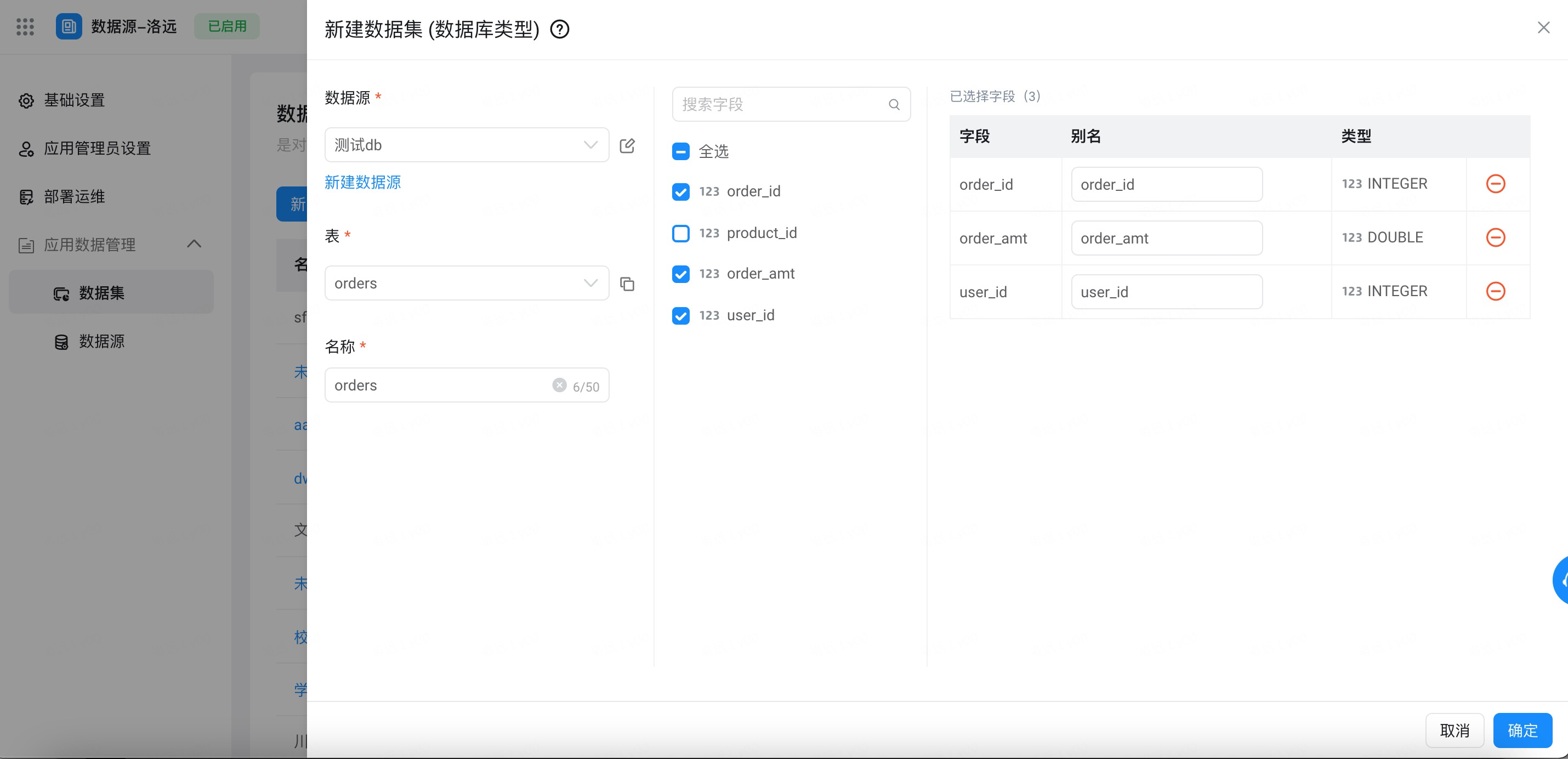
  <Step title="添加的对应的数据库、表，设置数据集名称">
    <Frame>
      ![](https://yida-support.oss-cn-shanghai.aliyuncs.com/static/png/1713512732388-686ffc10-1c10-4dfe-99aa-aeb263d41b6c.png)
    </Frame>
  </Step>

  <Step title="勾选需要添加的 字段 ，并设置字段 别名 ，单击 确定 完成添加">
    <Frame>
      ![](https://yida-support.oss-cn-shanghai.aliyuncs.com/static/png/1713512864309-3019048d-4e82-42a8-82f9-d644621ba9e9.png)
    </Frame>
  </Step>
</Steps>

## 使用数据库数据

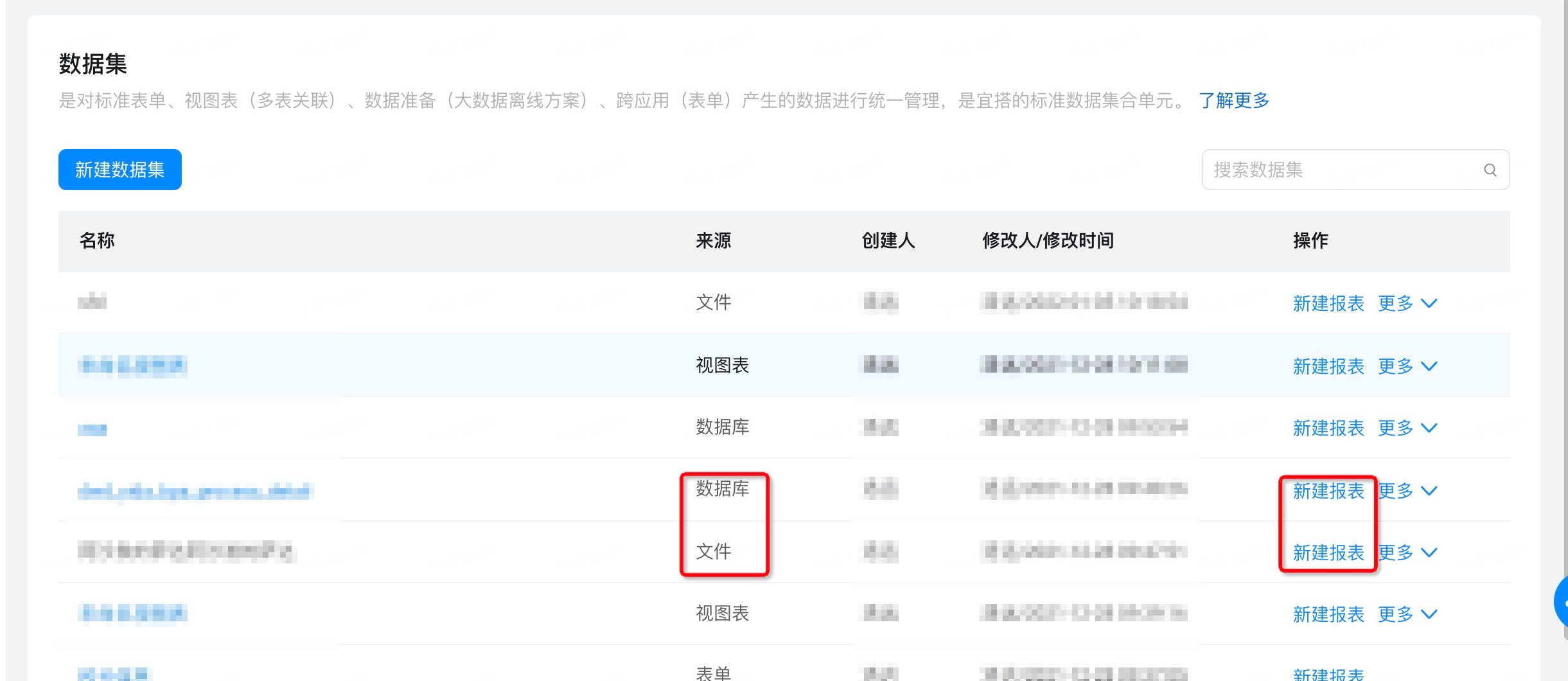
* 在报表页、数据准备中，可以选取相关数据集进行一键创建报表分析。

<Frame>
  ![](https://yida-support.oss-cn-shanghai.aliyuncs.com/static/png/1713513128397-d698021f-3e60-4305-886a-b84c8d50f707.png)
</Frame>

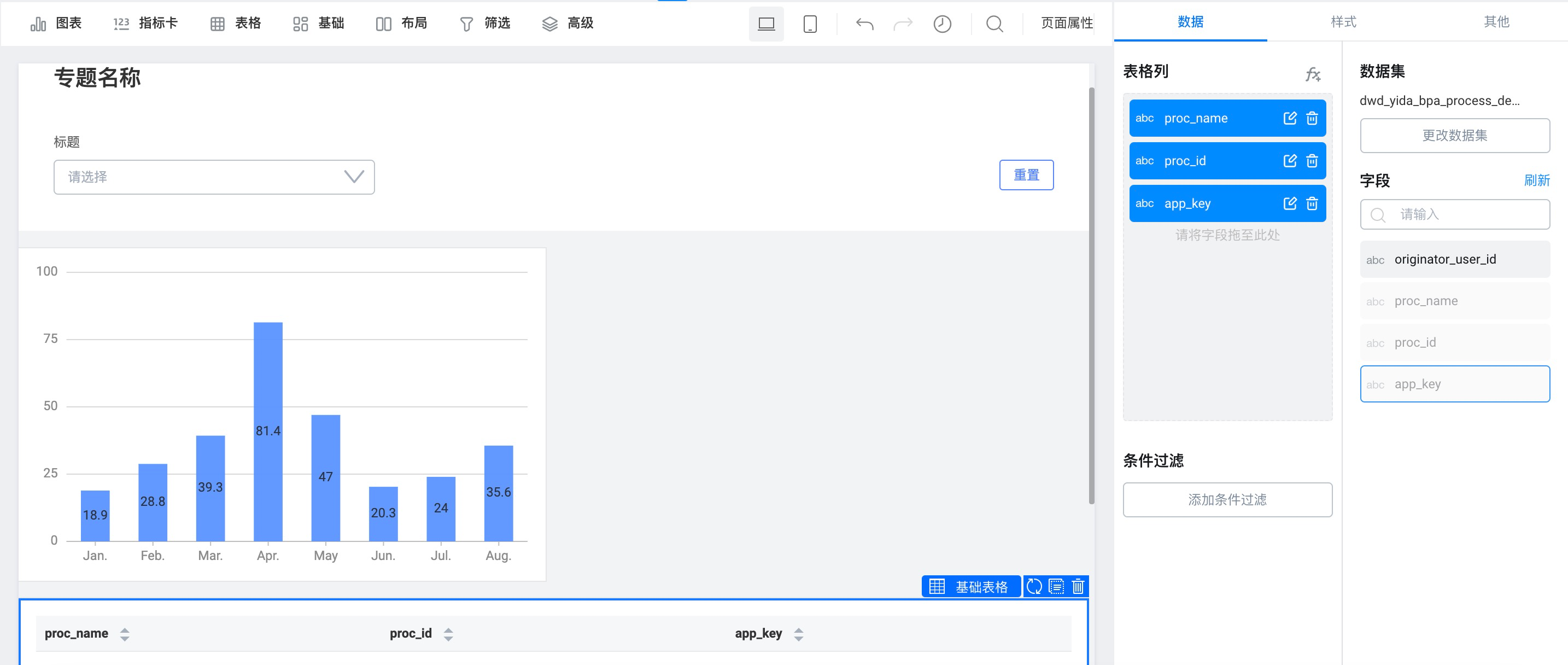
* 报表中的使用特定 Mysql 数据库的数据效果。

<Frame>
  ![](https://yida-support.oss-cn-shanghai.aliyuncs.com/static/png/1641362883489-9477d50b-5b35-4aeb-8f51-c79b5bc48131.png)
</Frame>