> ## Documentation Index
> Fetch the complete documentation index at: https://help.dingtalk.io/llms.txt
> Use this file to discover all available pages before exploring further.

# 筛选应用

> 通过关键字模糊搜索和应用管理分组快速筛选应用，优化应用列表以提高用户体验。包括根据名称搜索、创建与管理分组、以及在不同列表间移动应用等功能。

对应用进行筛选，意味着需要根据特定的标准或条件来选择、过滤或排除某些应用。旨在找到最符合用户需求或者满足特定用途的应用，并将那些不符合要求的应用剔除出去，以优化应用列表，提高用户体验。

## 操作步骤

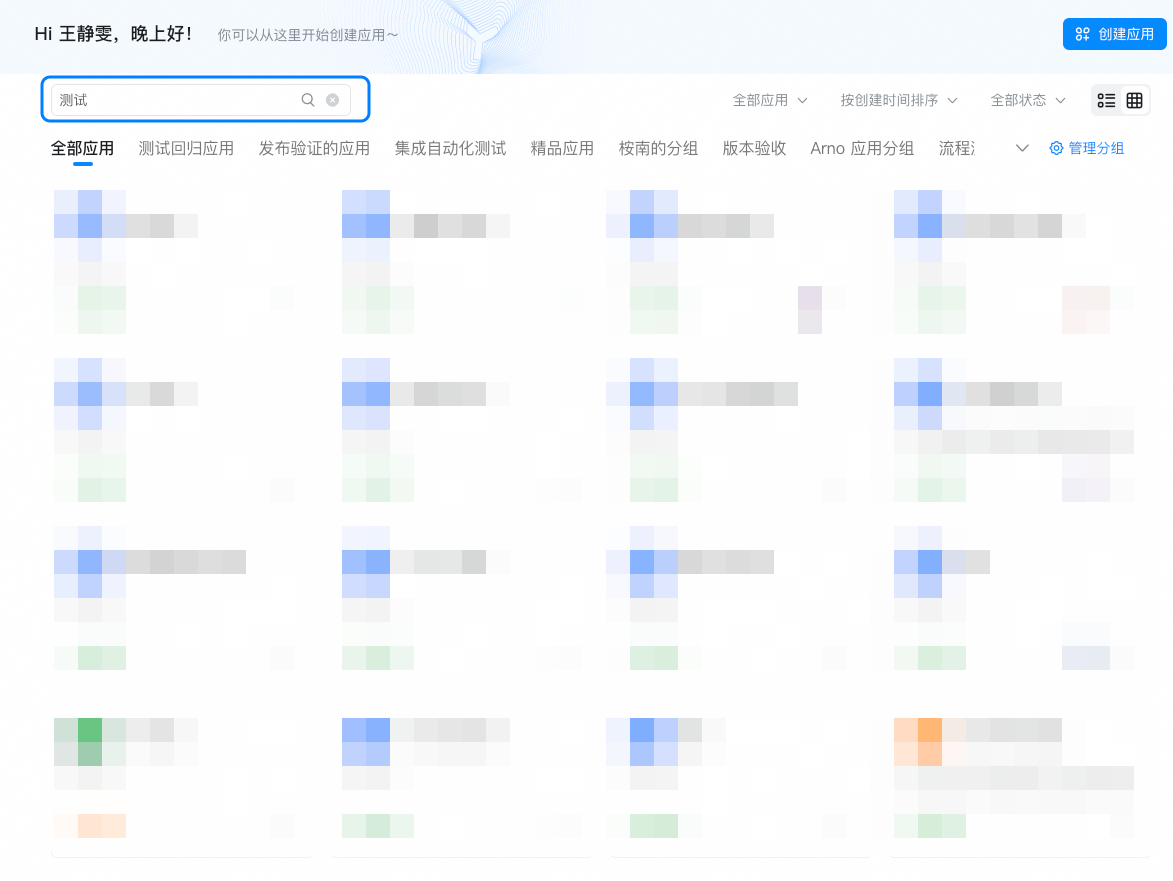
1、通过输入关键字模糊搜索应用名称。

<Frame>
  ![](https://yida-support.oss-cn-shanghai.aliyuncs.com/static/png/1744018565391-d8590dfa-1a26-43fd-9b55-b4800a1c0de5.png)
</Frame>

2、通过应用管理分组，快速进行应用筛选。

<Frame>
  ![](https://yida-support.oss-cn-shanghai.aliyuncs.com/static/png/1744018605741-f7ee8369-d0f8-40bd-a439-fb0f997e0e8c.png)
</Frame>

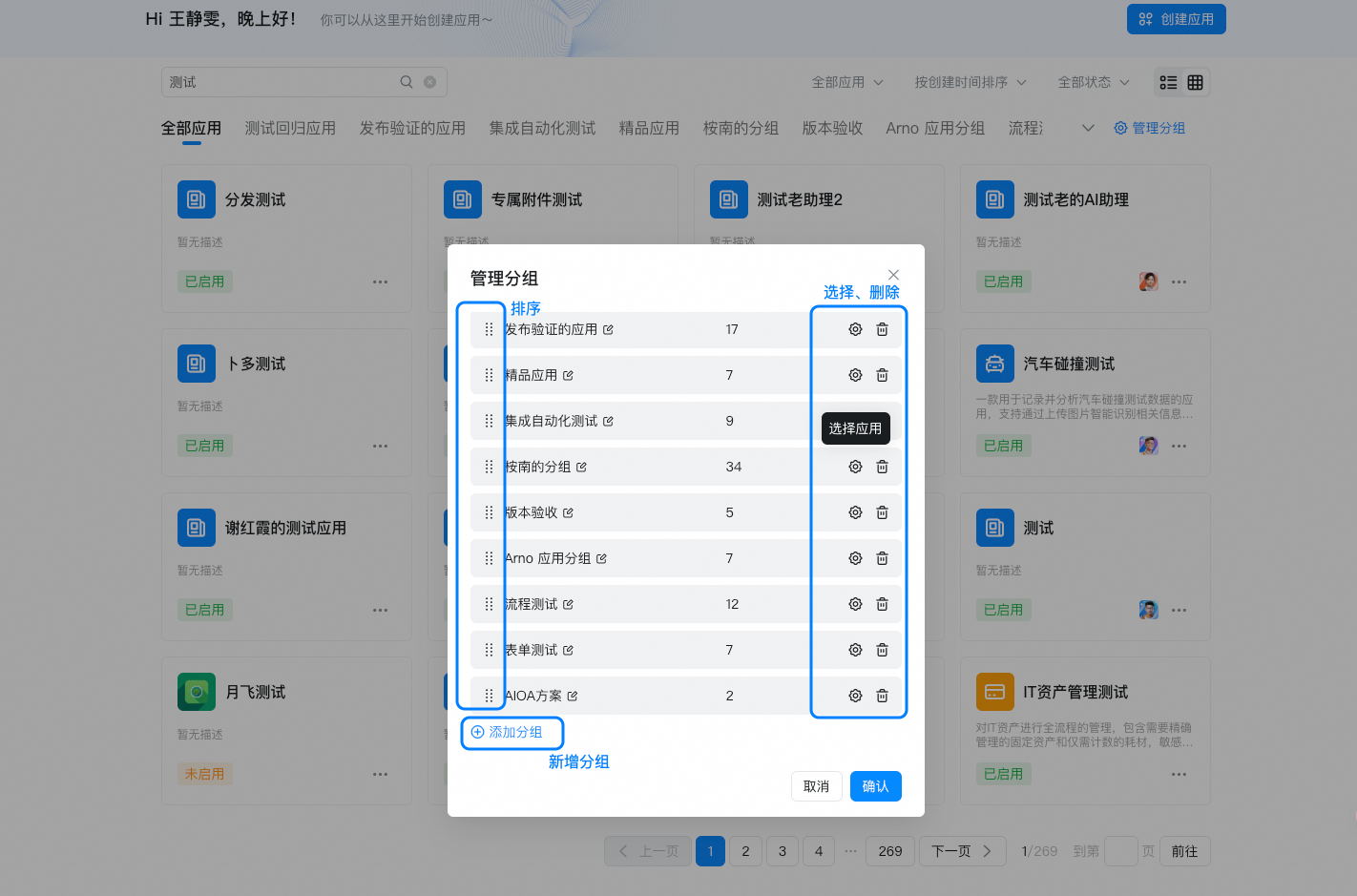
3、点击【管理分组】，可对当前应用进行排序、新增新分组，可删除分组、配置该分组下的应用。

<Frame>
  ![](https://yida-support.oss-cn-shanghai.aliyuncs.com/static/png/1744018759301-9fa51b82-2994-410a-abf4-5766e30f0035.png)
</Frame>

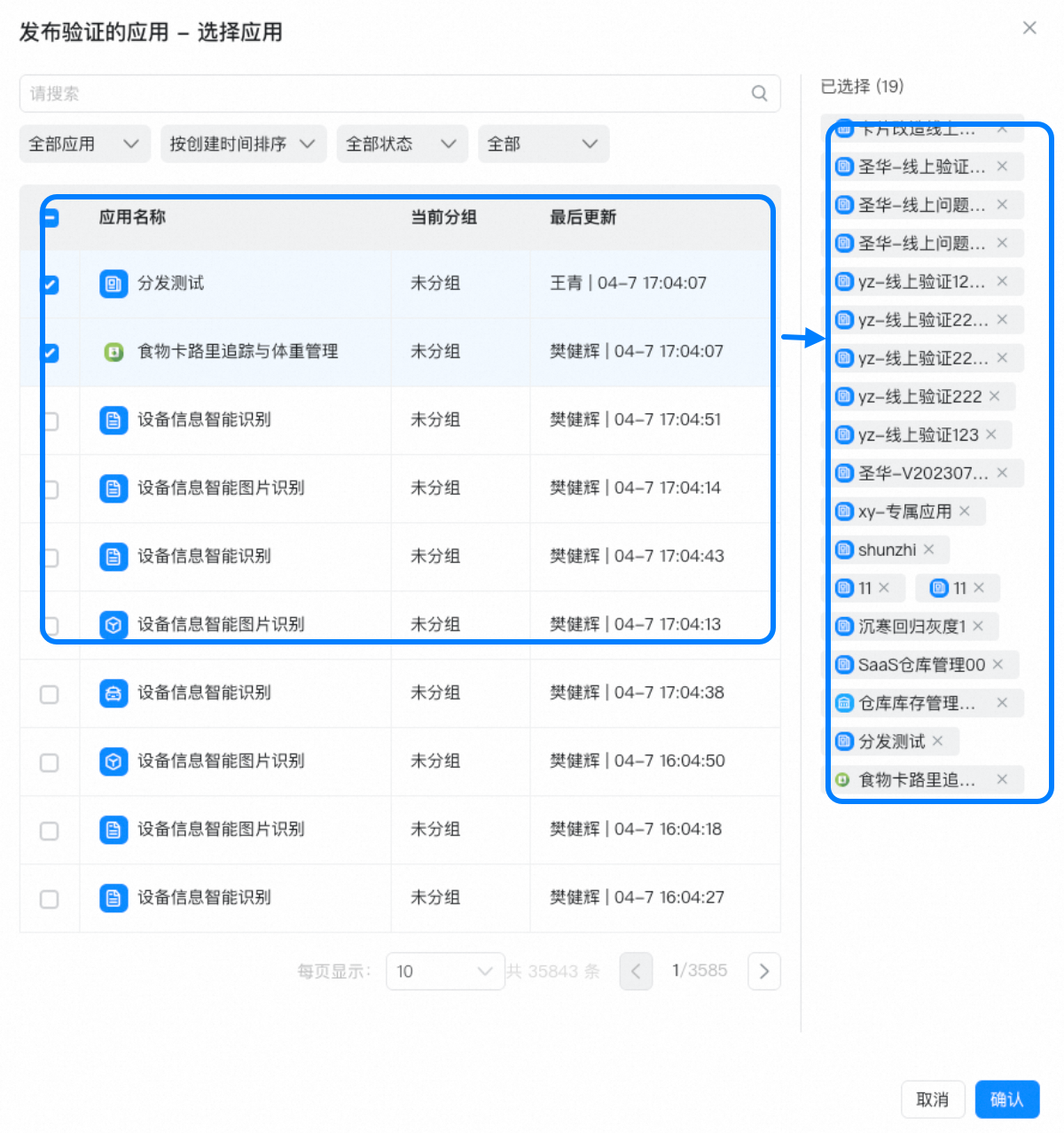
4、选择左侧应用，添加至右侧已选择应用列表。

<Frame>
  ![](https://yida-support.oss-cn-shanghai.aliyuncs.com/static/png/1744018881846-20380e96-3c2a-4297-b307-9b2a9104fb71.png)
</Frame>