> ## Documentation Index
> Fetch the complete documentation index at: https://help.dingtalk.io/llms.txt
> Use this file to discover all available pages before exploring further.

# 酷应用发布

> 本文介绍了如何在钉钉平台上发布企业自建酷应用及酷应用模板的方法，包括上架至钉群酷应用市场的步骤、填写酷应用基础信息等。

目前宜搭上几百万的企业自建应用都具备了半屏打开、自定义酷卡片发送与更新、低代码逻辑编排的能力，酷能力赋能未来应用形态变得更简单。宜搭上生产的低代码应用默认具备酷应用的能力！

**目前支持企业自建酷应用，同时也支持一方/三方构建模板酷应用，上架至钉钉酷应用市场。**

<video controls preload="metadata" poster="https://img.alicdn.com/imgextra/i1/6000000005719/O1CN01vTraF11s7LsNCiPwW_!!6000000005719-0-tbvideo.jpg" src="https://yida-support.oss-cn-shanghai.aliyuncs.com/static/mp4/373628933432.mp4" />

## 企业自建酷应用发布

<Steps>
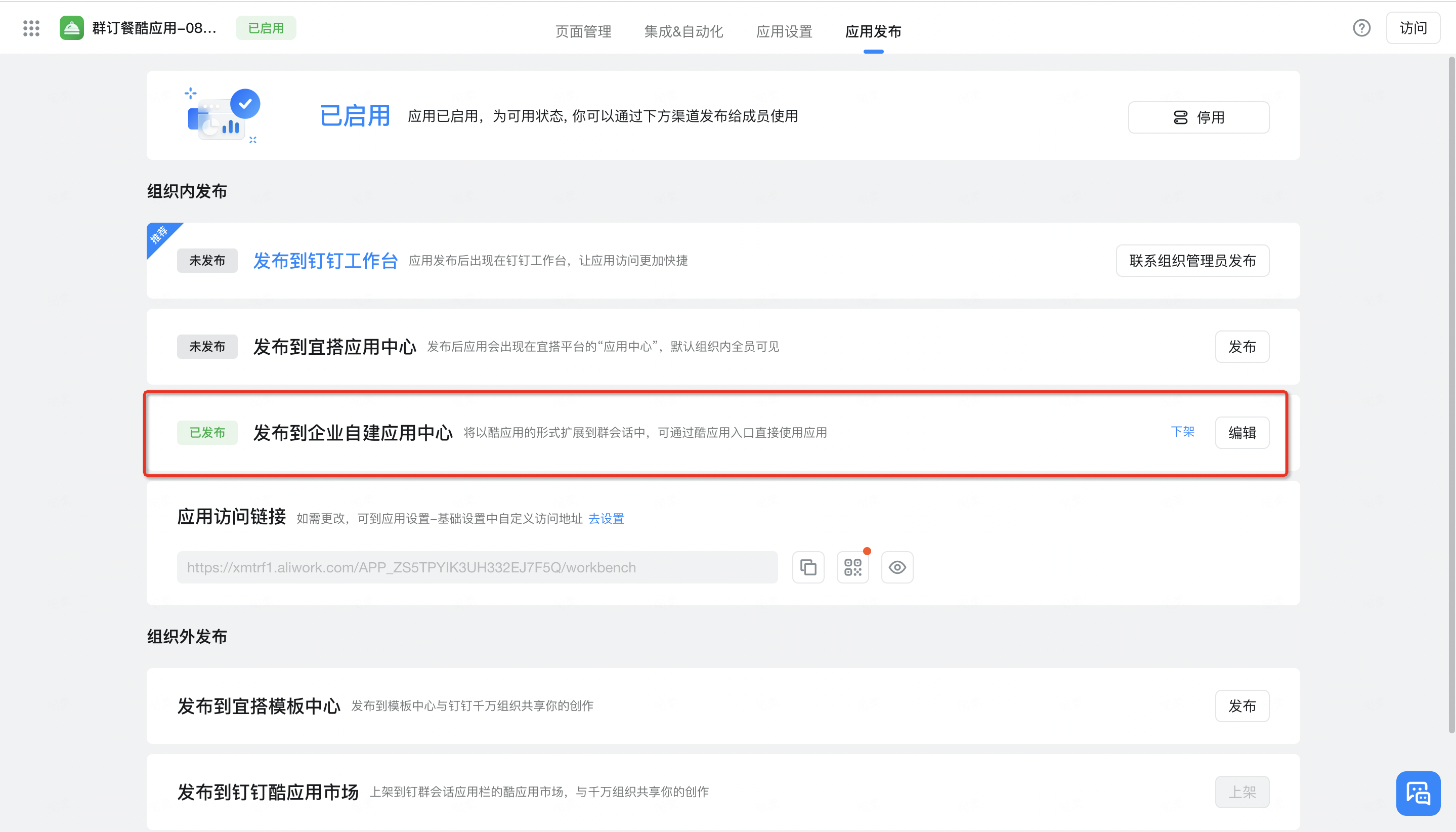
  <Step title="在群内使用宜搭酷应用（卡片、机器人等相关功能），需要先上架酷应用至钉群酷应用市场">
    <Frame>
      ![](https://yida-support.oss-cn-shanghai.aliyuncs.com/static/png/1660812237830-9fb7c841-e2f6-4117-a8ae-97224bc73d95.png)
    </Frame>
  </Step>

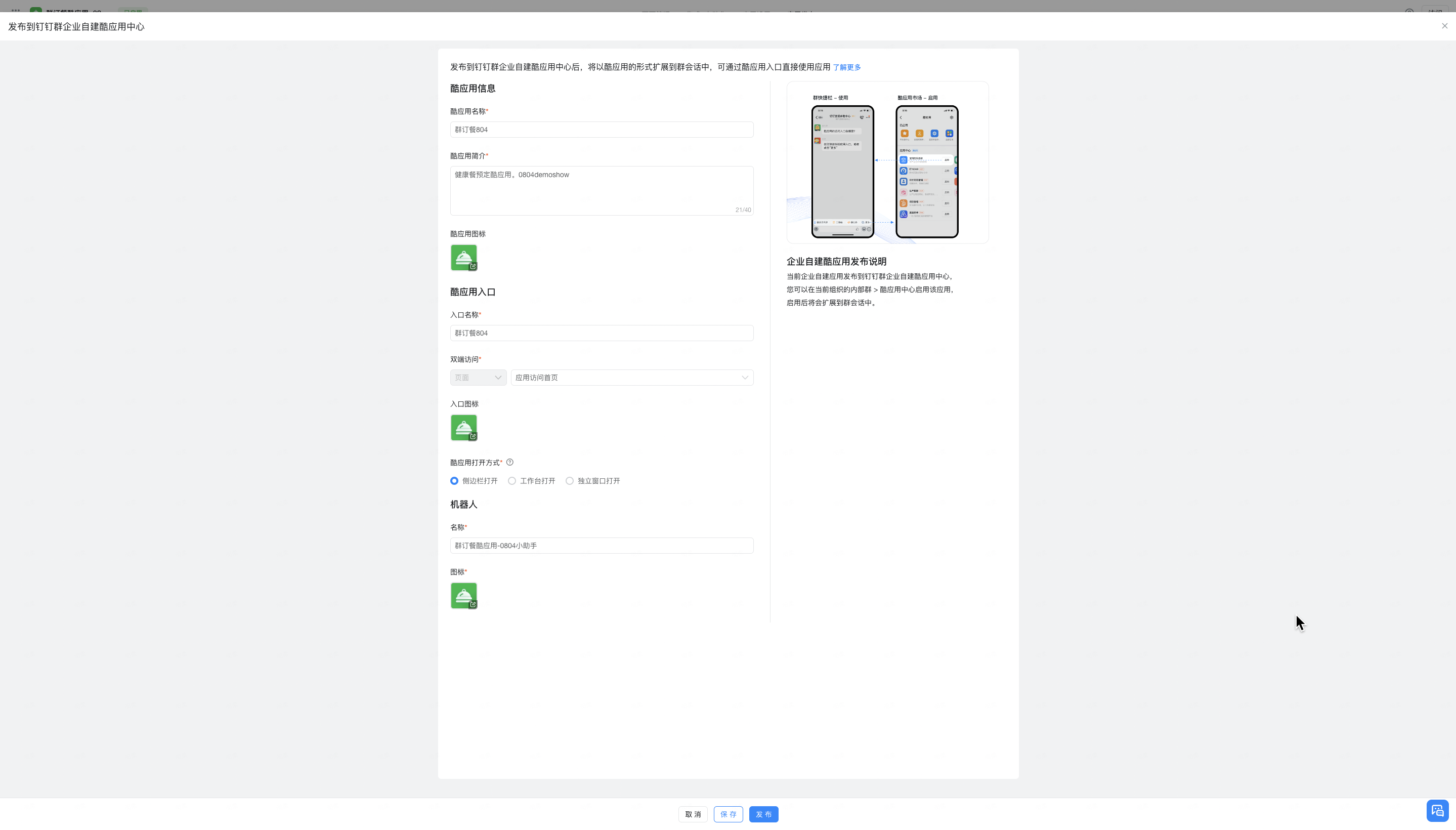
  <Step title="酷应用搭建完毕后，点击“应用发布>发布到企业自建酷应用中心”，点击发布按钮，填写相关酷应用发布信息，包括：">
    <Frame>
      ![](https://yida-support.oss-cn-shanghai.aliyuncs.com/static/png/1660812252479-80193297-41fa-42ca-bba3-53f3cea67131.png)
    </Frame>
  </Step>
</Steps>

## 酷应用模板发布

请参考《宜搭模板应用快速酷化&上架到钉钉酷应用市场SOP》