> ## Documentation Index
> Fetch the complete documentation index at: https://help.dingtalk.io/llms.txt
> Use this file to discover all available pages before exploring further.

# 如何获取 traceid

> 本页面介绍了如何通过开发者工具查找并获取eagleeye-traceid，这是一种用于帮助开发人员追踪和解决问题的唯一请求标识。步骤包括打开开发者工具、搜索特定请求以及从响应头中找到traceId。

**eagleeye-traceid** 是一次请求的唯一标识，开发同学使用其进行用户进行问题排查使用的。

**操作步骤**
**1. 打开开发者工具**
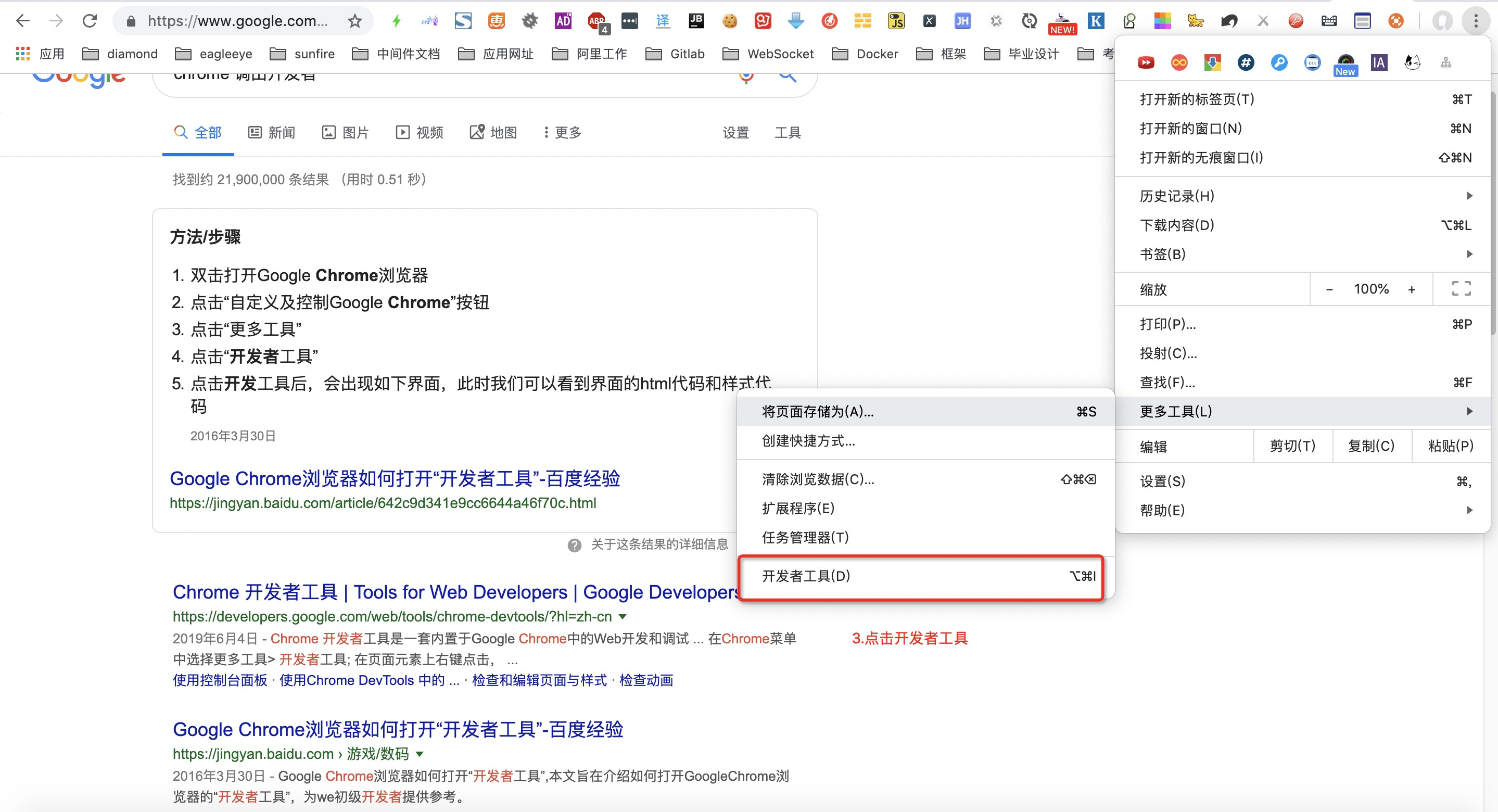
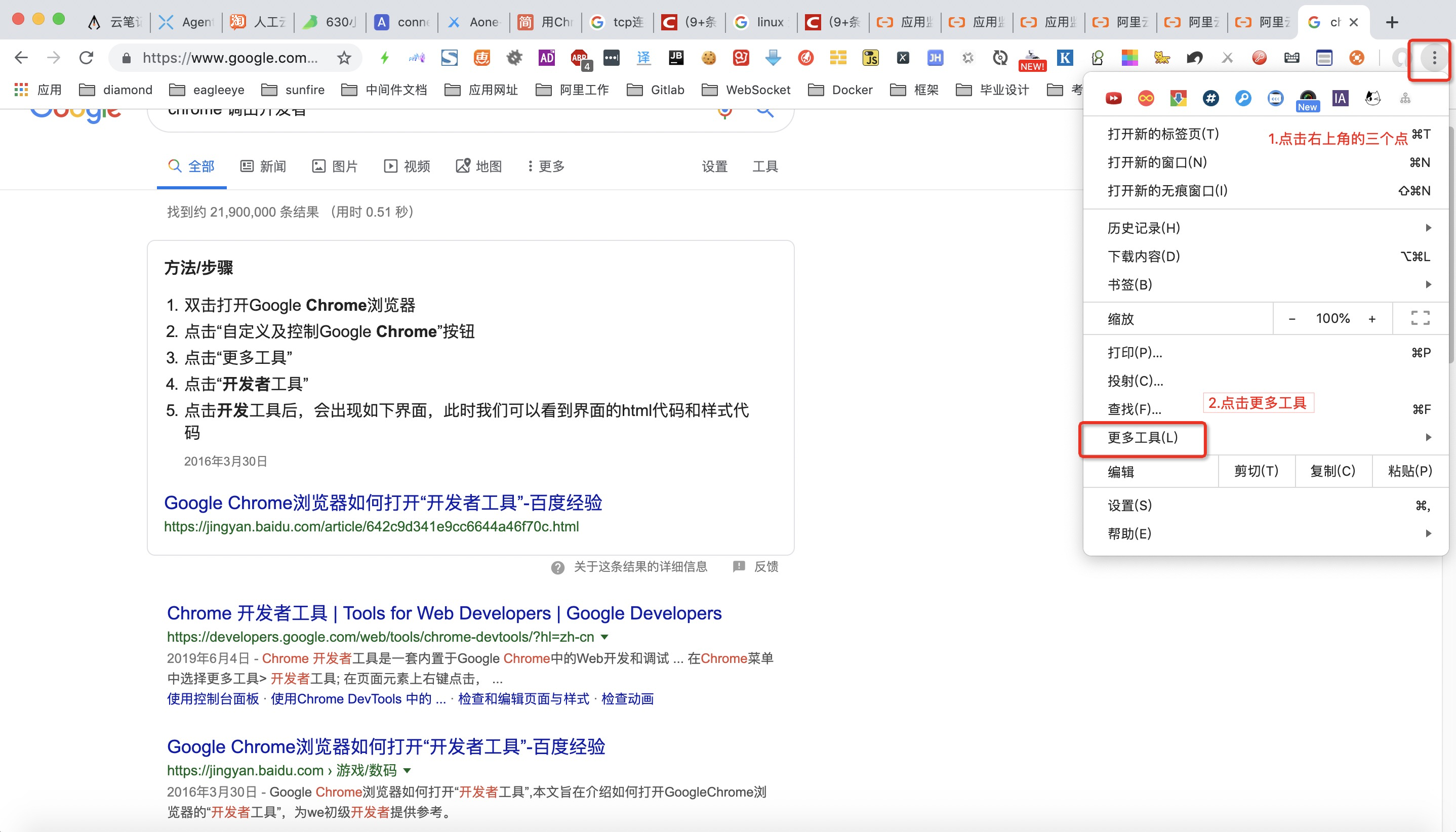
快捷键：f12，若无效，可按下图流程：
1点击右上角的三个点
2点击更多工具
3点击开发者工具
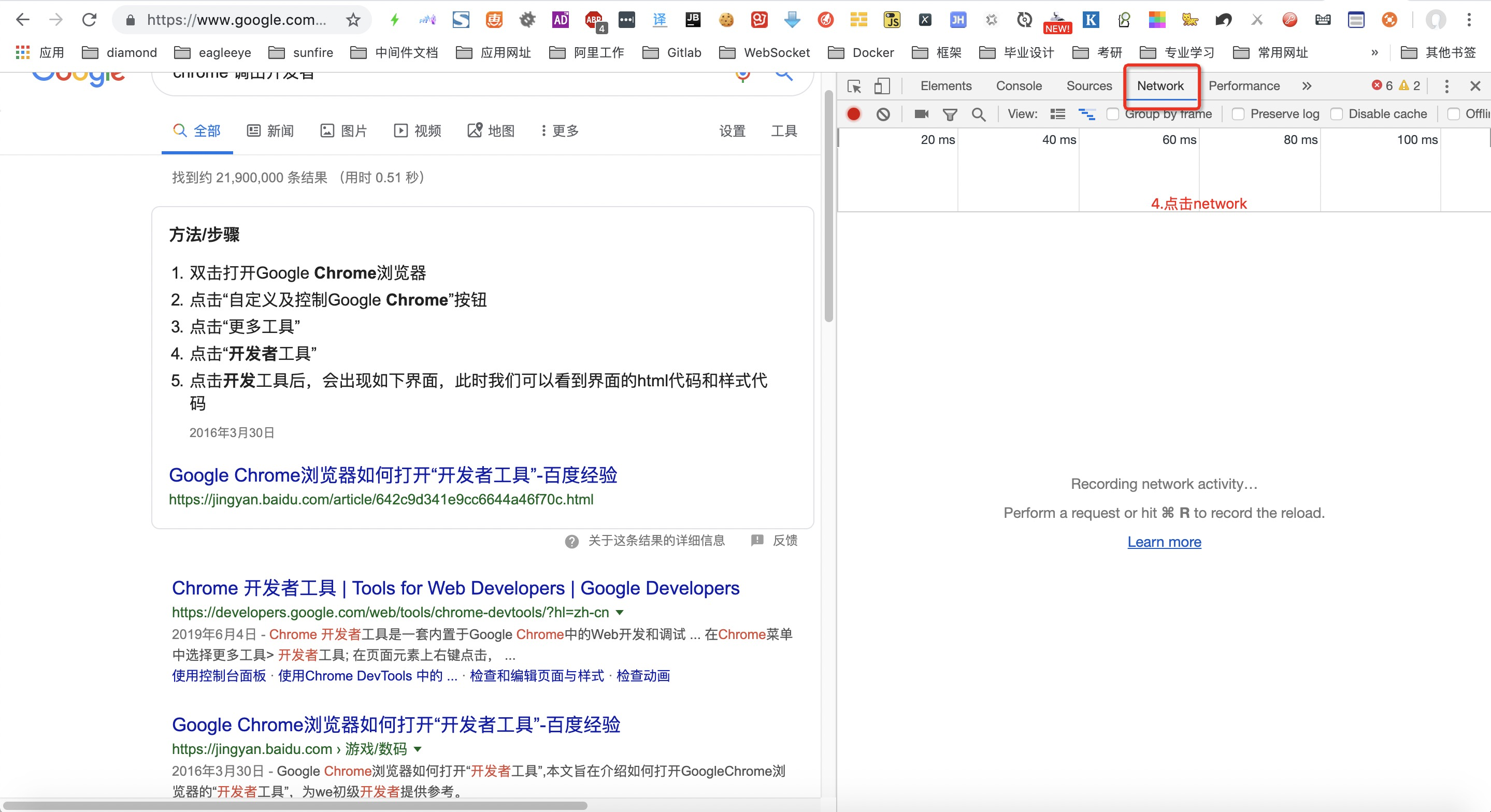
4点击network
<Frame>
  ![](https://yida-support.oss-cn-shanghai.aliyuncs.com/static/png/1661839663710-6443d9bf-b6bf-464c-802b-5fd4c7526e39.png)
</Frame>

<Frame>
  ![](https://yida-support.oss-cn-shanghai.aliyuncs.com/static/png/1661839682331-2b8430eb-fc70-4452-b068-60d197438375.png)
</Frame>

<Frame>
  ![](https://yida-support.oss-cn-shanghai.aliyuncs.com/static/png/1661839702692-9901a2c4-2bf8-4f08-bda0-ce98bd1aeb21.png)
</Frame>

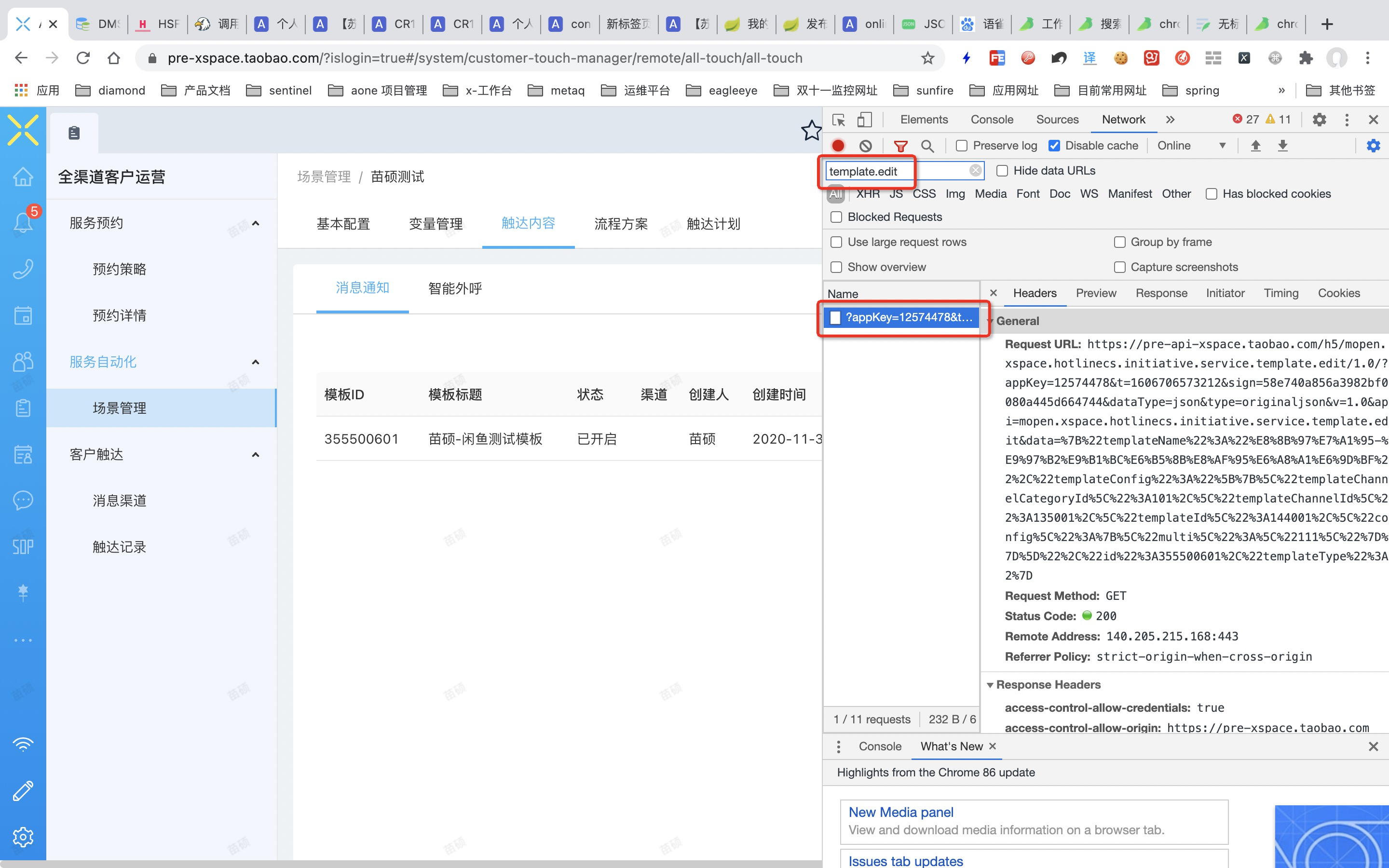
**2. 搜索特定请求**

注：具体搜索内容请联系开发获取

<Frame>
  ![](https://yida-support.oss-cn-shanghai.aliyuncs.com/static/png/1661839723573-affb68dd-eaf0-4bc5-b1cd-f6a6cff1f3ad.png)
</Frame>

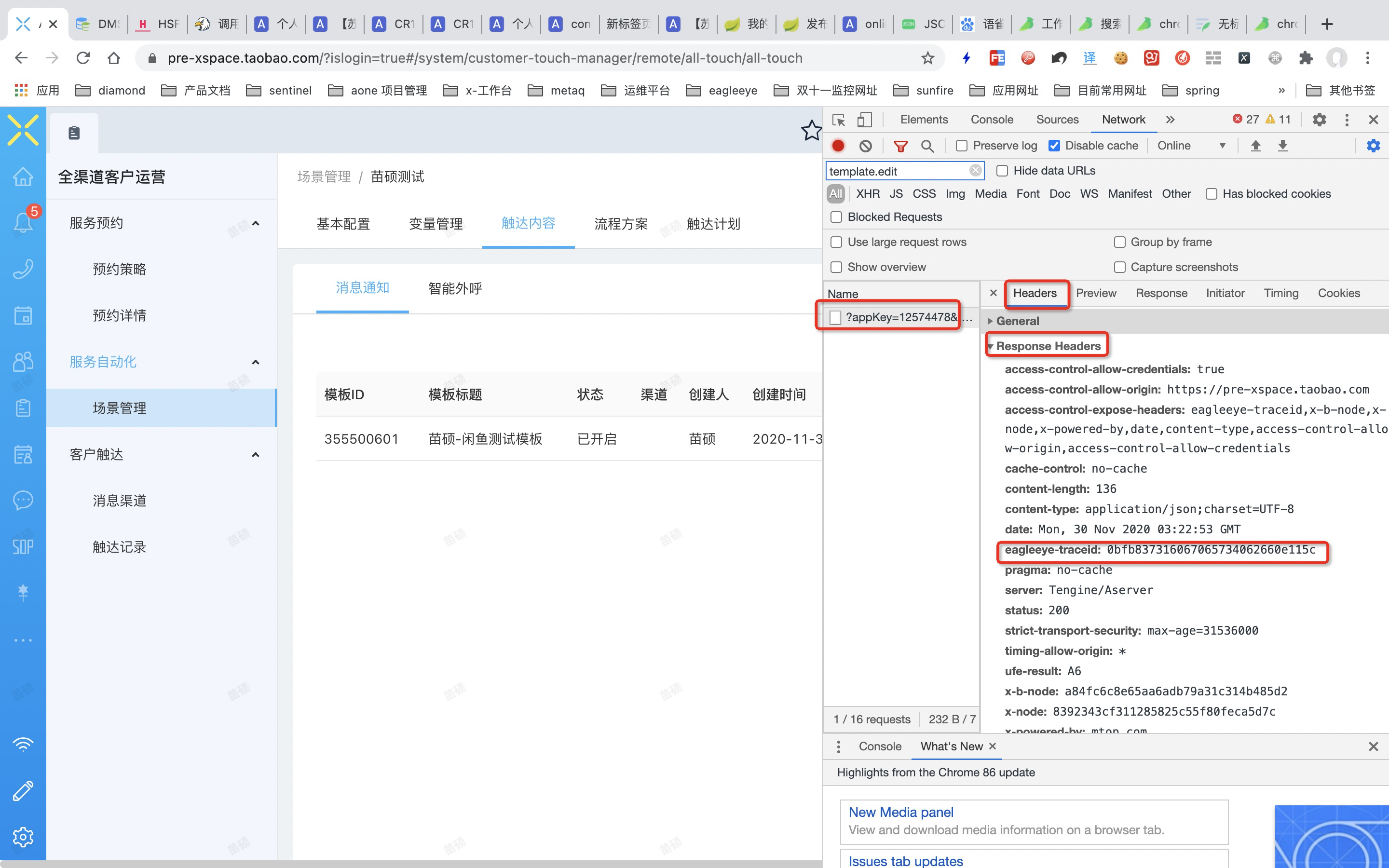
**3. 获取 traceId**

请求->Headers -> Response Headers -> eagleeye-traceid 即为 traceId ，拷贝该值给开发同学即可

<Frame>
  ![](https://yida-support.oss-cn-shanghai.aliyuncs.com/static/png/1661839745146-83cfefac-a3c1-4a75-bd0f-928c87f69b28.png)
</Frame>

若有收获，就点个赞吧