> ## Documentation Index
> Fetch the complete documentation index at: https://help.dingtalk.io/llms.txt
> Use this file to discover all available pages before exploring further.

# 多行文本

> 该页面介绍了多行文本组件的使用场景及其基础功能，包括设置多行文本高度、自动调整高度以及显示计数器等功能。

## 1. 适用场景

多行文本可用于录入较长、较为复杂的内容，可自由的发表意见，提供更多信息，比如意见反馈等场景。

[组件基础信息](/zh/yida/form/snftao)

<Note>
  组件属性以及使用和示例请[**点击此处**](/zh/open/yida/components/interface)查看
</Note>

## 2. 基础功能

### 2.1 多行文本高度

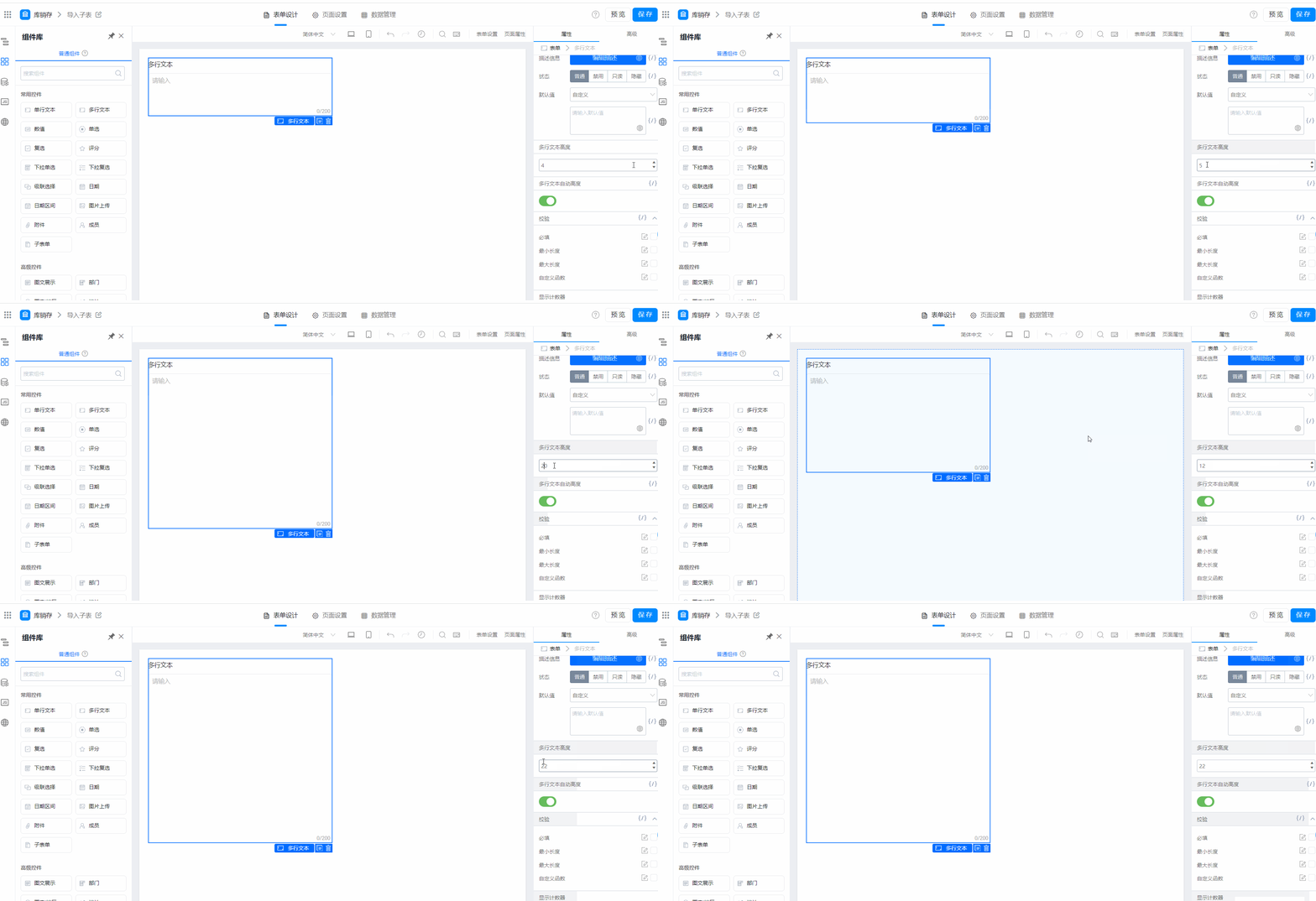
支持设置多行文本的展示高度，仅 PC 端有效，效果如图：

<Frame>
  ![](https://yida-support.oss-cn-shanghai.aliyuncs.com/static/gif/1639016704771-c670c9f5-dcb8-4331-9673-258ee6fe5775.gif)
</Frame>

多行文本高度

<Frame>
  ![](https://yida-support.oss-cn-shanghai.aliyuncs.com/static/gif/1612069982810-0a66c5fa-6d13-413c-bd8f-dd6f512d5531.gif)
</Frame>

### 2.2 多行文本自动高度

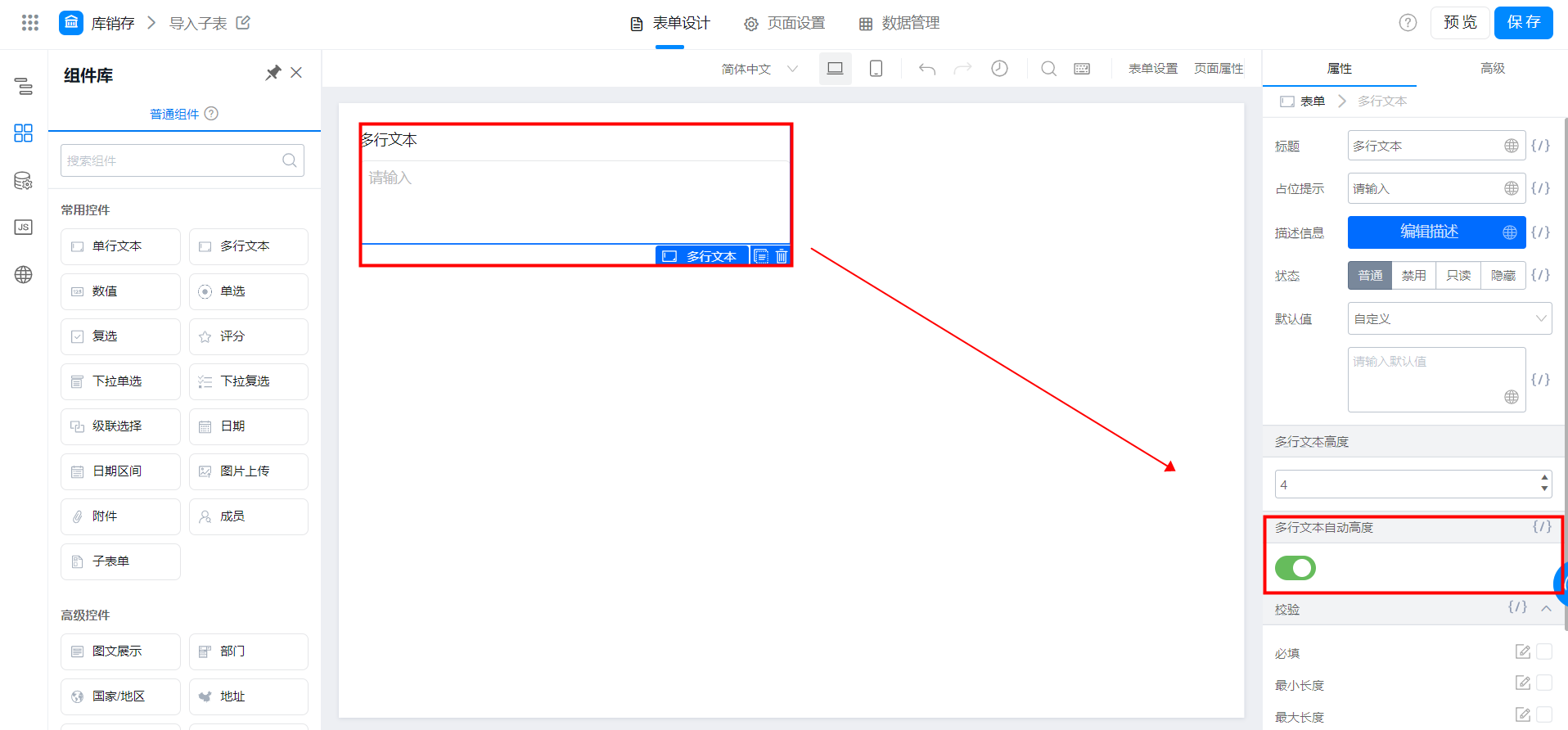
多行文本的高度可以随着输入内容的增多自动撑高输入框的高度，效果如图：

<Frame>
  ![](https://yida-support.oss-cn-shanghai.aliyuncs.com/static/png/1639016466739-0b8e0bd9-fc3b-4b1b-9f85-bb4310bd2748.png)
</Frame>

多行文本自动高度

<Frame>
  ![](https://yida-support.oss-cn-shanghai.aliyuncs.com/static/gif/1612070136468-2d5a879e-fe95-4421-996d-a47f8899e653.gif)
</Frame>

### 2.3 显示计数器

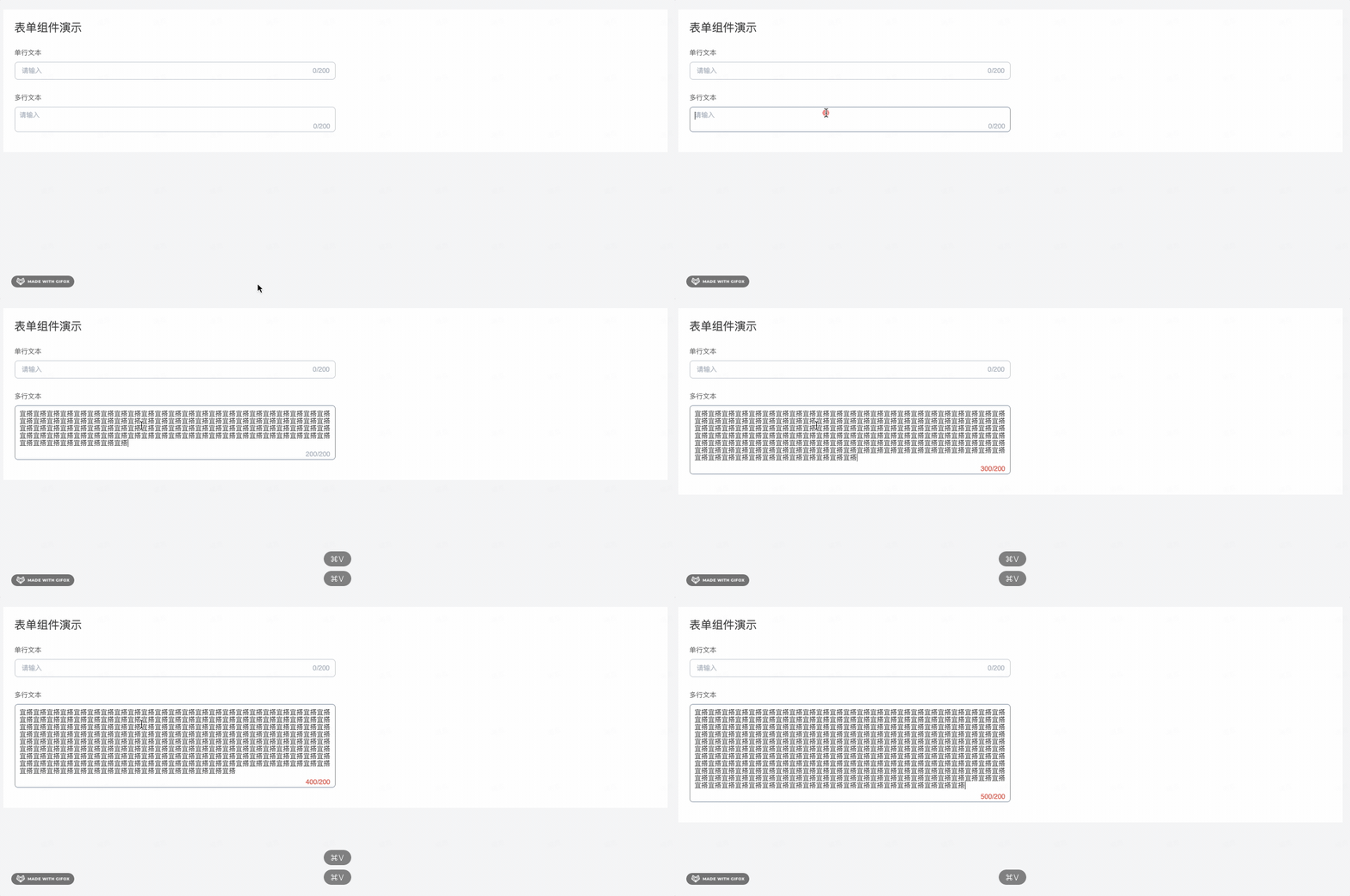
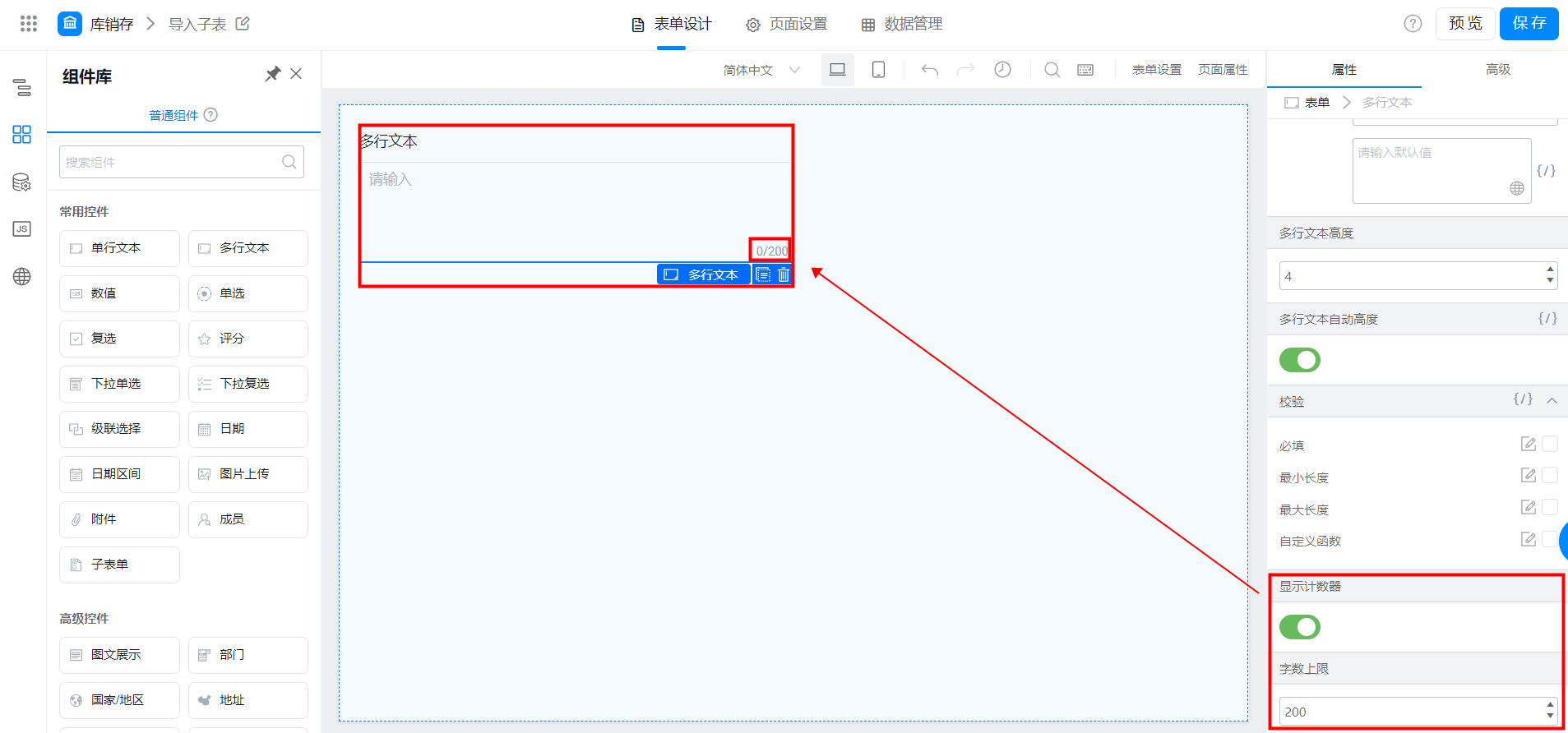
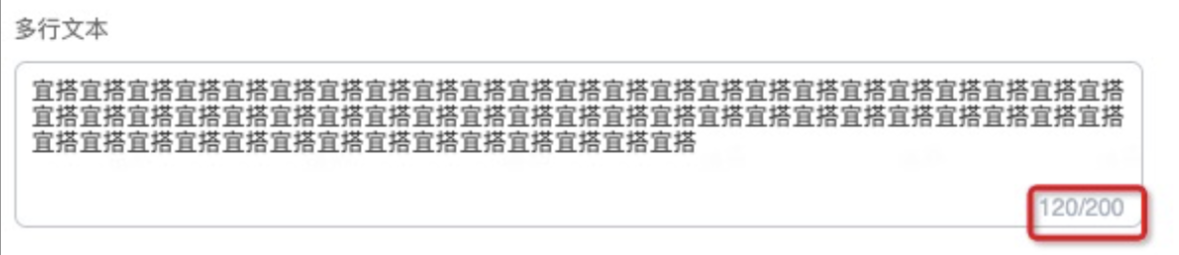
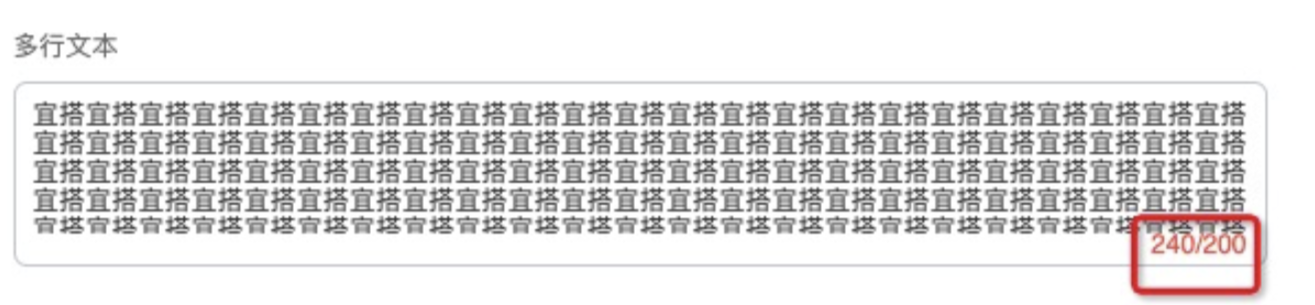
可以设置多行文本框的字数上限，超出设置的字数上限后，会进行校验提示，效果如图：

<Frame>
  ![](https://yida-support.oss-cn-shanghai.aliyuncs.com/static/png/1639016632223-ac95dc85-e931-4562-9aba-11756c13e848.png)
</Frame>

<Frame>
  ![](https://yida-support.oss-cn-shanghai.aliyuncs.com/static/png/1623745457721-b156249e-a4bd-4755-9ec1-2e1cf3b57764.png)
</Frame>

<Frame>
  ![](https://yida-support.oss-cn-shanghai.aliyuncs.com/static/png/1623745480055-022efc76-7a13-4e4b-ad28-7afa54cdd986.png)
</Frame>