> ## Documentation Index
> Fetch the complete documentation index at: https://help.dingtalk.io/llms.txt
> Use this file to discover all available pages before exploring further.
# 图片上传规范
> 页面介绍了PC端和移动端的图片尺寸规范,包括推荐使用的具体像素大小以及文件大小限制。还提到了背景图有效内容需居中对齐,并根据不同页面宽度(常规、中宽、超宽)保持一致性的要求。
## 图片尺寸规范:
双端图片单独配置,当仅上传PC端图片时移动端根据PC端图片自动裁剪
PC端尺寸规范:
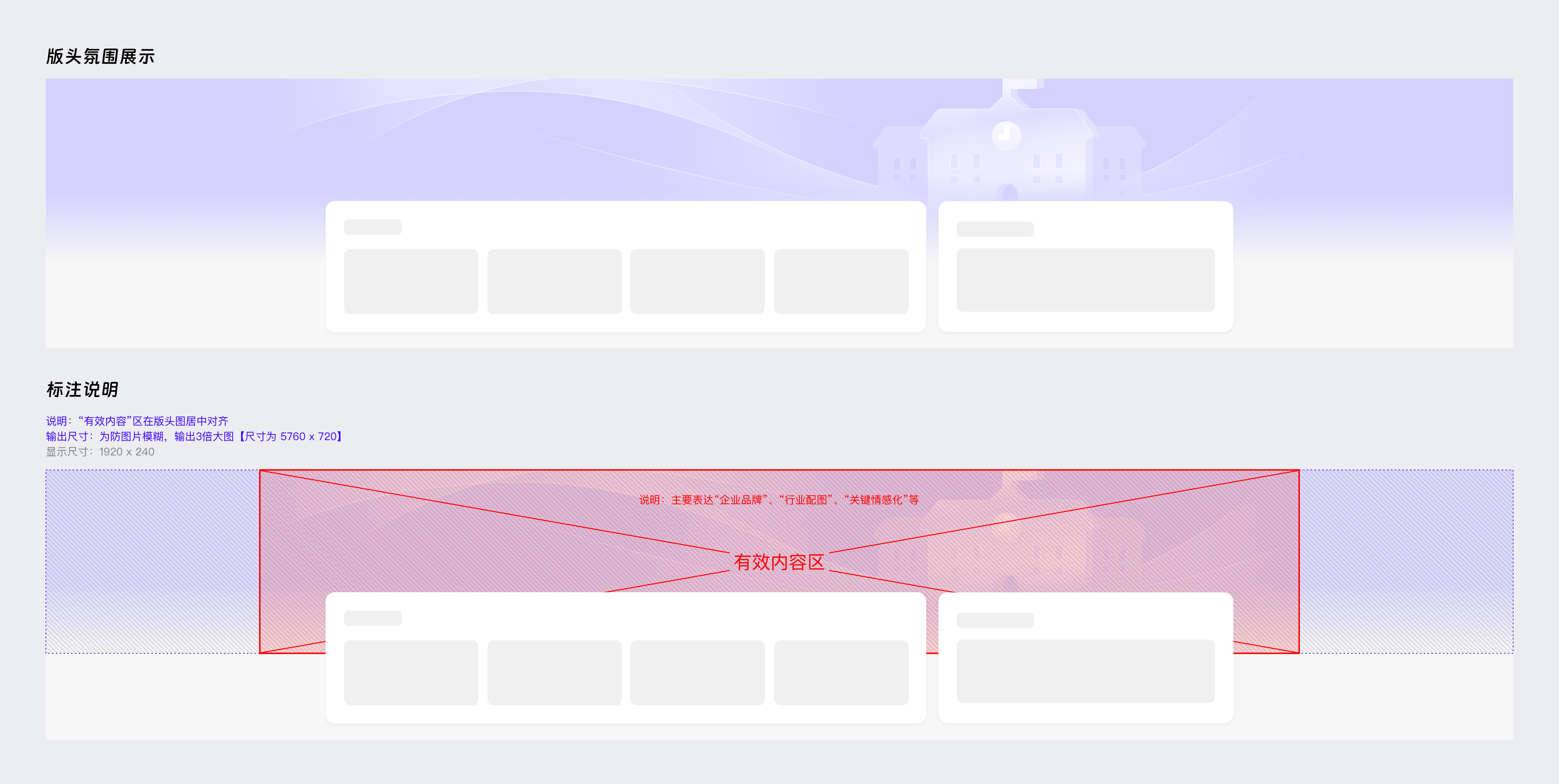
* 为防图片模糊,输出3倍大图【 尺寸为 5760px\*720px 】,小于3M
* 背景图“有效内容(比如:文案)”在版头图保证居中对齐, 设置的页面宽度(常规、中宽、超宽)保持一致
* 备注:页面宽度,常规= 1180px;中宽=1440px;超宽=1920px
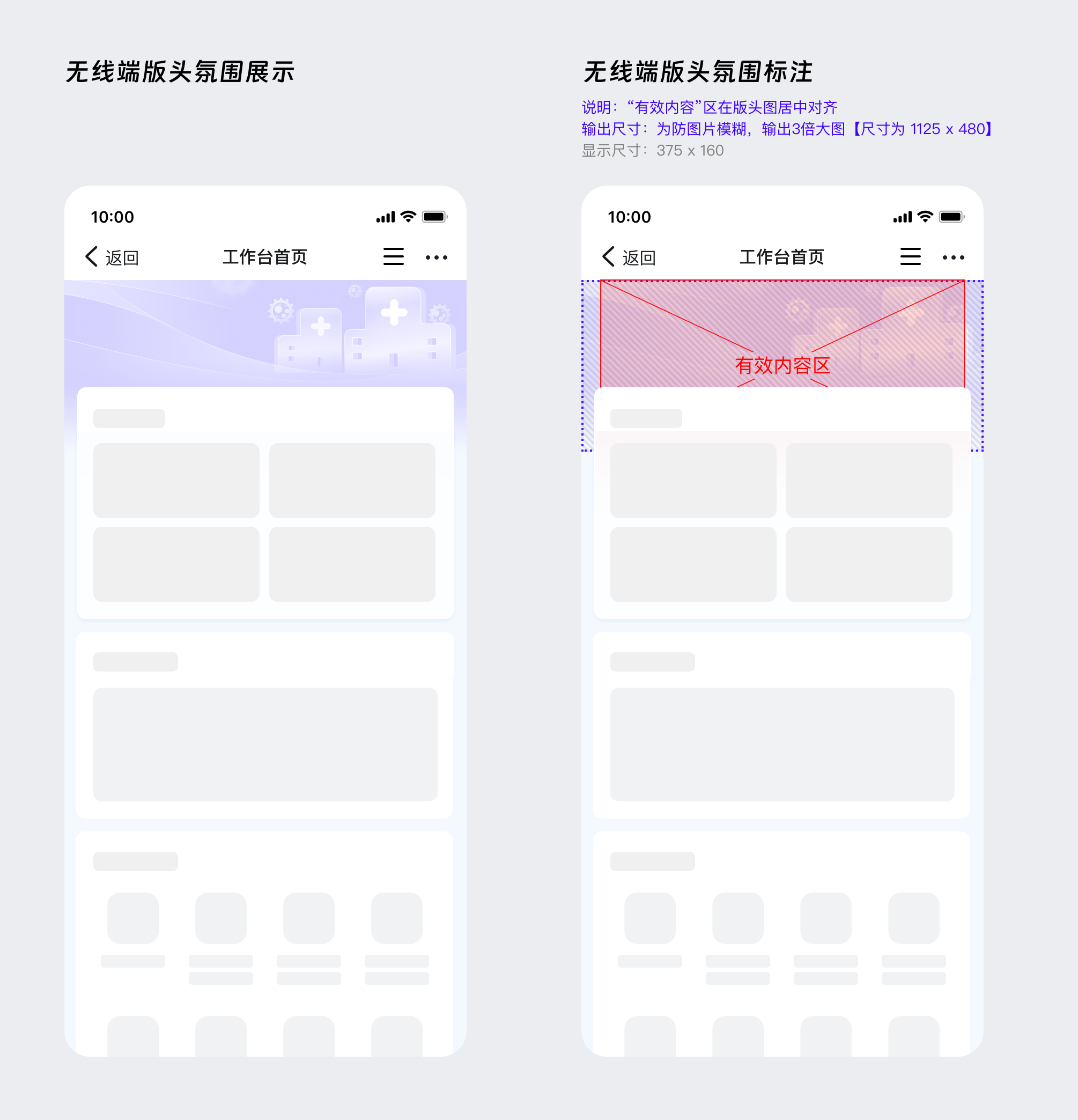
移动端尺寸规范:
* 为防图片模糊,输出3倍大图【 尺寸为 1125px\*480px 】,小于3M