> ## Documentation Index
> Fetch the complete documentation index at: https://help.dingtalk.io/llms.txt
> Use this file to discover all available pages before exploring further.

# 页面设置

> 本页面详细介绍了可播报门户的基础设置、权限设置以及页面发布的功能，包括如何控制页面可见性、创建权限组和进行组织内外的页面发布。

主要是对可播报门户的基础设置、权限设置、页面发布等功能进行详细介绍。

## 1 可播报门户页面设置

### 1.1 基础设置

支持控制可播报门户页面是否“隐藏顶部导航”

<Frame>
  ![](https://yida-support.oss-cn-shanghai.aliyuncs.com/static/png/1688374981200-c5f6514f-6158-474f-84af-64f800893d59.png)
</Frame>

### 1.2 权限设置

支持设置可播报门户的可见范围，如选择全部人员 或 自定义可见成员范围。

<Note>
  门户页面最多可创建 100 个权限组。
</Note>

<Frame>
  ![](https://yida-support.oss-cn-shanghai.aliyuncs.com/static/png/1688375021599-11a13389-d6be-466a-a592-a368fb3d8a29.png)
</Frame>

## 2 可播报门户页面发布

### 2.1 组织内发布

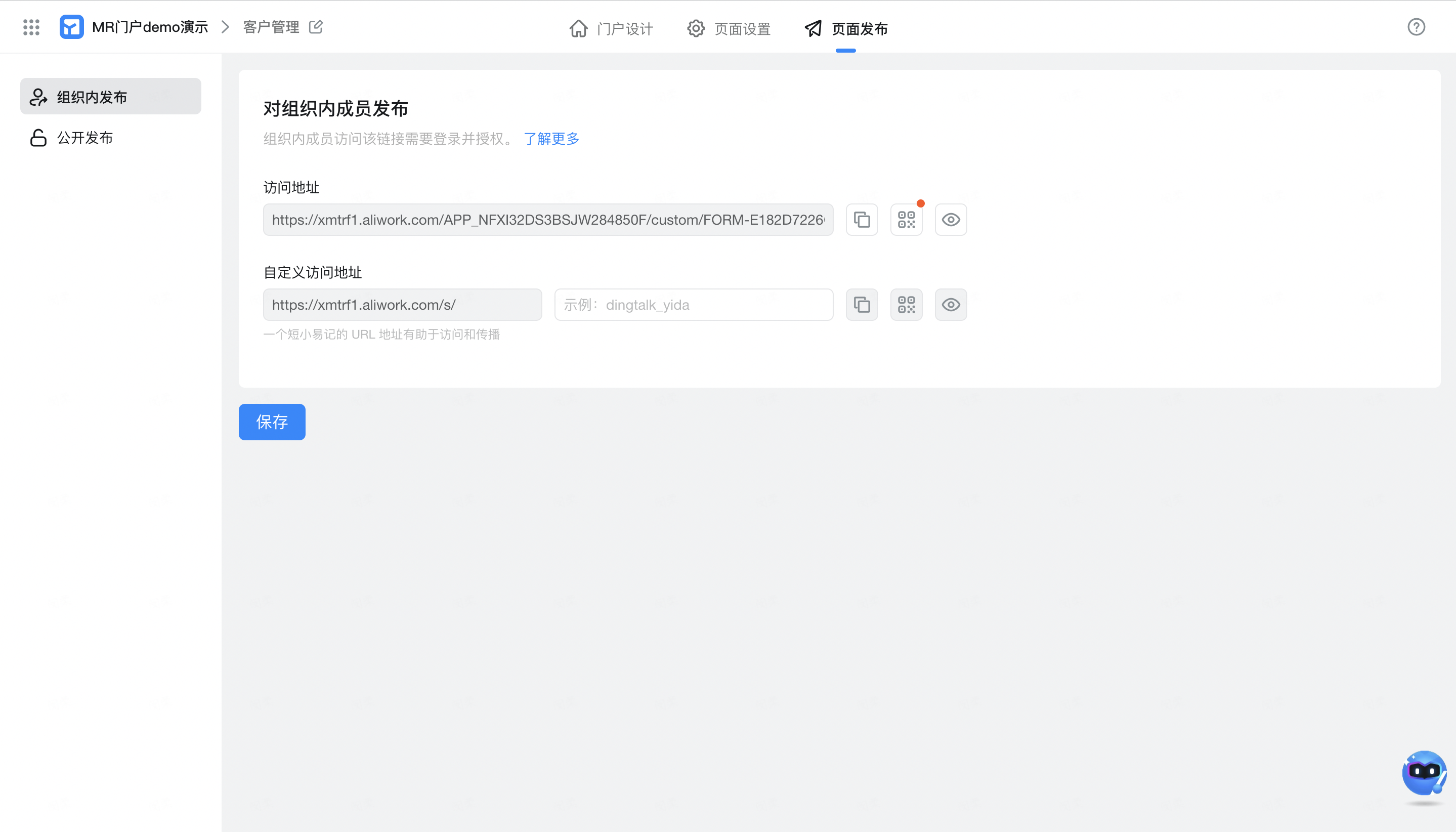
组织内成员访问该链接需要登录并授权。
<Frame>
  ![](https://yida-support.oss-cn-shanghai.aliyuncs.com/static/png/1688375173606-b3f840e4-bae1-4b6c-b392-445f29f33808.png)
</Frame>

### 2.2 公开发布

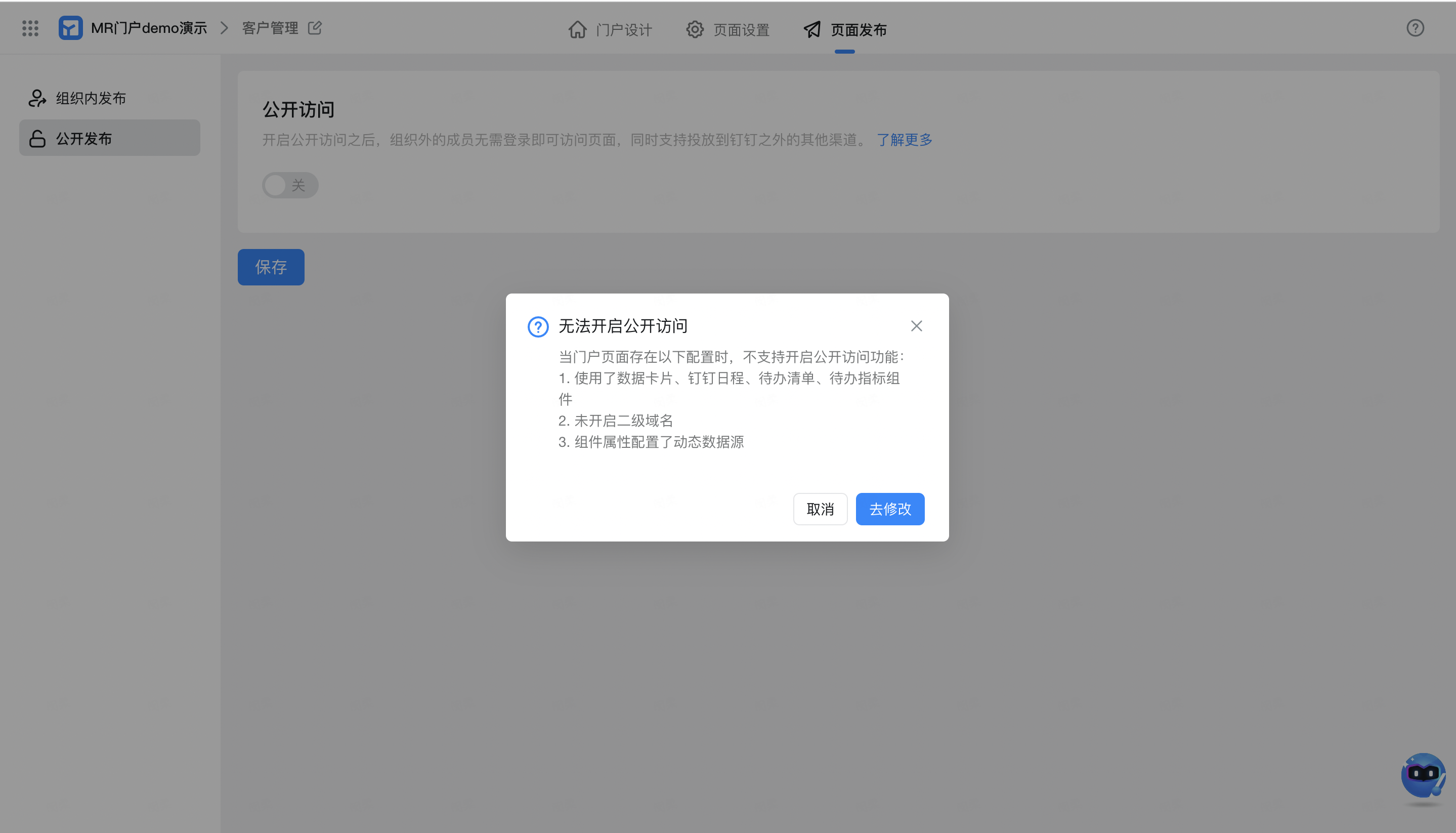
开启公开访问之后，组织外的成员无需登录即可访问该门户页面。需要注意：

当可播报门户页面存在以下配置时，不支持开启公开访问功能：

<Steps>
  <Step title="使用了数据卡片、钉钉日程、待办清单、待办指标组件" />

  <Step title="未开启二级域名" />

  <Step title="组件属性配置了动态数据源（如轮播图、公告栏、资讯列表等数据来源选择了动态数据源）">
    <Frame>
      ![](https://yida-support.oss-cn-shanghai.aliyuncs.com/static/png/1688375188209-3f0509d0-b962-4c78-b558-b880ee4639b9.png)
    </Frame>
  </Step>
</Steps>