> ## Documentation Index
> Fetch the complete documentation index at: https://help.dingtalk.io/llms.txt
> Use this file to discover all available pages before exploring further.
# 消息通知节点
> 本文介绍了如何在宜搭工作台中配置消息通知节点,包括添加和配置消息通知的具体步骤。同时提供了关于工作通知与群通知的区别以及自定义通知内容的方法,并解答了一些常见问题。
消息通知用于在流程执行到某个节点时,通过已经配置完成的通知类型,向指定人员发送钉钉工作通知或群通知。你可以参考本文操作了解如何配置消息通知节点。
## 添加消息通知
你可以通过配置消息通知节点,实现流程流程结束、开始或需要同步流程审批进度的目的。
登录[宜搭工作台](https://www.yidaapps.com/workPlatform)。选择目标应用,进入应用的**页面管理**页。
选择流程表单,单击编辑流程表单后方倒三角 ,选择单击**流程设计**。

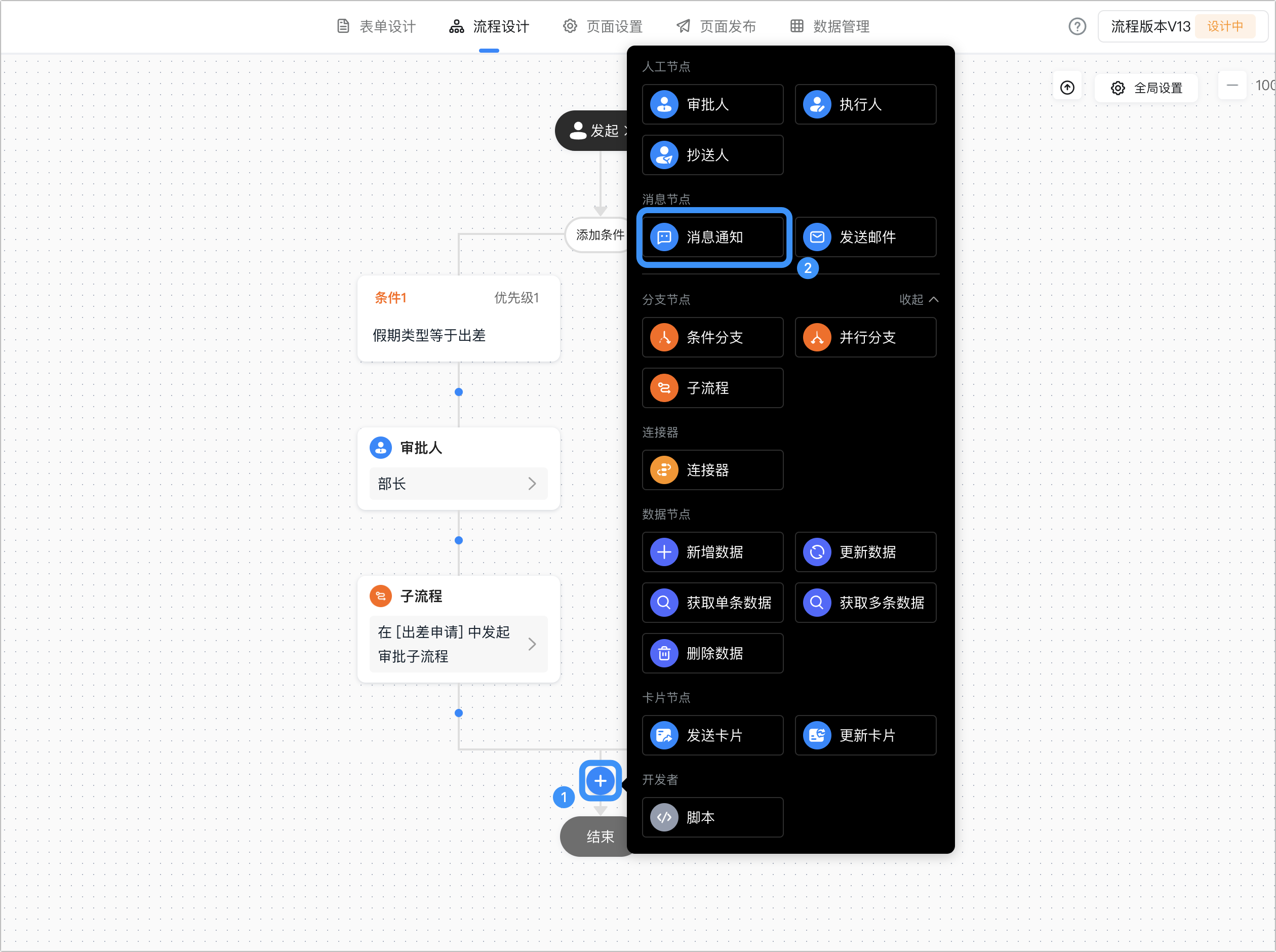
3. 将光标移动至流程节点的连接线位置,会弹出 **+** 按钮,单击 **+** ,选择 消息节点 > 消息通知 节点。
## 配置消息通知
1. 选择消息通知节点,在右侧节点配置弹窗中,选择 通知类型 和 通知人员 。
| **通知类型** | **说明** |
| -------- | ----------------------------------------------------------------------------------------------------------------------------------------------------------------------------------------------------------------------------------------------------------------------------------------------------------------------------------------------------------------------------------------------------------------------------------------------------------- |
| **工作通知** | 工作通知消息是以某个应用的名义推送到员工的工作通知消息,例如生日祝福、入职提醒等。
,选择单击**流程设计**。

3. 将光标移动至流程节点的连接线位置,会弹出 **+** 按钮,单击 **+** ,选择 消息节点 > 消息通知 节点。

## 配置消息通知
1. 选择消息通知节点,在右侧节点配置弹窗中,选择 通知类型 和 通知人员 。
| **通知类型** | **说明** |
| -------- | ----------------------------------------------------------------------------------------------------------------------------------------------------------------------------------------------------------------------------------------------------------------------------------------------------------------------------------------------------------------------------------------------------------------------------------------------------------- |
| **工作通知** | 工作通知消息是以某个应用的名义推送到员工的工作通知消息,例如生日祝福、入职提醒等。
• **指定成员**:可以选择企业通讯录内的员工。
• **指定角色**:可以选择钉钉中的角色或宜搭角色,选择角色后,企业内拥有该角色的成员都将收到消息通知。
• **指定成员字段**:可以选择表单内的成员字段和流程相关成员。
**说明**:工作通知类型的消息支持MarkDown语法,支持的语法类型可参考[钉钉消息通知类型](https://open.dingtalk.com/document/orgapp/message-types-and-data-format#title-afc-2nh-5kk)。
 |
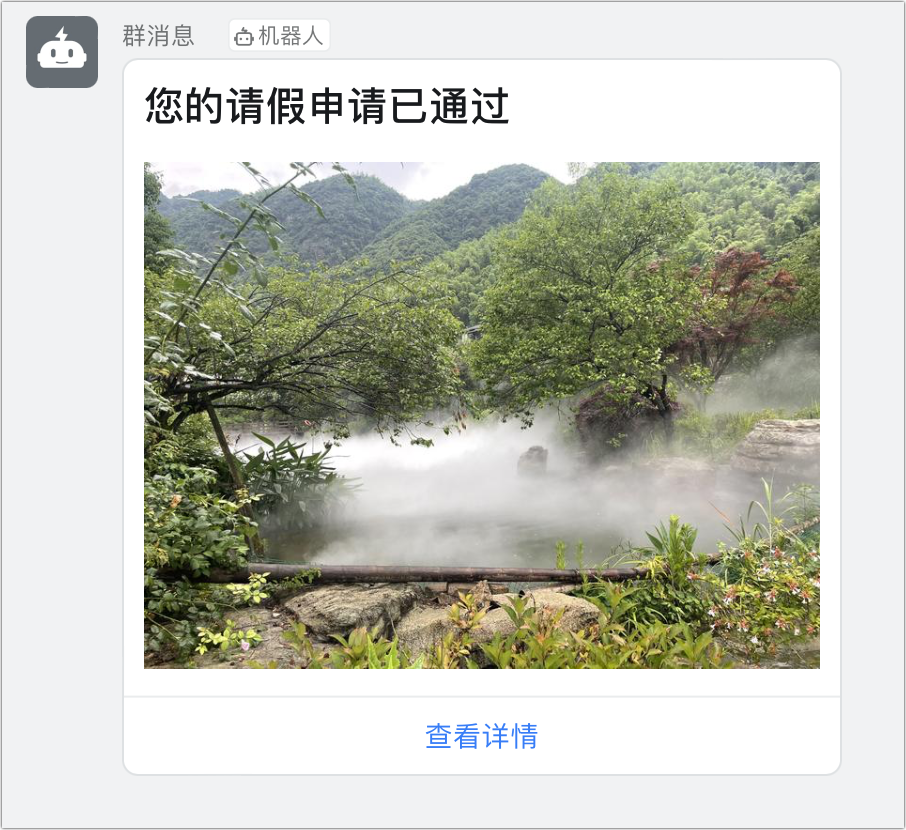
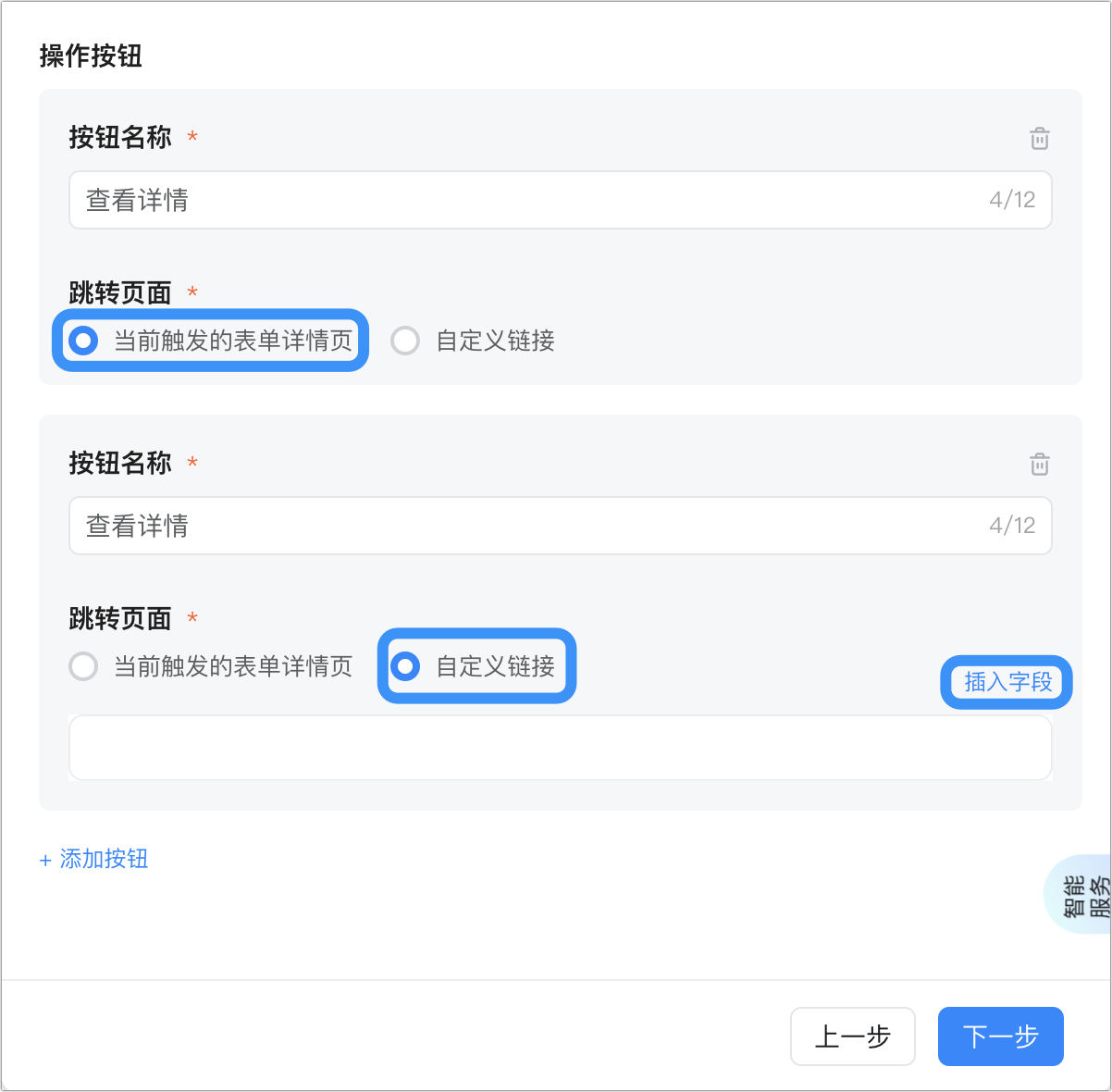
| **群通知** | 群通知是指通过群机器人发送流程消息到群,支持使用**小钉机器人**和**自定义机器人**发送。
• 通过小钉发送:通过默认群机器人小钉推送消息,消息内容不支持折行展示,不支持MarkDown。

• 通过群机器人发送:通过在群设置中添加的自定义机器人发送消息,使用机器人的webhook地址推送,消息内容支持MarkDown语法。
 |


## 常见问题
**Q:设置了消息通知为什么没有生效?**
流程表单若新增、修改、删除了消息模板,需要点击页面蓝色字体【点击此处】,将会自动创建新流程版本进行生效。

**Q:宜搭实例详情链接格式是什么?**
* 流程实例详情链接格式
```text theme={"theme":{"light":"github-light","dark":"github-dark"}}
https://www.yidaapps.com/APP_xxx/processDetail?procInsId=7e03d424-xxxx-8080
```
```text theme={"theme":{"light":"github-light","dark":"github-dark"}}
宜搭域名/应用AppType/固定参数(processDetail)?procInsId=数据对应的实例ID
```
```javascript theme={"theme":{"light":"github-light","dark":"github-dark"}}
`${location.origin}/${window.pageConfig.appType || window.g_config.appKey}/processDetail?procInsId=${procInsId}`
```
* 表单实例详情链接格式
```text theme={"theme":{"light":"github-light","dark":"github-dark"}}
https://www.yidaapps.com/APP_xxx/formDetail/FORM-xxx?formInstId=FINST-xxx
```
```text theme={"theme":{"light":"github-light","dark":"github-dark"}}
宜搭域名/应用AppType/固定参数(formDetail)/数据所在表的formUuid?formInstId=数据对应的实例ID
```
```javascript theme={"theme":{"light":"github-light","dark":"github-dark"}}
`${location.origin}/${window.pageConfig.appType || window.g_config.appKey}/formDetail/${formUuid}?formInstId=${formInstId}`
```