> ## Documentation Index
> Fetch the complete documentation index at: https://help.dingtalk.io/llms.txt
> Use this file to discover all available pages before exploring further.

# 权限设置

> 页面介绍了发起权限、节点字段权限（包括审批人、执行人及抄送人的可编辑、只读或隐藏权限设置）以及全局设置权限的配置方法。

## 发起权限

支持配置发起权限以及发起页面字段权限，可以通过调整权限组跳转到流程表单页面的设置页面。

<Frame>
  ![](https://yida-support.oss-cn-shanghai.aliyuncs.com/static/png/1639560220627-d17022af-85e7-44fe-8736-cbdb405a4f6b.png)
</Frame>

## 节点字段权限

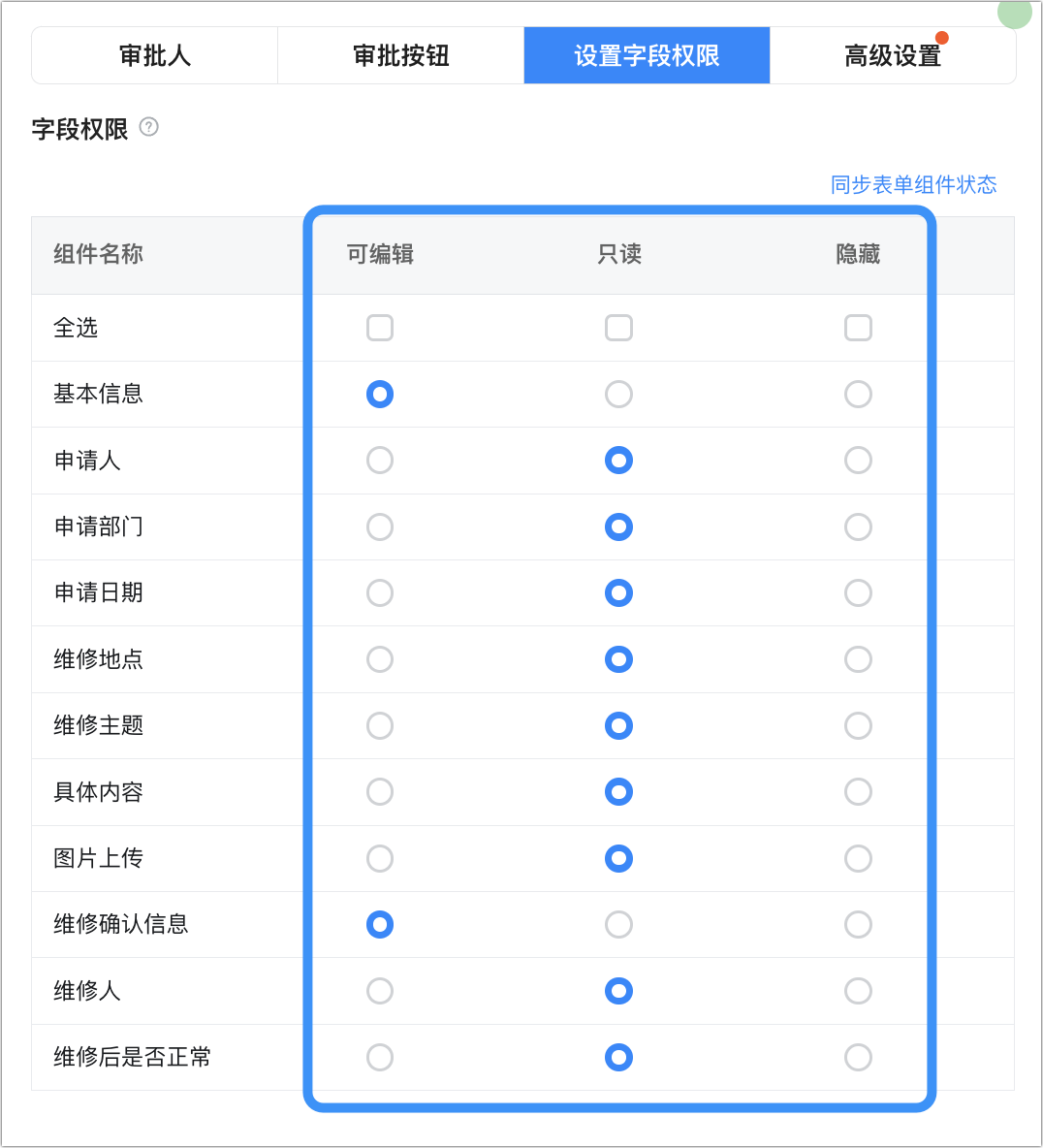
* 审批、执行人字段权限

审批人节点和执行人节点，支持配置为**可编辑**、**只读**、**隐藏**三种权限。

<Frame>
  ![](https://yida-support.oss-cn-shanghai.aliyuncs.com/static/png/1727582786010-23fa7ccb-acf3-4277-833d-d691888a89fb.png)
</Frame>

* 抄送人节点字段权限 ：抄送人节点可配置抄送人的查看权限，支持配置为 只读 、 隐藏 两种权限。

<Frame>
  ![](https://yida-support.oss-cn-shanghai.aliyuncs.com/static/png/1727582835590-e5eb7957-8887-4e9c-87dc-7dc9b5ffef4a.png)
</Frame>

## 全局设置权限

设置默认查看态字段权限，可以通过调整权限组跳转到流程表单页面的设置页面。

<Frame>
  ![](https://yida-support.oss-cn-shanghai.aliyuncs.com/static/png/1639560355248-5050b244-6e53-43be-8fa3-b805fbc46bb3.png)
</Frame>

全局设置字段权限