> ## Documentation Index
> Fetch the complete documentation index at: https://help.dingtalk.io/llms.txt
> Use this file to discover all available pages before exploring further.
# Groovy 脚本
> 在高级流程设计器中,使用Groovy脚本来控制审批人规则的方法。包括前提条件、操作步骤以及具体的Groovy脚本示例,用于根据表单输入值自动分配不同的审批人员。
在高级流程设计器里,人工节点的审批人规则,在选择其他规则的时候会有一个选项是**Groovy 请求**,你可以按照业务需求通过写 Groovy 脚本去控制审批人。
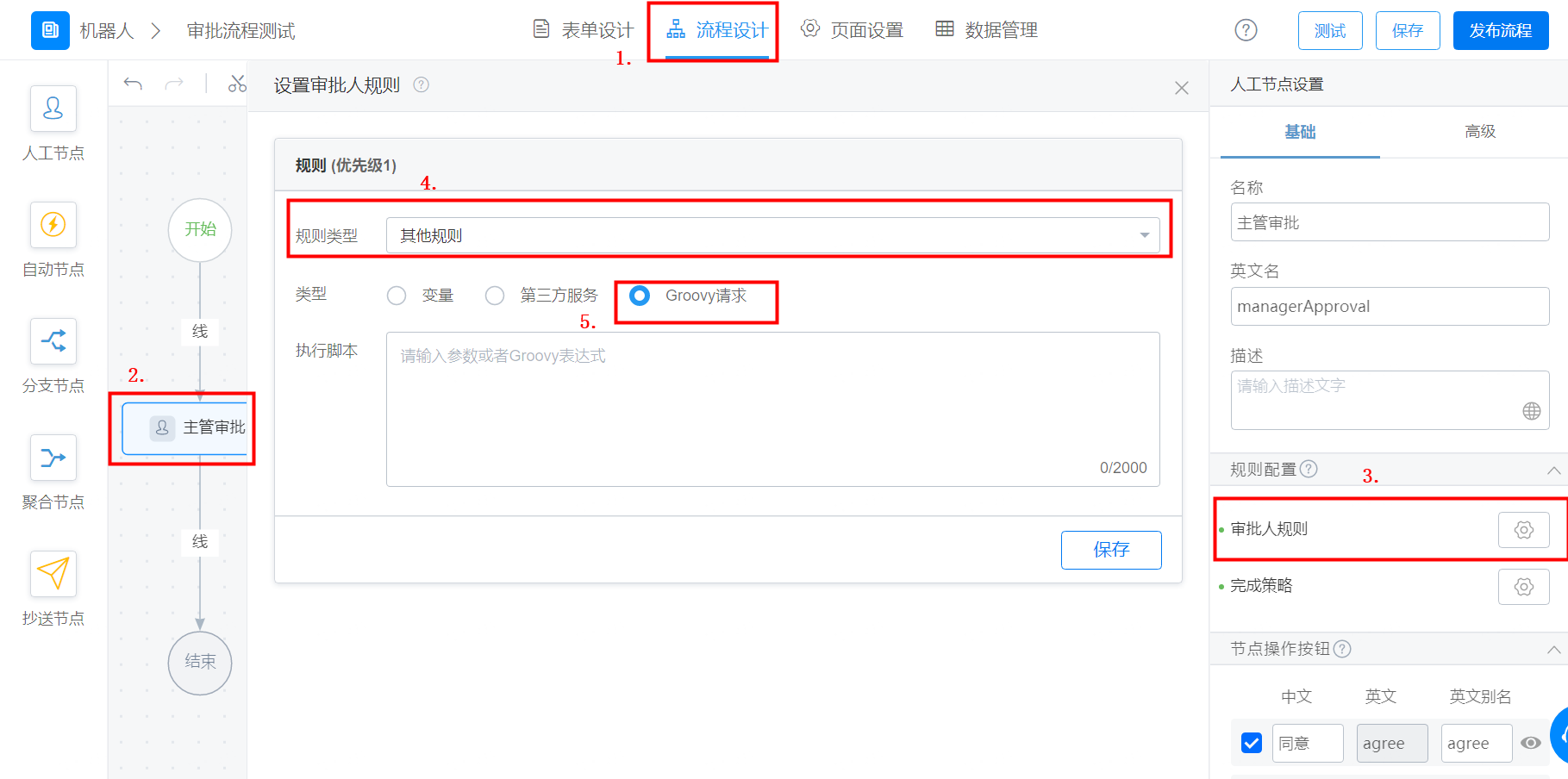
## 前提条件
在使用 Groovy 脚本之前,你需要先了解什么是Groovy,详情可参考[W3C-Groovy教程](https://www.w3cschool.cn/groovy/groovy_overview.html)和[Apache Groovy简介](http://www.groovy-lang.org/)。
## 操作步骤
按照输入框里的数字判断指定谁来做财务审批的审批人,小于 100 的单子由某人审批,大于 100 的话由另一人审批。
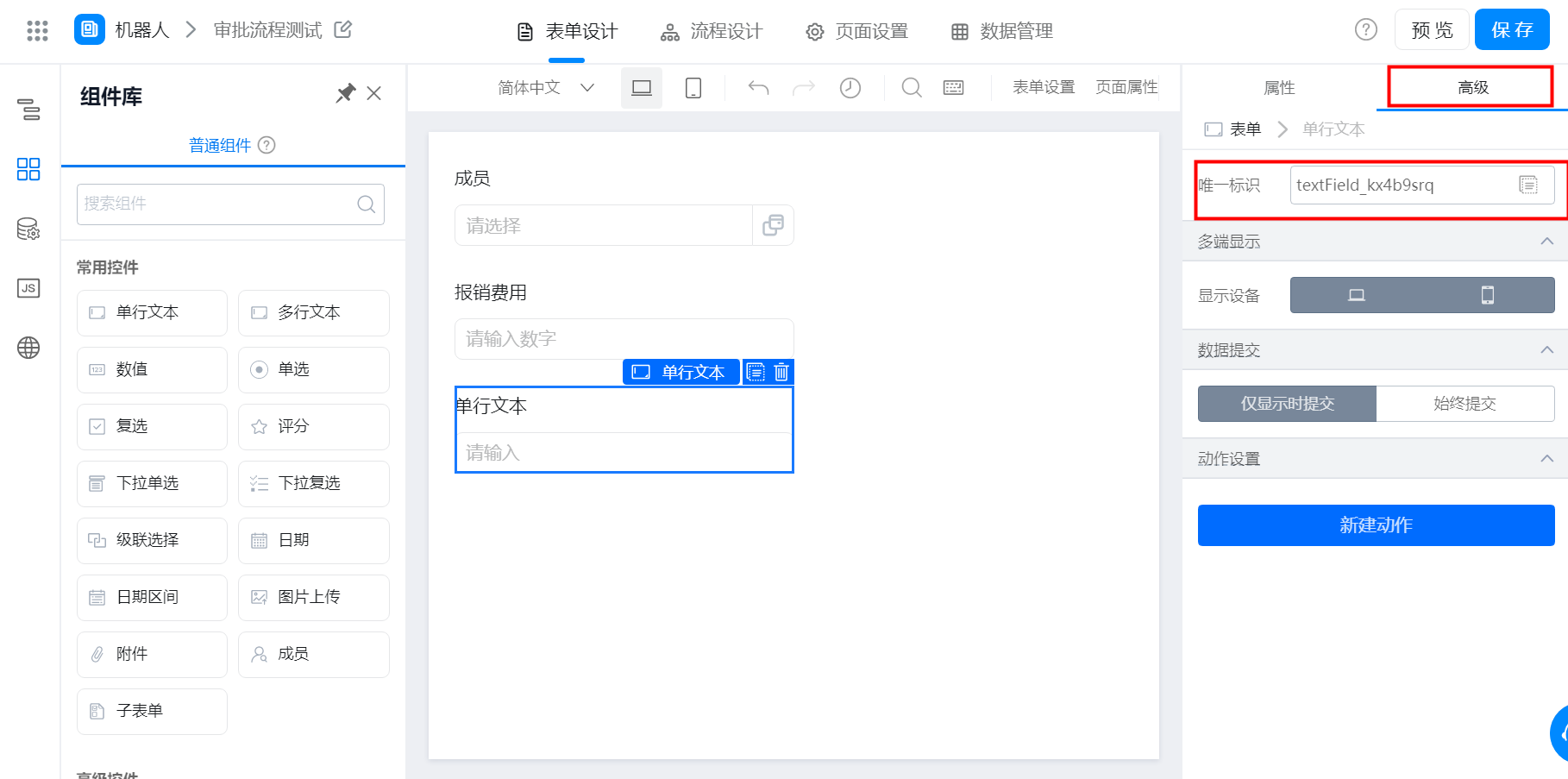
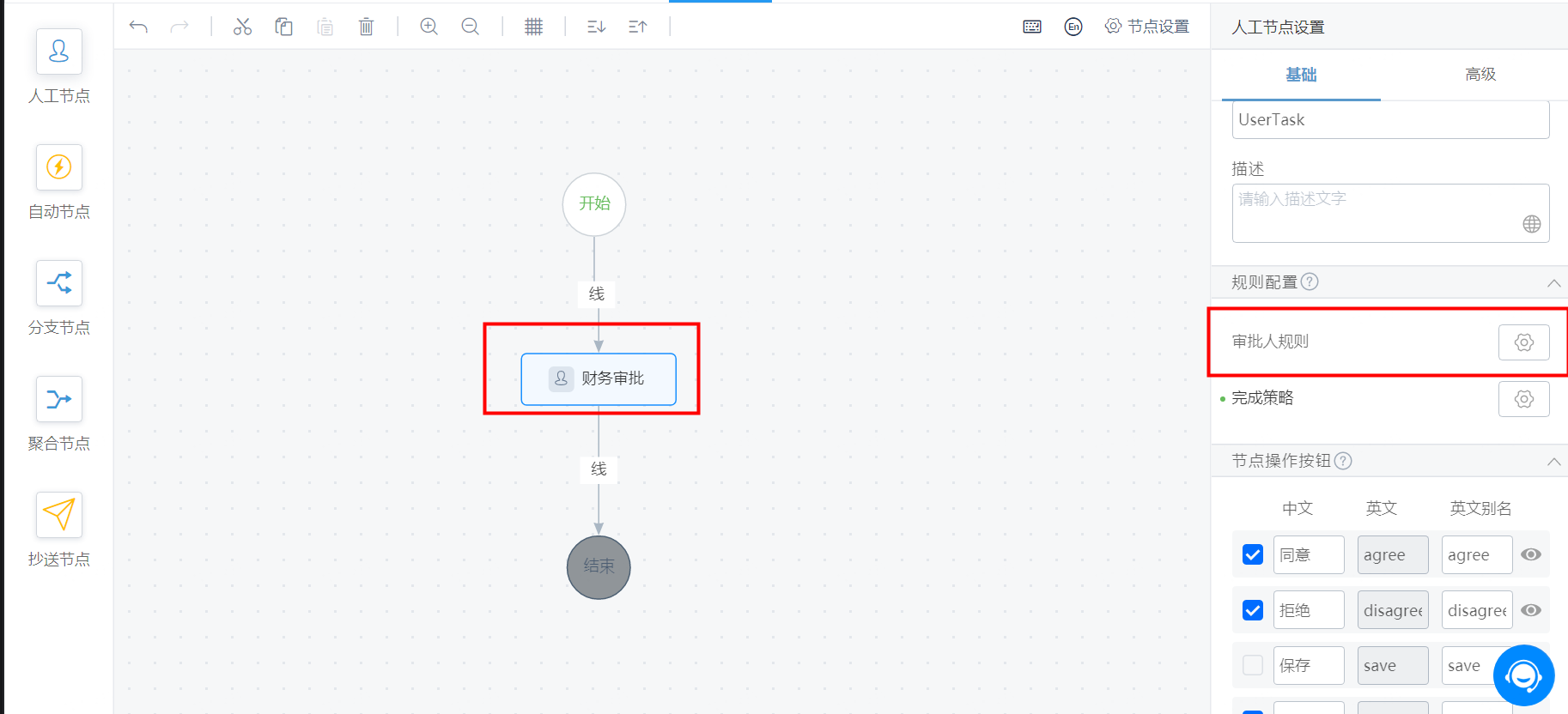
财务审批节点的审批人使用「Groovy 请求」。
textField\_kov80fx9 是表单里单行输入框的唯一标识。
**注**:在编辑「Groovy请求」脚本时,需要使用到 toInteger() 方法,因为内部流程变量是字符串形式的。
toInteger() 方法是默认需要使用的,以下格式可直接参考使用:
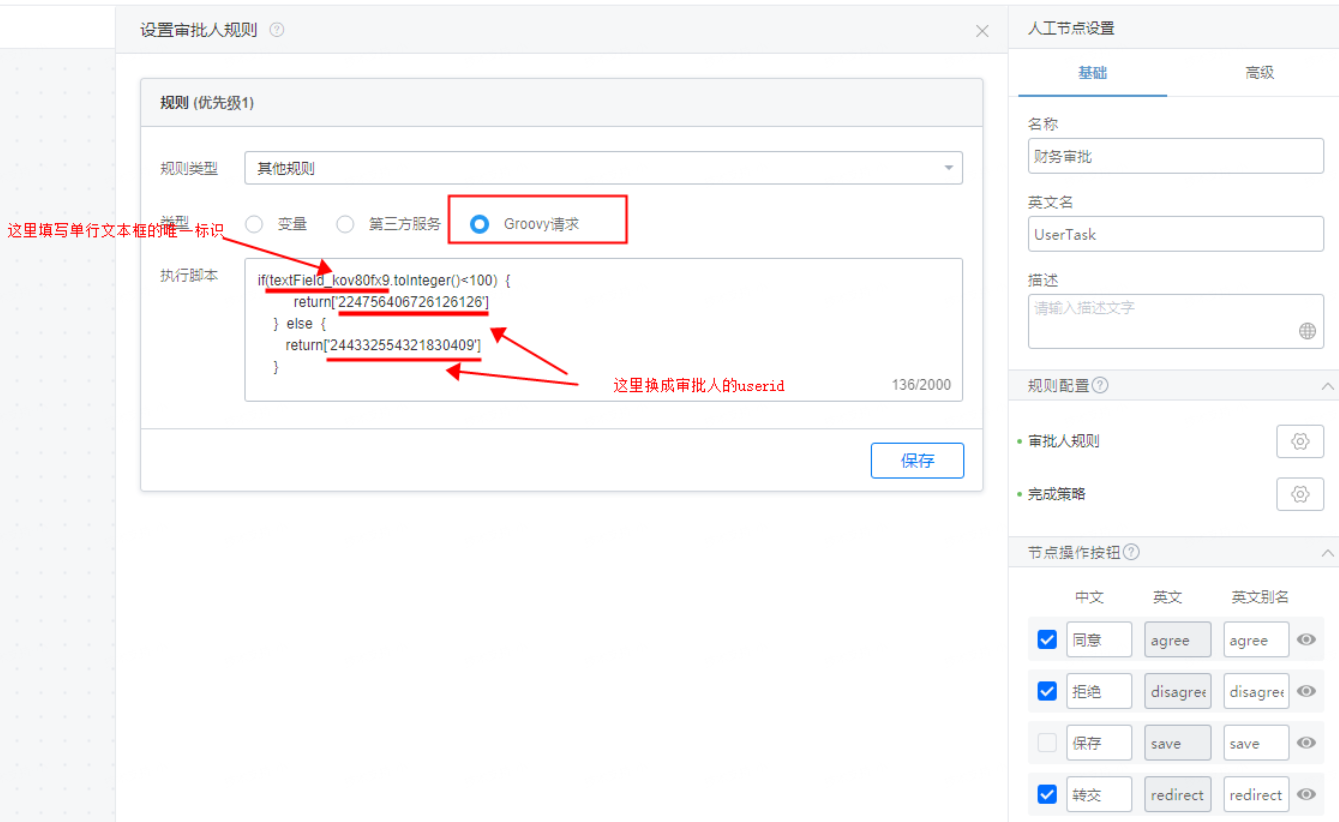
以下代码可直接复制使用:
```javascript theme={"theme":{"light":"github-light","dark":"github-dark"}}
if(单行文本框的唯一标识.toInteger()<100 {
return['审批人userid']
} else {
return['审批人userid']
}
```
这段代码的意思是:当单行文本框内的数字小于 100 时,则让 xxx 审批,其他情况则让另一人审批。
返回审批人时,可以返回多个审批人。