> ## Documentation Index
> Fetch the complete documentation index at: https://help.dingtalk.io/llms.txt
> Use this file to discover all available pages before exploring further.

# 时间偏移

> 页面介绍了时间偏移在数据分析中的应用，包括如何通过配置面板设置时间偏移、时间维度及偏移量等参数。还详细说明了柱状图、表格和指标卡中如何具体实施时间偏移以进行数据对比分析。

## 介绍

时间偏移是在聚合字段类型的基础上显示不同时间点数据的能力，一般用于做不同时期的数据对照显示。

<Note>
  设置了时间偏移的报表中，一次最多只能查询一万条数据。
</Note>

## 配置面板

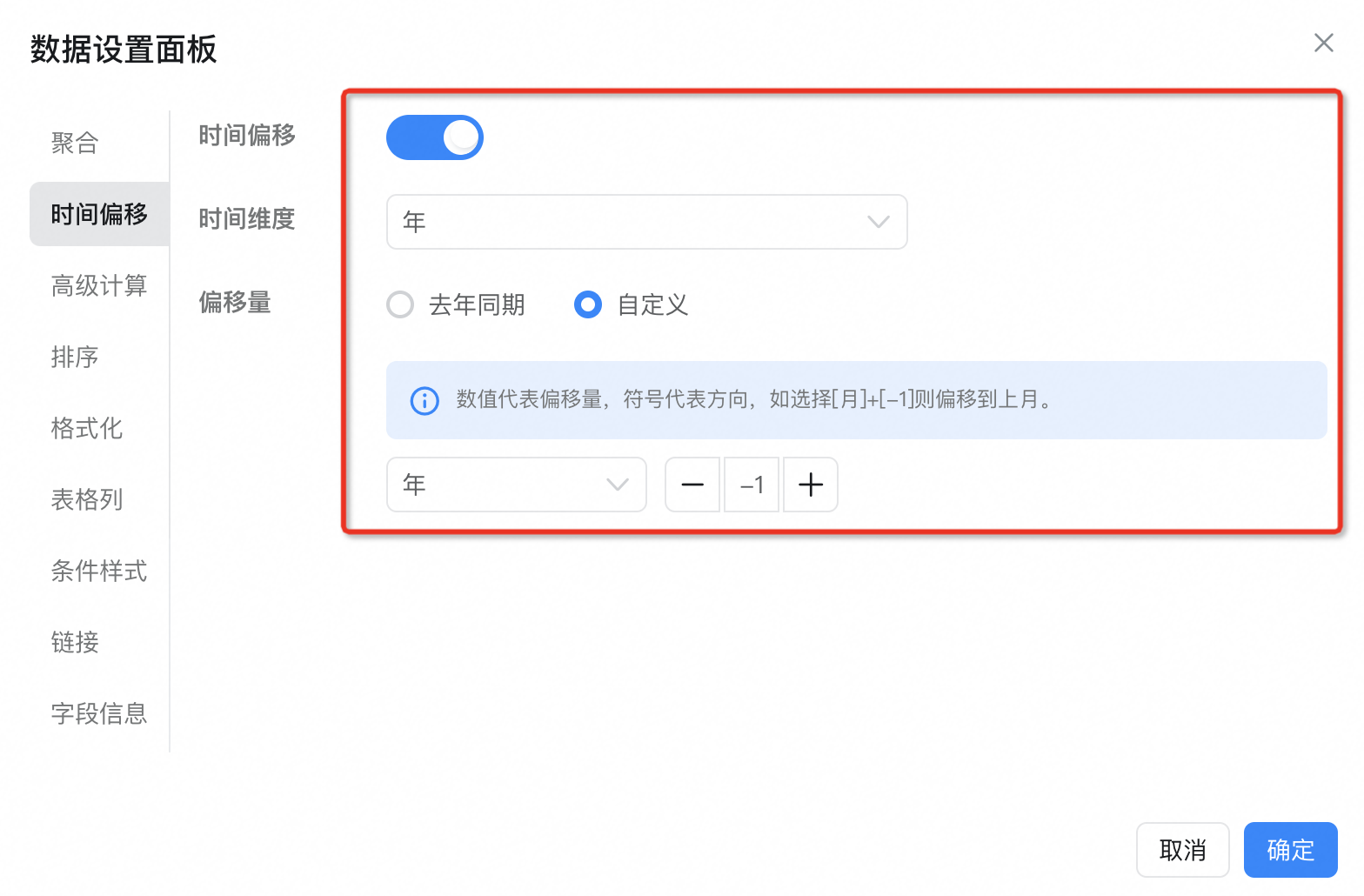
在数据设置面板的时间偏移选项卡下有如下配置：

时间偏移：是否开启时间偏移

时间维度：偏移的时间的粒度

偏移量：根据时间维度会有不同的偏移量，可以自定义配置偏移

<Frame>
  ![](https://yida-support.oss-cn-shanghai.aliyuncs.com/static/png/1678266495161-c293c24d-ac28-4af2-9f1f-04c2ff4d94eb.png)
</Frame>

## 具体配置

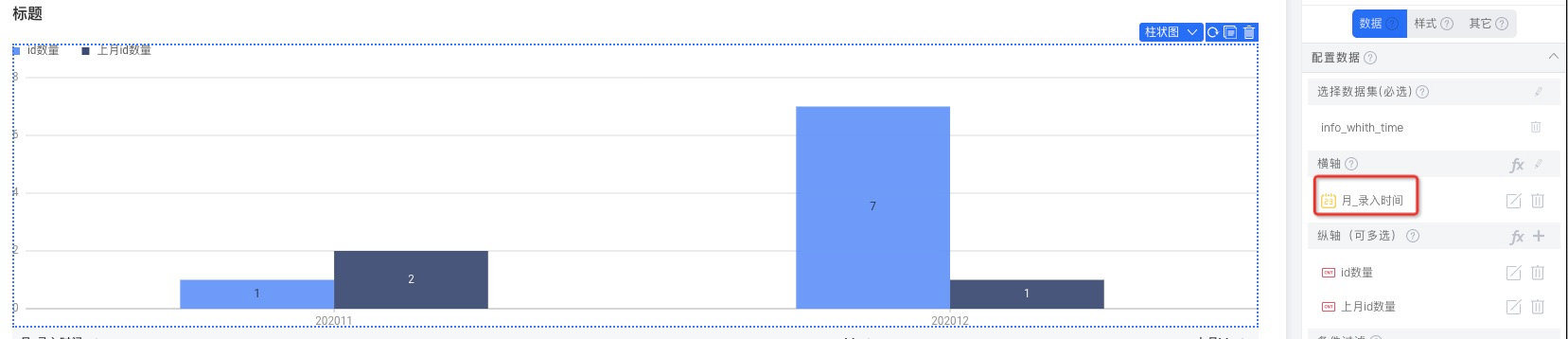
时间偏移的数据需要建立在时间基础上，在不同的组件上面，我们需要配置相应的时间字段。

### 柱状图

添加时间字段

<Frame>
  ![](https://yida-support.oss-cn-shanghai.aliyuncs.com/static/png/1678266420108-d34ec68f-d13f-4447-afb7-7cbac7e3ef96.png)
</Frame>

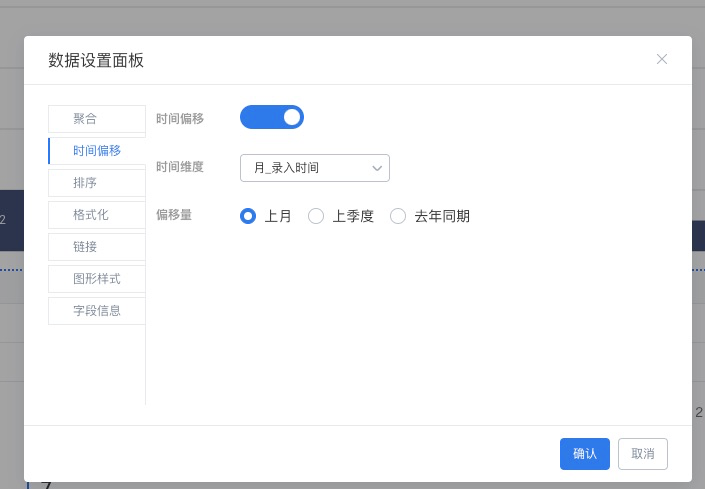
配置偏移字段

<Frame>
  ![](https://yida-support.oss-cn-shanghai.aliyuncs.com/static/png/1678266420129-733a0d63-57bf-4abf-adcb-f759fa49227a.png)
</Frame>

其中：id数量为原始字段，上月id数量为偏移到上个月的

### 表格

表格与**柱状图**的配置过程类似

<Frame>
  ![](https://yida-support.oss-cn-shanghai.aliyuncs.com/static/png/1678266420612-5a399b43-abad-4420-8dac-9acaea7cc55c.png)
</Frame>

### 指标卡

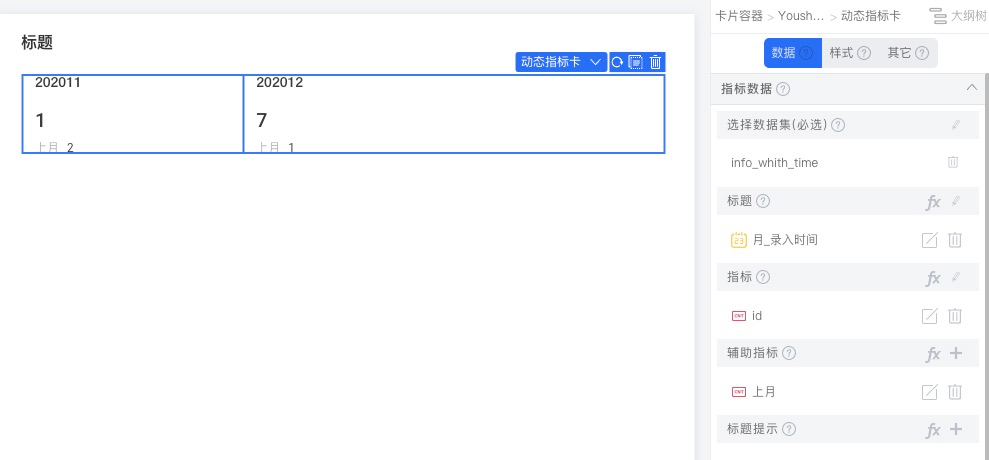
在**标题**部分添加时间字段，然后可以**辅助指标**下添加带有时间偏移的参考数据。

指标卡更多配置介绍见：[基础指标卡](/zh/yida/report/vn761o)

<Frame>
  ![](https://yida-support.oss-cn-shanghai.aliyuncs.com/static/png/1678266420128-7fea52ba-6331-4d36-95a1-d8e9cddbc6bc.png)
</Frame>