> ## Documentation Index
> Fetch the complete documentation index at: https://help.dingtalk.io/llms.txt
> Use this file to discover all available pages before exploring further.
# 日历热力图
> 日历热力图是根据日历展示不同时间的进展情况,并根据数值的不同进行配色的调整,适用于回顾时间周期内代码量、工作情况等场景。提供免费版、轻享版、专业版和专属版服务选项,支持样式设置如方块大小与等分颜色配置。
| **能力** | **免费版** | **轻享版** | **专业版** | **专属版** |
| ------ | ------- | ------- | ------- | ------- |
| 日历热力图 | 不支持 | 支持 | 支持 | 支持 |
## 1. 简介
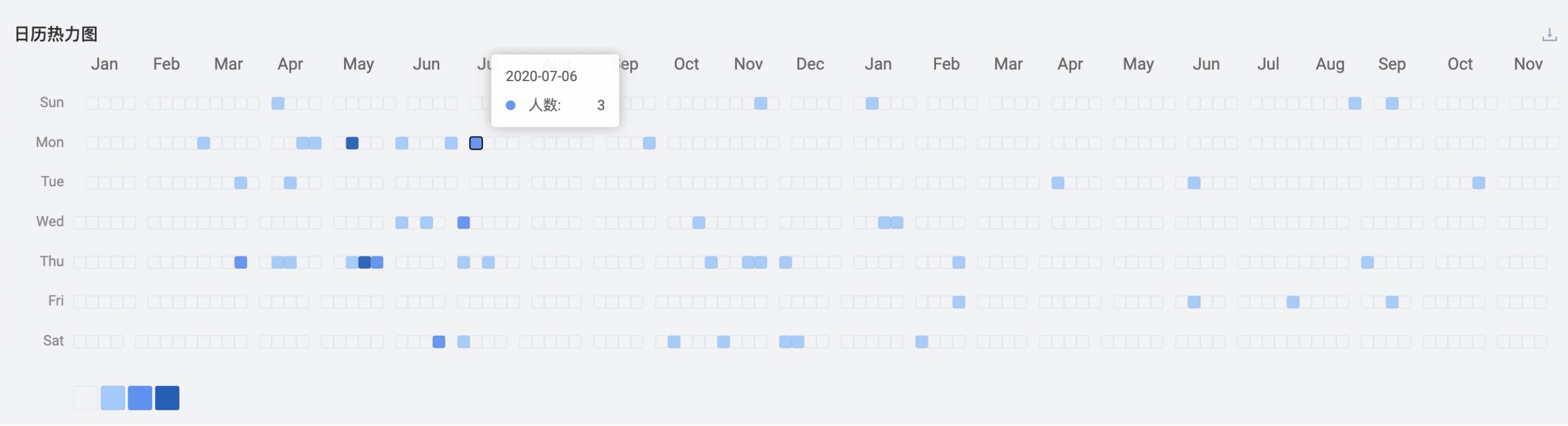
日历热力图是根据日历展示不同时间的进展情况,并根据数值的不同进行配色的调整,**适用于回顾时间周期内代码量、工作情况等场景**
## 2. 操作说明
### 2.1 关联数据集

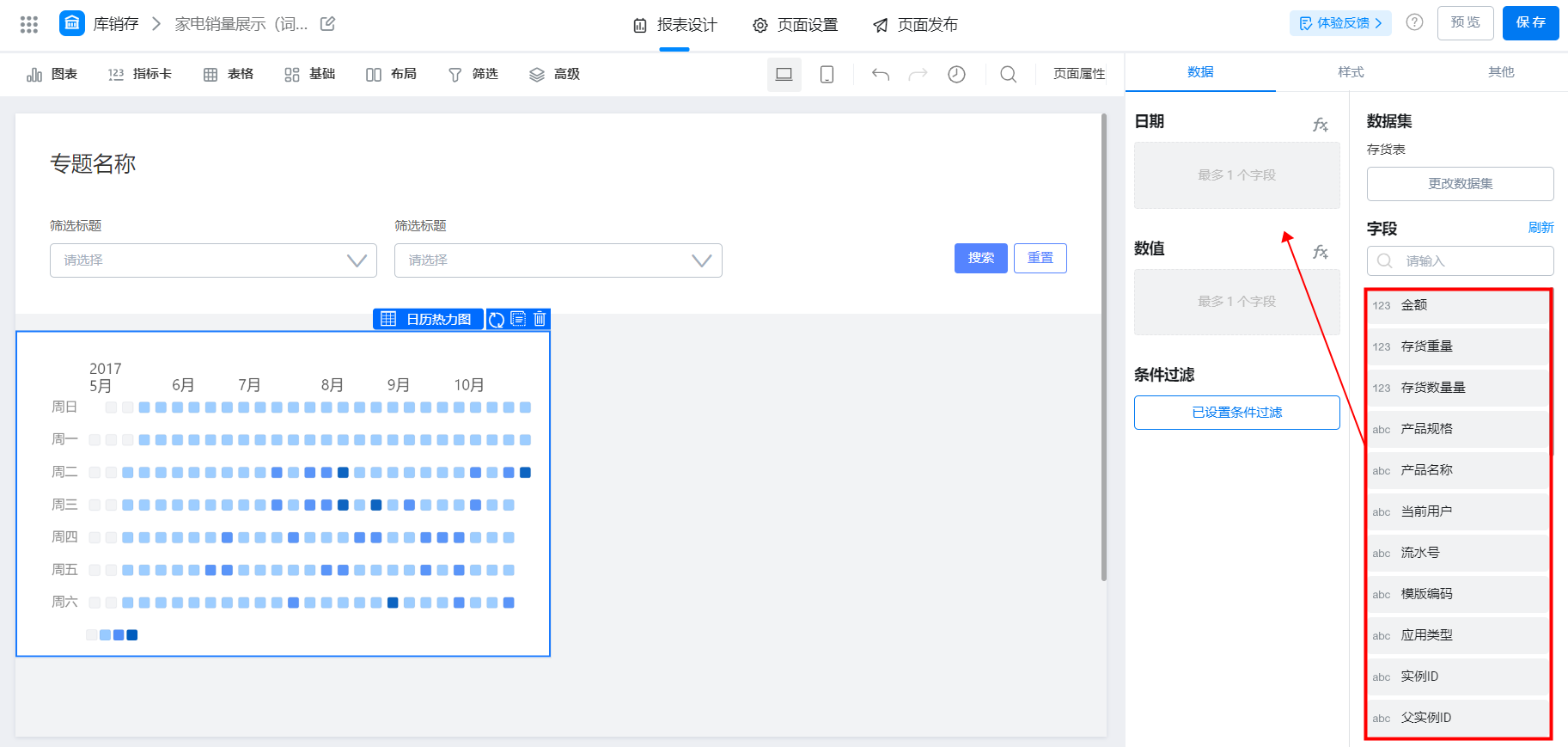
### 2.2 选择字段
注意在【日期】字段中要选择时间字段,否则会渲染失败
### 2.3 样式设置

#### 2.3.1 方块大小
日历中每个方块的大小,可以配置大小
#### 2.3.2 等分颜色
对于所有数值按照填写颜色的个数等分
以下为“数值字段”的区间在\[0, 19]范围内,“等分颜色”为 #F2F3F5,#98caff,#518ff9,#005cbe 的效果,
* \#F2F3F5 代表最小值 0
* \#98caff 代表值在 (0, 7] 区间内
* \#518ff9 代表值在(7, 14] 区间内
* \#005cbe 代表值(14, +∞]

### 3. 常见问题
#### 3.1 移动端显示热力图有重合
数据过多时,建议在 PC 端查看,移动端显示效果可能不佳