Chats
Chats Calendar
 Meetings
 Contacts
 Mail
Mail Docs
Docs Drive
Drive AI Table
 AI Minutes
 Attendance
 Approval
 YiDA
YiDA Admin Console
Scenario Highlights
1.1 Bilingual Split Screen: Each Person Views One Half
After face-to-face translation is enabled, the phone automatically splits into upper and lower areas. You see the translated text in the other person’s language, such as Chinese, while the other person sees the translation in your language, such as English. Both people can view the translation at the same time. This is suitable for close-range communication at meeting tables, cafes, and similar scenarios. When switched to landscape mode, the screen is automatically split into left and right areas. It can also be projected to a meeting room display, making it suitable for business discussions and other meeting scenarios.1.2 Voice Broadcast: Choose as Needed
Voice broadcast of translation results is supported for different usage habits:- Without headphones: when you speak Chinese, the system plays English through the speaker for the other person. When the other person speaks English, the system plays Chinese for you.
- One person wearing headphones: you listen to the translation of the other person’s language, such as Chinese, through headphones, and the other person will not hear the voice broadcast.
- Two people wearing headphones (two-person simultaneous interpretation mode): you wear the left earbud to hear Chinese, and the other person wears the right earbud to hear English, creating a more private interpretation experience.
1.3 Automatic Language Recognition and Multiple Language Support
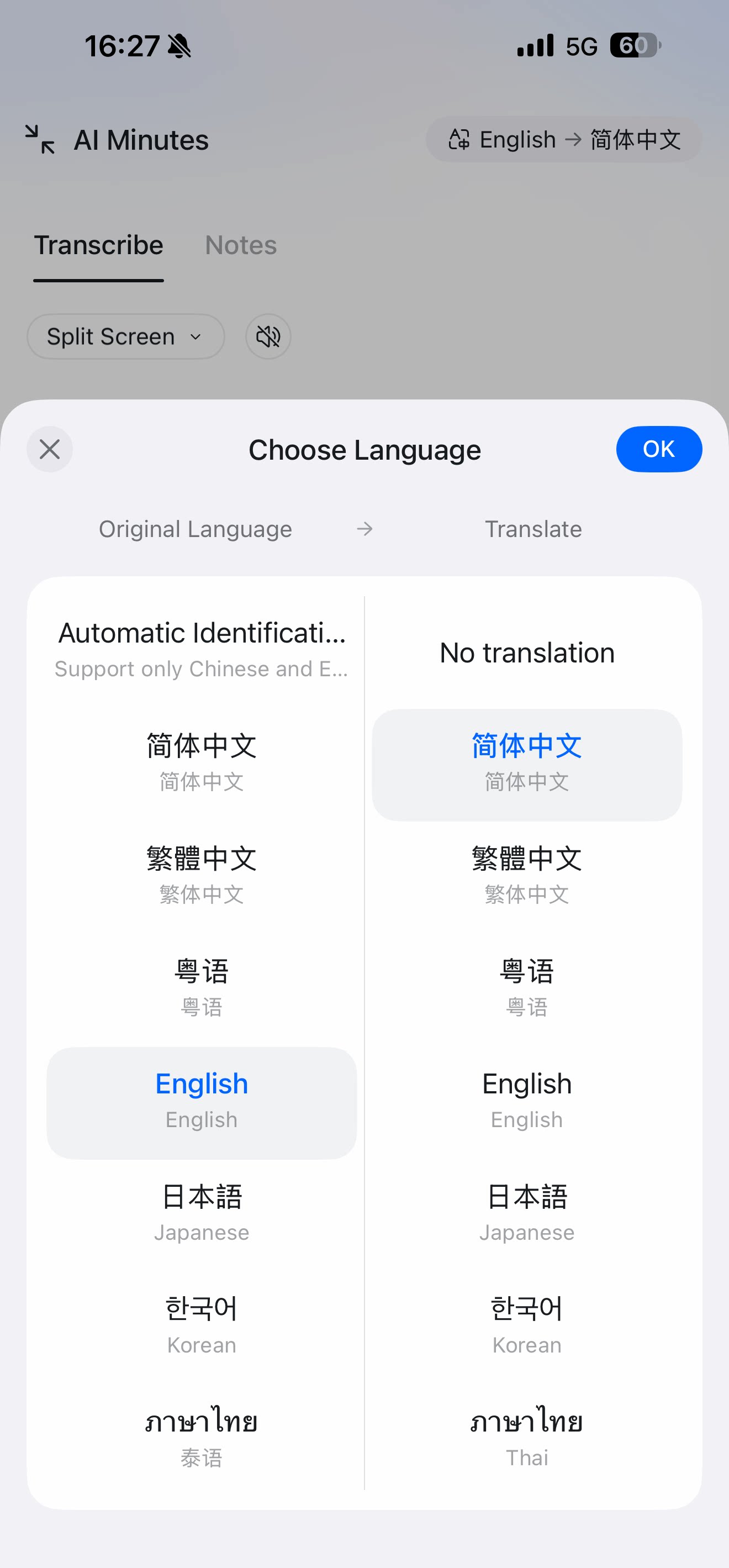
Chinese, English, and Japanese automatic recognition and translation are currently supported. The system can intelligently determine which language the speaker is using and output the target-language translation in real time, without manual language switching.1.4 Conversation Records and Minutes on Demand
After the conversation ends, the system generates AI Minutes minutes with a complete bilingual transcript, making it easier to review key information later. Note: the recording state is shown less prominently in the interface to avoid affecting customer willingness to communicate.Operation Flow
1. Entry Point for Face-to-Face Translation
From the AI Minutes Home Page
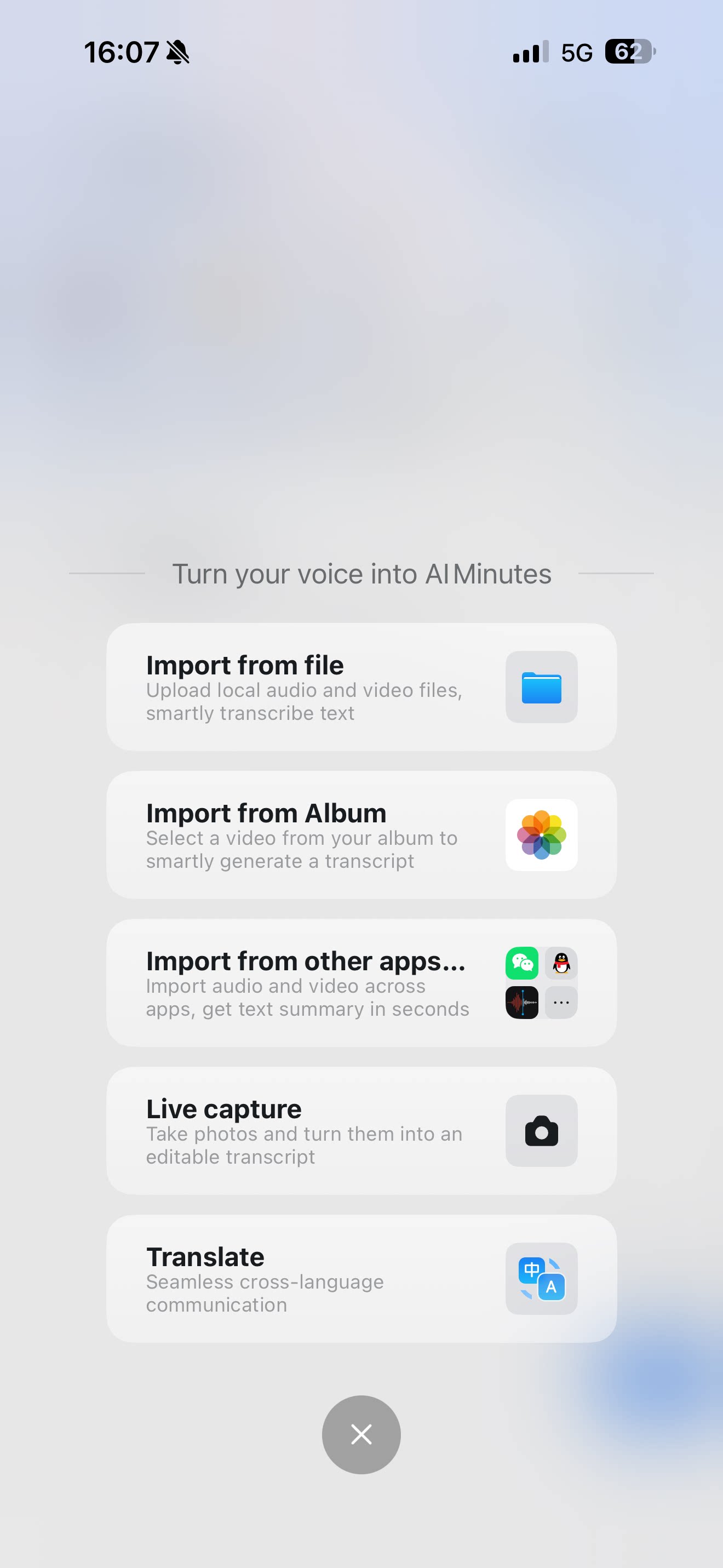
On the AI Minutes home page, open the plus entry and click the Face-to-face translation card to enter the translation interface.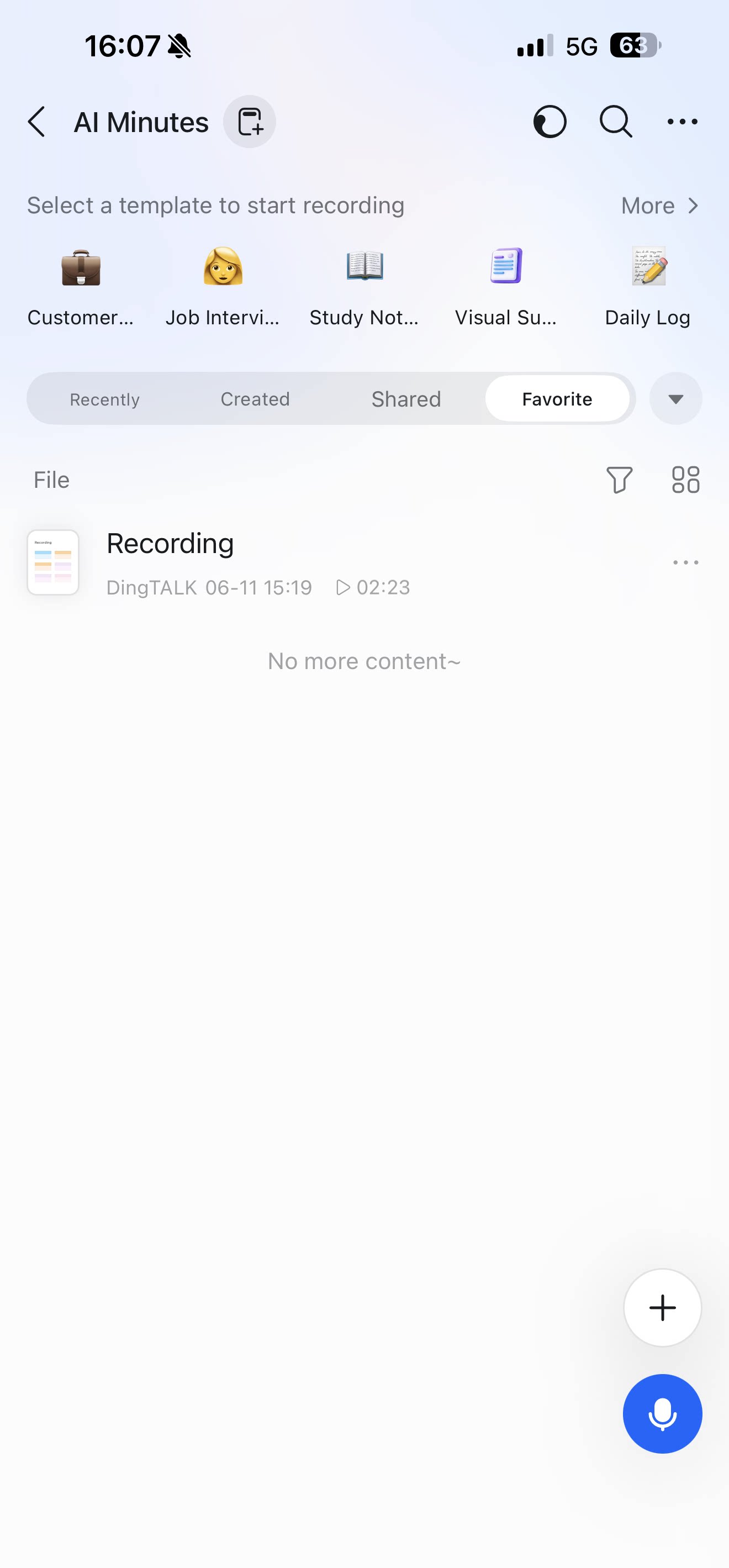
2. Set Target Languages
Select the translation languages in the upper-right corner of the interface:- The language you want to see, such as Chinese.
- The language the other person wants to see, such as English.