Chats
Chats Calendar
 Meetings
 Contacts
 Mail
Mail Docs
Docs Drive
Drive AI Table
 AI Minutes
 Attendance
 Approval
 YiDA
YiDA Admin Console
1. Feature Overview
This guide helps companies quickly create and enable an organization structure on DingTalk. It walks administrators through the full process of creating an organization, building the organization structure, and adding members. It is suitable for new companies and first-time DingTalk team management users.2. Procedure
Build the Organization Structure
Desktop
Go to Admin Console > Contacts > Department Management > Add Department. Enter the department name and parent department, then save.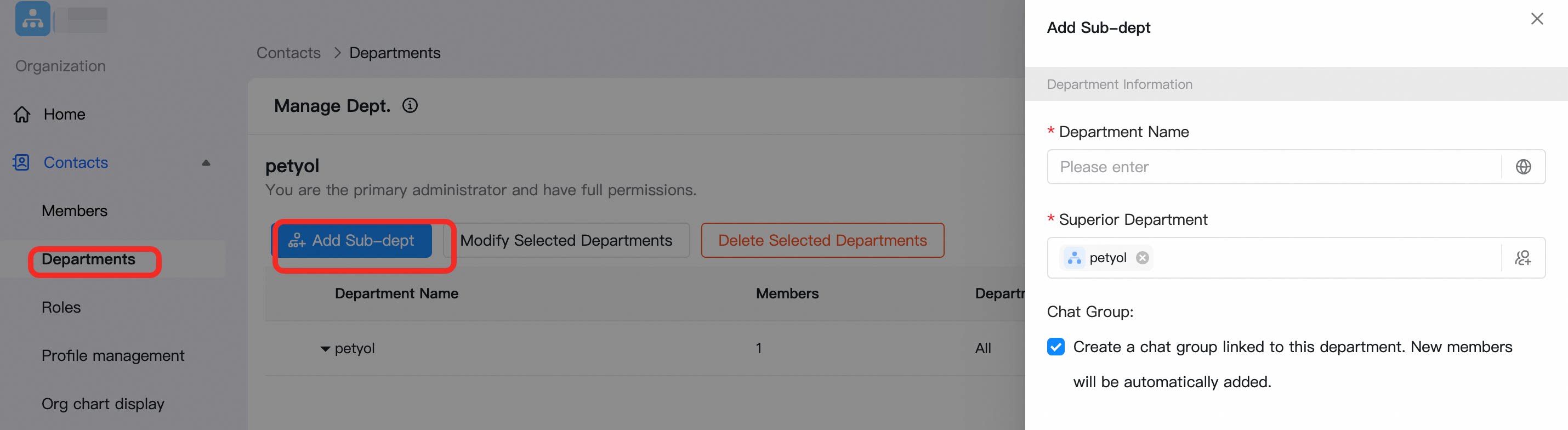
Add Organization Members
Desktop
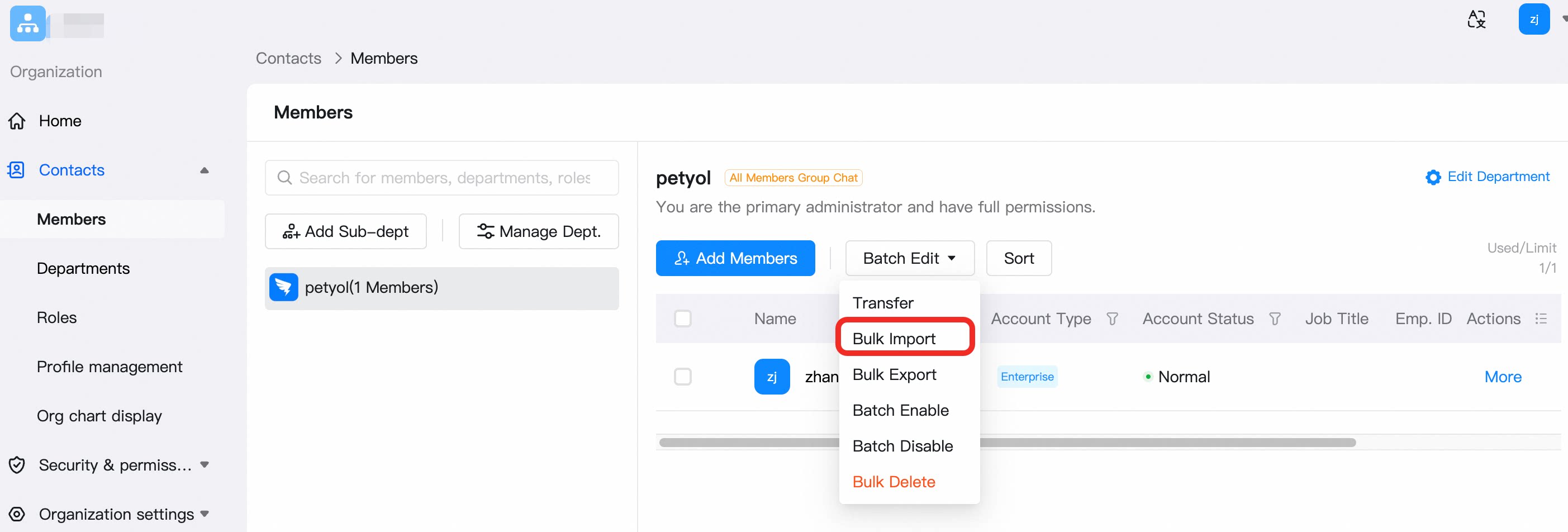
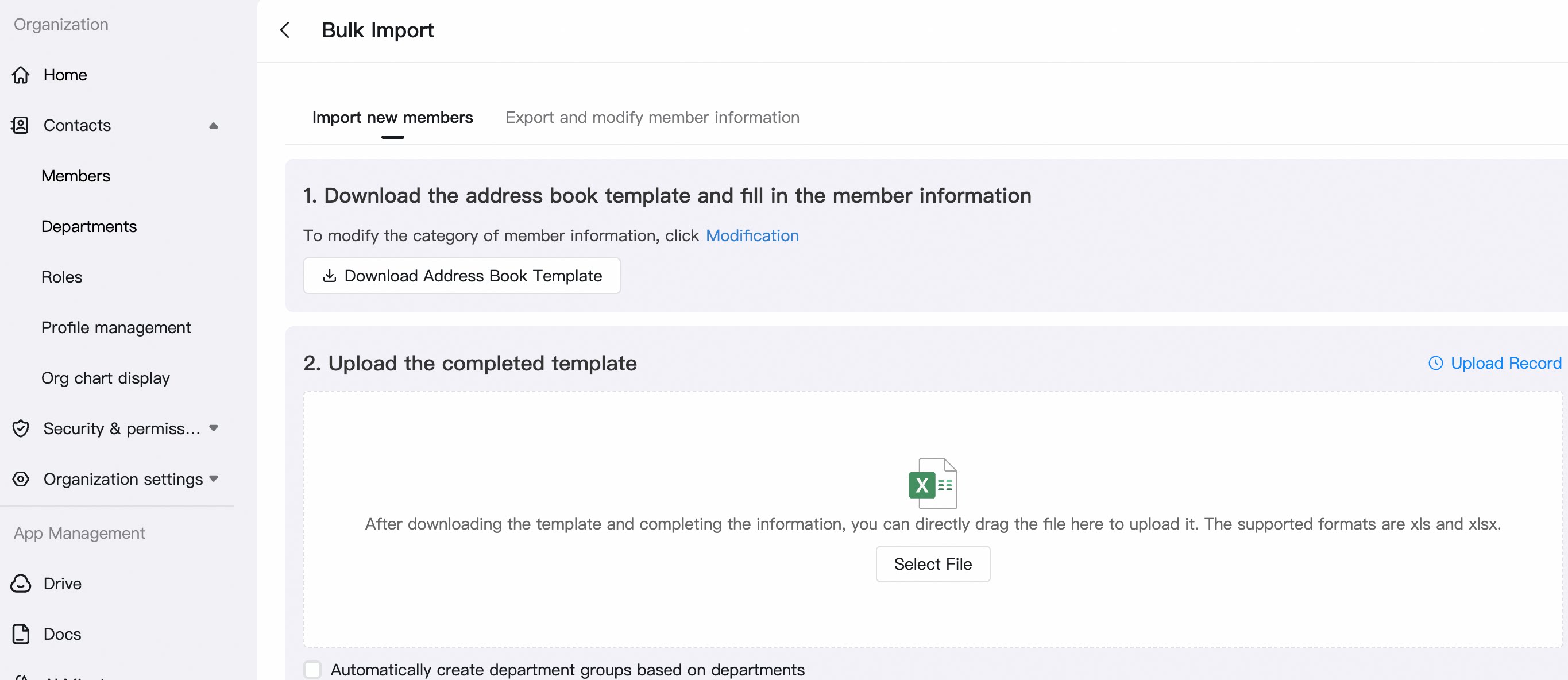
Go to Admin Console > Contacts > Member Management > select the department where members should be added > Add Member.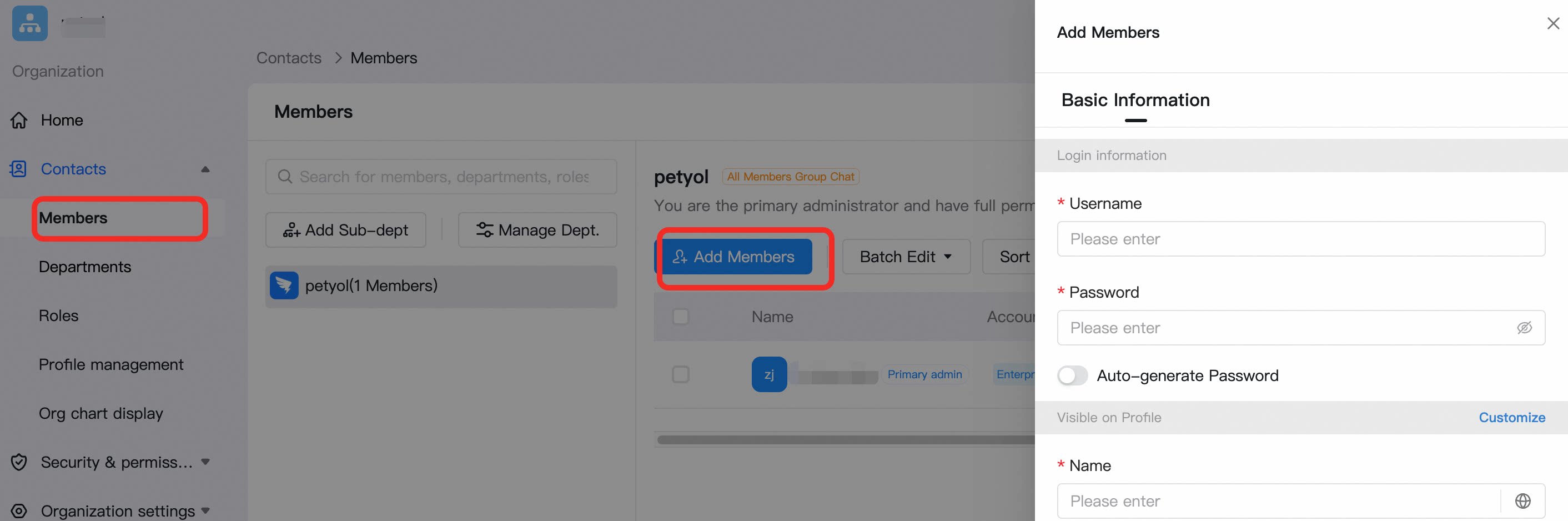 To add multiple members at once, click Batch Management > Batch Import/Export > download the template and upload it after completion.
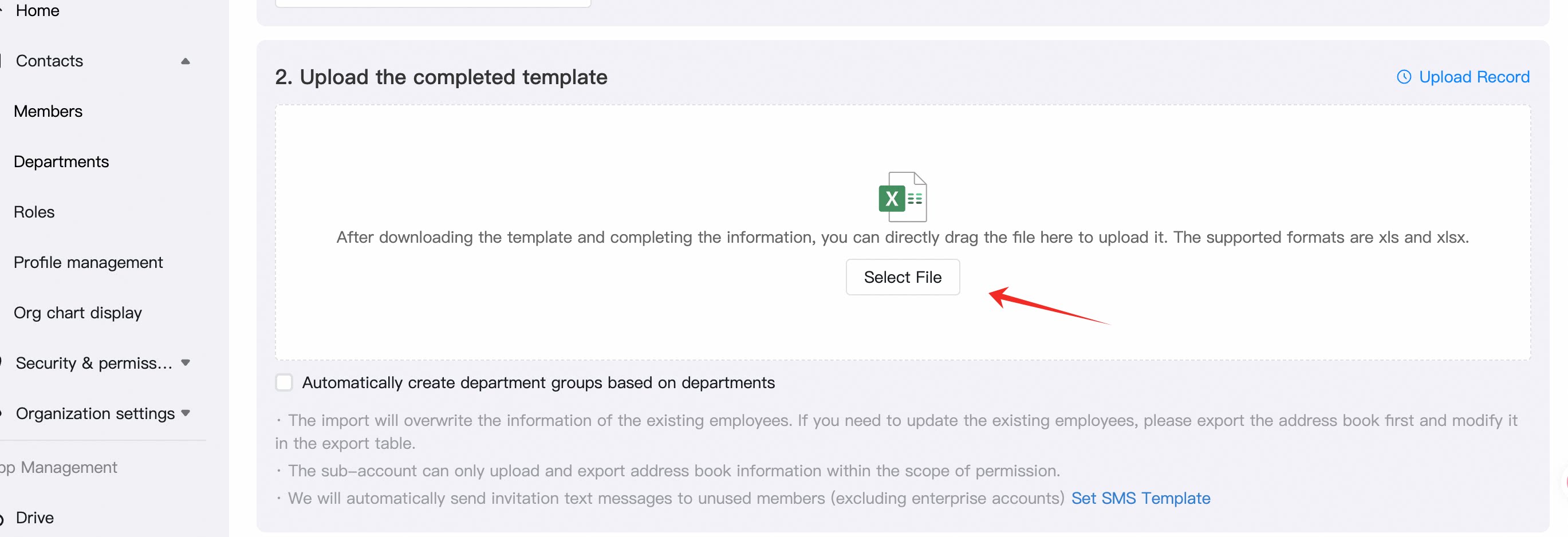
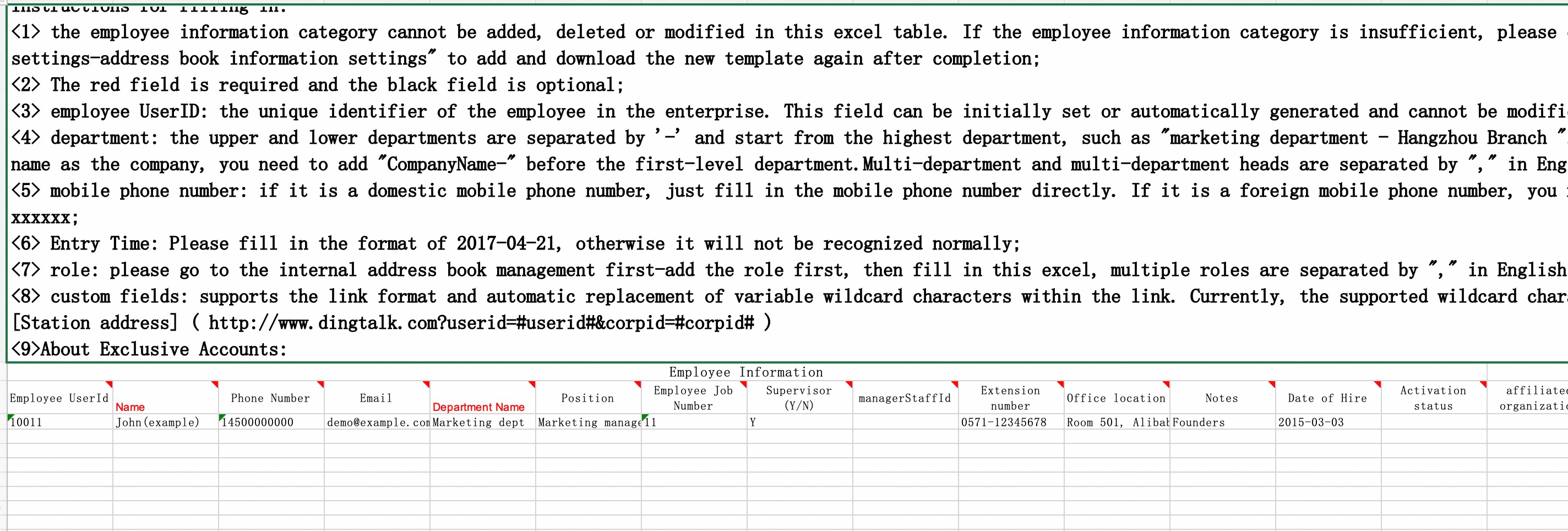
 Delete the sample text in the first row, then fill in employee information according to the instructions.
 Click Select File > Import.