

 Chats
Chats Calendar
 Meetings
 Contacts
 Mail
Mail Docs
Docs Drive
Drive AI Table
 AI Minutes
 Attendance
 Approval
 YiDA
YiDA Admin Console
1. Feature Overview
In enterprise digital management, role management is an important foundation for permission assignment and organizational collaboration. Properly configuring and managing role permissions can improve efficiency, protect data security, and support refined management.2. Procedure
Default Role Groups
A. Set Enterprise Owner or Person in Charge
This role can obtain all feature management permissions, namely primary administrator permissions.B. Set Leaders
Go to Admin Console > Contacts > Department Management > select the target department > Edit Selected Department > Set Leaders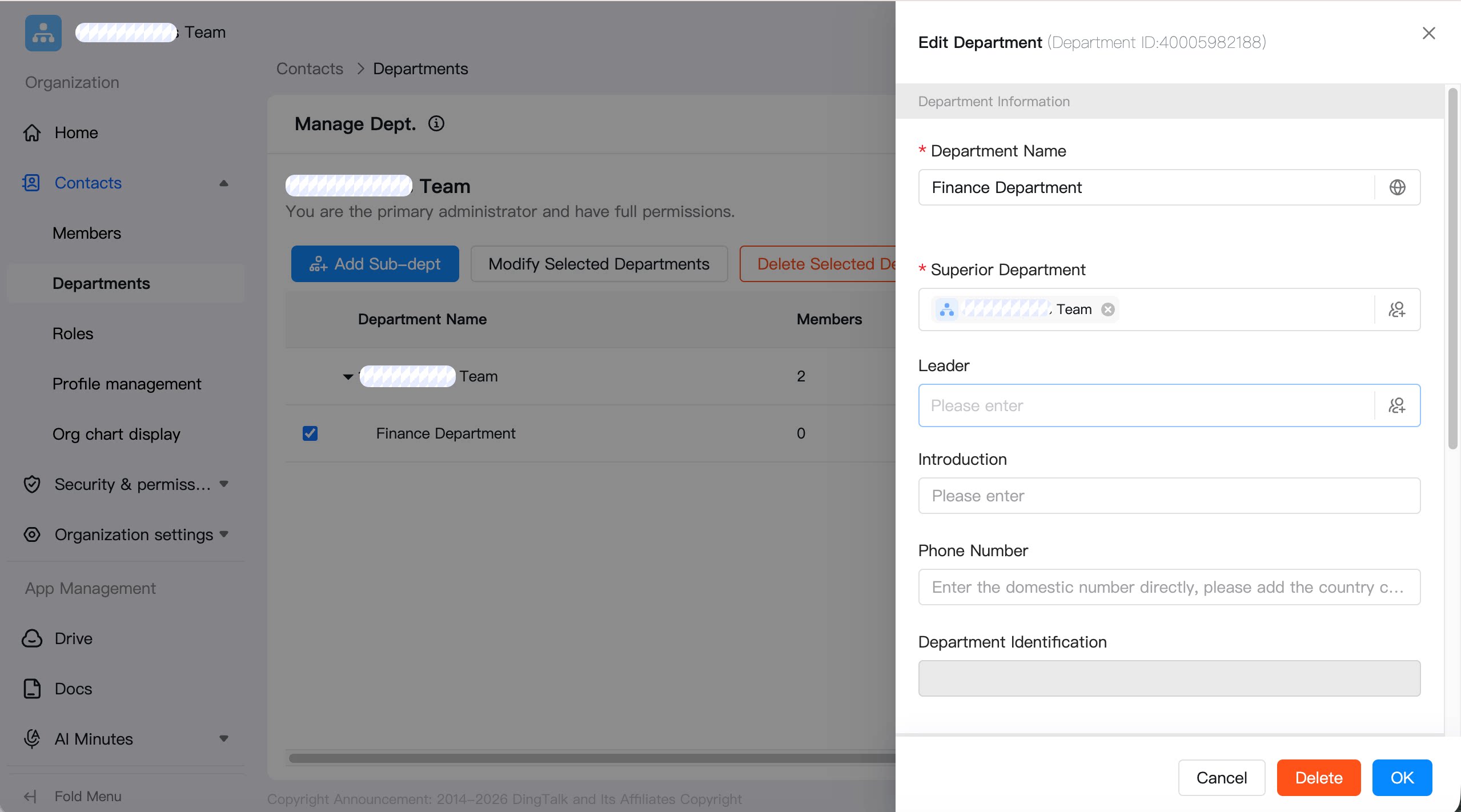
C. Set Primary Administrators
Primary Administrator is a default role. A primary administrator must go to Admin Console > Security and Permissions > Permission Management > Primary Administrator, then add a primary administrator.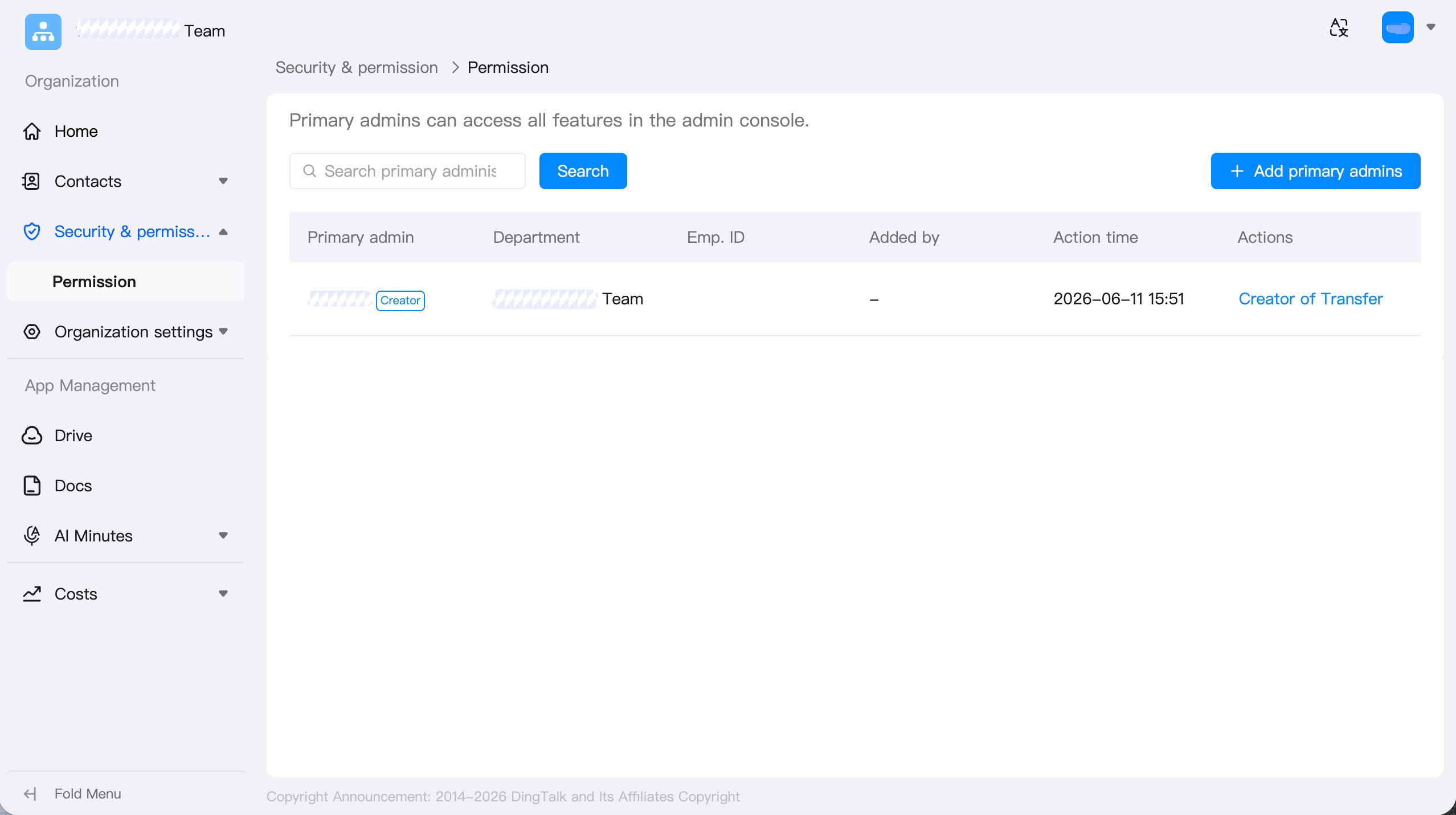
Custom Role Groups
You can add members, edit roles, add roles, and create custom role groups. Go to Admin Console > Contacts > Roles> Add Role.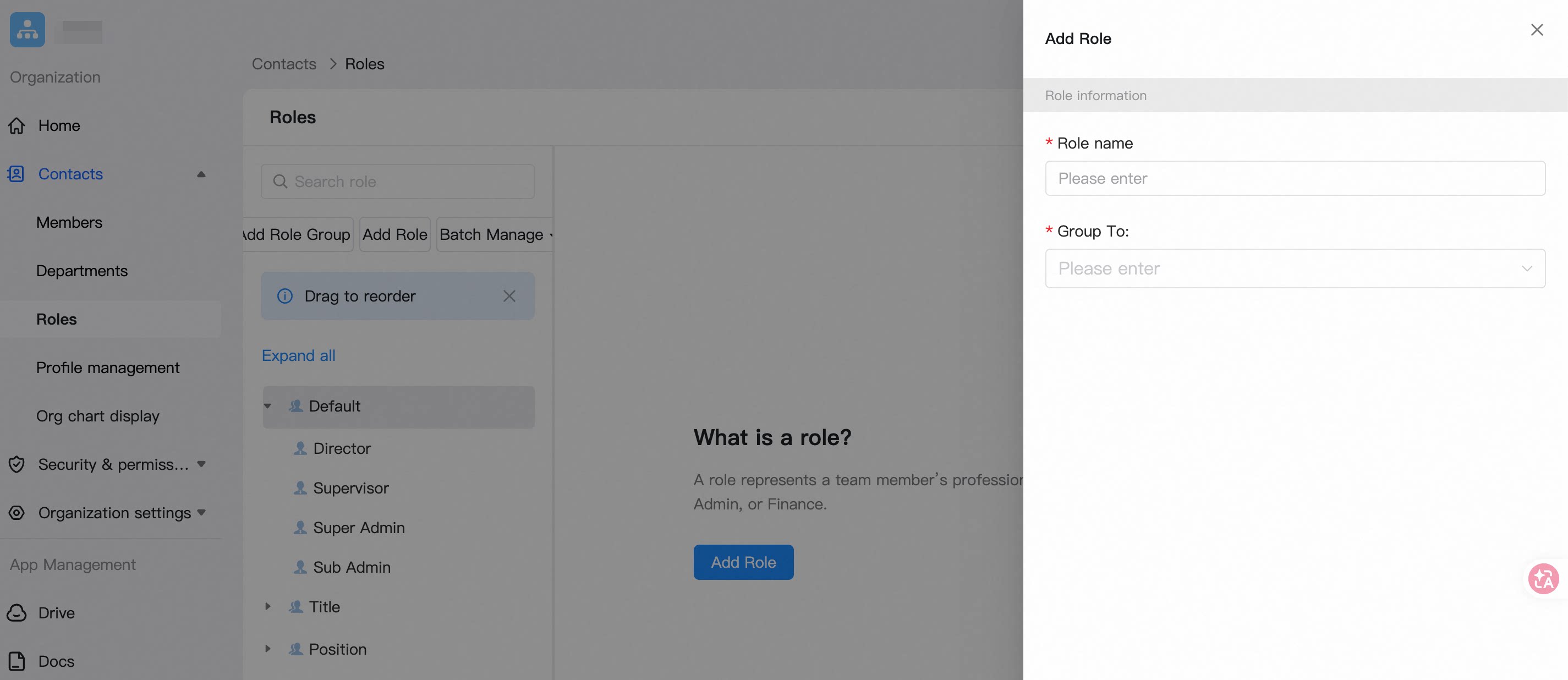
Manage Role Groups
When editing a role, you can create a role group. Setting a group owner and dissolving the role group are supported.Create a Role Group
Go to Admin Console > Contacts > Roles > select the role > … > Edit Role.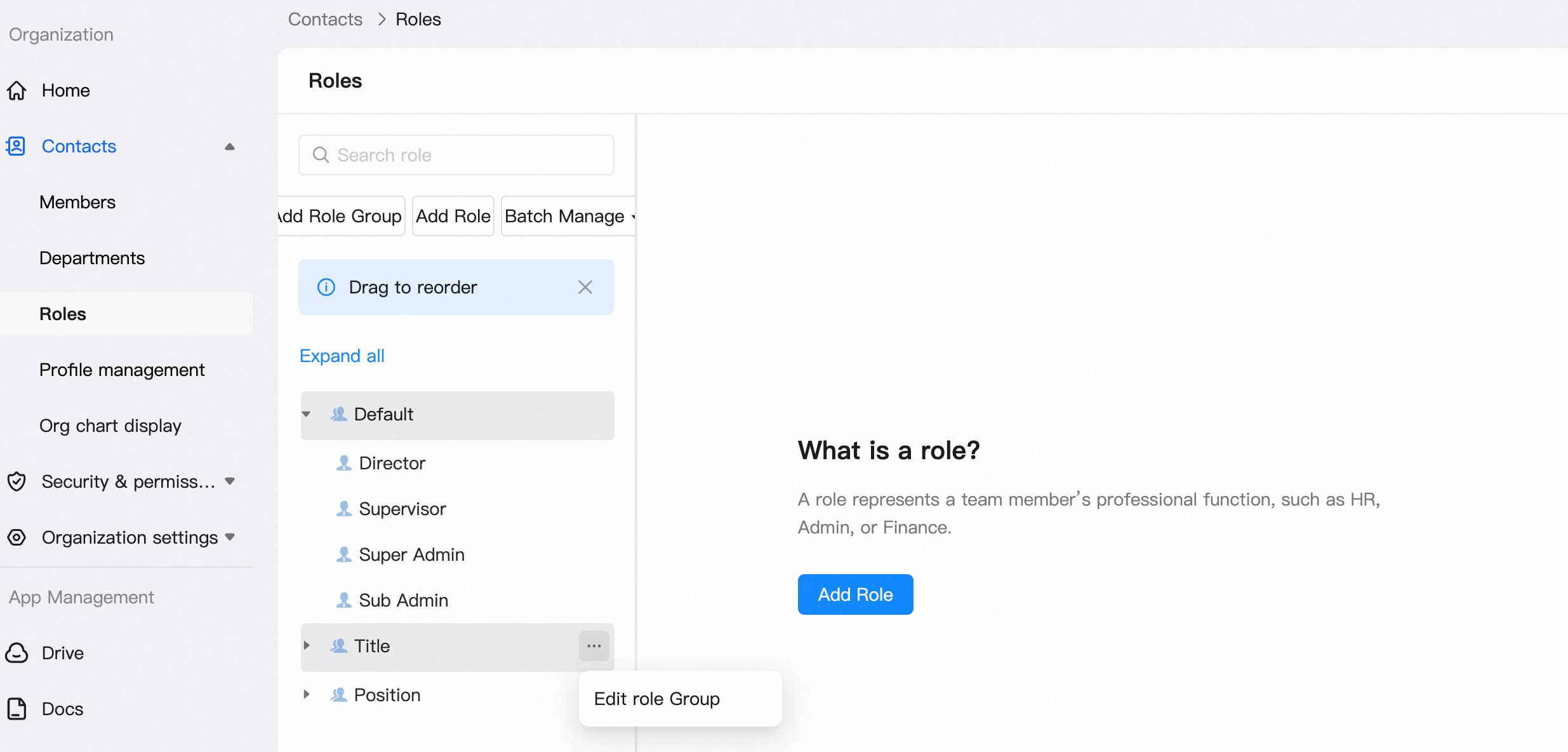 Click Create Role Group, then Save.