

 Chats
Chats Calendar
 Meetings
 Contacts
 Mail
Mail Docs
Docs Drive
Drive AI Table
 AI Minutes
 Attendance
 Approval
 YiDA
YiDA Admin Console
1. Feature Overview
The enterprise creator has all permissions in the Admin Console, including the permission to dissolve the enterprise. If the enterprise creator no longer needs this identity, they can transfer it to another member in the enterprise. Common use case: Before the enterprise creator cancels their account under the enterprise or leaves the enterprise, they need to transfer creator identity to another member. If the enterprise has other members, the creator can transfer the identity directly. If the enterprise has no other members, creator identity cannot be transferred. In this case, if the creator wants to cancel their account under the enterprise, they can directly dissolve the enterprise. The creator identity transfer must be performed by the creator. Replacing the creator primary administrator is supported only in Admin Console.2. Procedure
Go to Admin Console > Security and Permissions > Permission Management > click Creator of Transfer.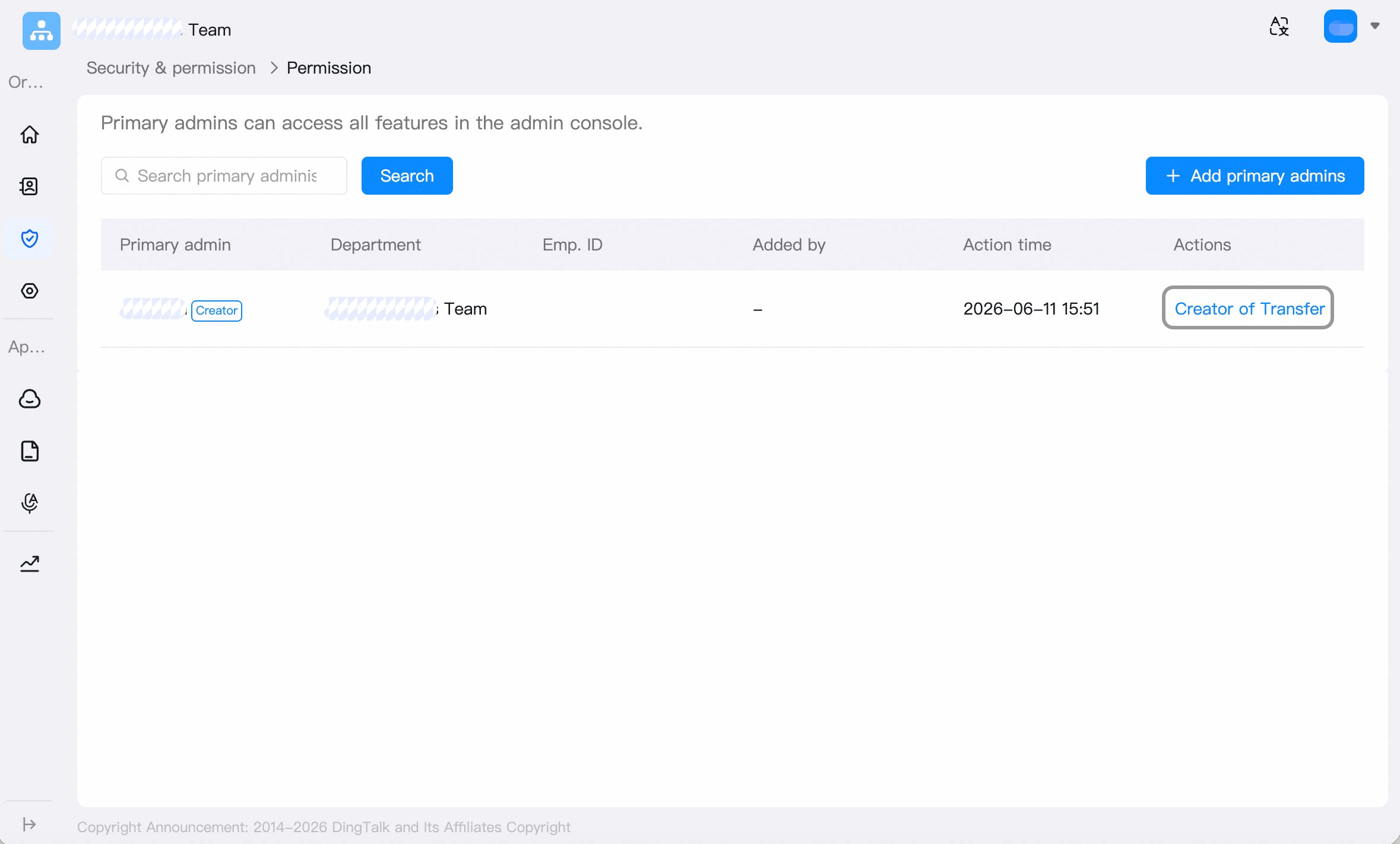 Click Get Verification Code, enter the current creator’s verification code, then click Next.
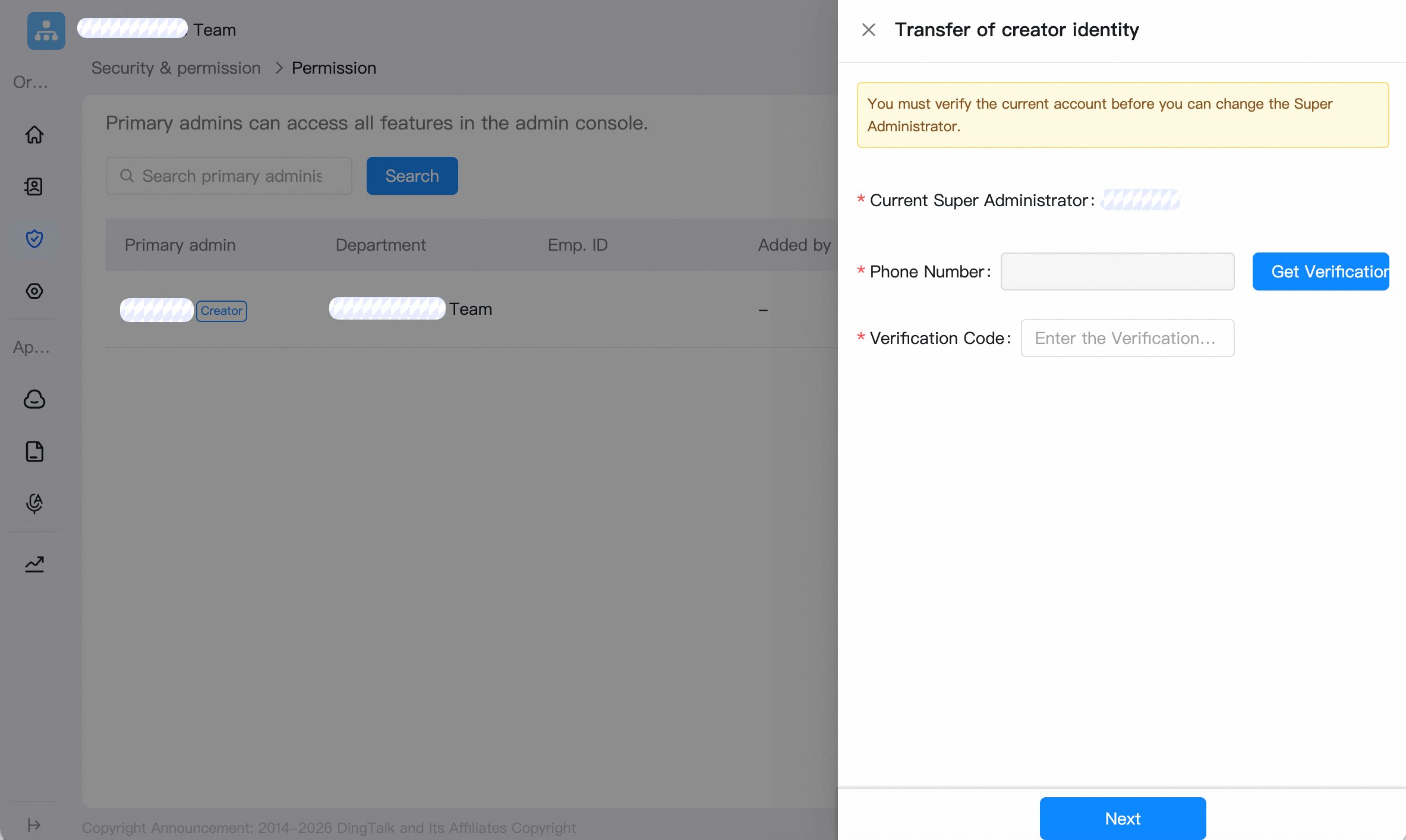 Select the new creator, click Get Verification Code, enter the new creator’s verification code, and click Submit.