Chats
Chats Calendar
 Meetings
 Contacts
 Mail
Mail Docs
Docs Drive
Drive AI Table
 AI Minutes
 Attendance
 Approval
 YiDA
YiDA Admin Console
1. Feature Overview
In an enterprise organization, employee personal information such as position, department, and phone number may involve privacy or management requirements. DingTalk allows administrators with permissions to precisely control visibility for these information fields, ensuring that users in different roles can view only the information within their permission scope.2. Procedure
Set Displayed Fields
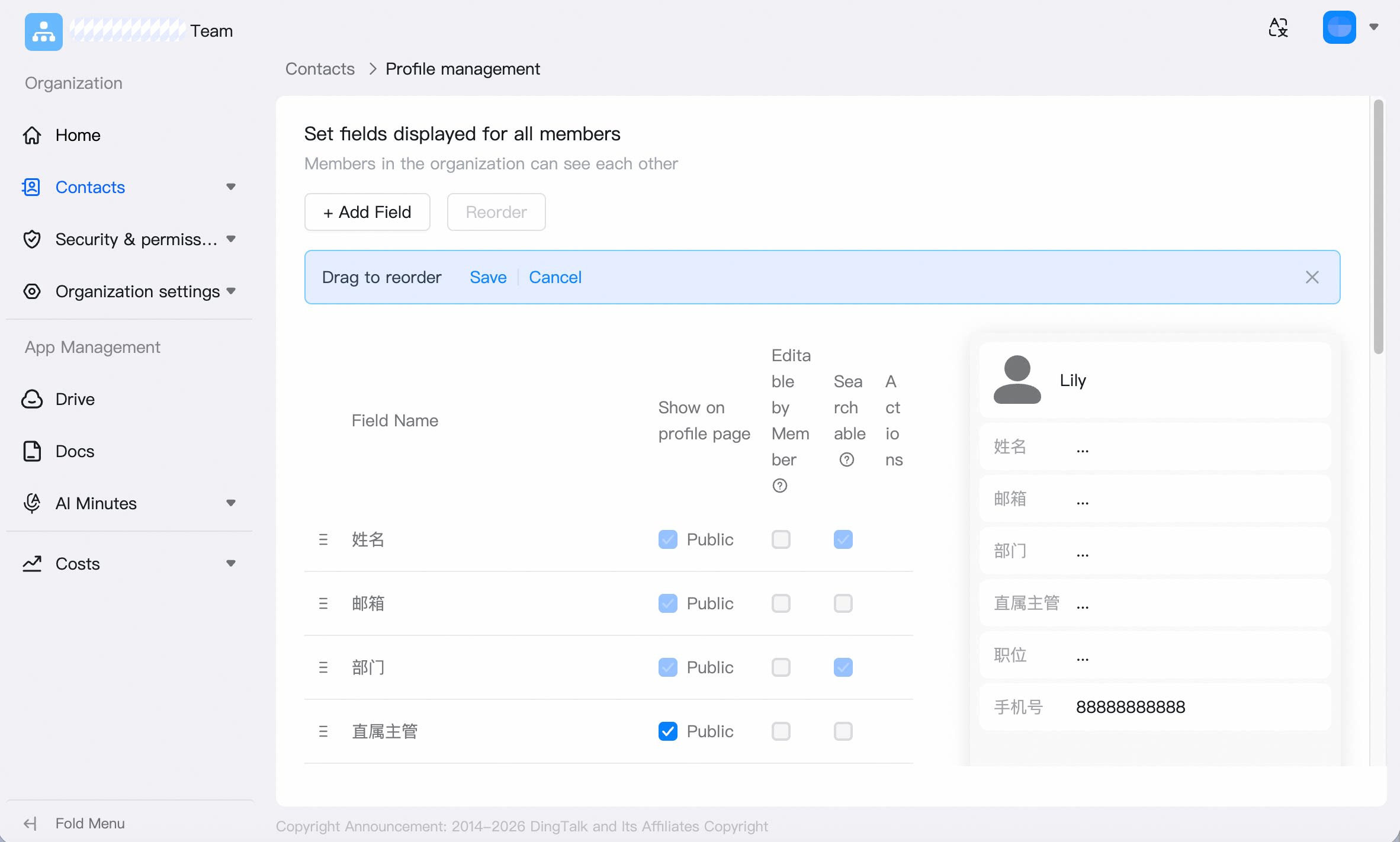
Profile page display: When enabled, members can view the field on the profile details page. Members can fill in: When enabled, members can fill in or modify the field content on mobile. Searchable: When enabled, DingTalk search can use this field to find members. Go to Admin Console > Contacts > Profile Management. You can configure whether fields are displayed on profile pages, whether members can fill them in, and whether they are searchable.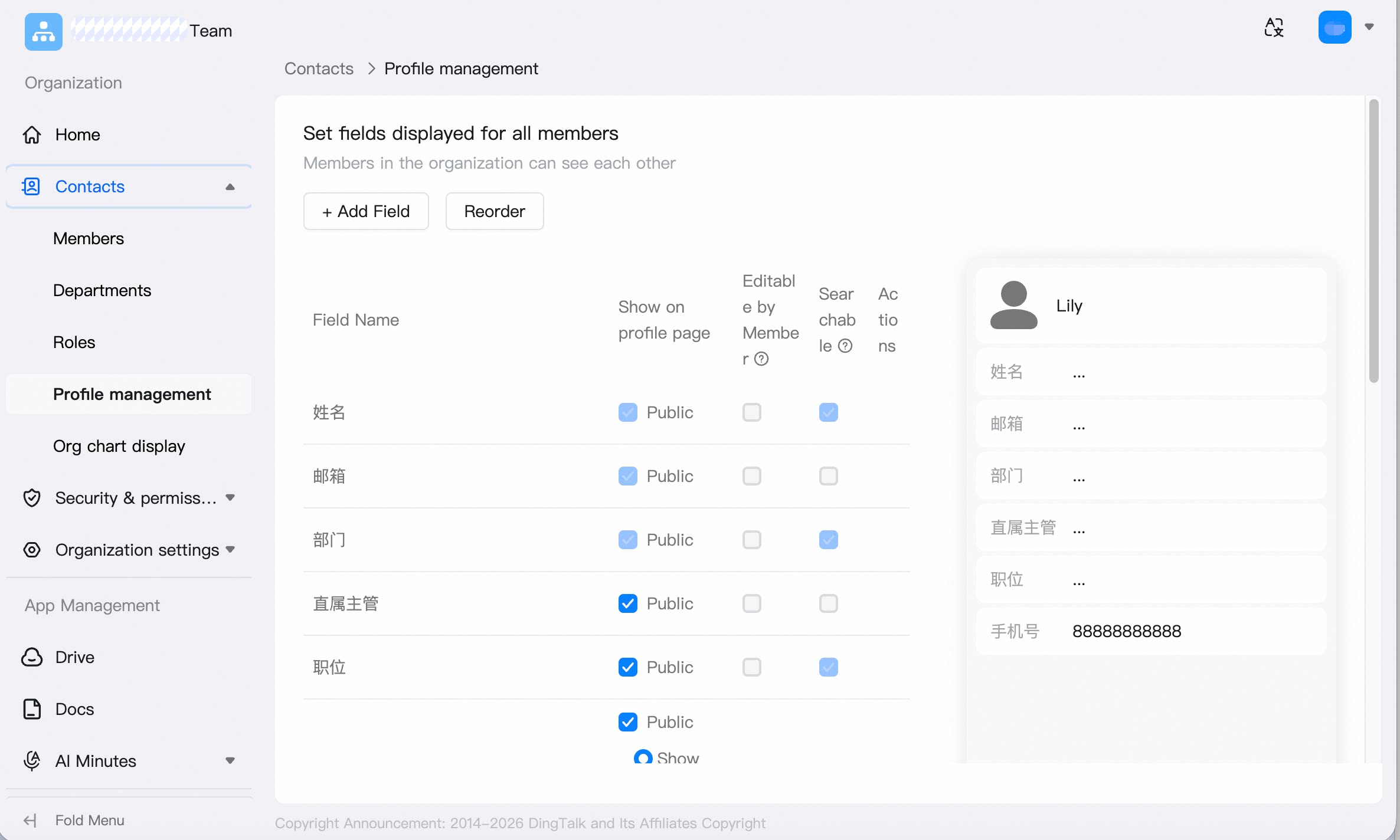 Fields displayed on profile pages by default: name, email, and department.
Fields searchable by default: name, mobile number, department, position, and employee ID.
Fields displayed on profile pages by default: name, email, and department.
Fields searchable by default: name, mobile number, department, position, and employee ID.
Add Fields
Go to Admin Console > Contacts > Profile Management > Add Field. You can add custom fields or import them from the Intelligent HR roster.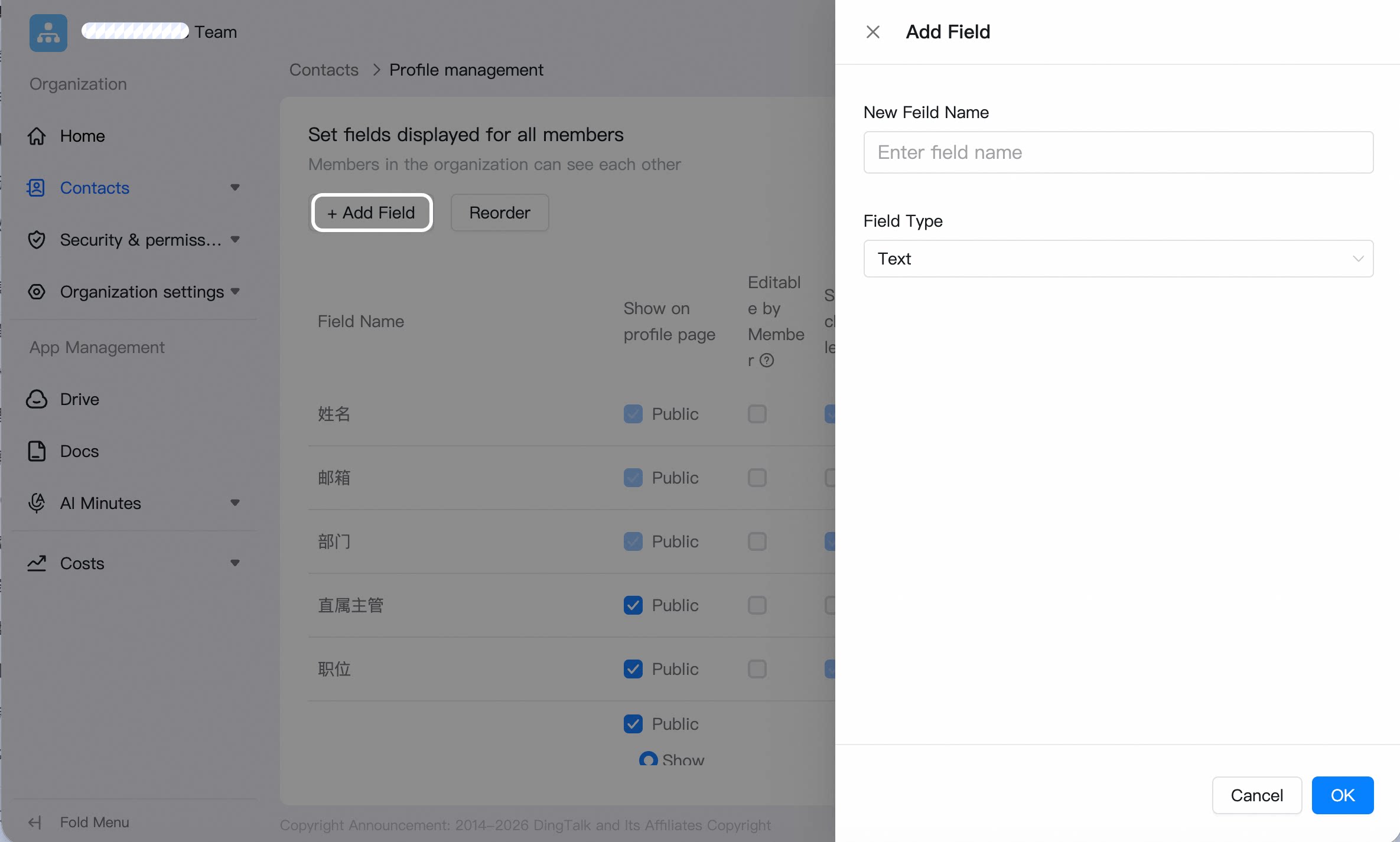
Adjust Field Order
Go to Admin Console > Contacts > Profile Management > Adjust Order. Drag the handle before a field to reorder it.