Chats
Chats Calendar
 Meetings
 Contacts
 Mail
Mail Docs
Docs Drive
Drive AI Table
 AI Minutes
 Attendance
 Approval
 YiDA
YiDA Admin Console
1. Common problems when using approvals
These “small problems” quietly eat away at your Team’s time and patience every day:1. When initiating
- Filling out Forms is inconvenient during business travel.
- Information sits in Spreadsheets, and when submitting an Approval, you must paste it into the Form one entry at a time.
- Some Approval matters are complex, and drafting the explanation requires repeated thought and polishing.
- Information is entered incorrectly and not checked carefully, forcing a resubmission after the request is sent back.
2. When approving
- In scenarios such as on-site construction inspection Approvals, images and other information in the Form must be checked manually.
- In scenarios such as financial applications, Forms submitted over a period of time need to be compared to assess whether they are reasonable.
- In scenarios such as makeup clock-in Approvals, many people Submit Daily, but the risks are low, so they can be quickly approved in bulk.
2. What can Approval AI do for you?
Our AI is not a flashy concept — it genuinely helps initiators handle repetitive, tedious, and error-prone tasks with ease. It does not make decisions for approvers, but helps them gather information and offer suggestions, making Approvals safer and more convenient.Smart Fill
Lets initiators fill out Forms efficiently on mobile and PC, whether traveling on business or in the office.Target Role: initiator
Smart Tips
Combines Form Content, historical Form Data, and User-defined Custom rules to provide Tips to the initiator, preventing incorrect Content submissions and avoiding resubmissions after the request is sent back.Target Role: initiator
Smart Suggestions
Based on Form scenarios and historical Data rules, alerts the approver to risks, helps them quickly fill in approval comments, and processes Approvals in bulk.Target Role: approver
3. Overview of Approval AI capabilities
4. Product interface preview
1. AI Form Filling
AI Form Filling lets you quickly fill out Approval forms via Voice, Text, and Image parsing: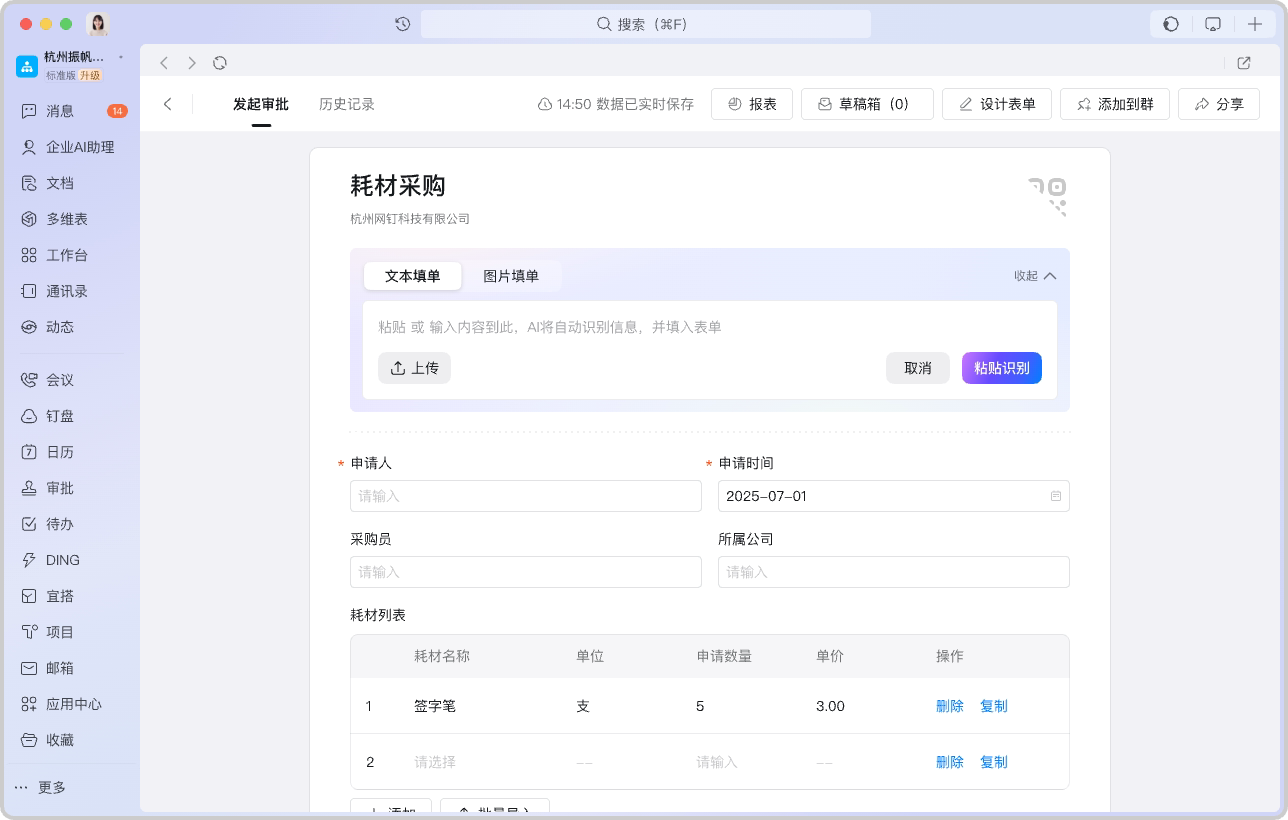


2. AI Control
Configure the AI Control in a Form to Customize the prompt and large Model: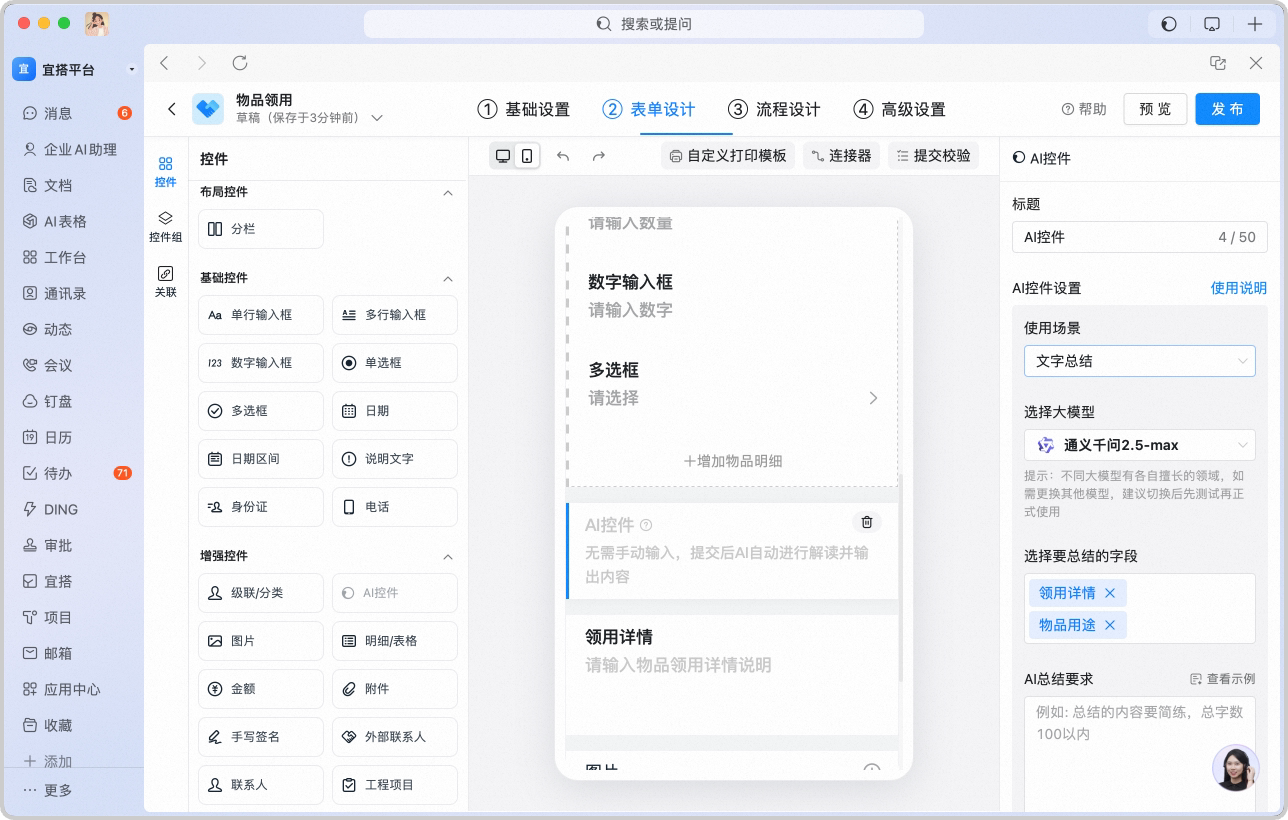
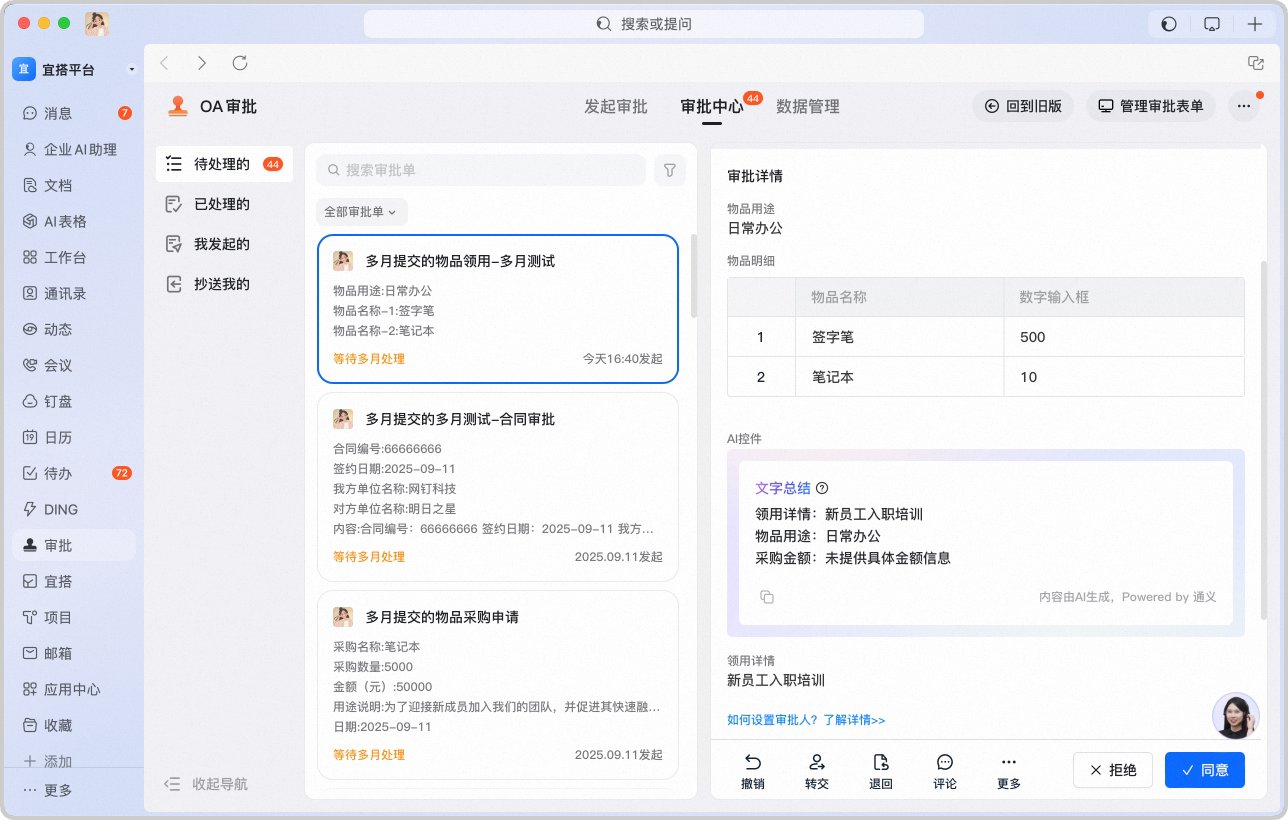

3. AI Approval Tips
AI runs consistency, duplicate, and reasonableness checks on Form information, providing the approver with risk Tips and decision suggestions:
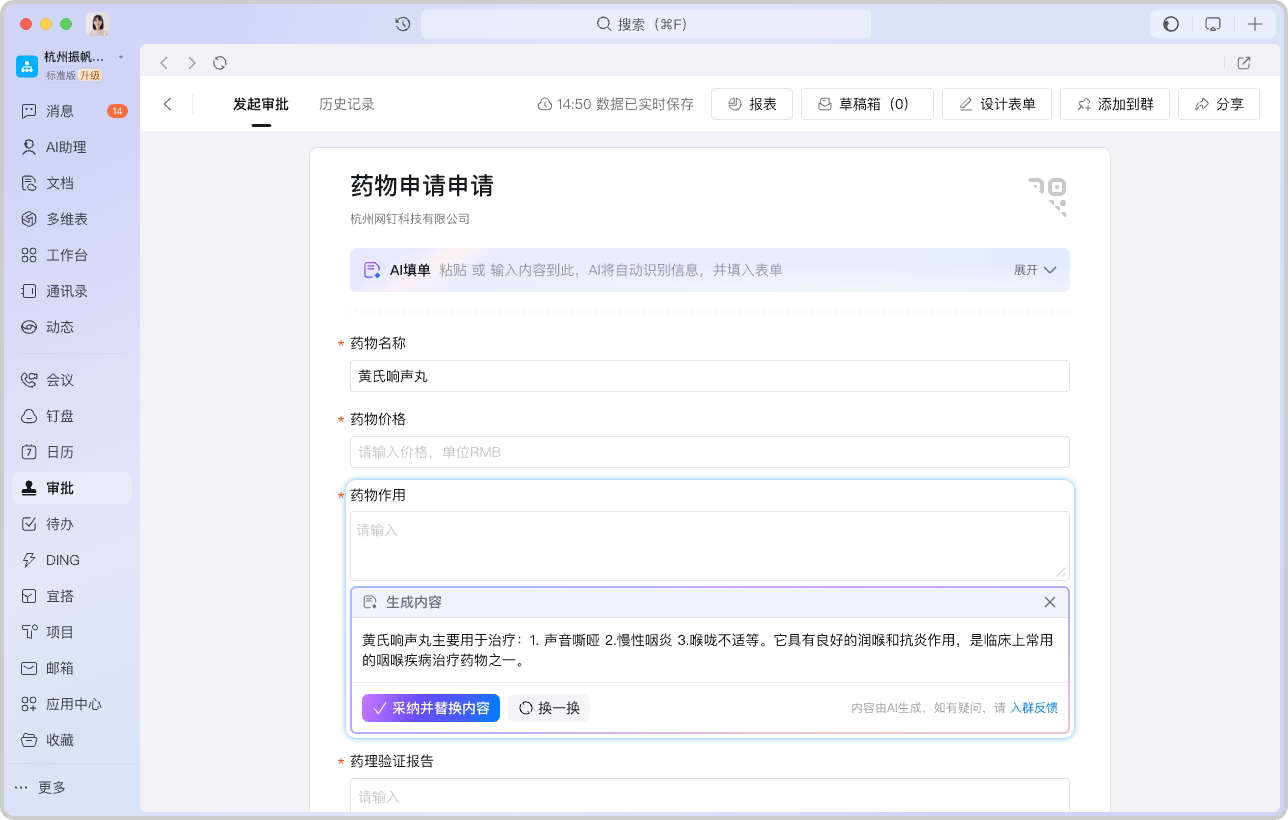
4. AI Generation
AI uses the Form Context to automatically complete and polish application Content in Multi-line input Fields:
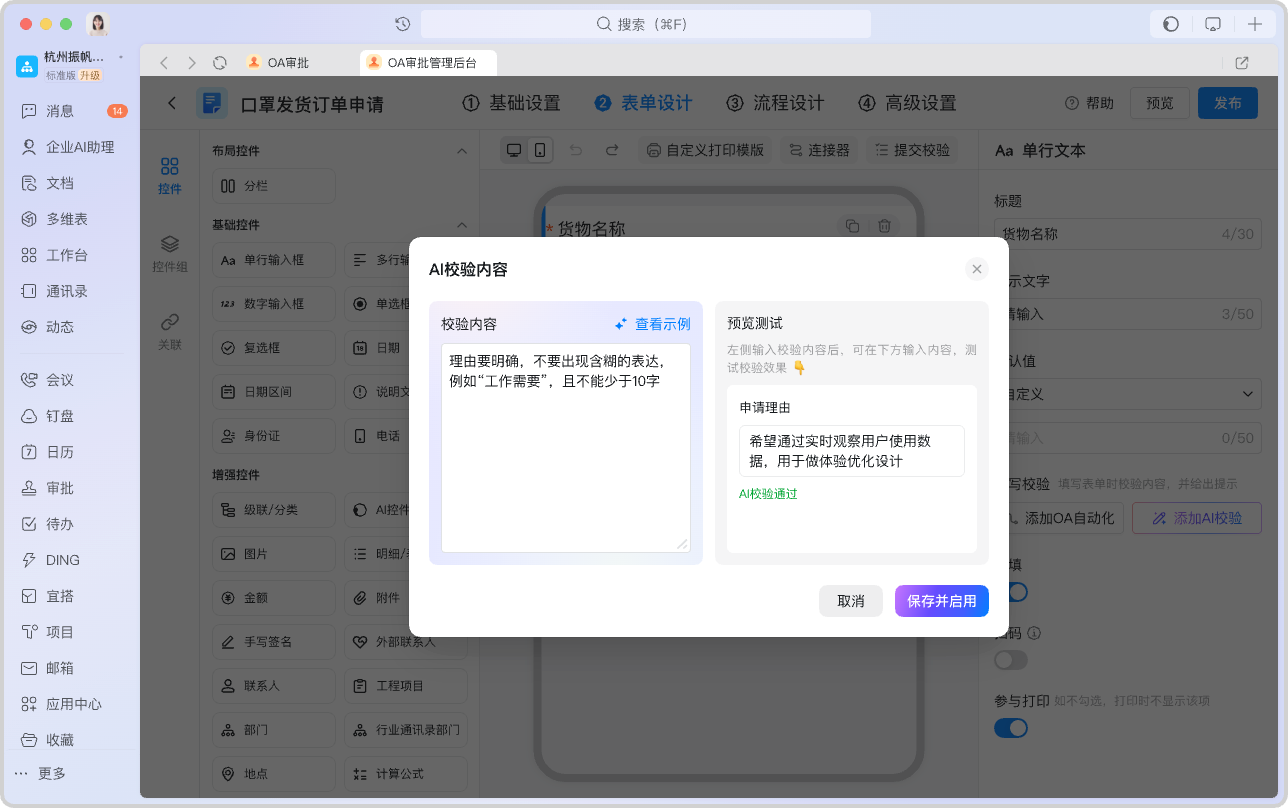
5. AI Checker
When a Form is initiated, AI validates the entered Content against Custom rules. Take a medication application Form as an example: