

 Chats
Chats Calendar
 Meetings
 Contacts
 Mail
Mail Docs
Docs Drive
Drive AI Table
 AI Minutes
 Attendance
 Approval
 YiDA
YiDA Admin Console
Create DingTalk Enterprise Mail events
Organizations and individuals using DingTalk Enterprise Mail can send and receive mail calendar events directly in DingTalk Calendar. This helps them get the latest meeting arrangements and work tasks in real time, avoid missing important meetings or tasks, and manage organization and personal schedules more efficiently. Supported on Mac, Windows, iOS, and web.Operation path
Mobile
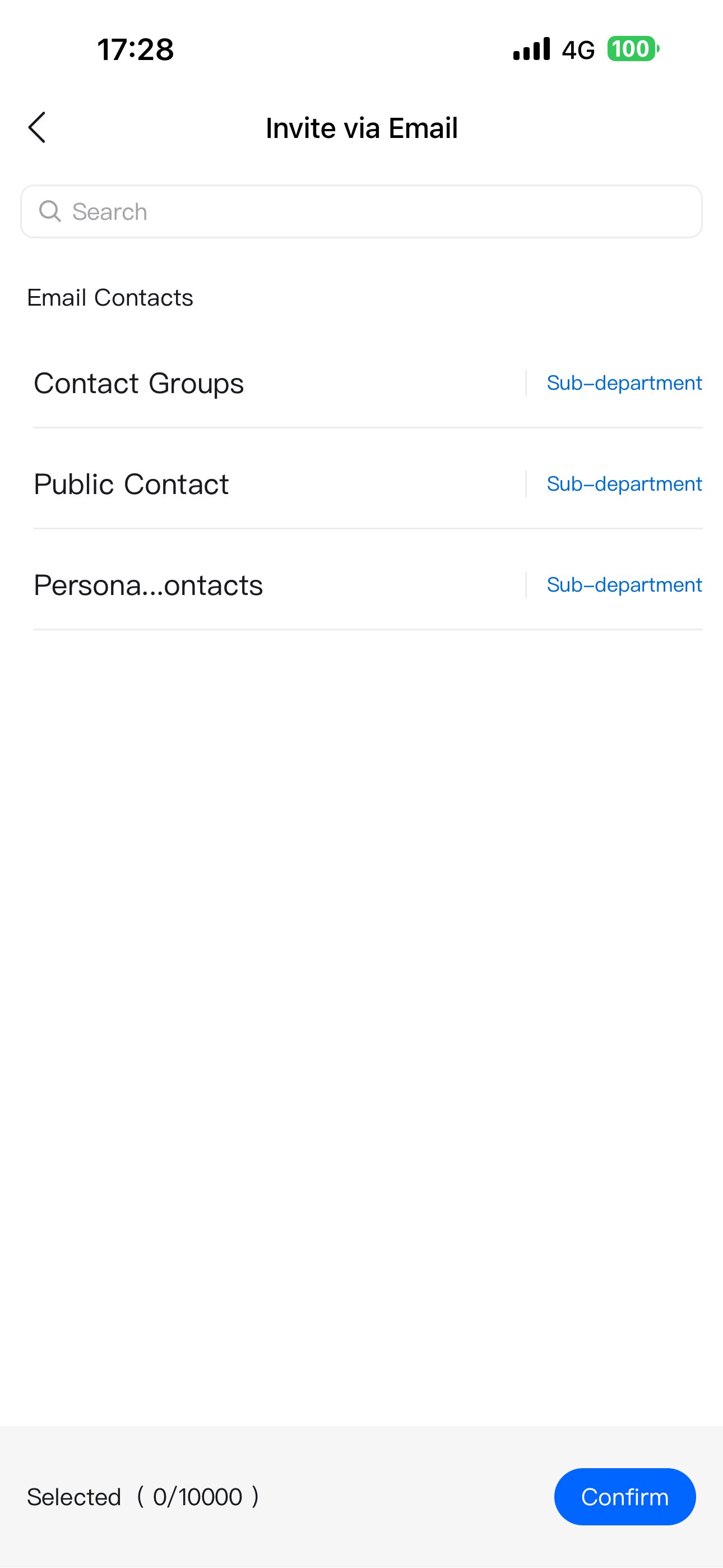
Tap + in the lower-right corner to create an event. Tap + to add participants, then select Invite by email.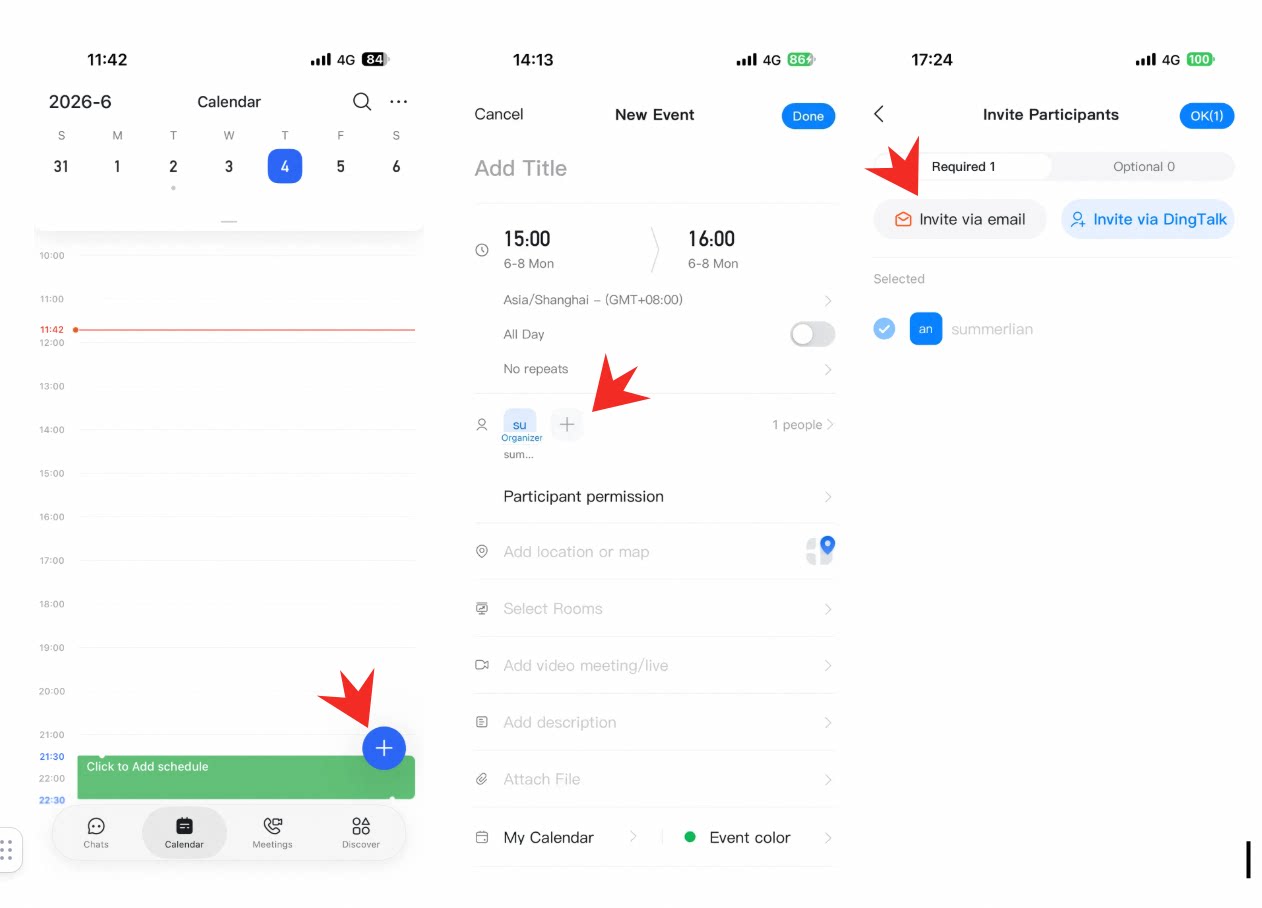 Select and add the enterprise mailbox to create a DingTalk Enterprise Mail event.
Desktop
Create a new event, click Add participants, and select Add in bulk.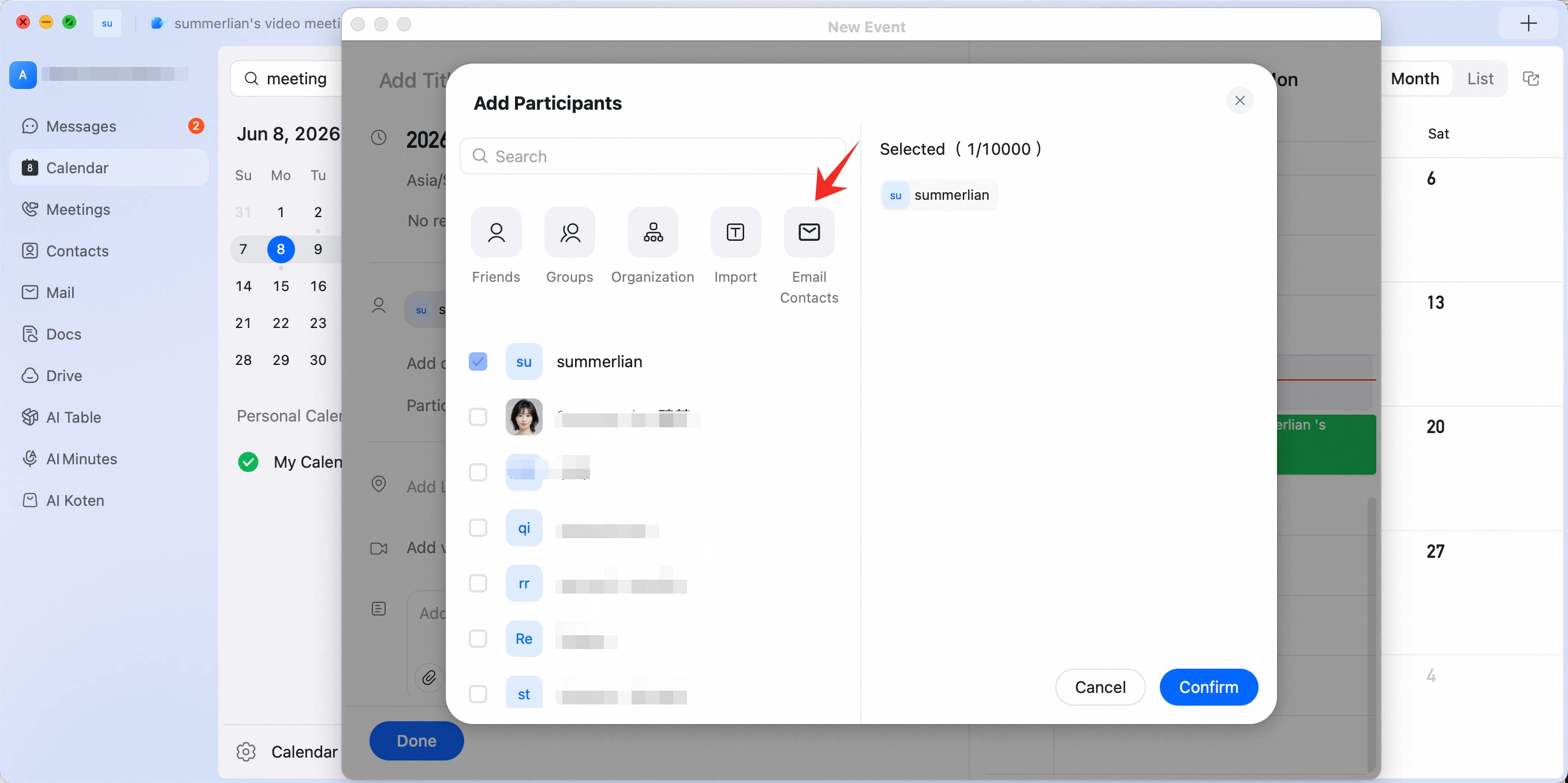 Select Mail contacts, then select the required mailbox.
When the sending prompt appears, click Send to create the DingTalk Enterprise Mail event.
In DingTalk Calendar, you can view the event and see the enterprise mailbox in the participant list.
Select Mail contacts, then select the required mailbox.
When the sending prompt appears, click Send to create the DingTalk Enterprise Mail event.
In DingTalk Calendar, you can view the event and see the enterprise mailbox in the participant list.