

 Chats
Chats Calendar
 Meetings
 Contacts
 Mail
Mail Docs
Docs Drive
Drive AI Table
 AI Minutes
 Attendance
 Approval
 YiDA
YiDA Admin Console
Mobile instructions
Go to Calendar, tap … in the upper-right corner, open Calendar Settings, enable events from mobile and turn on reminders.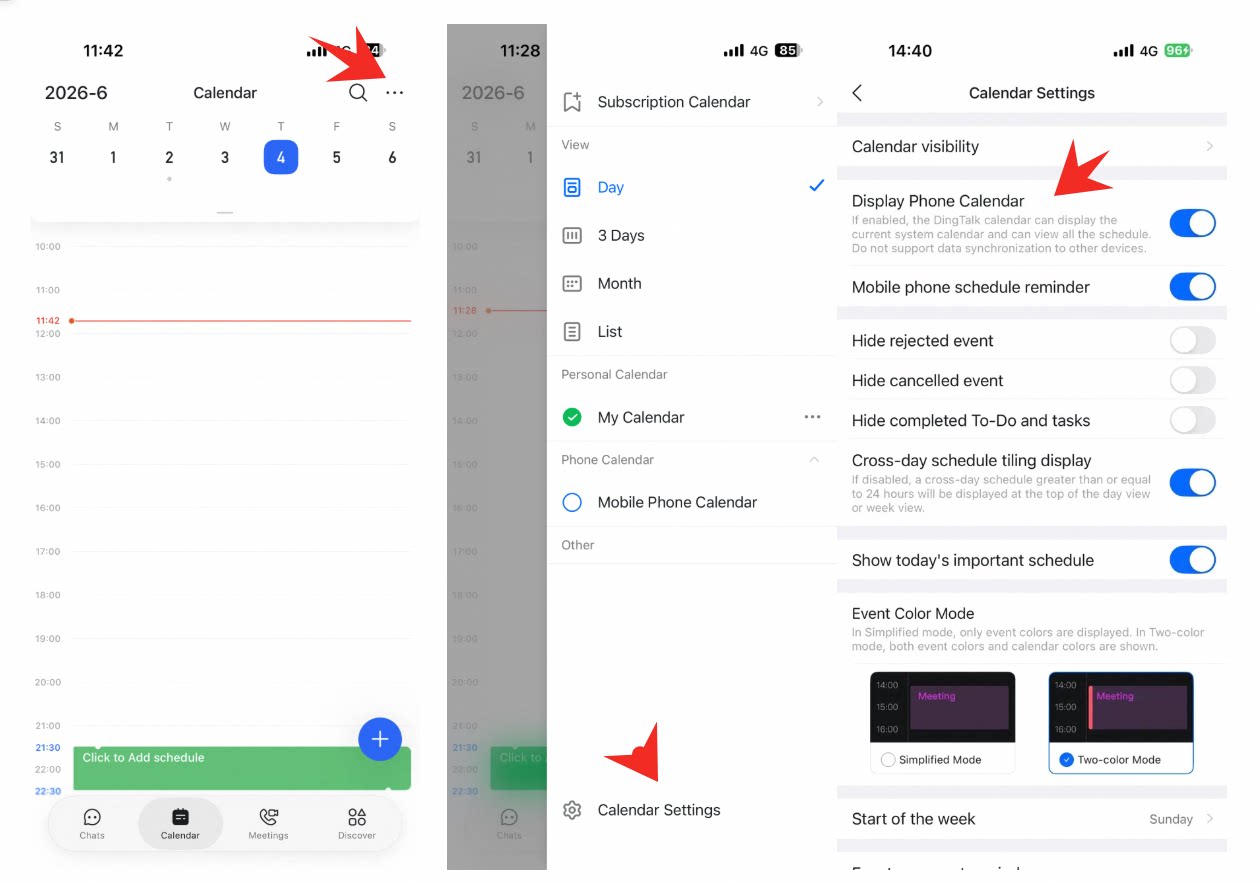
Combine events from DingTalk Mail, your phone, and Logs into one Calendar view—enable mobile-event sync and reminders in Calendar Settings so important schedules stay visible.