Chats
Chats Calendar
 Meetings
 Contacts
 Mail
Mail Docs
Docs Drive
Drive AI Table
 AI Minutes
 Attendance
 Approval
 YiDA
YiDA Admin Console
Instructions
Mobile
Go to DingTalk Calendar, tap … in the upper-right corner, open My > My Calendars, tap…, tap Share My calendar, add the people you want to share with, and set the permission scope.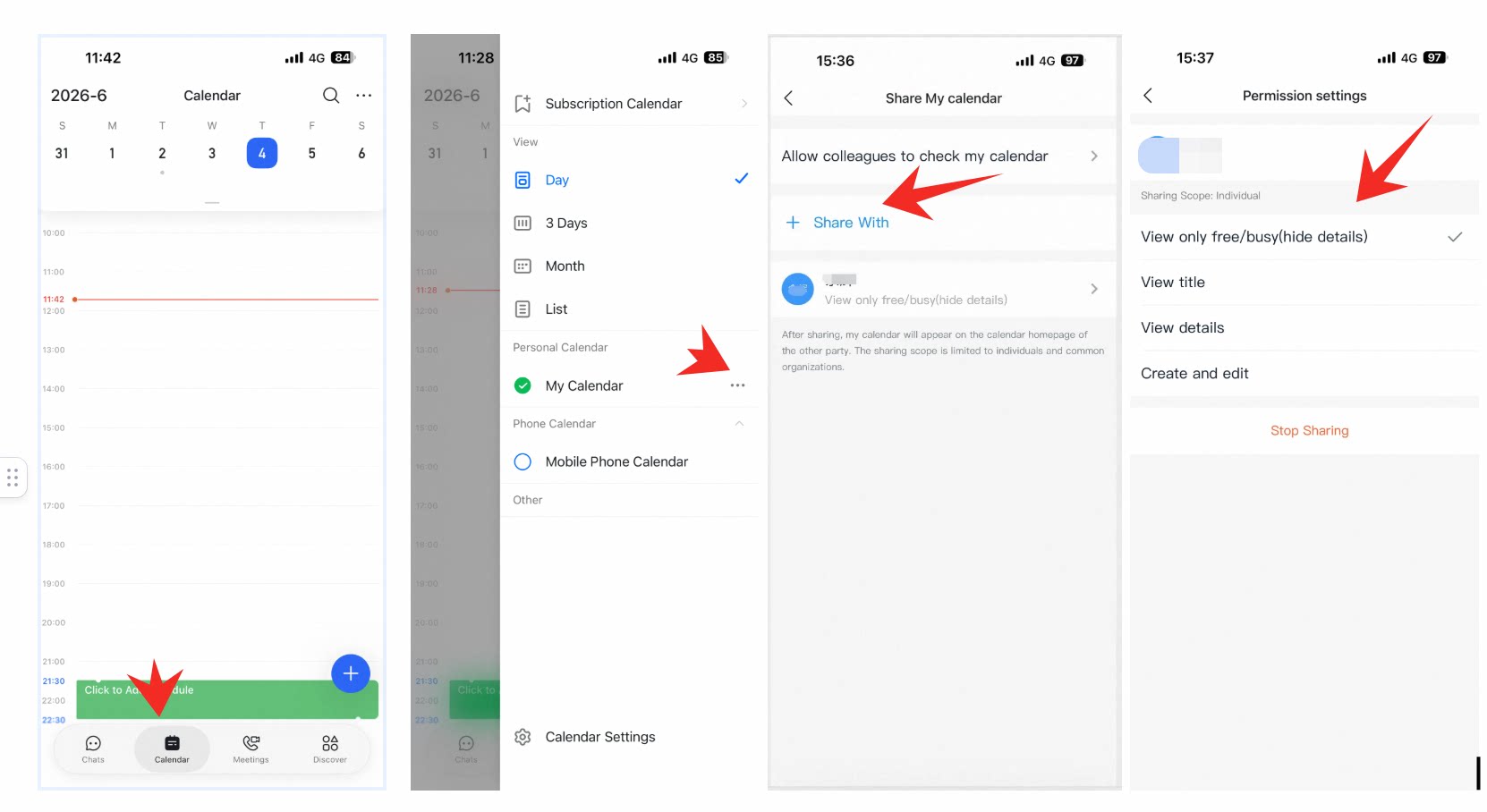
Desktop
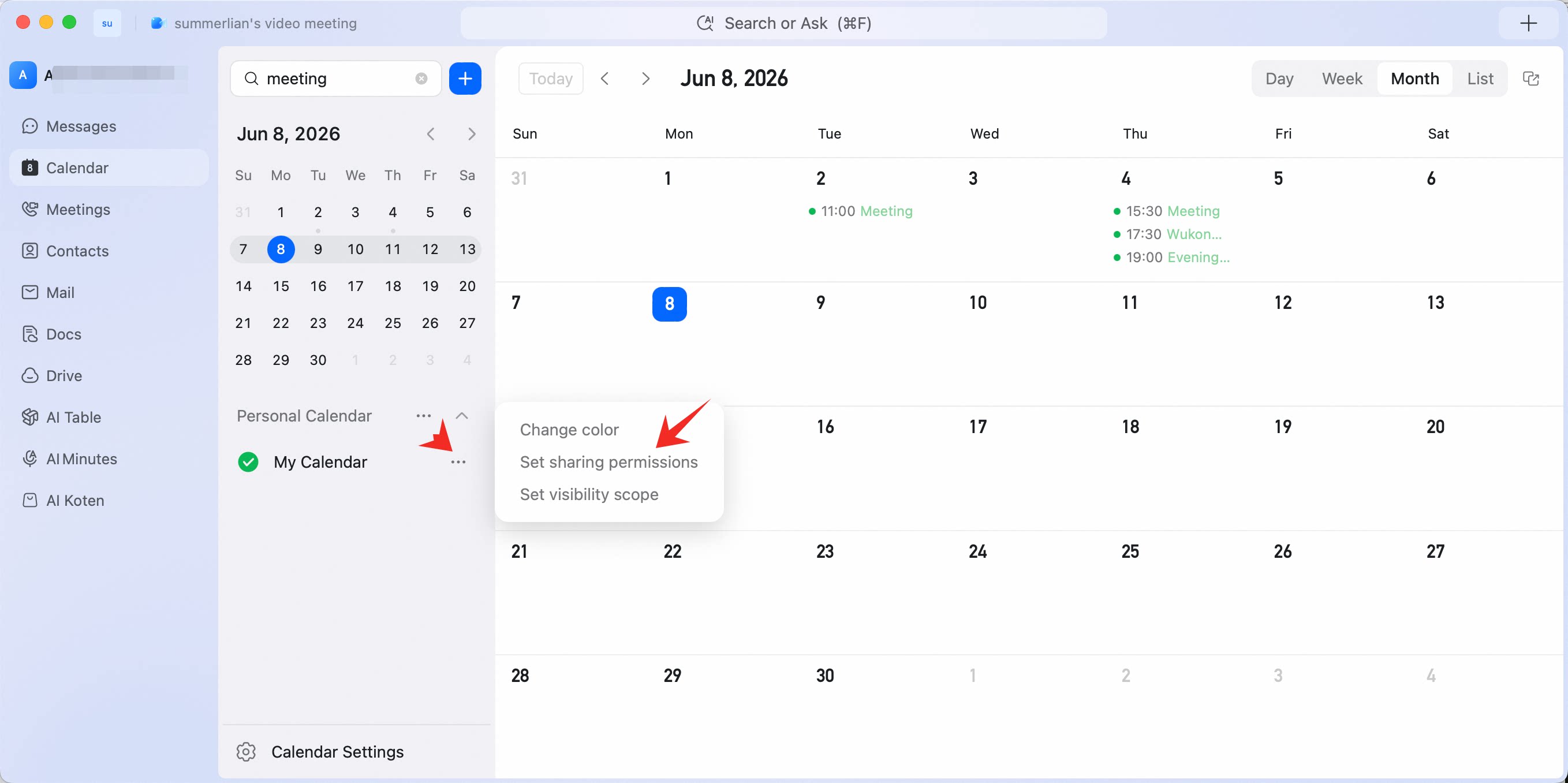
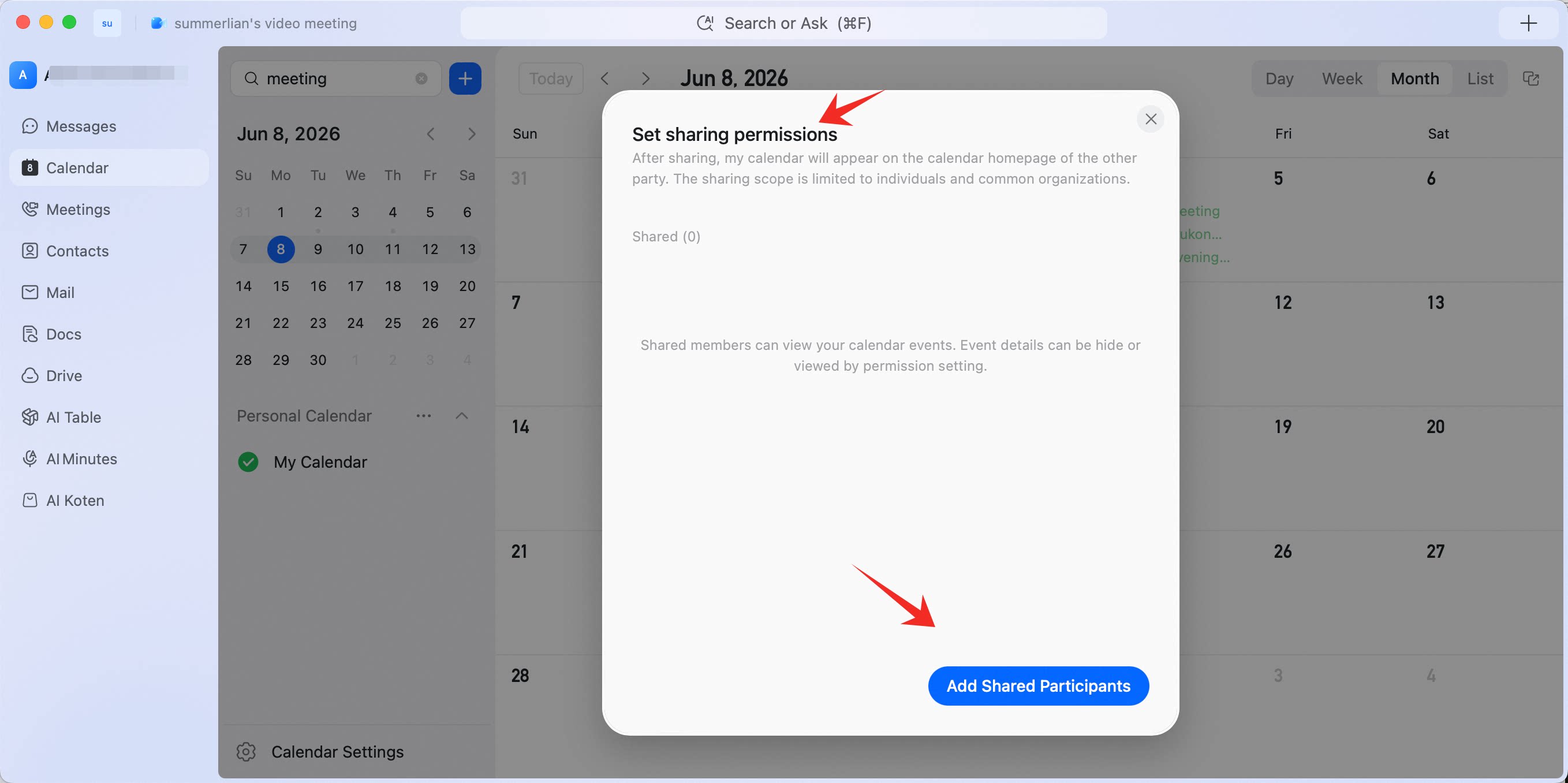
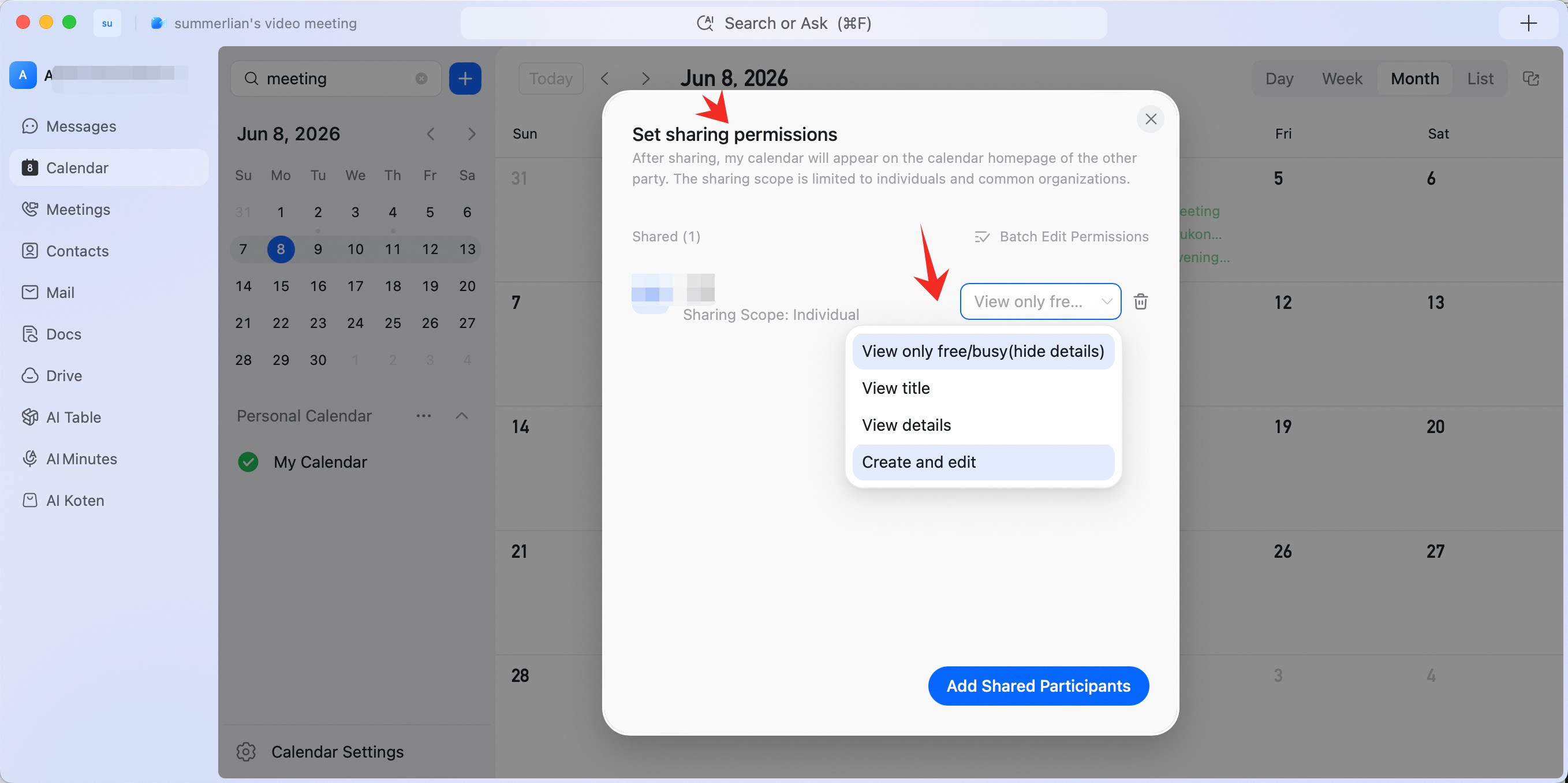
Go to DingTalk Calendar, find My Calendars on the left, click …, choose Set sharing permissions, add the people you want to share with, and set the permission scope.