Chats
Chats Calendar
 Meetings
 Contacts
 Mail
Mail Docs
Docs Drive
Drive AI Table
 AI Minutes
 Attendance
 Approval
 YiDA
YiDA Admin Console
Feature value
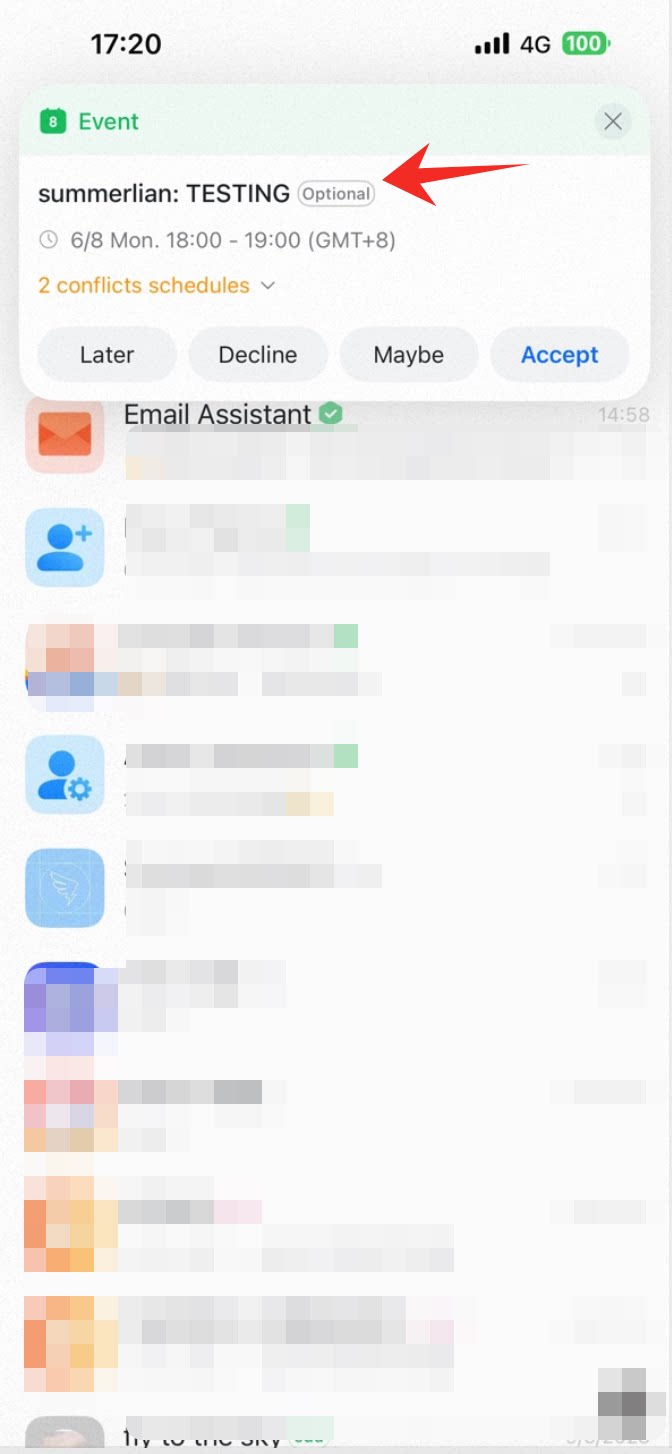
When you receive a meeting invitation, the event reminder card can show Optional attendance. This helps you judge meeting priority and decide whether to attend.Use case
Ding Sanduo is an HR employee who often uses DingTalk Calendar to create interviews, meetings, trainings, and other work events. With this feature, the event reminder card shows Optional attendance. When multiple events overlap, she can decide whether to attend and avoid schedule conflicts.How to use it
Organizer: add optional participants
Mobile
When creating a new event in DingTalk Calendar, tap Add participants, then choose Optional to add optional participants.
Desktop
When creating a new event in DingTalk Calendar, select Add optional participants.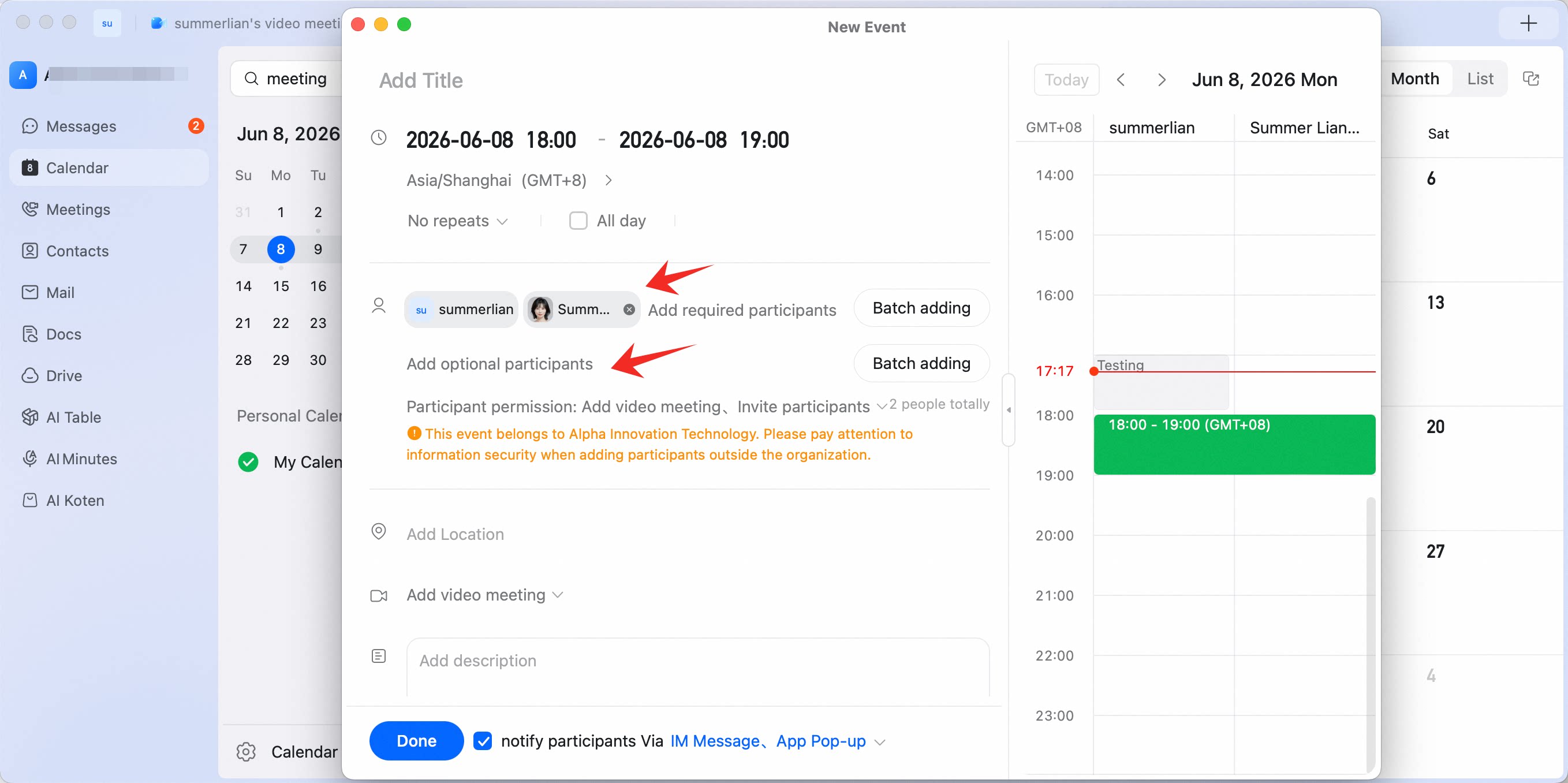
Participant: view optional attendance
When receiving a meeting invitation, participants can choose whether to attend the meeting in the pop-up.Mobile