Chats
Chats Calendar
 Meetings
 Contacts
 Mail
Mail Docs
Docs Drive
Drive AI Table
 AI Minutes
 Attendance
 Approval
 YiDA
YiDA Admin Console
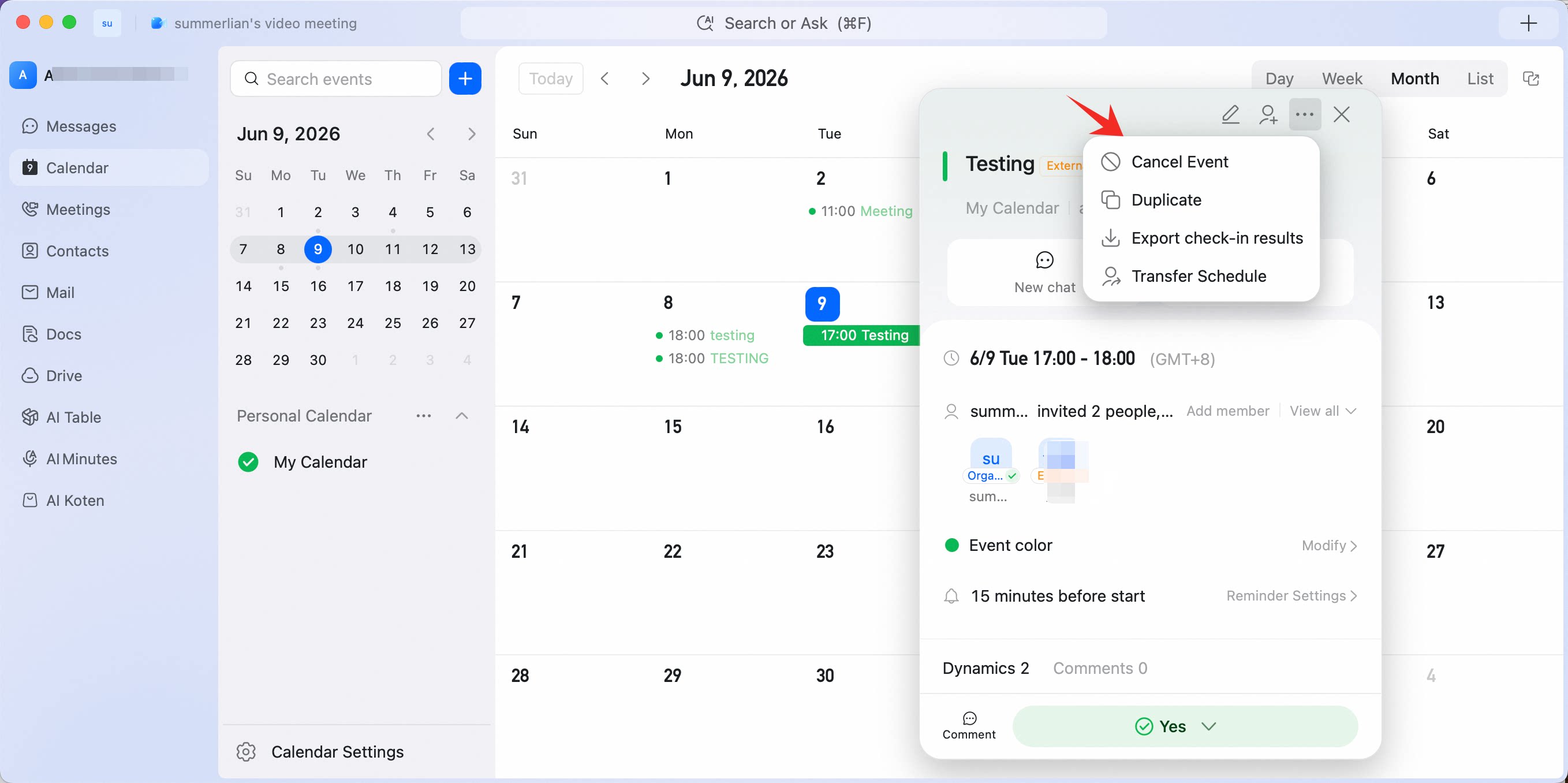 The organizer or participants can delete an event.
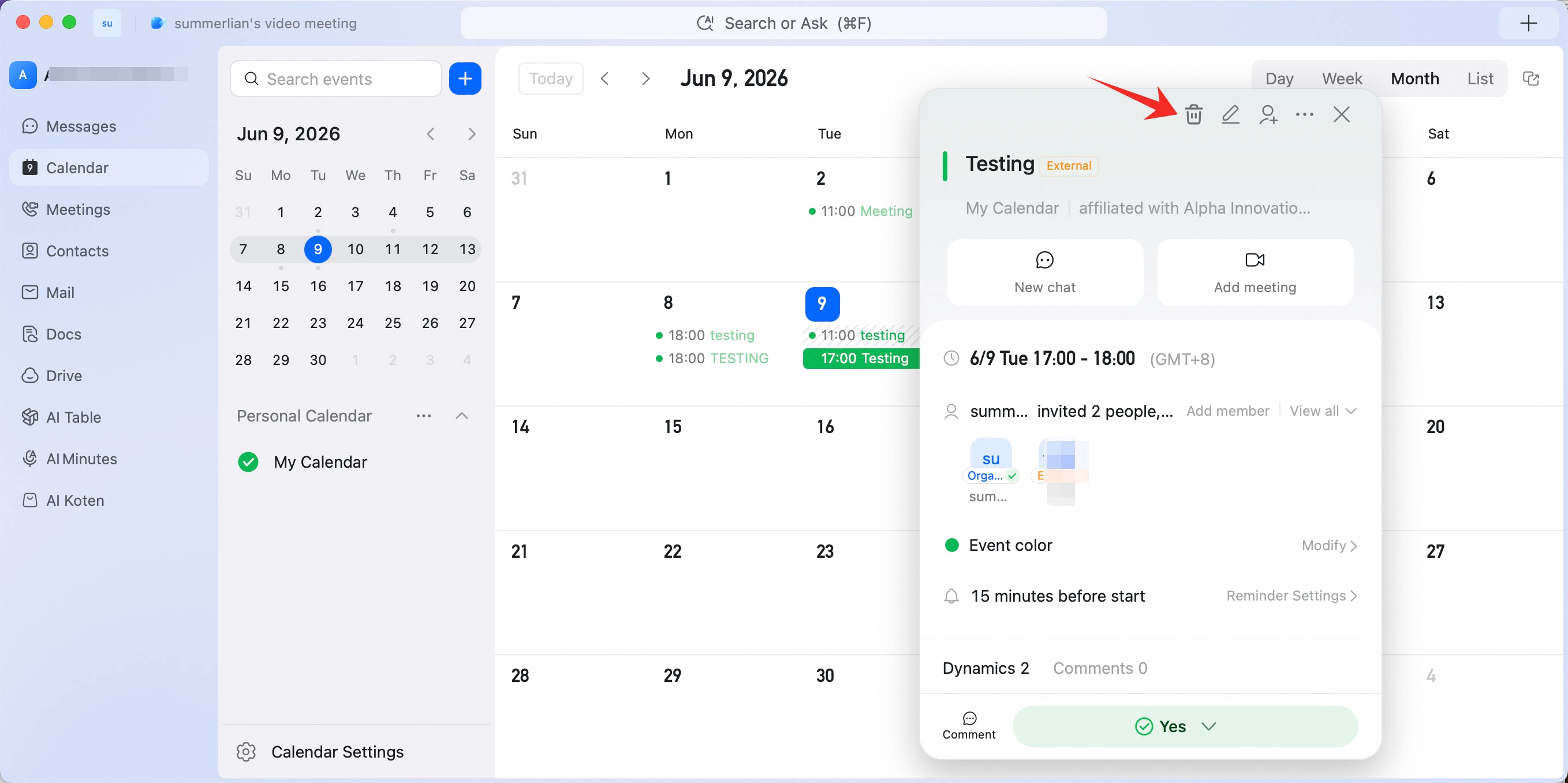
Operation path
Desktop
Go to DingTalk Calendar, open the event you want to delete, click … in the upper-right corner, and select Cancel event.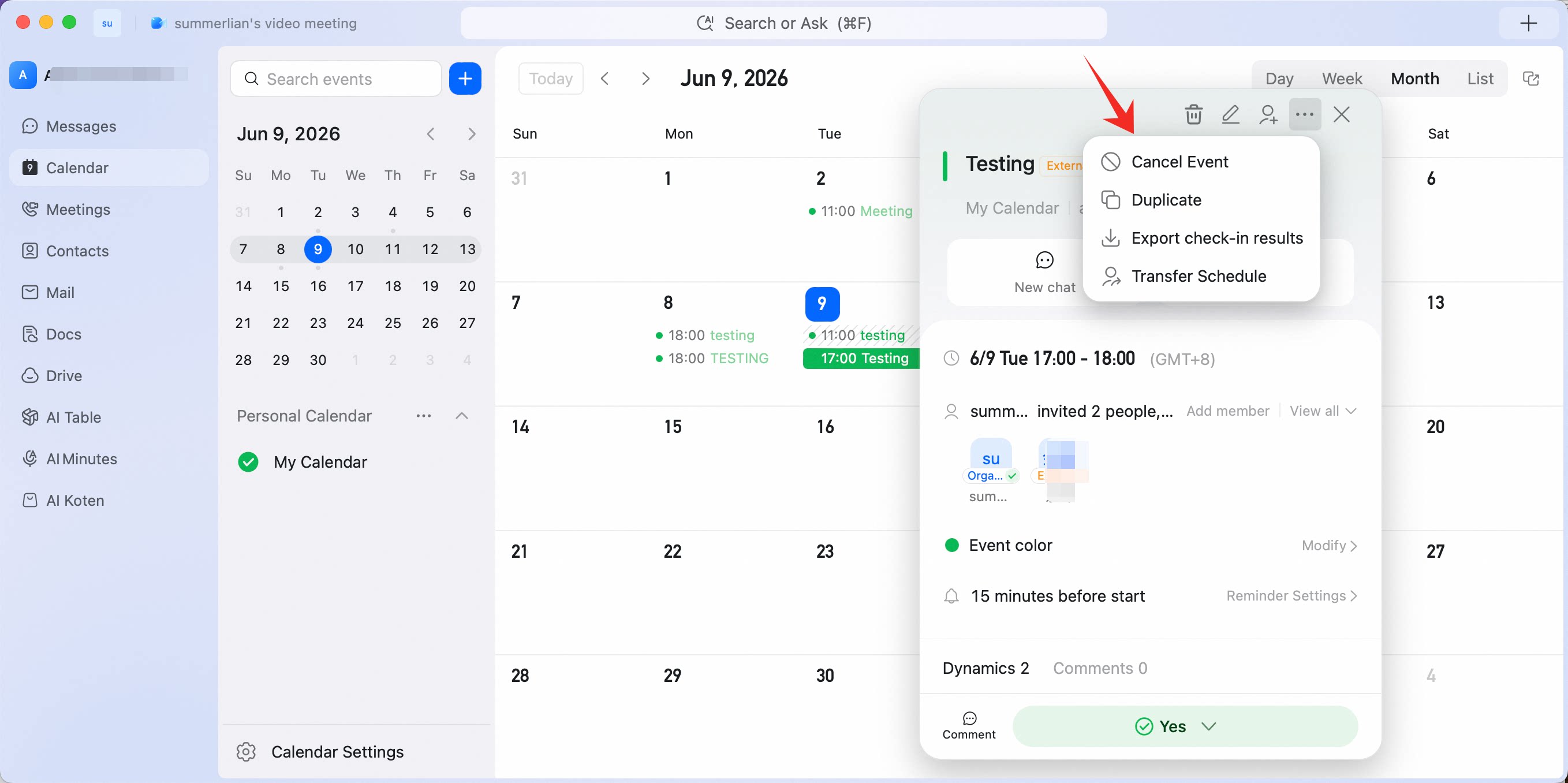
Mobile
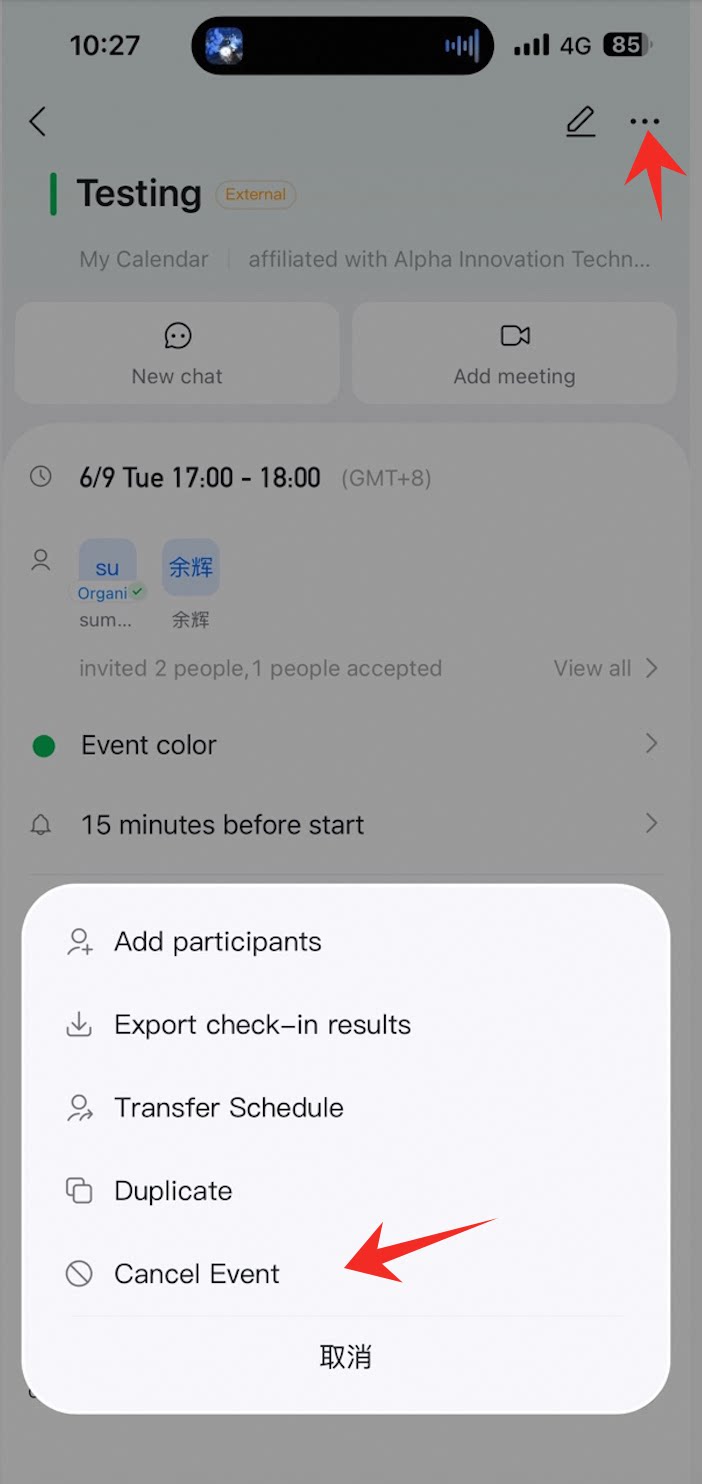
Go to DingTalk Calendar, open the event you want to delete, tap … in the upper-right corner, and select Cancel event or Delete.