

 Chats
Chats Calendar
 Meetings
 Contacts
 Mail
Mail Docs
Docs Drive
Drive AI Table
 AI Minutes
 Attendance
 Approval
 YiDA
YiDA Admin Console
How to set it
Go to DingTalk Calendar, click +, and create a new event.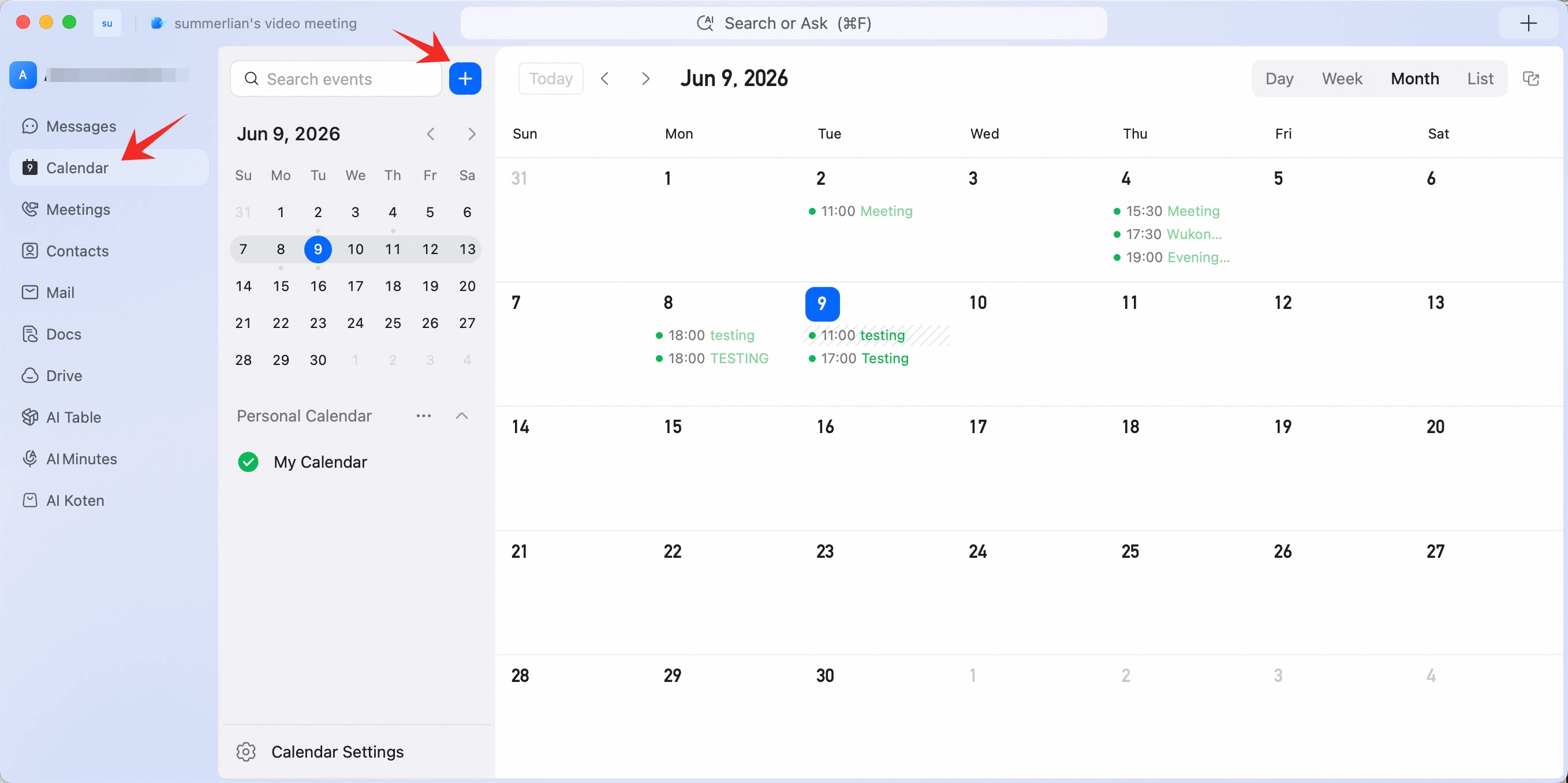 On the new event page, click Does not repeat. You can set the repeat cycle to daily, weekly, monthly, and more. Custom repeat cycles are also supported.
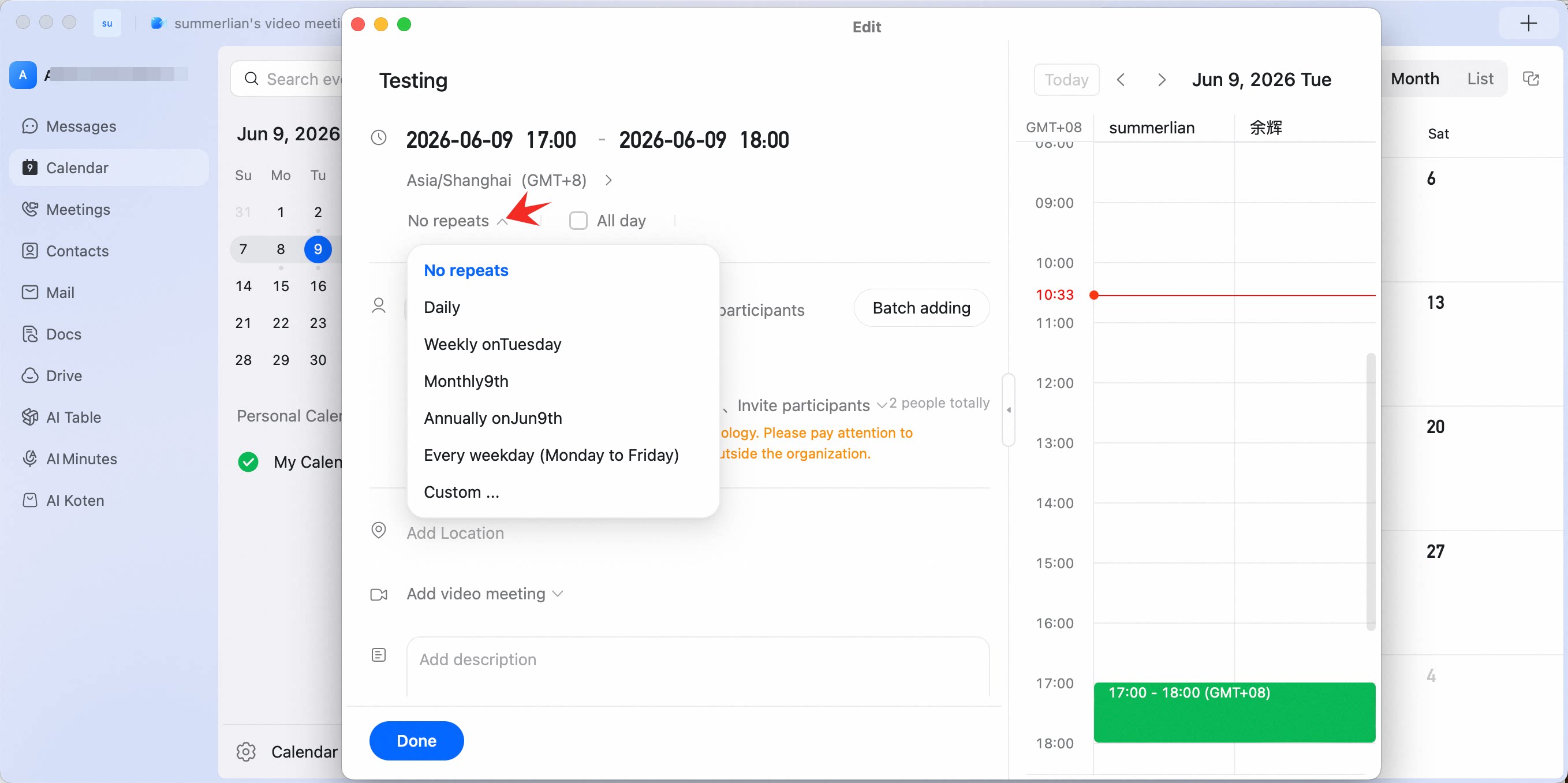
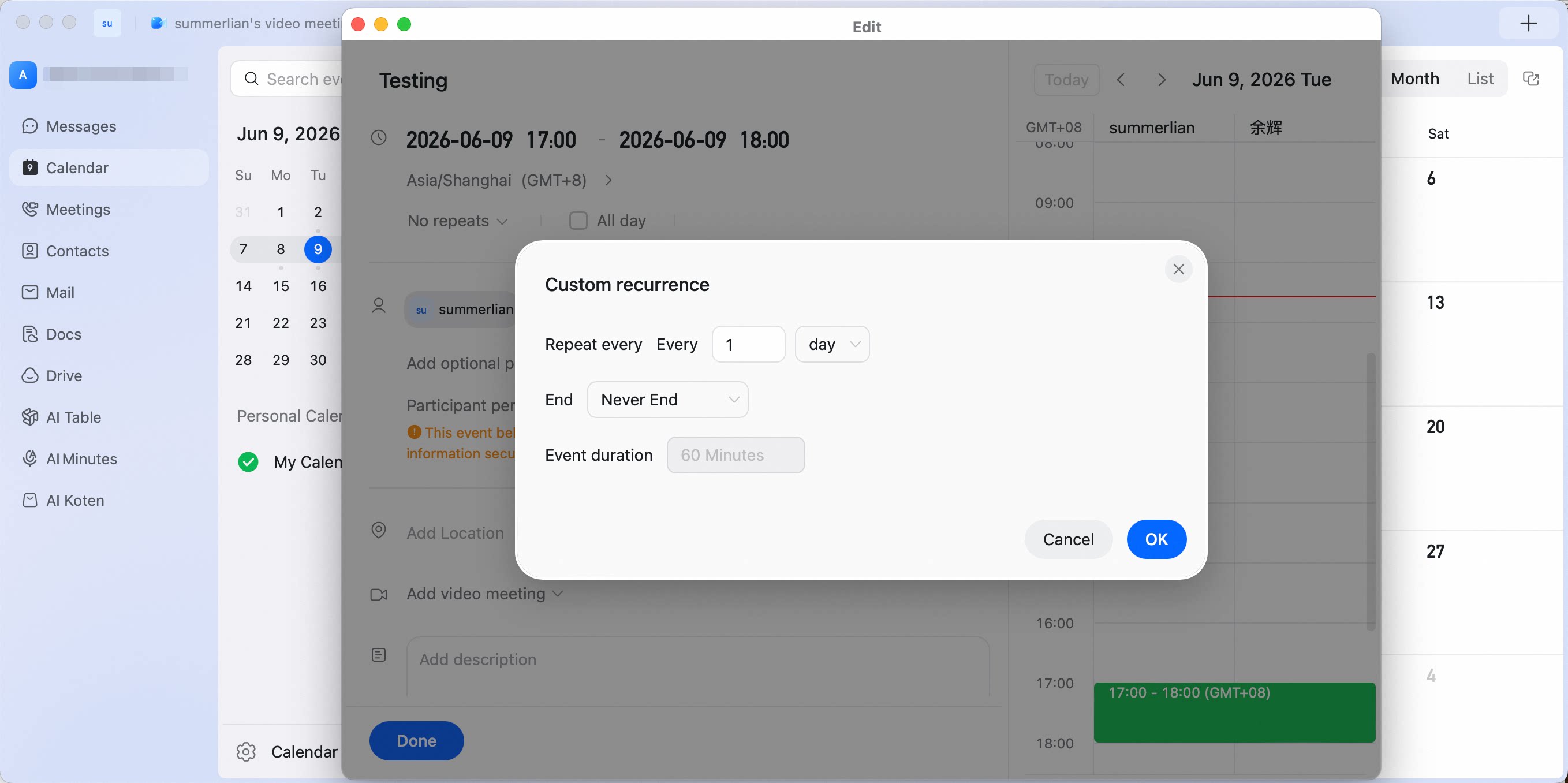
Create one event that recurs over weeks—open the new-event form, tap Does not repeat, and pick daily, weekly, monthly, or a custom cycle so future schedules are filled in automatically.
On the new event page, click Does not repeat. You can set the repeat cycle to daily, weekly, monthly, and more. Custom repeat cycles are also supported.