

 Chats
Chats Calendar
 Meetings
 Contacts
 Mail
Mail Docs
Docs Drive
Drive AI Table
 AI Minutes
 Attendance
 Approval
 YiDA
YiDA Admin Console
II. User Guide
1
Admin Console Navigation
In the left navigation pane, go to Organization settings > App Customization > App Packaging > Create Pack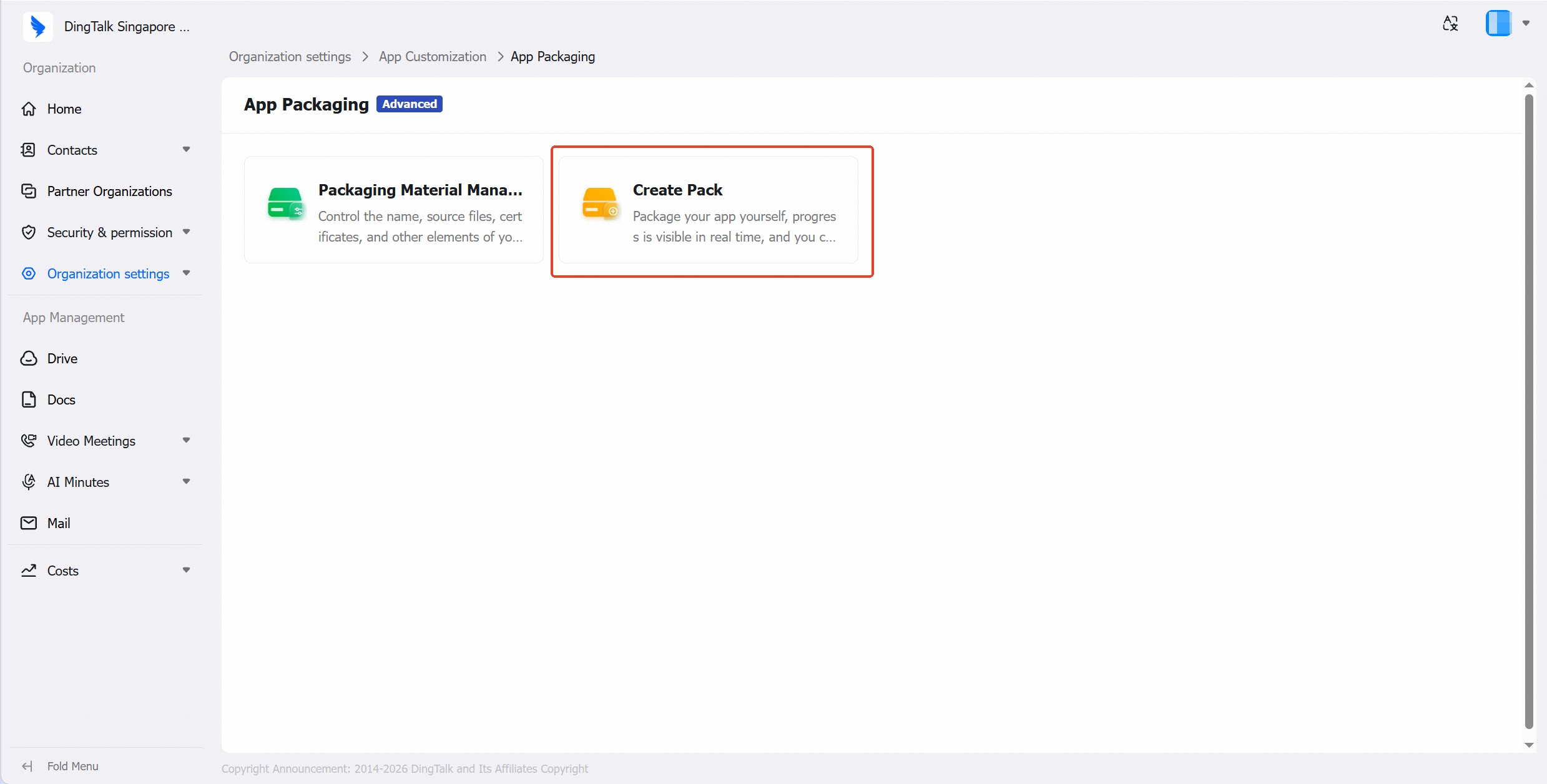
2
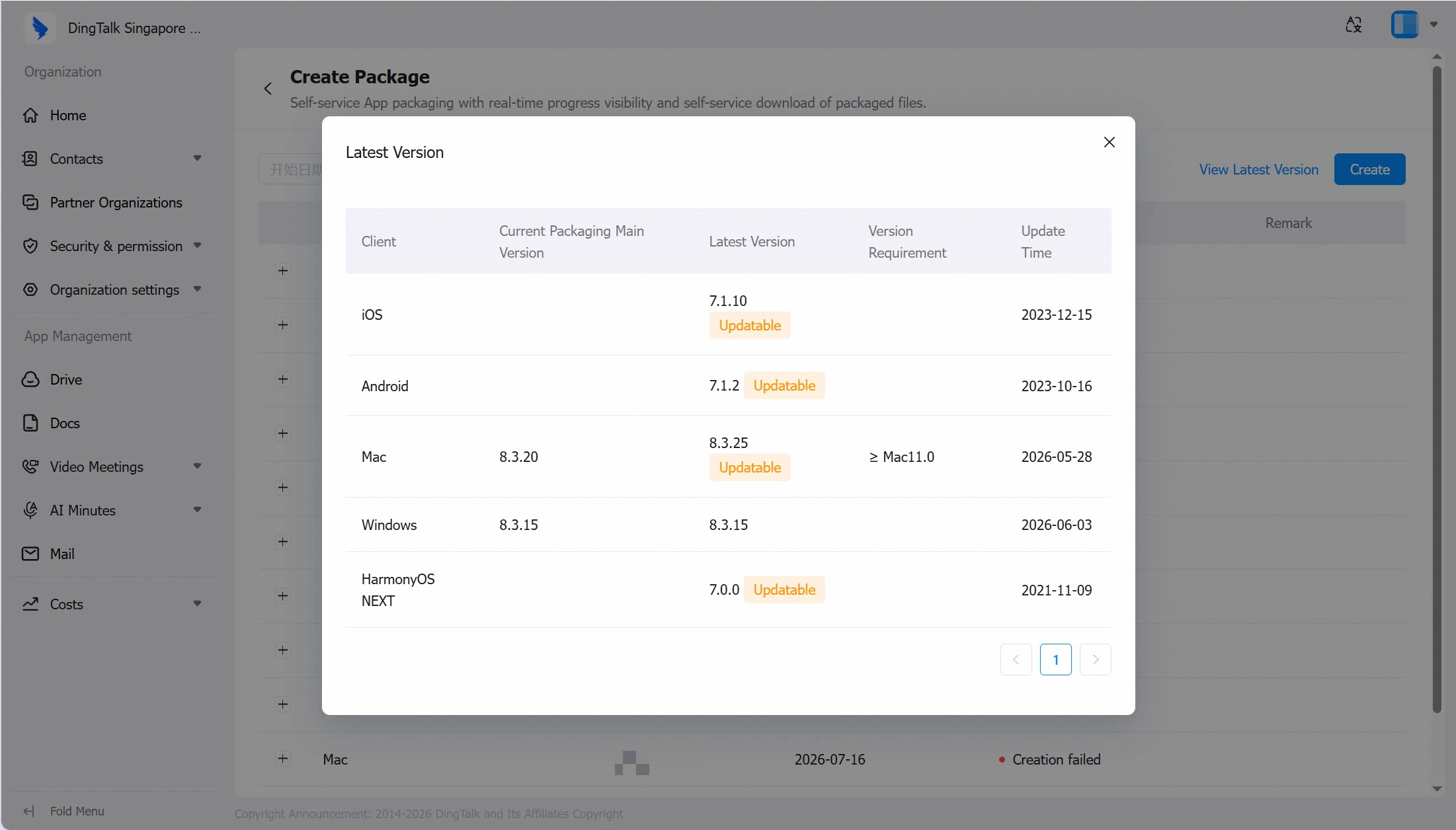
View Current Baseline Version
- In the top-right corner of the Create Package page, view the new version.
- The exclusive App uses the standard DingTalk version number as the packaging baseline. Click the latest version to view the current primary packaging version and the latest version across all five platforms. Generally, the exclusive App lags behind the standard DingTalk release by approximately 3 weeks.
3
Create App
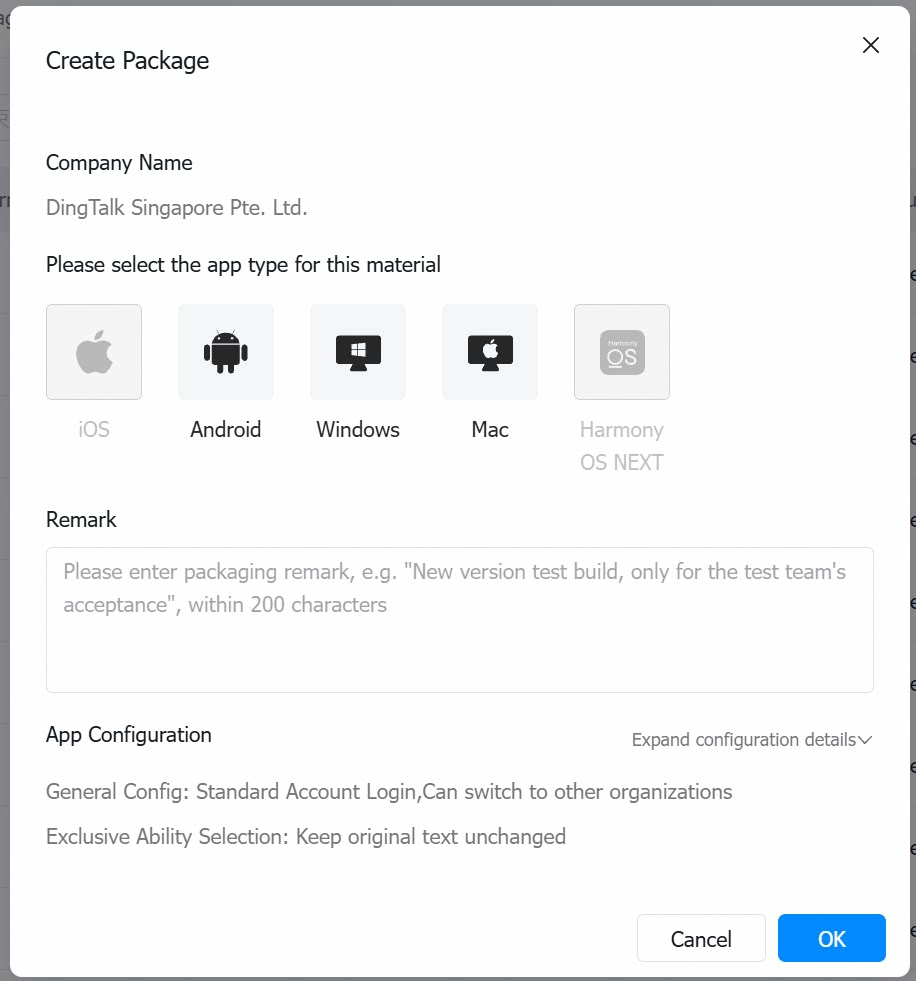
- After clicking Create, select the client type(s) to build. If the assets for the selected client have not passed review, the build cannot proceed.
- You can select a single platform or check multiple platforms simultaneously.
- You can add packaging notes, which will be saved in the packaging records.
- The App configuration summary can be viewed via the dropdown, but cannot be edited on this page. To modify the configuration, go to the App Configuration page.
- Note: If iOS uses the Apple ABM/UAD packaging and distribution method, the build cannot be created from the Admin Console (a message will prompt “ABM/UAD settings prevent creation”). Contact your service provider to have DingTalk handle the packaging and submission for review. Once approved, the exclusive App will appear under the customer’s Apple Business account.
4
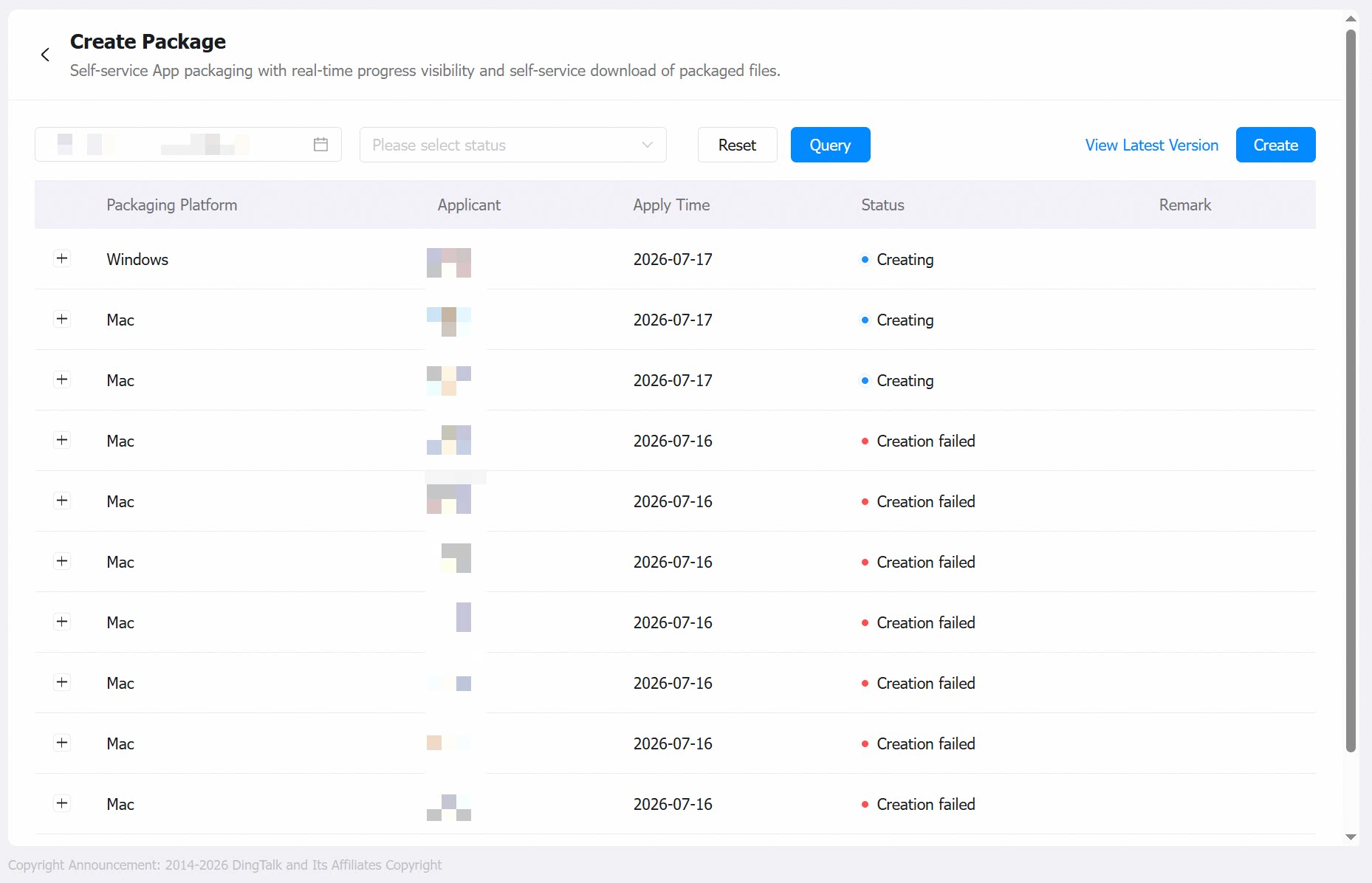
Packaging Request Records
- After submitting a packaging request, you can view the current packaging records and status. Upon successful creation, the administrator will be notified and can view the download link or QR code from the Admin Console for distribution.
- When the installation package involves multiple operating systems or architectures, multiple installation packages will be generated separately.
- After successful creation, click View to obtain the installation package link for the corresponding client.
- If creation fails, click View to see the failure reason and the associated operation logs.
III. Q&A
Prerequisites: NoneSupported Scope: No version dependencyEnforcement Method:
- Desktop: After setup is complete, employees whose primary organization is this enterprise can use the app after downloading and installing the created App.
- Mobile: After setup is complete, employees whose primary organization is this enterprise can use the app after downloading and installing the created App.