Chats
Chats Calendar
 Meetings
 Contacts
 Mail
Mail Docs
Docs Drive
Drive AI Table
 AI Minutes
 Attendance
 Approval
 YiDA
YiDA Admin Console
II. Operation Flow
1
View the current organization code
View the current organization code: Organization settings > Organization code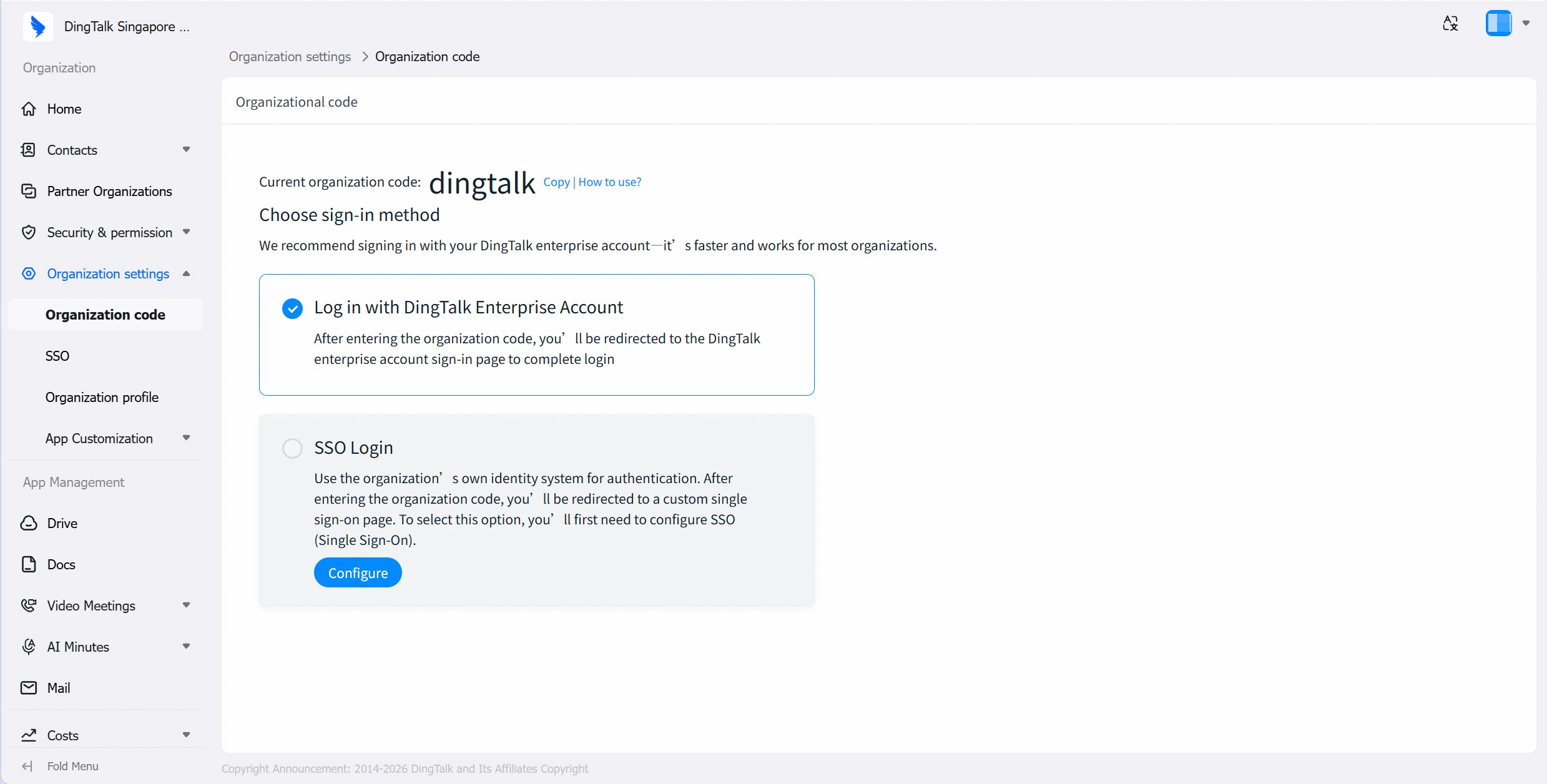
2
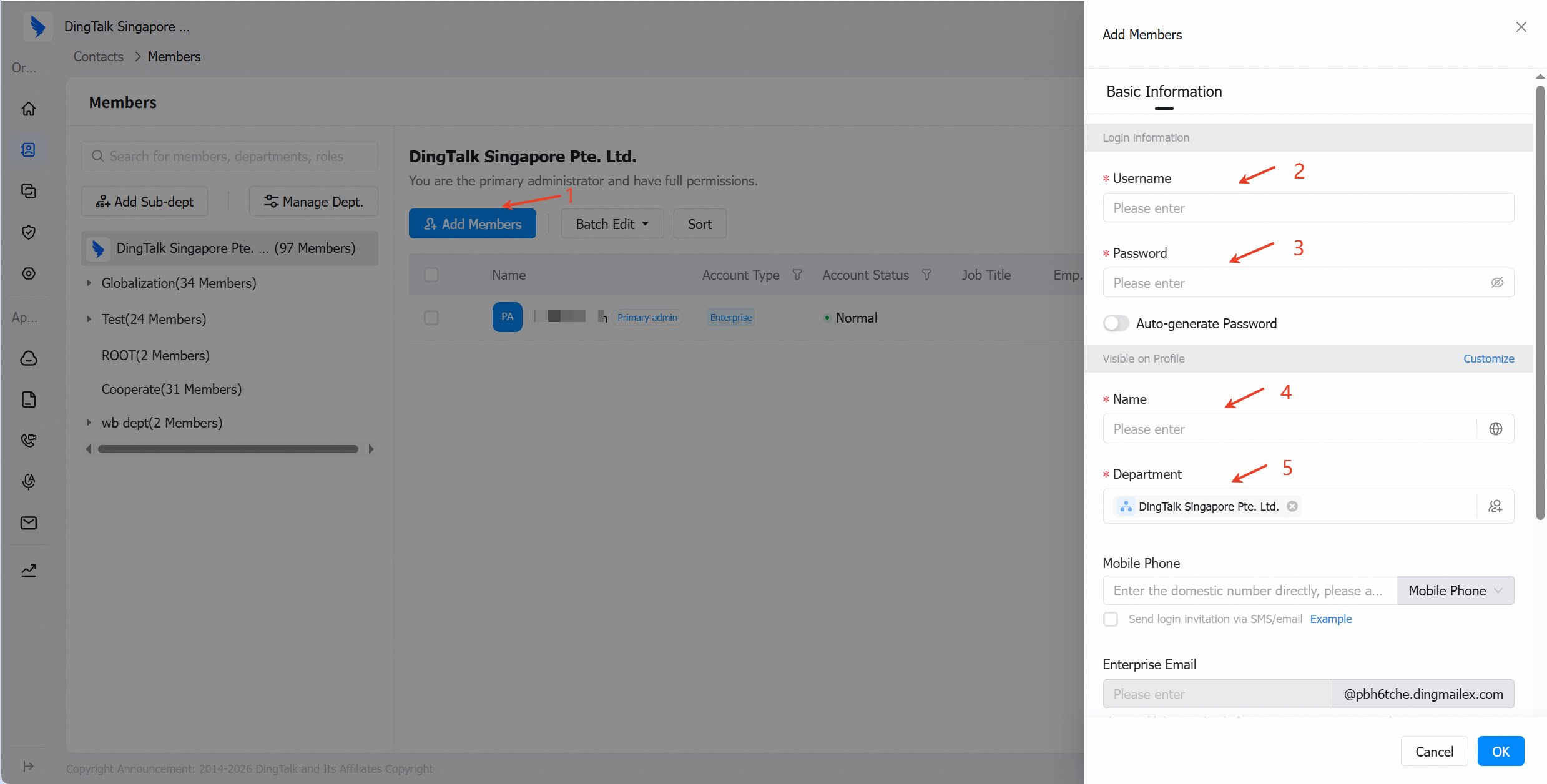
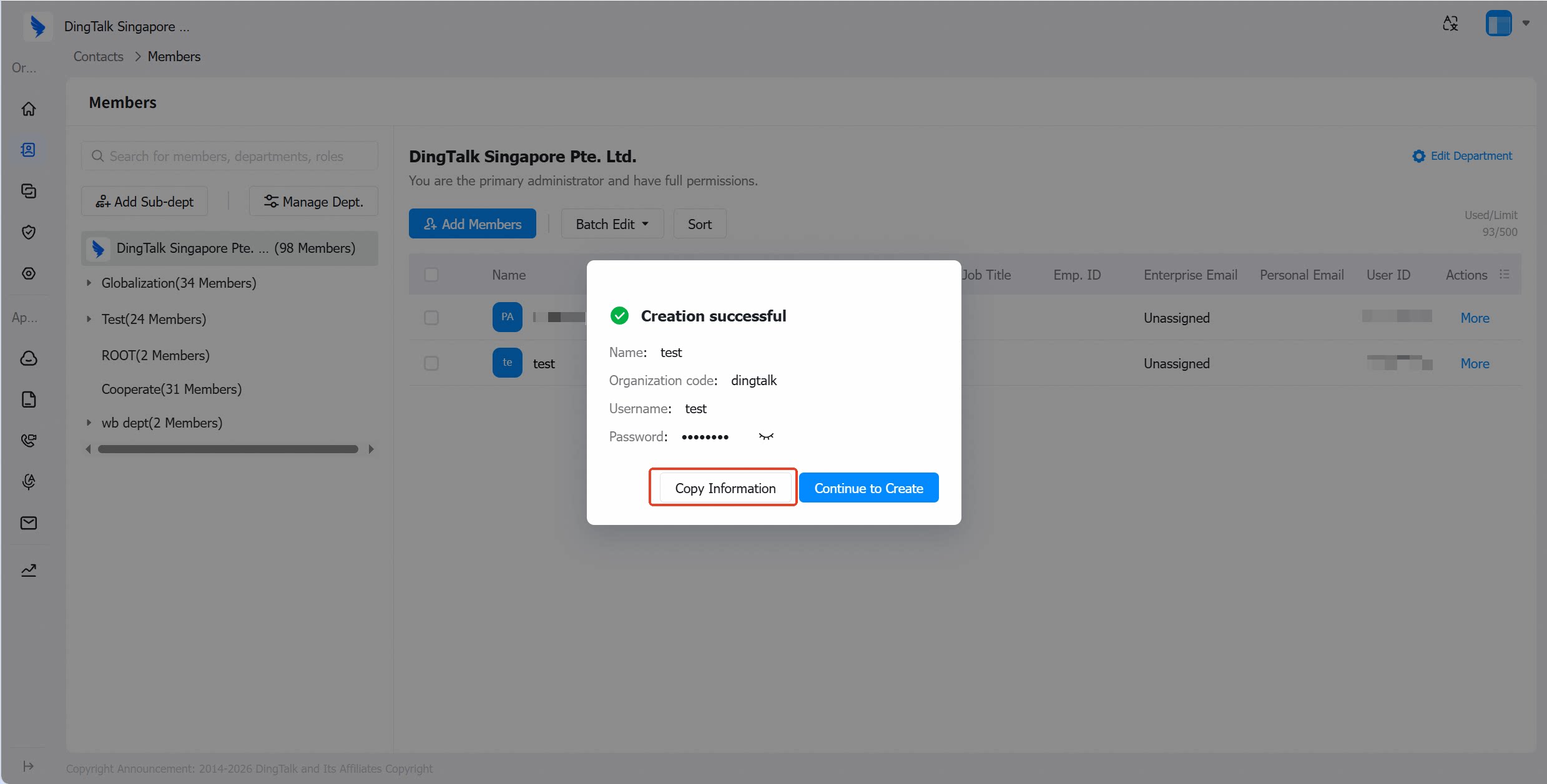
Add member accounts
Add member accountsPath 1: Home > Add Members > Add MembersPath 2: Contacts > Members > Add Members