Chats
Chats Calendar
 Meetings
 Contacts
 Mail
Mail Docs
Docs Drive
Drive AI Table
 AI Minutes
 Attendance
 Approval
 YiDA
YiDA Admin Console
Plan Comparison
DingTalk offers 4 plans, with capabilities increasing from left to right.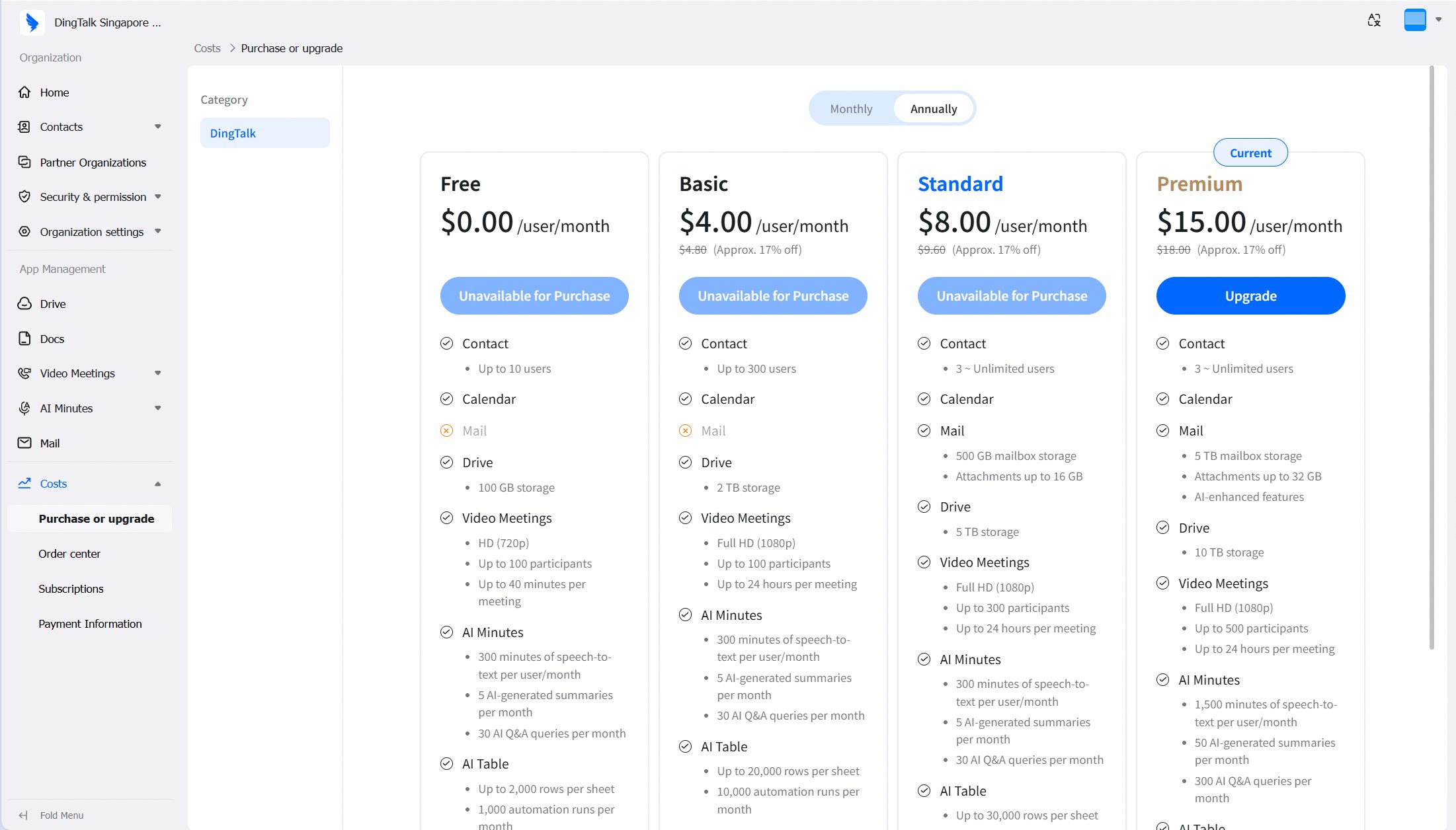
How to Purchase / Upgrade
1
Find the plan you need
On the Purchase or upgrade page, find the plan you need.
2
Click Upgrade
Click the Upgrade button.
3
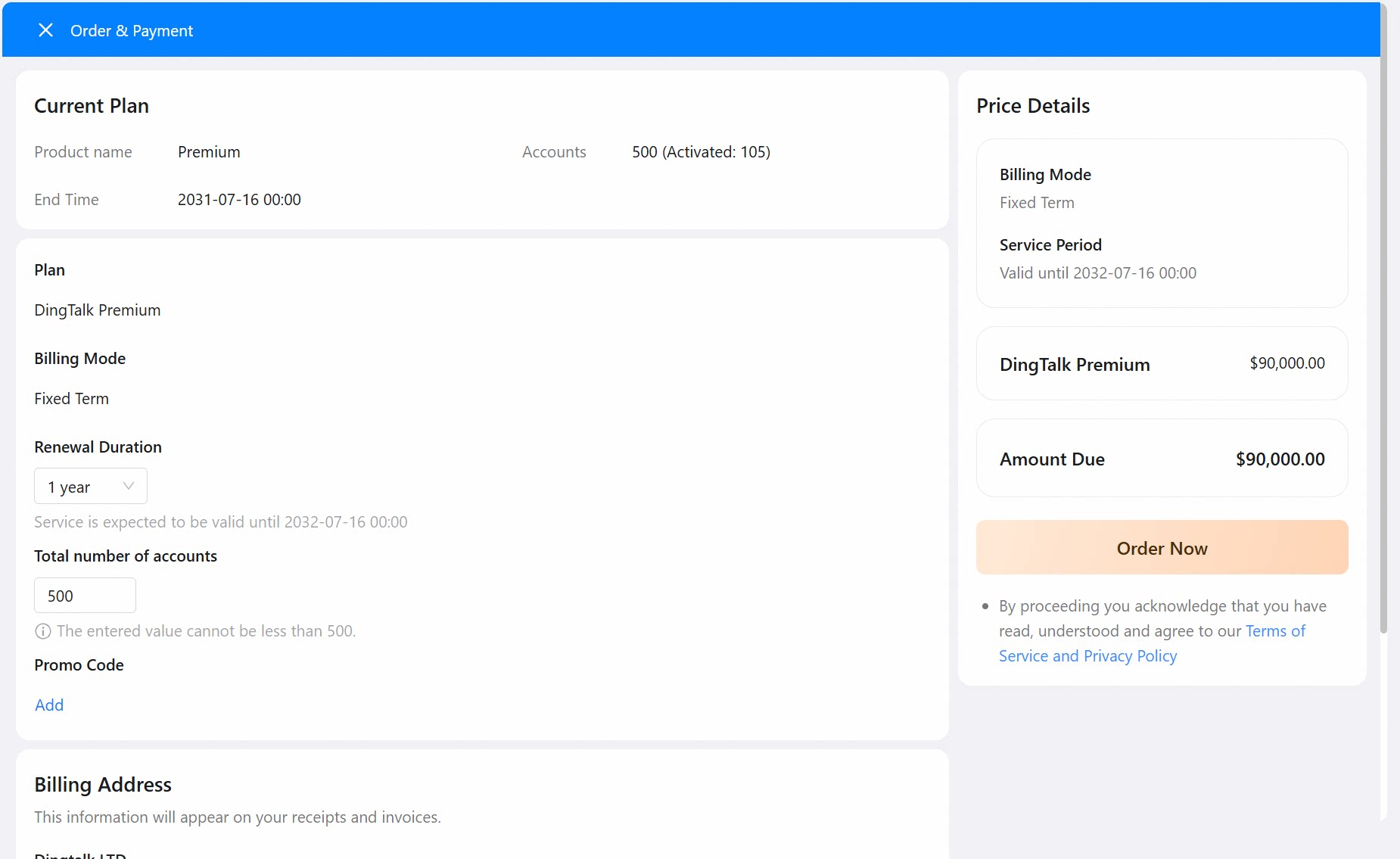
Complete payment
Follow the instructions to complete the payment.