

 Chats
Chats Calendar
 Meetings
 Contacts
 Mail
Mail Docs
Docs Drive
Drive AI Table
 AI Minutes
 Attendance
 Approval
 YiDA
YiDA Admin Console
Change who can use @Everyone
- Open the group chat.
- Click the gear icon in the upper-right corner.
- Select Group Management.
- Open Group permission settings.
- Select Who can @ Everyone.
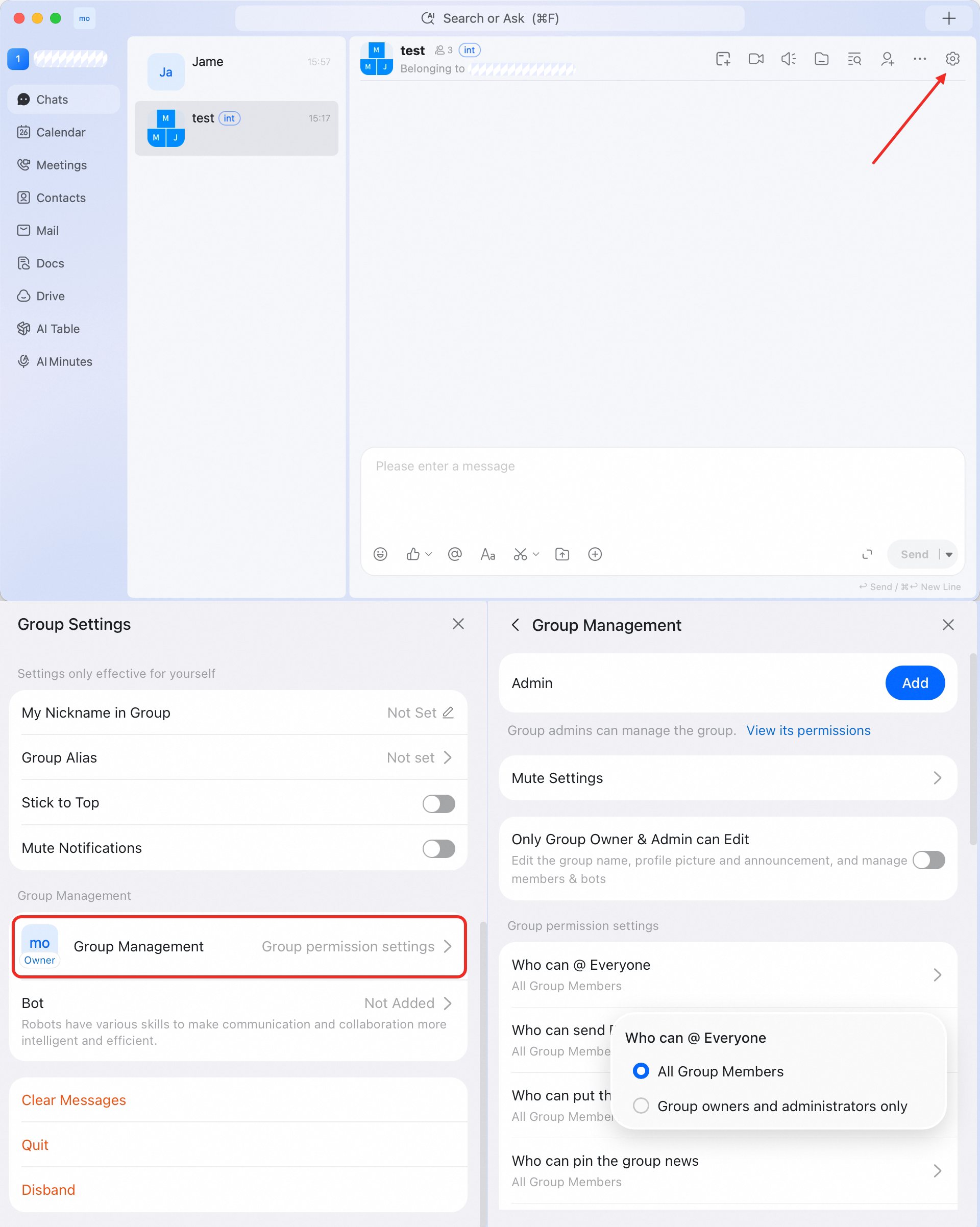 Use this setting to reduce unnecessary broad notifications in large or active groups.