

 Chats
Chats Calendar
 Meetings
 Contacts
 Mail
Mail Docs
Docs Drive
Drive AI Table
 AI Minutes
 Attendance
 Approval
 YiDA
YiDA Admin Console
Open the formatting toolbar
- Open a conversation.
- Click Aa in the message composer.
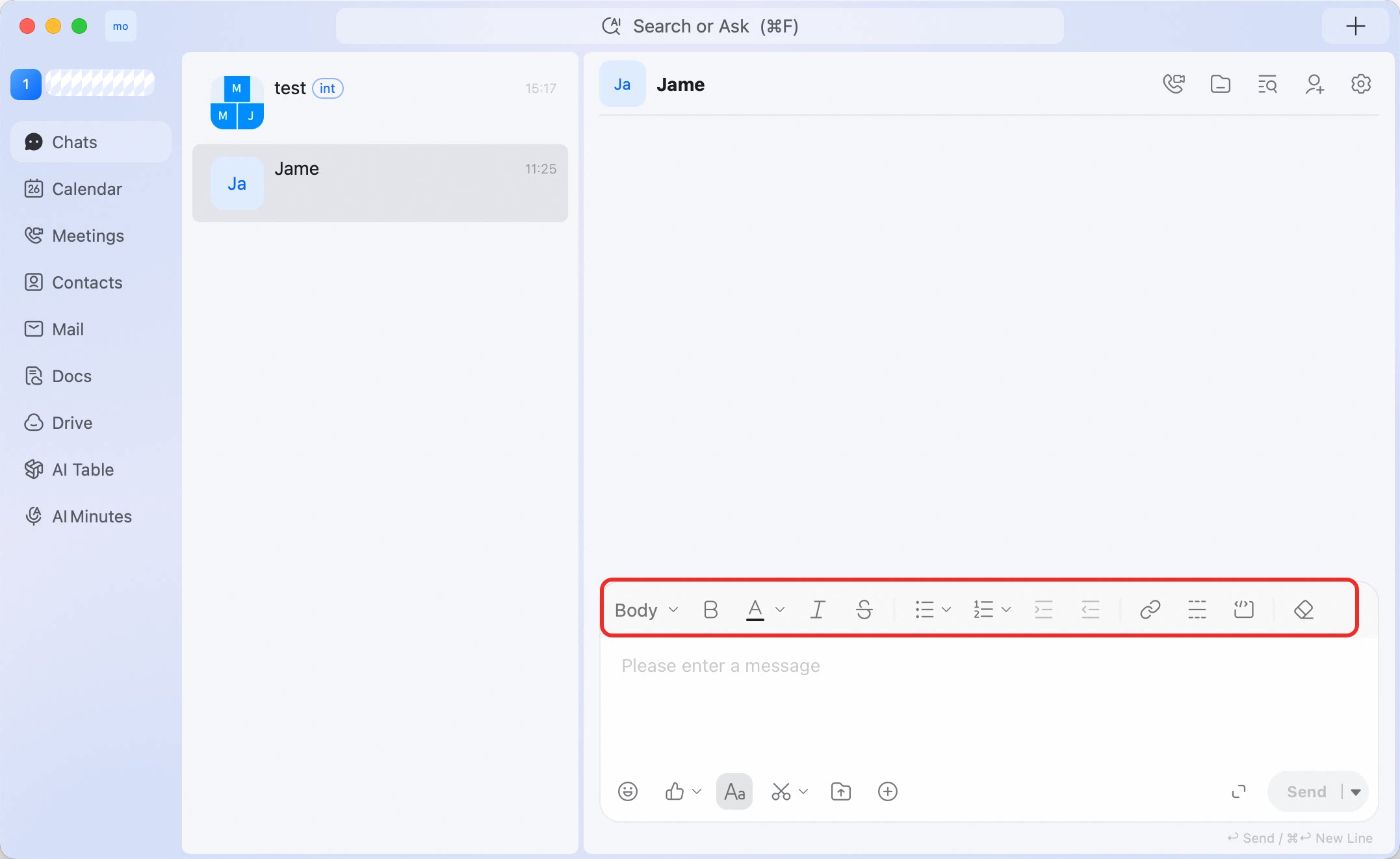
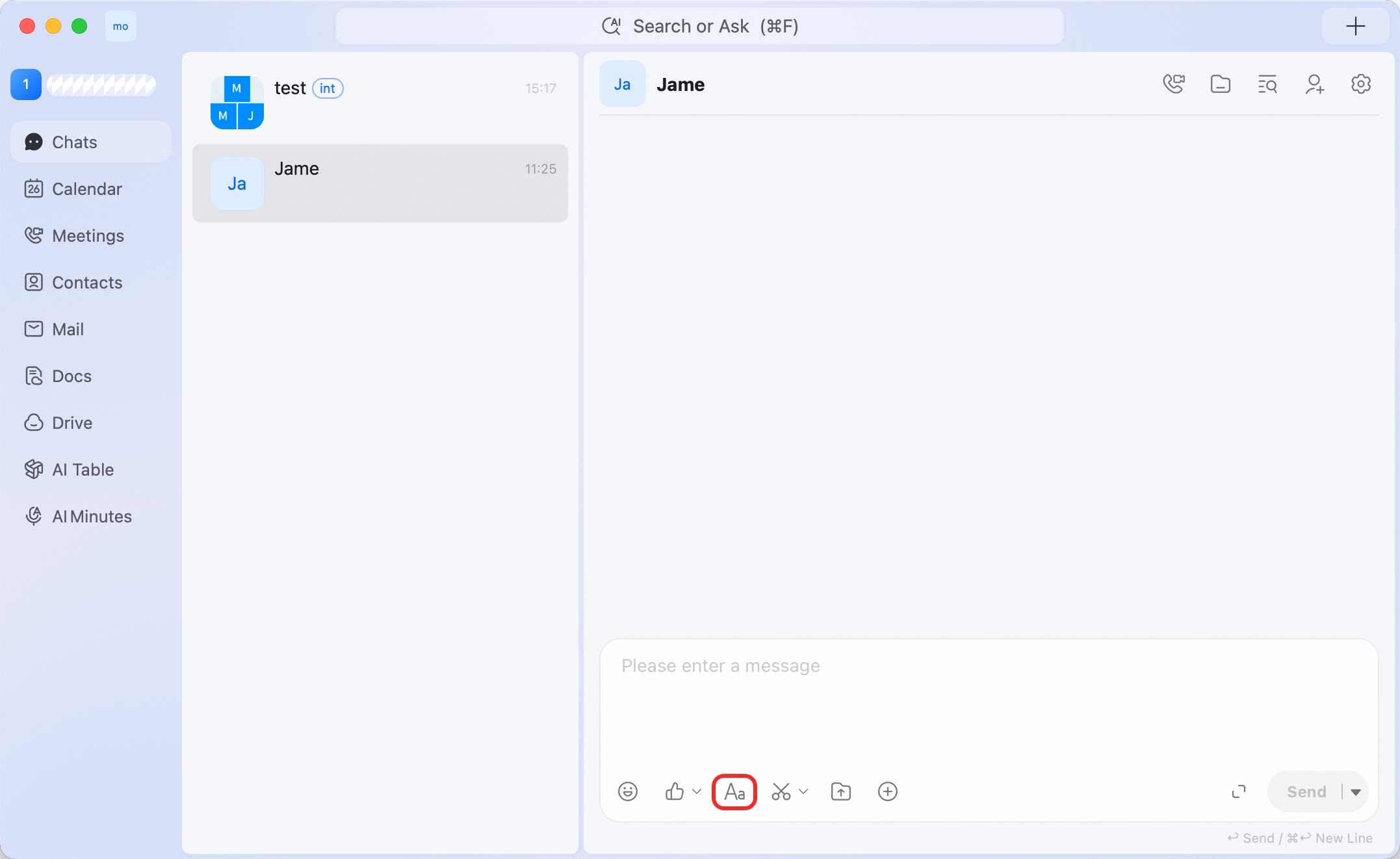 The rich text toolbar appears above the input box.
Formatting options
Send a formatted message
- Click Aa.
- Type your message.
- Select the text you want to format.
- Choose a formatting option from the toolbar.
- Click Send.
Formatting tips
- Use Bold for key points or deadlines.
- Use lists for action items or status updates.
- Use Link when you want to include a reference without pasting a long URL into the message.
- Use Clear Formatting if copied text brings in unwanted styles.