Chats
Chats Calendar
 Meetings
 Contacts
 Mail
Mail Docs
Docs Drive
Drive AI Table
 AI Minutes
 Attendance
 Approval
 YiDA
YiDA Admin Console
Employee action path
After a clock-in is blocked, the employee taps Appeal, takes a photo, enters the reason for the appeal, and selects an admin to send it to.
Admin action path
1
Handle from the card
After receiving the card sent by the employee, tap Handle to open the details page, then Accept or Decline the appeal.
2
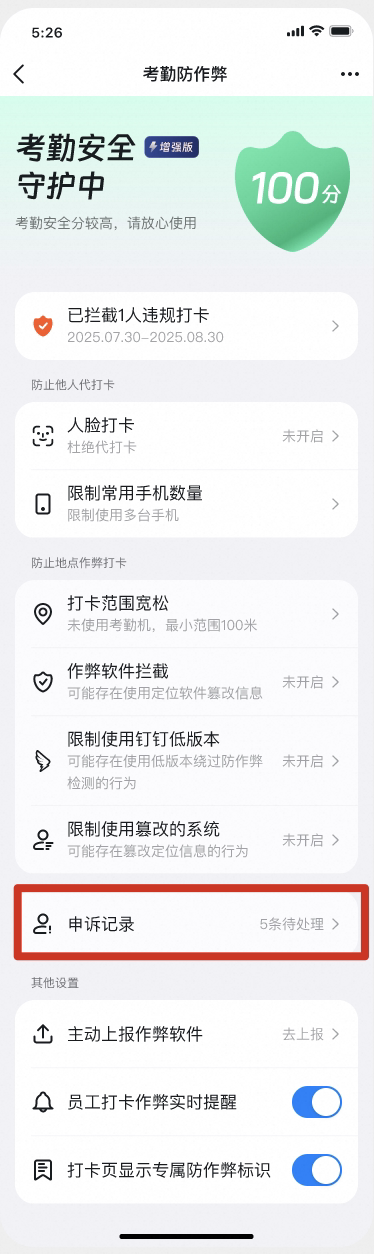
View all appeal records
Go to Attendance → Statistics → Anti-cheating → Appeal records to view all appeal records, including pending and previously handled ones.