

 Chats
Chats Calendar
 Meetings
 Contacts
 Mail
Mail Docs
Docs Drive
Drive AI Table
 AI Minutes
 Attendance
 Approval
 YiDA
YiDA Admin Console
Enable settings
Path to enable: Attendance → Statistics → Anti-cheating → Real-time alerts for employee clock-in cheating
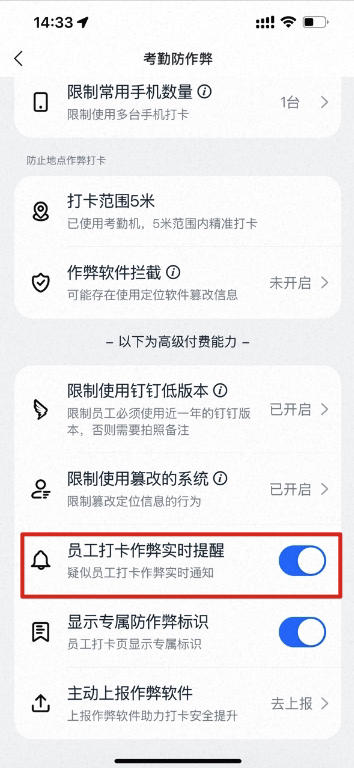
Enable settings
Receiving alerts
Notification channel: Work Notifications
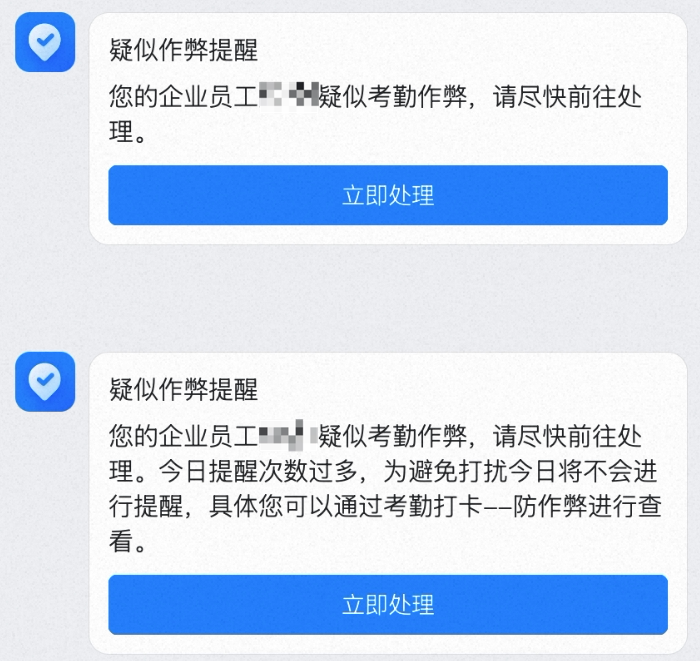
Admin receiving an alert
DingTalk Attendance Security Enhanced capability: once enabled, admins receive real-time DingTalk message notifications (up to three times per day) when employees engage in cheating during clock-in. Complete cheating records are available in the anti-cheating violation clock-in list.
Enable settings
Admin receiving an alert