

 Chats
Chats Calendar
 Meetings
 Contacts
 Mail
Mail Docs
Docs Drive
Drive AI Table
 AI Minutes
 Attendance
 Approval
 YiDA
YiDA Admin Console
1. Feature overview
The DingTalk Attendance request entry is a module that lets employees submit various attendance-related requests (such as leave, overtime, and makeup clock-in) through the DingTalk platform. This entry integrates multiple types of attendance request forms and supports custom configuration to meet the specific needs of different organizations. Employees can complete a request in just a few steps, and managers can respond to and process these requests quickly, enabling an efficient and transparent attendance management process.2. Applicable scenarios
Quickly submit requests such as leave, overtime, and makeup clock-in.3. Procedure
Open DingTalk mobile app > Workbench > Attendance > Settings > More settings > Attendance approval > Enable quick request entry.Once enabled, a Request entry is added to the employee’s Attendance home page, making it easier to submit approvals. The visible scope matches the setting configured in the approval admin console.
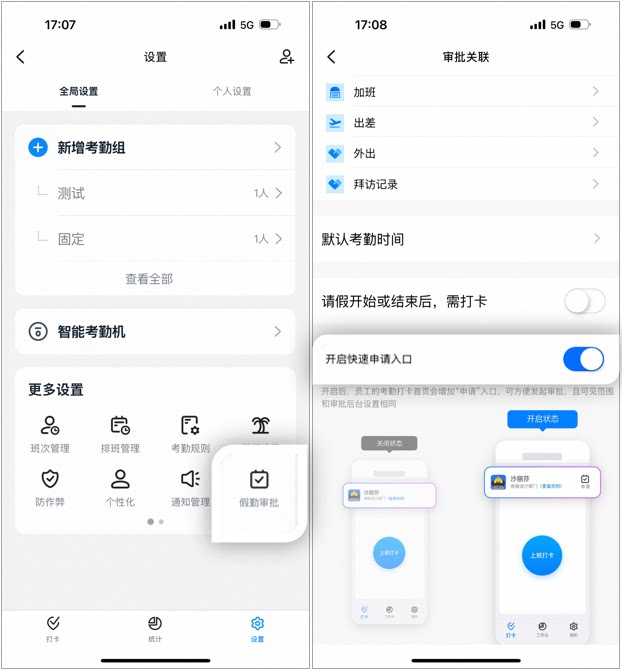
Example of enabling the quick request entry
1. When enabled: The Request entry is displayed in the Attendance app, letting employees easily submit requests such as leave, overtime, and business trips.2. When disabled: The Request entry is hidden in the Attendance app, and employees cannot submit requests from the Attendance app.
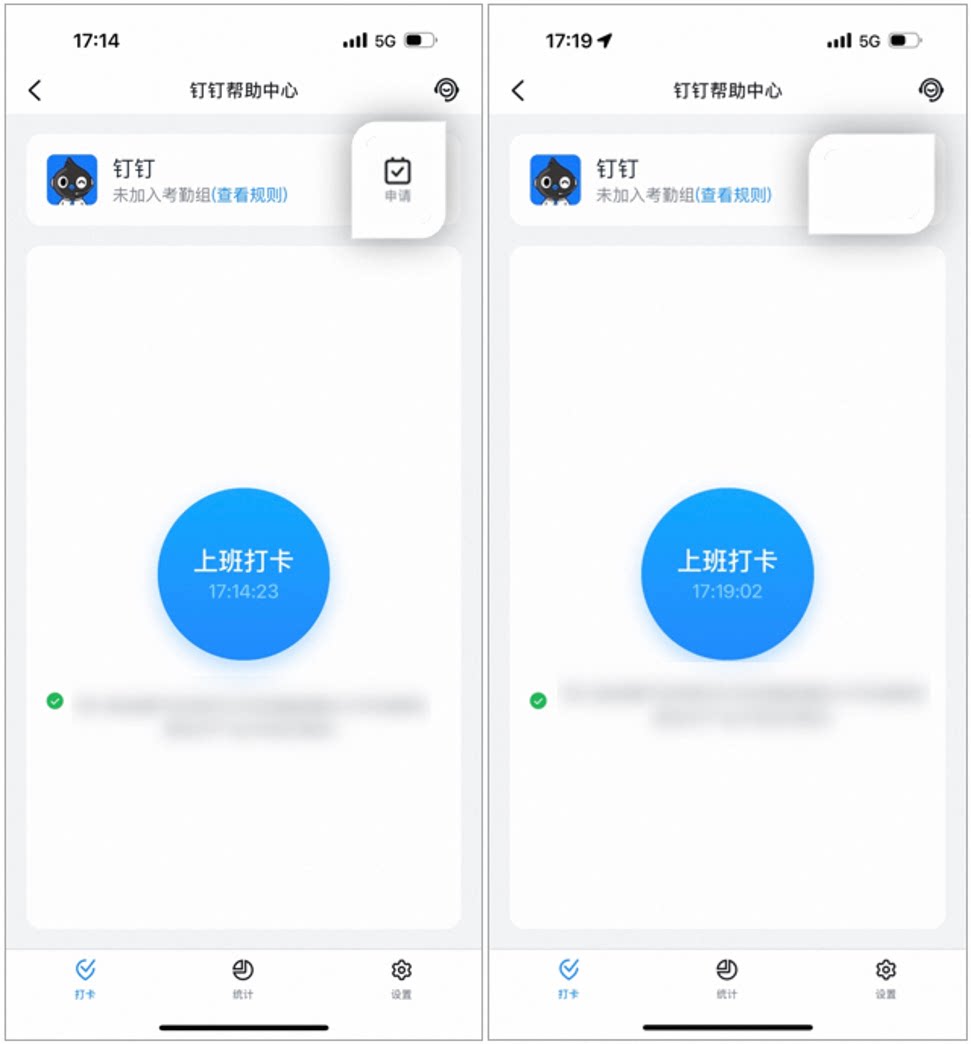
Example of enabling or disabling the request entry
4. FAQ
Will employees be notified when the quick request entry is disabled?
Will employees be notified when the quick request entry is disabled?
Whether the quick Request entry on the Attendance page is enabled or disabled, employees are notified via Work Notifications.
Why doesn't the attendance quick request entry display the approval template?
Why doesn't the attendance quick request entry display the approval template?
Approval form templates shown under Request on the Attendance page require the Attendance Suite to be enabled before they appear in the request entry, so that employees can submit approval forms.